Introdución
This user manual provides essential information for the safe and effective operation, maintenance, and troubleshooting of your DieHard 71341 6/12V Gold Smart Wheel Battery Charger and 50/250A Maintainer. This unit is designed to charge or jump start your battery with intelligent charge technology, offering precision, safety, and extended battery life. Please read this manual thoroughly before using the product.

Image: The DieHard 71341 Gold Smart Wheel Battery Charger, a black unit with a handle and wheels, featuring a control panel on top and battery clamps stored on the handle.
Información importante de seguridade
Observe sempre as seguintes precaucións de seguridade para evitar lesións ou danos no cargador ou na batería:
- Le todas as instrucións: Antes de usar o cargador, lea todas as instrucións e as marcas de precaución do cargador, da batería e do produto que a usa.
- Ventilación: Asegúrese de que haxa unha ventilación axeitada ao cargar as baterías. As baterías poden producir gases explosivos.
- Protección ocular: Use sempre protección ocular e roupa protectora cando traballe con baterías.
- Evitar as faíscas: Non fume nin permita que haxa faíscas ou chamas preto da batería ou do motor.
- Conexión adecuada: Conectar e desconectar a batería clamps only when the charger's AC cord is disconnected from the electrical outlet.
- Polaridade inversa: Avoid reverse polarity connections. The charger is designed with protection against incorrect connections, but always double-check.
- Uso en interiores: This charger is intended for indoor use only. Do not expose to rain or snow.
- Nenos: Manter fóra do alcance dos nenos.
Configuración
The DieHard 71341 charger comes largely pre-assembled for ease of use. Follow these steps for initial setup:
- Desembalaxe: Retire con coidado o cargador da súa embalaxe. Inspeccione se houbo algún dano durante o envío.
- Montaxe do mango: Ensure the retractable handle is securely in place. It is designed for easy transport.
- Xestión de cables Uncoil the 6-gauge power cord and the 6-foot cold weather flexible output cables with color-coded clamps. The unit features integrated storage for these cables.
- Colocación: Position the charger on a stable, level surface near the battery to be charged, ensuring adequate ventilation. The compact wheel design allows for easy movement around your garage or workspace.

Imaxe: Primeiro plano view of the red and black color-coded battery clamps, designed for secure connection to battery terminals.
Instrucións de funcionamento
The DieHard 71341 features intelligent, microprocessor-controlled charging for optimal battery health.
Connecting to a Battery:
- Ensure the charger is unplugged from the AC outlet.
- Conecta o positivo vermello (+) clamp ao terminal positivo (+) da batería.
- Conecta o negativo negro (-) clamp to the negative (-) battery terminal. For vehicles, connect the negative clamp to the vehicle chassis away from the battery and fuel line if the battery is still in the vehicle.
- Plug the charger's AC cord into a standard 120V AC outlet.
Selección dun modo:
The charger automatically senses 6V or 12V battery voltage. Use the "Rate Selection" switch on the control panel to choose your desired operation:
- Charge/Maintain (6A/2A): For standard charging and long-term battery maintenance. The multi-stage charging process prevents overcharging and switches to maintenance mode when fully charged.
- Boost (50A): Provides a quick energy boost to a discharged battery.
- Engine Start (250A): Delivers maximum power to jump start your vehicle. Follow vehicle manufacturer's instructions for jump starting.

Image: Close-up of the DieHard 71341 control panel, showing the rate selection switch for charge/maintain, boost, and engine start modes, along with LED indicators for battery status.
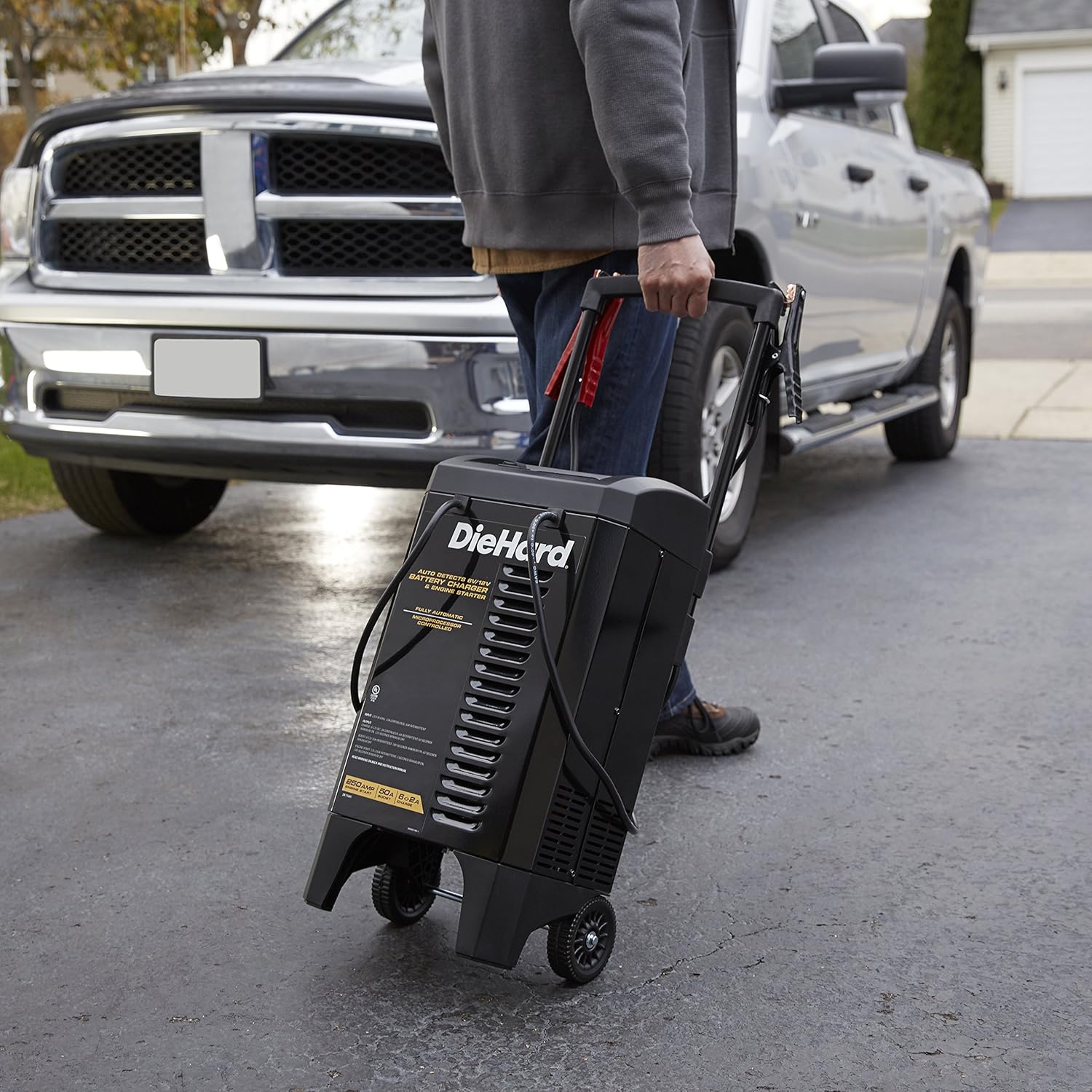
Image: A person's hand adjusting the settings on the DieHard 71341 battery charger's control panel, with the charger positioned near a vehicle.
Mantemento
Proper maintenance ensures the longevity and optimal performance of your DieHard charger:
- Limpeza: Disconnect the charger from the power outlet and battery before cleaning. Wipe the case and cables with a damp pano. Non use disolventes.
- Cable e Clamp Inspección: Regularly inspect the battery cables and clamps for any damage, fraying, or corrosion. Replace if necessary.
- Almacenamento: Store the charger in a cool, dry place when not in use. Ensure cables are neatly wrapped and clamps are securely stored on the unit's handle to prevent damage.
Resolución de problemas
If you encounter issues with your DieHard 71341 charger, refer to the following common problems and solutions:
| Problema | Causa posible | Solución |
|---|---|---|
| O cargador non se acende/non mostra nada. | No AC power; faulty outlet; internal fuse. | Check AC outlet; try a different outlet; consult a qualified technician if fuse is suspected. |
| "Clamps Reversed" indicator lit. | Batería clampestá conectado incorrectamente. | Disconnect AC power, then correctly connect red clamp a positivo (+) e cl negroamp to negative (-). Reconnect AC power. |
| A batería non carga ou carga lentamente. | Poor connection; deeply discharged battery; battery fault. | Asegurar clamps have good contact; allow more time for deeply discharged batteries; have battery tested by a professional. |
| Engine Start/Boost not working. | Vol. batería insuficientetage; incorrect mode selection. | Ensure battery has some residual voltage; select the correct "Engine Start" or "Boost" mode. |
Especificacións
| Característica | Detalle |
|---|---|
| Marca | Die Hard |
| Número de modelo | 71341 |
| Dimensións do produto | 12.5 x 12 x 23.38 polgadas |
| Peso do elemento | 29.9 libras |
| Voltage | 6V / 12V (Automatic Detection) |
| Amperage (Charge/Maintain) | 2 A/6 A |
| Amperage (Boost) | 50A |
| Amperage (Engine Start) | 250A |
| Lonxitude do cable de alimentación | 6 pés |
| Lonxitude do cable de saída | 6 pés |
| Tecnoloxía | Microprocessor Controlled, Multi-stage Carga |

Image: Diagram showing the dimensions of the DieHard 71341 battery charger: 23.38 inches high, 12.5 inches wide, and 12 inches deep.
Garantía e Soporte
For warranty information and technical support, please refer to the official documentation included with your product or visit the manufacturer's website. A detailed user manual in PDF format is also available for download for further reference.
For additional support and resources, you may refer to the official user manual document: DieHard 71341 User Manual (PDF).


