1. Rematadoview
The Aerocool Cylon RGB Midi-Tower PC Case, model ACCM-PV10012.11, is designed to house computer components, offering both functionality and aesthetic appeal. It features a side window panel for showcasing internal hardware and an RGB LED illumination strip on the front panel for customizable lighting effects. This case supports ATX motherboards and provides ample space for various components, including multiple storage drives and cooling solutions.

Figura 1: Fronte view of the Aerocool Cylon RGB Midi-Tower PC Case, highlighting its distinctive RGB LED strip.
2. Contido do paquete
Comprobe que todos os elementos estean presentes no paquete:
- Aerocool Cylon RGB Midi-Tower PC Case (ACCM-PV10012.11)
- Accessory box (containing screws, standoffs, cable ties, etc.)
- Manual de usuario (este documento)
3. Información de seguridade
Read and understand all safety instructions before installing or operating the PC case. Failure to do so may result in injury or damage to the product.
- Desconecte sempre a fonte de alimentación da toma de corrente antes de realizar calquera instalación ou mantemento.
- Manexe todos os compoñentes con coidado para evitar danos.
- Avoid touching electronic components directly; use anti-static precautions if possible.
- Manteña as pezas e os accesorios pequenos fóra do alcance dos nenos.
- Asegúrate de que haxa unha ventilación axeitada arredor da carcasa para evitar o sobrequecemento.
4. Configuración e instalación
4.1 Preparación do caso
Before installing components, remove the side panels to access the interior of the case.
- Coloque a caixa sobre unha superficie plana e estable.
- Locate the thumbscrews on the rear of the case securing the side panel.
- Unscrew the thumbscrews and carefully slide the side panel backward, then lift it off. Repeat for the other side panel if necessary.
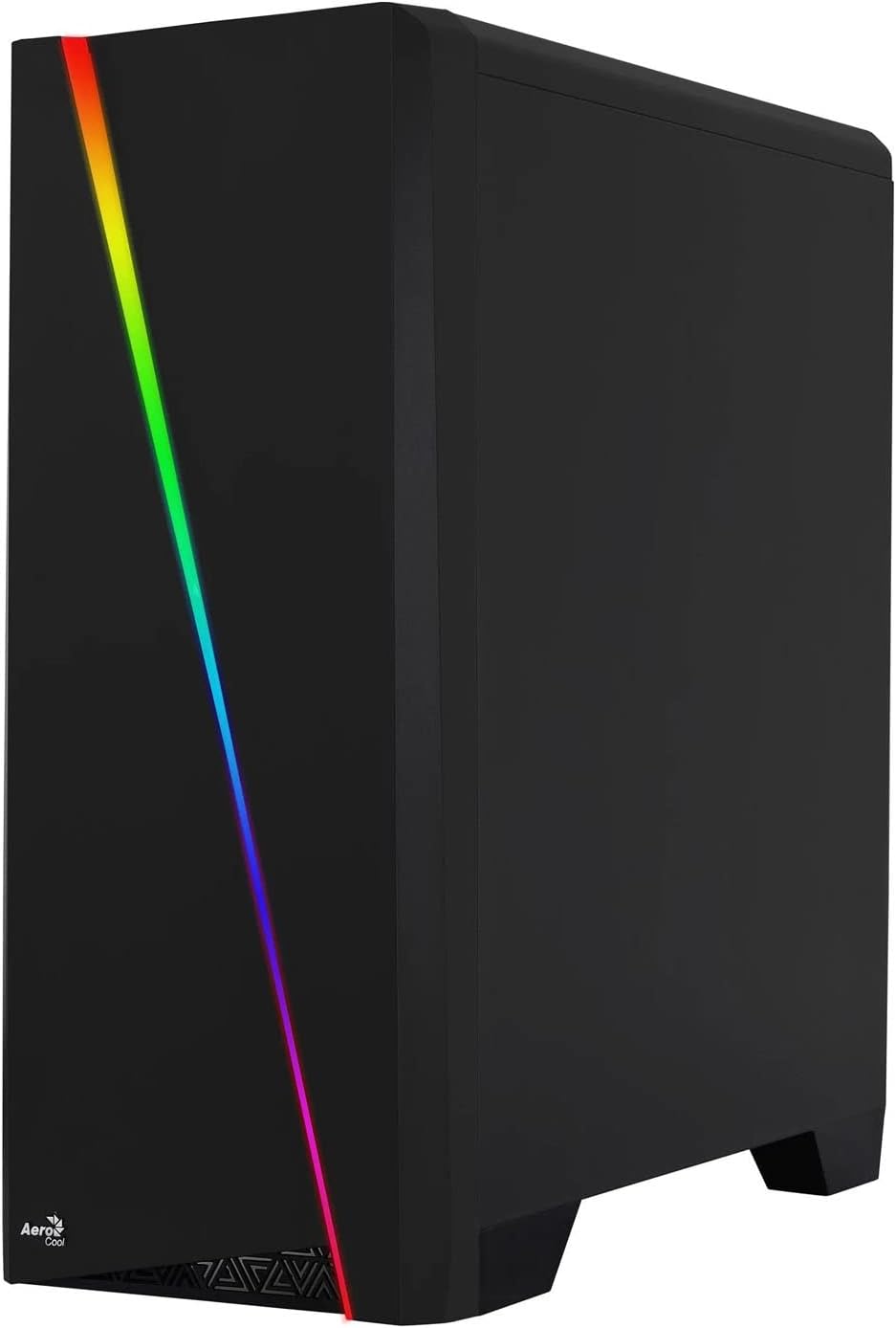

Figure 2: Left image shows the side panel attached, right image shows the side panel removed for access.
4.2 Instalación da placa base
The Aerocool Cylon case supports ATX motherboards.
- Install the I/O shield that came with your motherboard into the opening at the rear of the case.
- Ensure motherboard standoffs are correctly aligned with your motherboard's screw holes. Install any missing standoffs from the accessory box.
- Coloca con coidado a placa base sobre os separadores, aliñando os orificios dos parafusos.
- Fixe a placa base cos parafusos axeitados da caixa de accesorios.
4.3 Drive Installation (2.5" / 3.5")
The case provides bays for 2.5-inch and 3.5-inch drives.
- Locate the drive bays within the case. Refer to the case diagram for specific locations.
- For 3.5-inch HDDs, slide the drive into the designated tray or bay and secure it with screws.
- For 2.5-inch SSDs, mount the drive onto the designated bracket or tray and secure it with screws.
4.4 Instalación da Unidade de Alimentación (PSU).
The PSU is typically mounted at the bottom rear of the case.
- Slide the PSU into its designated compartment from the rear of the case.
- Align the PSU's screw holes with those on the case.
- Fixe a fonte de alimentación cos parafusos proporcionados.
4.5 Expansion Card (GPU) Installation
Install your graphics card or other expansion cards into the PCIe slots.
- Remove the necessary PCI-E slot covers from the rear of the case corresponding to your expansion card's size.
- Carefully insert the expansion card into the appropriate PCI-E slot on the motherboard until it clicks into place.
- Fixe a tarxeta de expansión con parafusos.

Figura 3: Traseira view of the PC case, showing the expansion slots and I/O area.
4.6 Fan / Liquid Cooling Radiator Installation
The Aerocool Cylon case supports various cooling configurations.
- Traseira: 1 x 120mm fan (pre-installed or optional).
- Arriba: Supports 2 x 120mm fans or 1 x 240mm radiator.
- Abaixo: Admite 2 ventiladores de 120 mm.
- Mount fans or radiators to their respective positions using the appropriate screws.
- Connect fan power cables to the motherboard or a fan controller.

Figure 4: An interior shot of the case, illustrating potential fan and liquid cooling radiator placements.
4.7 Xestión de cables
Effective cable management improves airflow and aesthetics.
- Route cables through the cutouts and behind the motherboard tray.
- Use cable ties (included in the accessory box) to bundle and secure cables.
4.8 Connecting Front Panel I/O
Connect the front panel cables to the corresponding headers on your motherboard.
- USB 3.0: Connect the USB 3.0 cable to the motherboard's USB 3.0 header.
- USB 2.0: Connect the USB 2.0 cables (x2) to the motherboard's USB 2.0 headers.
- Son de alta definición: Connect the HD Audio cable to the motherboard's audio header.
- Power/Reset/LEDs: Connect the small individual cables (Power SW, Reset SW, HDD LED, Power LED) to the motherboard's front panel headers according to your motherboard manual.
5. Funcionamento da caixa do PC
Once all components are installed and connected, reattach the side panels and power on your system.
- Encendido: Prema o botón de acendido situado no panel de E/S superior da caixa.
- Control de iluminación RGB: The front panel RGB LED illumination can be controlled via a dedicated button on the top I/O panel or through compatible motherboard software, depending on your setup. Refer to your motherboard manual for software control options.
6. Mantemento
Un mantemento regular axuda a garantir un rendemento óptimo e unha maior lonxevidade da carcasa e dos compoñentes do teu PC.
- Limpeza do filtro de po: The case features dust filters (e.g., on the top and bottom). Regularly remove and clean these filters to prevent dust buildup and maintain good airflow. Use compressed air or a soft brush.
- Limpeza xeral: Use un suave, damp cloth to wipe down the exterior of the case. Avoid abrasive cleaners or solvents. For the transparent side panel, use a microfiber cloth to prevent scratches.
7 Solución de problemas
Se tes problemas, ten en conta os seguintes pasos habituais para a súa resolución:
- Sen enerxía: Ensure the PSU is properly connected to the wall outlet and the power switch on the PSU is in the 'ON' position. Verify all power cables to the motherboard and components are securely seated.
- Os ventiladores non xiran: Check that all fan cables are correctly connected to the motherboard or fan controller. Ensure the system is receiving power.
- RGB Not Working: Confirm RGB cables are properly connected. If using motherboard software, ensure it is installed and configured correctly.
- Conexións soltas: Recheck all internal connections (power, data, front panel I/O) to ensure they are firmly seated.
8. Especificacións
| Característica | Especificación |
|---|---|
| Nome do modelo | ACCM-PV10012.11 |
| Tipo de caso | Midi-Torre |
| Compatibilidade da placa base | ATX |
| Dimensións (LxWxH) | 16.26 x 7.8 x 18.07 polgadas |
| Peso do elemento | 8.36 libras |
| Material | Acrílico |
| Portos USB 3.0 | 1 |
| Portos USB 2.0 | 2 |
| Método de arrefriamento | Aire |
| Fan Size (Rear) | 120 milímetros |
| Iluminación RGB | Front Panel LED Strip |
9. Información da garantía
The Aerocool Cylon RGB Midi-Tower PC Case is covered by a manufacturer's warranty. Please refer to the warranty card included with your product or visit the official AeroCool websitio web para obter termos e condicións detallados da garantía, incluído o período de cobertura e os procedementos de reclamación.
10. Apoio
For further assistance, technical support, or to download the latest drivers and software, please visit the official AeroCool websitio:
Websitio: www.aerocool.io
You may also contact AeroCool customer service through the contact information provided on their websitio.


