1. Introdución
This manual provides detailed instructions for the assembly, operation, and maintenance of your ZINUS Dominic L-Shaped Corner Desk. Designed for home office and study areas, this desk offers a multifunctional work surface with a sturdy steel frame and an espresso-finished engineered wood top.
Características principais:
- Modern L-shaped design for corner or wall placement.
- Wide desktop for ampo espazo de traballo.
- Sturdy steel frame and legs for durability.
- Integrated storage drawer.
- Convenient side storage hook.
- Built-in cable manager.
- Designed for easy, bolt-free assembly.
2. Información de seguridade
Please read and understand all safety warnings before assembly and use of this product.
- Límite de peso: Adhere to the recommended maximum weight limit of 100 libras (45 kg) for the desktop. Exceeding this limit may result in instability and potential injury or damage.
- Ferramentas de montaxe: Use only hand tools during assembly. Power tools may overtighten fasteners, leading to damage to the desk components.
- Superficie estable: Always place the desk on a flat, level, and stable surface to prevent tipping.
- Nenos: Manteña as pezas pequenas e os materiais de embalaxe fóra do alcance dos nenos durante a montaxe para evitar riscos de asfixia.
- Comprobacións periódicas: Comprobe periodicamente todas as conexións e elementos de fixación para garantir que permanezan axustados.
3. Contido do paquete
Carefully unpack all components and verify against the parts list (typically included in the box). Ensure all items are present and undamaged before beginning assembly. The desk is efficiently shipped in one box.

Compoñentes esperados:
- Seccións de escritorio (en forma de L)
- Desk legs (metal)
- Caixón de almacenamento
- Side storage hook
- Xestor de cables
- Assembly hardware (bolts, washers, etc.)
- Assembly tool (e.g., small ratchet or Allen wrench)
4. Configuración e montaxe
The ZINUS Dominic L-Shaped Corner Desk features a bolt-free assembly design, making setup straightforward. It is recommended that one person assembles the desk.
Pasos de montaxe:
- Preparar o espazo de traballo: Clear an open area for assembly. Lay down the packaging material to protect the desk surfaces and your floor.
- Colocar as pernas: Secure the metal legs to the underside of the desktop sections. The bolt-free design typically involves aligning and clicking components into place or using pre-installed fasteners that only require tightening with the provided tool.
- Connect Desktop Sections: Join the two L-shaped desktop sections if they are separate. Ensure a secure and flush connection.
- Instalar caixón: Slide the storage drawer into its designated slot beneath the desktop.
- Adjuntar accesorios: Secure the side storage hook and cable manager to their respective positions on the desk frame.
- Verificación final: Once assembled, gently lift and move the desk to its desired location. Ensure all connections are firm and the desk is stable.

5. Instrucións de funcionamento
Caixón de almacenamento:
The desk includes a pull-out storage drawer located beneath the main desktop surface. This drawer is designed for small office supplies, stationery, or personal items.

Side Storage Hook:
A metal hook is provided on the side of the desk frame. This hook is ideal for hanging headphones, bags, or other accessories, keeping your workspace tidy.

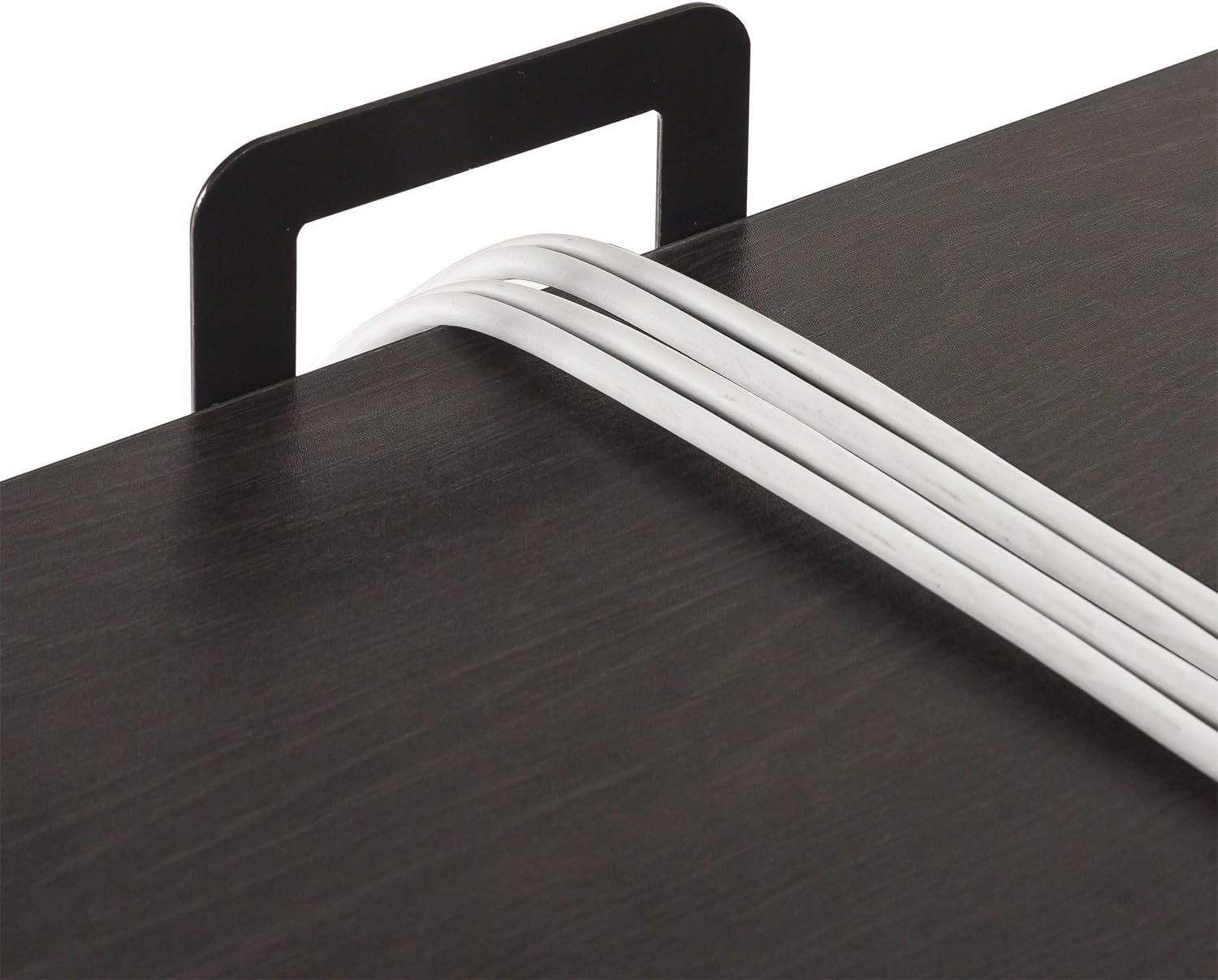
Cable Manager:
The desk features a built-in cable manager to help organize and route power cords and peripheral cables, reducing clutter on your desktop.
6. Mantemento
Proper care and maintenance will extend the life and appearance of your ZINUS Dominic L-Shaped Corner Desk.
- Limpeza: Limpe as superficies cun suave, damp pano. Evite produtos químicos agresivos ou produtos de limpeza abrasivos, que poden danar o acabado.
- Verquidos: Limpe os derrames inmediatamente para evitar manchas ou danos na superficie de madeira sintética.
- Calor e humidade: Avoid placing hot items directly on the desktop. Use coasters or protective pads. Keep the desk away from excessive moisture or direct sunlight.
- Fixadores: Periodically check and tighten all assembly fasteners to ensure the desk remains stable and secure.
7 Solución de problemas
Problemas do caixón:
If the storage drawer is difficult to open or close, or appears to be stuck:
- Comprobar o aliñamento: Ensure the drawer is correctly aligned within its runners. Gently push and pull to reseat it.
- Obstáculos: Verify there are no objects inside the drawer or along its path that might be obstructing its movement.
- Danos: Inspect the drawer and its runners for any visible damage or bends. If damage is present, contact customer support for assistance.
- Lubricación: For minor stiffness, a small amount of silicone-based lubricant can be applied to the drawer runners, if accessible, to improve glide.
8. Especificacións
Detailed product specifications for the ZINUS Dominic L-Shaped Corner Desk.

| Característica | Detalle |
|---|---|
| Marca | Zinus |
| Número de modelo | OLB-LD-C59E |
| Forma | Forma L |
| Dimensións do produto (P x A x A) | 59" D x 55" W x 28.98" H |
| Cor | Espresso |
| Estilo | Moderno |
| Material base | Metal |
| Tipo de material superior | Madeira de enxeñería |
| Tipo de acabado | Aceiro (marco) |
| Característica especial | Includes drawer, side storage hook, and cable manager |
| Montaxe necesaria | Si |
| Recomendación de peso máximo | 100 libras |
| Número recomendado de persoas para a asemblea | 1 |
| Peso do elemento | 60.7 libras |
| Número de caixóns | 1 |
| Compoñentes incluídos | Desk, Drawer, Side Storage hook, cable manager |
9. Garantía e soporte
Your ZINUS Dominic L-Shaped Corner Desk is backed by a worry-free 1 ano de garantía.
This warranty covers manufacturing defects and ensures your product meets Zinus's quality standards. Please retain your proof of purchase for warranty claims.
Atención ao cliente:
For any questions regarding assembly, missing parts, product defects, or warranty claims, please contact Zinus Customer Support. Refer to the contact information provided in your product packaging or visit the official Zinus websitio de asistencia.