1. Introdución e finalview
The Bose T4S ToneMatch Mixer is an ultra-compact, 4-channel digital mixer designed for performers seeking precise control over their audio. Featuring a powerful DSP engine and intuitive user controls, the T4S delivers studio-quality EQ, dynamics, and effects. It integrates seamlessly with Bose L1 or F1 systems for comprehensive end-to-end tonal control, making it an ideal companion for live performances.
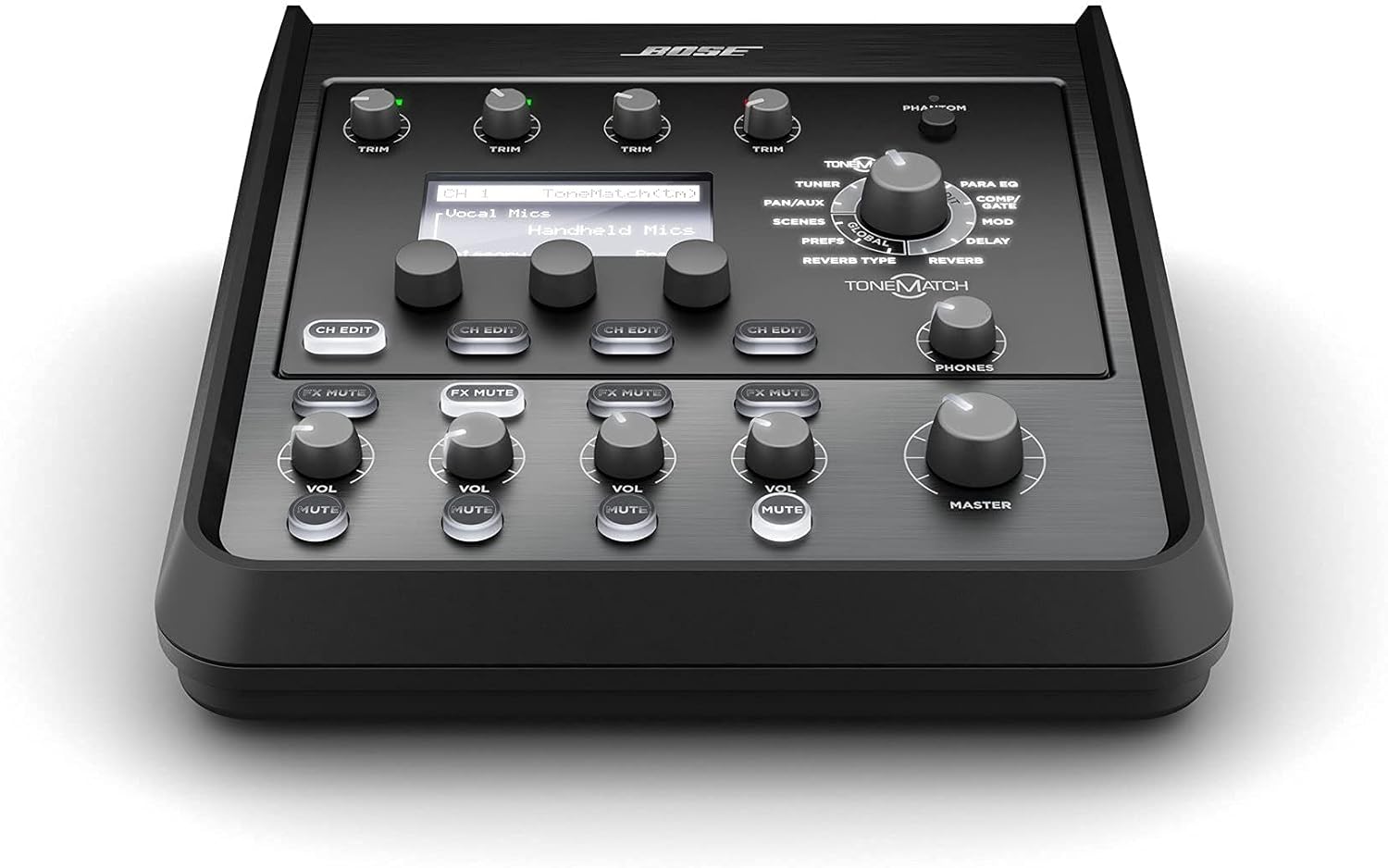
Figura 1: Fronte view of the Bose T4S ToneMatch Mixer, showcasing its controls and display.
2. Que hai na caixa
Upon unboxing your Bose T4S ToneMatch Mixer, please ensure all the following items are present:
- T4S ToneMatch mixer
- ToneMatch cable
- Cuberta

Figure 2: The ToneMatch cable included with your mixer, essential for connecting to compatible Bose L1 or F1 systems.
3. Características clave
- Updated, studio-quality effects with advanced digital audio processing and Bose ToneMatch processing for natural-sounding vocals and instruments.
- 4 high-quality audio Preamps with XLR-combo jacks for microphones or instruments, and switchable phantom power.
- ZEQ focuses the sound of ToneMatch presets for effective adjustments on the fly.
- Includes a ToneMatch cable for connecting to compatible Bose L1 Model II or L1 Model 1S system for digital audio and power.
4. Configuración
Follow these steps to set up your Bose T4S ToneMatch Mixer:
- Conexión de alimentación: Connect the ToneMatch mixer to a compatible Bose L1 Model II or L1 Model 1S system using the provided ToneMatch cable for both digital audio and power. Alternatively, use an optional external power supply (sold separately) if not connecting to a compatible Bose system.
- Conexións de entrada: Utilize the 4 high-quality audio preamps with XLR-combo jacks to connect microphones or instruments. These versatile jacks accept both XLR and 1/4-inch TRS/TS connections.
- Poder fantasma: For condenser microphones requiring power, activate the switchable phantom power on the relevant channels. Refer to the mixer's display for channel-specific phantom power controls.
- Conexións de saída: Connect the main outputs to your sound system or recording device. The mixer offers various output options for flexibility.
- Audio USB: Connect the mixer to a computer via USB for audio recording or playback.
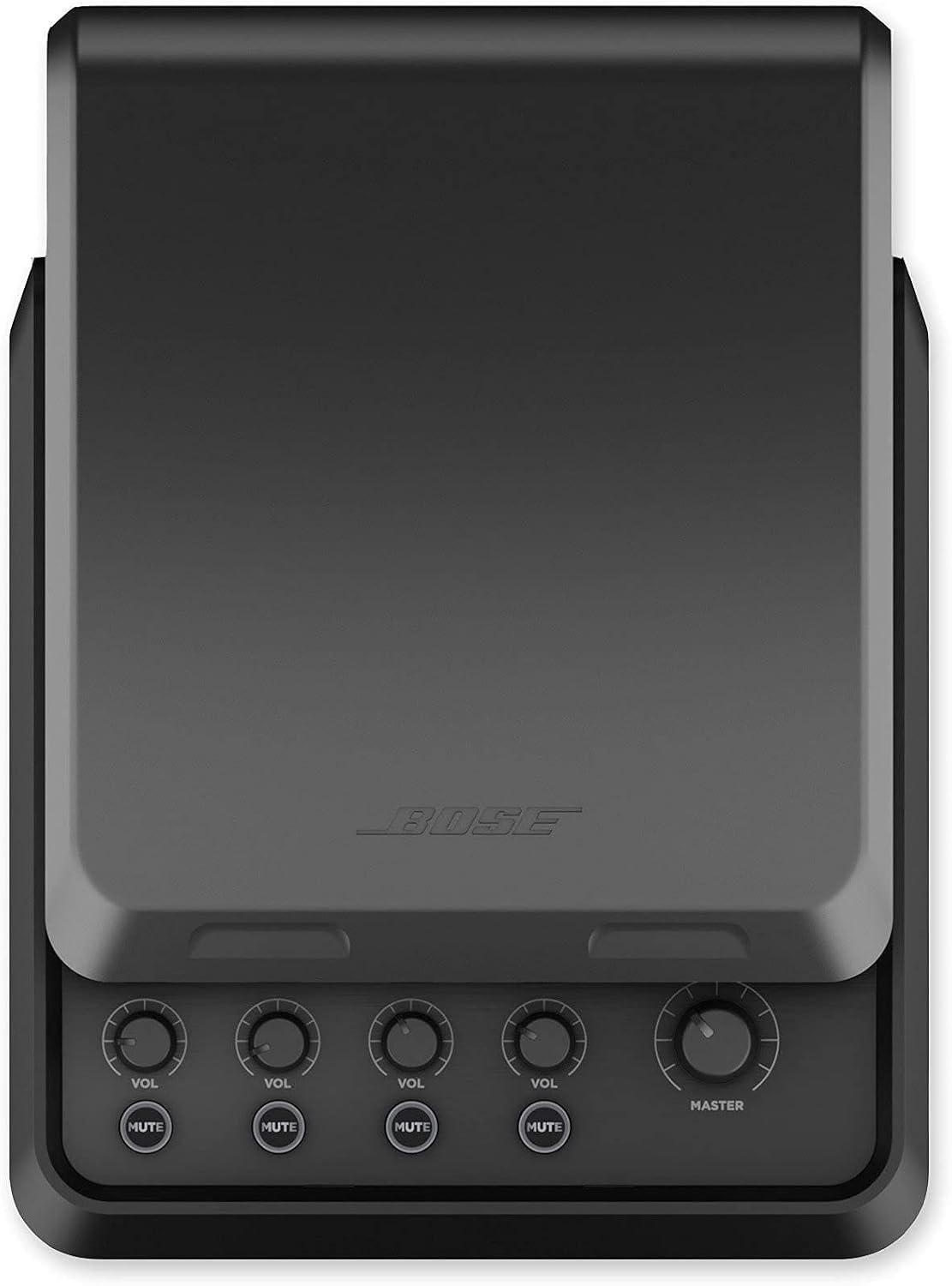
Figura 3: Traseira view of the T4S ToneMatch Mixer, highlighting the XLR-combo inputs, USB ports, and main outputs for diverse connectivity.
5. Instrucións de funcionamento
The T4S ToneMatch Mixer offers intuitive controls for shaping your sound:
- Controis de canles: Each of the 4 channels features dedicated trim, volume, and FX mute controls. Use the 'CH EDIT' buttons to access detailed settings for each channel.
- ToneMatch Processing: Utilize the ToneMatch rotary selector to navigate through various categories and presets optimized for specific microphones and instruments. This feature automatically applies recommended EQ and effects settings.
- DSP Engine: The powerful DSP engine allows for fine-tuning of EQ, dynamics (compressor/gate), modulation, delay, and reverb effects. Use the central rotary encoder and surrounding buttons to adjust parameters displayed on the LED screen.
- ZEQ: The ZEQ feature allows for on-the-fly adjustments to ToneMatch presets, enabling quick and effective sound shaping during a performance.
- Scene Recall: Save your preferred mixer configurations as 'Scenes' for quick recall during different performances or setups.
- Volume principal: Adjust the overall output level using the 'MASTER' knob.
Video 1: A closer look at the Bose T4S ToneMatch Mixer, demonstrating its compact design and key controls.
6. Mantemento
To ensure the longevity and optimal performance of your Bose T4S ToneMatch Mixer, follow these maintenance guidelines:
- Limpeza: Use a soft, dry cloth to clean the exterior of the mixer. Avoid using abrasive cleaners, solvents, or strong chemicals, as these can damage the finish and internal components.
- Almacenamento: When not in use, store the mixer in a cool, dry place away from direct sunlight, extreme temperatures, and excessive humidity. Use the provided cover to protect it from dust and debris.
- Coidado do cable: Regularly inspect all cables for any signs of wear or damage. Replace damaged cables immediately to prevent performance issues or potential hazards.
- Ventilación: Ensure that the mixer's ventilation openings are not obstructed during operation to prevent overheating.
7 Solución de problemas
If you encounter any issues with your Bose T4S ToneMatch Mixer, consider the following common troubleshooting steps:
- Sen enerxía: Ensure the ToneMatch cable is securely connected to a compatible Bose L1/F1 system or that the optional external power supply is correctly plugged in and functioning.
- Sen son: Verify all input and output cables are correctly connected. Check channel volume levels, master volume, and ensure no channels are muted. Confirm that phantom power is enabled for condenser microphones.
- Son distorsionado: Reduce input gain levels if the 'PEAK' indicators are frequently lighting up. Check for damaged cables or improper connections.
- Efectos que non funcionan: Ensure the desired effects are enabled and their parameters are correctly set. Check the FX send/return levels.
- Problemas intermitentes: Power cycle the mixer and any connected audio equipment. Ensure the mixer is operating within recommended environmental conditions.
For persistent issues, please refer to the official Bose support resources or contact customer service.
8. Especificacións
| Característica | Especificación |
|---|---|
| Peso do elemento | 2.1 libras |
| Dimensións do produto | 8.4 x 7.25 x 3.25 polgadas |
| Número de modelo do artigo | 785403-0110 |
| Cor | Negro |
| Fonte de enerxía | Eléctrico con cable |
| Número de canles | 4 |
| Tecnoloxía de conectividade | USB |
| Primeiro dispoñible | 26 de marzo de 2018 |

Figure 4: The compact size of the T4S ToneMatch Mixer, illustrating its portability and dimensions.
9. Garantía e soporte
For warranty information, product registration, and technical support, please visit the official Bose websitio web ou póñase en contacto co servizo de atención ao cliente. Garde o recibo da compra como proba de compra para reclamacións de garantía.
Online resources and FAQs are available to assist with common queries and advanced usage tips.


