1. Introdución
This manual provides detailed instructions for the Aluratek AUMC0302F USB Type-C Hub. This versatile 4-in-1 multiport adapter is designed to expand the connectivity of your USB-C enabled devices, offering a comprehensive solution for data transfer, video output, and peripheral connections. Please read this manual thoroughly before using the product to ensure proper operation and to maximize its capabilities.
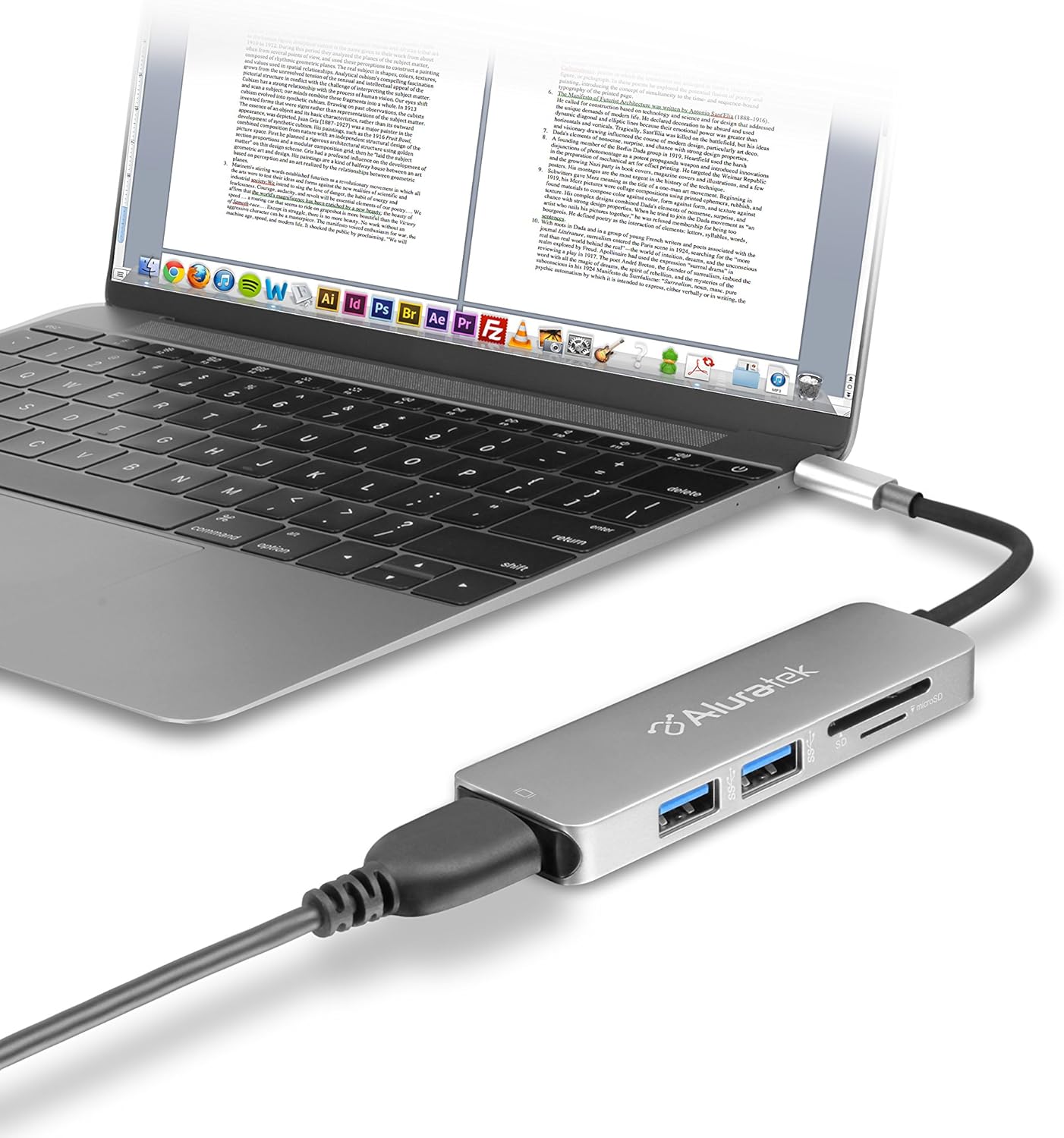
Image 1.1: The Aluratek AUMC0302F USB Type-C Hub connected to a laptop, demonstrating its use with various peripherals.
2. Características
- Conectividade mellorada: Expands a single USB-C port to include 4K HDMI, three USB 3.0 ports, and a Micro/SD card reader.
- Crystal-Clear HDMI Output: Supports 4K HDMI video output, allowing connection to external displays or monitors for high-definition visuals.
- Transferencia rápida de datos: Three USB 3.0 ports provide data transfer speeds up to 5Gbps, suitable for connecting peripherals and external storage devices.
- Seamless Card Reader: Integrated SD and MicroSD card reader for quick access and transfer of files das tarxetas de memoria.
- Ampla compatibilidade de dispositivos: Compatible with various USB-C enabled laptops, including MacBook, Dell, HP, and Surface models.

Imaxe 2.1: Detallada view of the Aluratek AUMC0302F hub, showcasing its USB 3.0, SD, and MicroSD ports.
3. Contido do paquete
Asegúrate de que todos os artigos estean presentes no teu paquete:
- Aluratek USB Type-C Hub (AUMC0302F)
- Guía de inicio rápido
4. Instrucións de configuración
The Aluratek AUMC0302F hub is designed for plug-and-play functionality, requiring no additional drivers for most operating systems.
- Conectar o concentrador: Plug the USB Type-C connector of the Aluratek hub into an available USB Type-C port on your laptop or compatible device.
- Recoñecemento do sistema: Your operating system should automatically detect and configure the hub. This process may take a few moments.
- Listo para usar: Once recognized, the hub's ports are ready for connecting your peripherals and memory cards.
5. Instrucións de funcionamento
Utilize the various ports on your Aluratek AUMC0302F hub as follows:
5.1. Using USB 3.0 Ports
- Connect USB devices such as external hard drives, flash drives, keyboards, mice, or other USB peripherals to the three available USB 3.0 ports.
- Estes portos admiten velocidades de transferencia de datos de ata 5 Gbps.
5.2. Using the HDMI Port
- Connect an HDMI cable from the hub's HDMI port to an external monitor, TV, or projector.
- The hub supports resolutions up to 4K (3840 x 2160) at 30Hz, providing a clear and vibrant display.
- Configure your display settings (e.g., duplicate, extend) through your computer's operating system.

Image 5.1: The Aluratek AUMC0302F hub facilitating video output from a laptop to an external display.
5.3. Using the SD and MicroSD Card Reader
- Insert your SD or MicroSD card into the corresponding slot on the hub. Ensure the card is inserted correctly with the contacts facing down.
- Your computer will recognize the card as a removable drive, allowing you to access and transfer files.
- Do not insert both an SD and a MicroSD card simultaneously if the hub only supports one at a time (check product specifications if unsure). This model supports both.
6 Solución de problemas
If you encounter issues with your Aluratek AUMC0302F hub, please refer to the following common solutions:
- Dispositivo non recoñecido:
- Ensure the USB Type-C connector is fully inserted into your computer's port.
- Try connecting the hub to a different USB Type-C port on your computer.
- Reinicia o teu ordenador.
- HDMI Display Issues:
- Verify that the HDMI cable is securely connected to both the hub and the external display.
- Check the input source on your external display to ensure it's set to the correct HDMI input.
- Actualiza os controladores gráficos do teu ordenador.
- Proba cun cable HDMI ou pantalla diferente se é posible.
- Os dispositivos USB non funcionan:
- Asegúrate de que o dispositivo USB estea conectado correctamente ao concentrador.
- Tenta conectar o dispositivo USB a un porto diferente do concentrador.
- If it's a high-power device, ensure your laptop's USB-C port can provide sufficient power. Some devices may require direct connection or an externally powered hub.
- SD/MicroSD Card Not Detected:
- Asegúrate de que a tarxeta estea completa e correctamente inserida na ranura.
- Test the card in another device to confirm it is functional.
- Check your computer's Disk Management (Windows) or Disk Utility (macOS) to see if the card is recognized but not assigned a drive letter.
7. Especificacións
| Marca | Aluratek |
| Número de modelo | AUMC0302F |
| Plataforma de hardware | Portátil, PC |
| Compatibilidade do sistema operativo | Chrome OS, Windows 10, Windows 7 |
| Peso do elemento | 1 onzas |
| Dimensións do produto (LxWxH) | 4.5 x 1 x 0.45 polgadas |
| Cor | Prata |
| Interface de hardware | USB Type-C, HDMI, USB 3.0, SD, MicroSD |
| Característica especial | Powered (via USB-C host connection) |
| Dispositivos compatibles | Laptops with USB Type-C ports |
8. Información de seguridade
To ensure safe operation and prolong the life of your device, please observe the following:
- Manteña o dispositivo lonxe da auga, da humidade e das temperaturas extremas.
- Non intente desmontar nin reparar o dispositivo vostede mesmo. Encargue todo o mantemento a persoal cualificado.
- Evite deixar caer ou someter o dispositivo a fortes impactos.
- Use only with compatible USB Type-C devices.
- Disconnect the hub when not in use for extended periods.
9. Garantía e soporte
Aluratek products are backed by a manufacturer's warranty. For specific warranty details, please refer to the warranty card included with your product or visit the official Aluratek website. If you require technical support or have questions about your Aluratek AUMC0302F hub, please contact Aluratek customer service through their official websitio web ou a información de contacto que se inclúe na embalaxe do produto.
For the latest drivers, FAQs, and product registration, please visit: www.aluratek.com


