Introdución
This manual provides instructions for the proper use and maintenance of your AW B990BL Neckband Wireless Bluetooth Earphones. Please read this manual thoroughly before using the product to ensure optimal performance and longevity.
The AW B990BL Neckband Wireless Bluetooth Earphones offer a convenient audio solution with a neckband design. Featuring Bluetooth V4.2 connectivity, these earphones provide up to 6 hours of talk or music time on a 1-hour charge. They are designed for wide compatibility with various devices, offering a reliable wireless experience.
Contido do paquete
- AW B990BL Neckband Wireless Bluetooth Earphones
- Cable de carga USB
- Puntas para oídos (varios tamaños)
- Manual de usuario

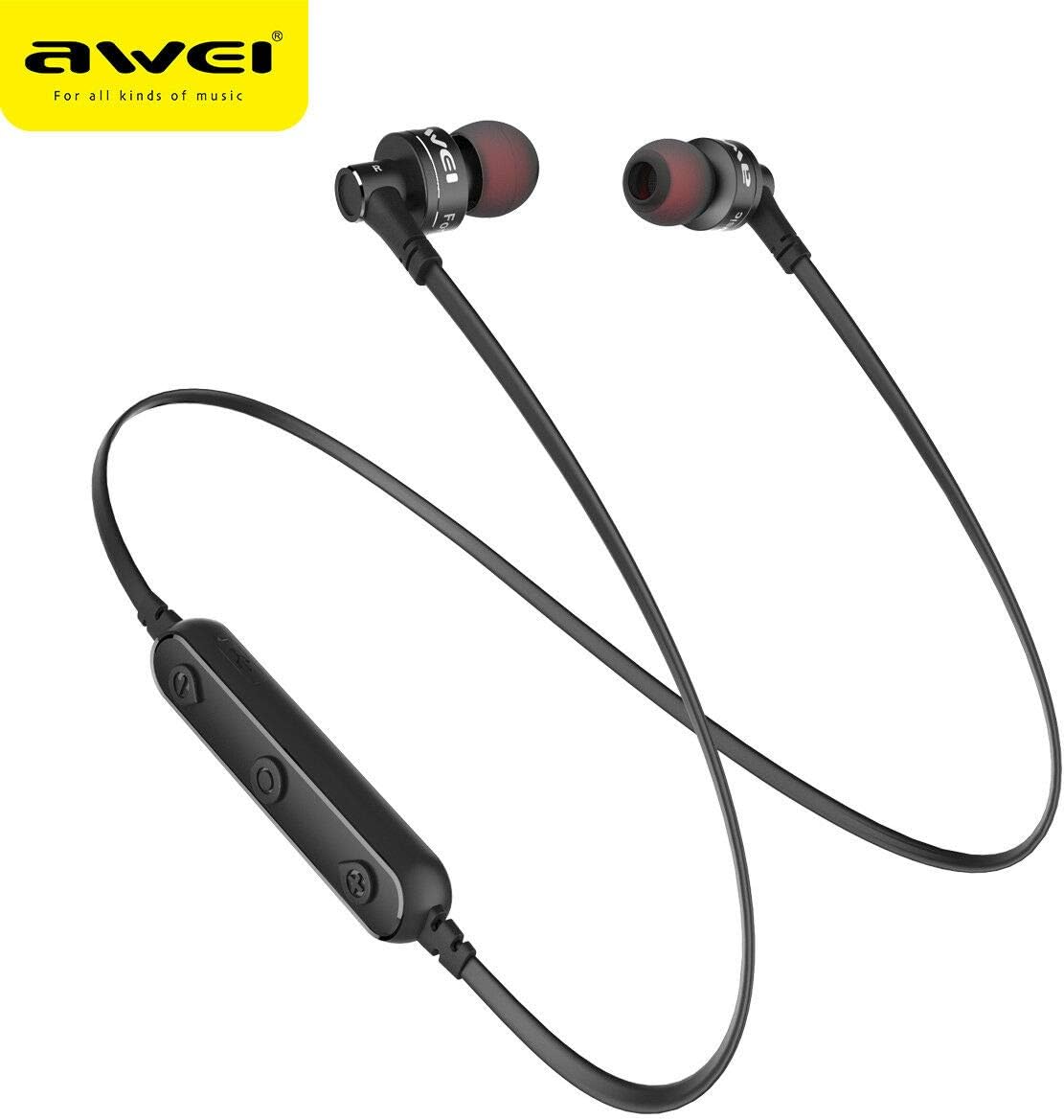
Image: The AW B990BL Neckband Wireless Bluetooth Earphones, showcasing the neckband design, earbuds, and inline control panel.
Configuración
1. Cargar os auriculares
- Connect the micro-USB end of the charging cable to the charging port on the earphone's control unit.
- Conecta o extremo USB-A do cable de carga a unha fonte de alimentación USB (por exemplo, un porto USB do ordenador, un adaptador de parede).
- The indicator light will illuminate during charging. Once fully charged (approximately 1 hour), the indicator light will change or turn off.
- Desconecte o cable de carga unha vez que a carga estea completa.
Nota: Ensure the earphones are fully charged before first use for optimal battery performance.
2. Emparellamento Bluetooth
- Asegúrate de que os auriculares estean apagados.
- Press and hold the Multi-function button (usually the center button on the control unit) for approximately 5-7 seconds until the indicator light flashes red and blue alternately. This indicates pairing mode.
- No teu dispositivo (teléfono intelixente, tableta, etc.), activa o Bluetooth e busca os dispositivos dispoñibles.
- Select "B990BL" from the list of found devices.
- Once successfully paired, the indicator light will flash blue slowly, and you may hear a confirmation tone.
- Se se lle solicita un contrasinal, introduza "0000".
Nota: Os auriculares tentarán reconectarse automaticamente co último dispositivo emparellado ao acendelos.
Imaxe: Primeiro plano view of the AW B990BL earphones, highlighting the inline control panel with its buttons and charging port.
Instrucións de funcionamento
Funcións básicas
- Encendido: Manteña premido o botón multifunción durante 3 segundos.
- Apagado: Manteña premido o botón multifunción durante 3 segundos.
- Reproducir/Pausa: Prema o botón multifunción unha vez.
- Subir volume: Prema o botón "+".
- Baixar volume: Prema o botón "-".
- Próxima pista: Manteña premido o botón "+".
- Pista anterior: Manteña premido o botón "-".
Xestión de chamadas
- Responder chamada: Prema o botón multifunción unha vez.
- Finalizar a chamada: Prema o botón multifunción unha vez durante unha chamada.
- Rexeitar a chamada: Manteña premido o botón multifunción durante 2 segundos.
- Volver a marcar o último número: Prema dúas veces o botón multifunción.
Mantemento
- Manteña os auriculares secos. Evite a exposición a temperaturas extremas, humidade ou materiais corrosivos.
- Clean the earphones regularly with a soft, dry cloth. Do not use harsh chemicals or abrasive cleaners.
- Garde os auriculares nun lugar limpo e seco cando non os estea a usar.
- Evite deixar caer os auriculares nin someteros a impactos fortes.
- Non intentes desmontar nin modificar os auriculares, xa que isto anulará a garantía e podería causar danos.
Resolución de problemas
- Non se pode emparellar co dispositivo:
- Ensure the earphones are in pairing mode (red and blue indicator light flashing alternately).
- Ensure Bluetooth is enabled on your device and it is within 10 meters of the earphones.
- Turn off and restart both the earphones and your device, then attempt pairing again.
- Borra as conexións Bluetooth anteriores no teu dispositivo se é necesario.
- Sen son ou volume baixo:
- Comproba os niveis de volume tanto nos auriculares como no dispositivo conectado.
- Asegúrate de que os auriculares estean conectados correctamente ao teu dispositivo.
- Tenta reproducir diferentes fontes de son para descartar un problema cos medios file.
- Os auriculares non cargan:
- Asegúrate de que o cable de carga estea conectado correctamente tanto aos auriculares como á fonte de alimentación.
- Try a different USB charging cable or power source.
- Comprobe o porto de carga por se hai restos ou danos.
Especificacións
| Característica | Detalle |
|---|---|
| Nome do modelo | B990BL |
| Versión Bluetooth | V4.2 |
| Tempo de carga | 1 horas |
| Tempo de conversa | 6 horas |
| Tempo de Música | 6 horas |
| Tecnoloxía de conectividade | Sen fíos |
| Sensibilidade | 96 dB |
| Dimensións do produto | 4 x 10 x 16.5 cm |
| Peso | 4.54 g |
| Fabricante | Awei |
Garantía e Soporte
For warranty information or technical support, please refer to the documentation provided with your purchase or contact the retailer where the product was acquired. Keep your proof of purchase for warranty claims.