1. Introdución
Thank you for choosing the RCA RLDEDV4001 40-Inch 1080p Full HD LED TV with Built-In DVD Player. This manual provides essential information for the safe and efficient operation of your television. Please read these instructions thoroughly before using the product and retain them for future reference.
This television combines a high-definition display with an integrated DVD player, offering a versatile entertainment solution. It features multiple input options for connecting various external devices.
2. Información importante de seguridade
Observe as seguintes precaucións de seguridade para evitar danos e garantir un funcionamento seguro:
- Fonte de enerxía: Conecte o televisor só á fonte de alimentación especificada.
- Ventilación: Asegúrese de que haxa unha ventilación axeitada. Non bloquee as aberturas de ventilación.
- Auga e humidade: Non expoñas o televisor á choiva nin á humidade. Non coloques obxectos cheos de líquidos enriba do televisor.
- Limpeza: Desconecte o televisor antes de limpalo. Use un pano suave e seco.
- Servizo: Non intente atender este produto vostede mesmo. Remita todo o servizo a persoal de servizo cualificado.
- Colocación: Coloque o televisor sobre unha superficie estable e nivelada. Evite colocalo baixo a luz solar directa ou preto de fontes de calor.
3. Que hai na caixa
Desembala a caixa con coidado e asegúrate de que estean presentes todos os elementos:
- RCA RLDEDV4001 40-Inch LED TV with Built-In DVD Player
- Soporte para TV (2 pezas)
- Control remoto
- Cable de alimentación
- Manual de usuario (este documento)
- Parafusos para a instalación do soporte
4. Configuración
4.1 Desembalaxe
Remove the television and all accessories from the packaging. Retain the packaging materials for future transport or storage.
4.2 Instalación do stand
To install the included stand:
- Coloque o televisor boca abaixo sobre unha superficie suave e limpa para evitar danar a pantalla.
- Aliñe cada peza do soporte coas ranuras correspondentes na parte inferior do televisor.
- Fixa cada peza do soporte cos parafusos proporcionados. Asegúrate de que estean ben apertados.

4.3 Conexión de periféricos
The RCA RLDEDV4001 offers various input ports for connecting external devices. Refer to the back panel image below for port locations.
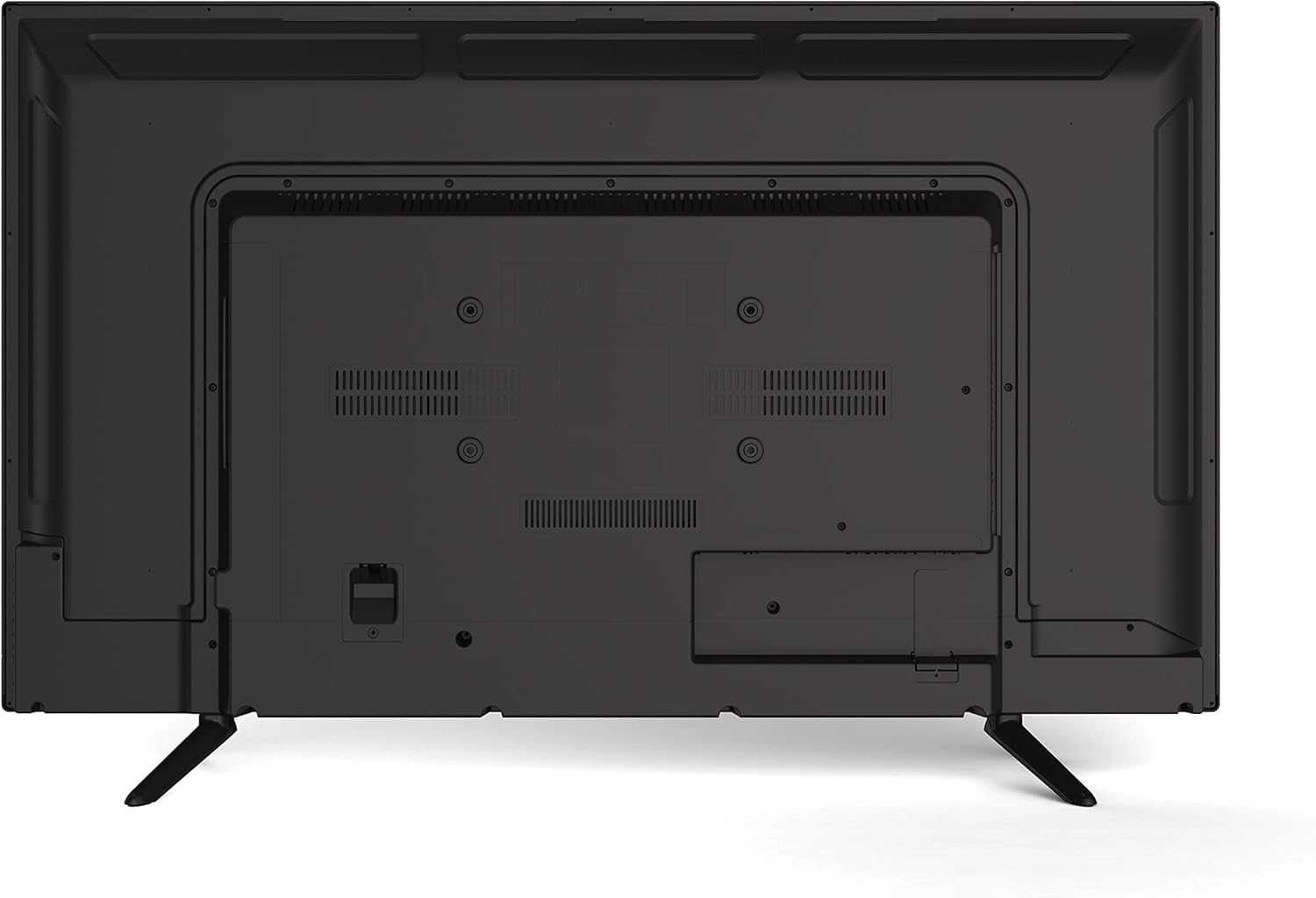
- HDMI (x3): Conecta reprodutores de Blu-ray, consolas de xogos, decodificadores de cable/satélite ou outros dispositivos compatibles con HDMI.
- VGA: Conectar un ordenador para usalo como monitor.
- RF (Antenna/Cable): Conecte unha antena para emisións por aire ou unha conexión de televisión por cable.
- YPBPR (Component Video): Connect devices using component video cables (red, green, blue) for video and separate audio cables (red, white).
- AV (Composite Video): Connect older devices using composite video (yellow) and stereo audio (red, white) cables.
- Audio de PC: Entrada de audio para conexión VGA.
- Auriculares: Conecta os auriculares para escoitar en privado.
4.4 Conexión de alimentación
After connecting all desired peripherals, plug the power cord into the TV's power input, then plug the other end into a standard electrical outlet.
5. Instrucións de funcionamento
5.1 Encendido/apagado
Preme o POTENCIA button on the remote control or on the TV's side panel to turn the TV on or off.
5.2 Selección de entrada
Preme o ENTRADA or FONTE button on the remote control to cycle through available input sources (TV, HDMI1, HDMI2, HDMI3, VGA, AV, YPBPR, DVD).
5.3 Channel Scan (TV Mode)
If using an antenna or cable connection, perform a channel scan:
- Switch the input to TV.
- Access the TV's menu using the MENÚ botón do control remoto.
- Navega ata o Canle or Configuración sección.
- Seleccione Escaneo automático or Programa automático to search for available channels.
5.4 Funcionamento do reprodutor de DVD
The integrated slot-loading DVD player supports standard DVD discs.
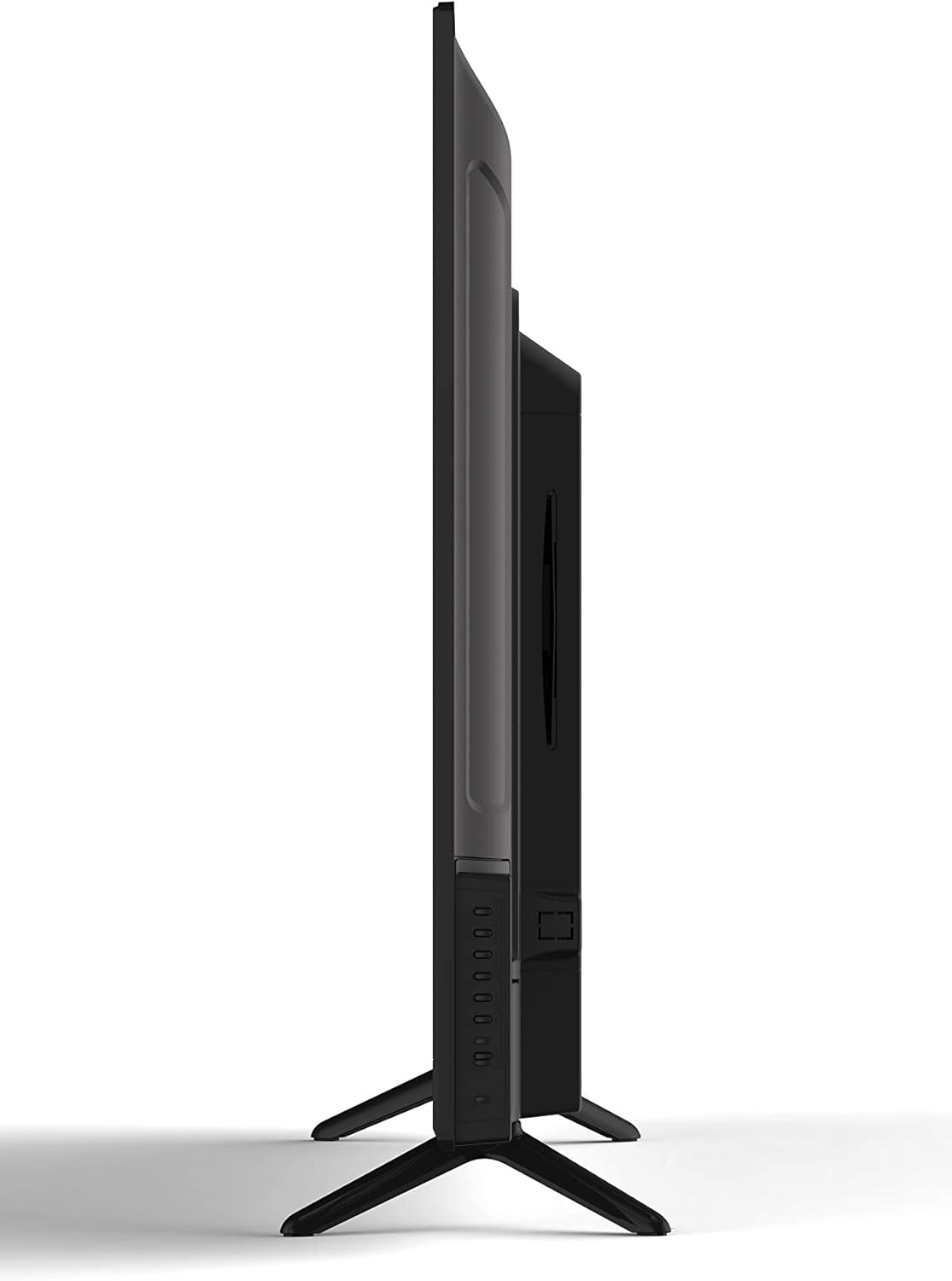
- Gently insert a DVD disc into the slot on the side of the TV, label side facing up. The TV will automatically switch to DVD input or prompt you to do so.
- Use the DVD control buttons on the remote (Play, Pause, Stop, Fast Forward, Rewind, Skip) to manage playback.
- Para expulsar un disco, prema o botón EJECTAR button on the remote or the TV's side panel.
5.5 Axustes de imaxe e son
Access the TV's menu to adjust picture (brightness, contrast, color, aspect ratio) and sound (volume, bass, treble, sound mode) settings to your preference.
5.6 Temporizador de sono
The sleep timer function allows you to set a specific time after which the TV will automatically turn off. Access this feature through the TV's main menu.
5.7 Multi-Language On-Screen Display (OSD)
The TV supports multiple languages for its on-screen display. You can change the OSD language in the TV's setup menu.
6. Mantemento
6.1 Limpeza do televisor
Desconecte sempre o televisor antes de limpalo.
- Pantalla: Usa un pano suave e sen pelusa deseñado especificamente para pantallas de dispositivos electrónicos. Non empregues produtos de limpeza abrasivos nin solventes.
- Gabinete: Wipe the cabinet with a soft, dry cloth. If necessary, use a slightly damp pano e, a continuación, seque inmediatamente.
6.2 Almacenamento
If storing the TV for an extended period, disconnect it from power, remove batteries from the remote, and store it in a cool, dry place, preferably in its original packaging.
7 Solución de problemas
Before contacting support, try these common solutions:
| Problema | Posible causa/solución |
|---|---|
| Sen Poder | Ensure the power cord is securely plugged into the TV and the wall outlet. Check if the outlet is functional. |
| Sen imaxe, pero hai son | Verifique que estea seleccionada a fonte de entrada correcta. Comprobe as conexións dos cables aos dispositivos externos. |
| Sen son, pero hai imaxe | Comprobe o nivel de volume e asegúrese de que o televisor non estea silenciado. Verifique as conexións do cable de son para dispositivos externos. |
| DVD Not Playing / Disc Error | Ensure the disc is inserted correctly (label side up). Clean the disc for smudges or scratches. Try a different disc. |
| O control remoto non funciona | Replace the batteries (2 AAA required). Ensure there are no obstructions between the remote and the TV's sensor. |
8. Especificacións
| Característica | Descrición |
|---|---|
| Modelo | RLDEDV4001 |
| Tamaño da pantalla | 40 polgadas |
| Tipo de visualización | Full HD D-LED |
| Resolución | 1920 x 1080 (1080p) |
| Relación de aspecto | 16:9 |
| Brillo | 450 cd/m² |
| Relación de contraste | 1500:1 |
| Tempo de resposta | 8 ms |
| ViewÁngulo de inflexión (H/V) | 178° / 178° |
| Tipo de sintonizador | ATSC / NTSC |
| Xogador incorporado | Slot Loading DVD Player |
| Display Capabilities | 480i, 480p, 576i, 576p, 720i, 720p, 1080i, 1080p |
| Entradas HDMI | 3 |
| Entrada VGA | 1 |
| Entrada RF | 1 |
| YPBPR (Component) Input | 1 |
| AV (Composite) Input | 1 |
| Entrada de audio para PC | 1 |
| Saída de auriculares | 1 |
| Características especiais | Sleep Timer, Programmable Channel Memory, Multi-Language OSD |
| Peso do elemento | 19.1 libras |
| Baterías de control remoto | 2 x AAA (non incluído) |
9. Garantía e soporte
This product is sold as a Certified Refurbished item and typically comes with a minimum 90-day warranty provided by the seller. For specific warranty details, please refer to the documentation provided at the time of purchase or contact your retailer.
For technical assistance or customer support, please refer to the contact information provided by your retailer or the RCA brand's official support channels.


