Introdución
This manual provides essential instructions for the safe and efficient use of your itel it2160 dual SIM mobile phone. Please read this guide thoroughly before operating the device and retain it for future reference.
Contido do paquete
Verifica que todos os elementos estean presentes no paquete do teu produto:
- Teléfono móbil itel it2160
- Batería
- Cargador
- Manual de usuario (este documento)
Disposición do dispositivo
Familiarize yourself with the key components of your itel it2160 phone.

Imaxe: Fronte view of the itel it2160 mobile phone, showing the display, keypad, and navigation buttons.
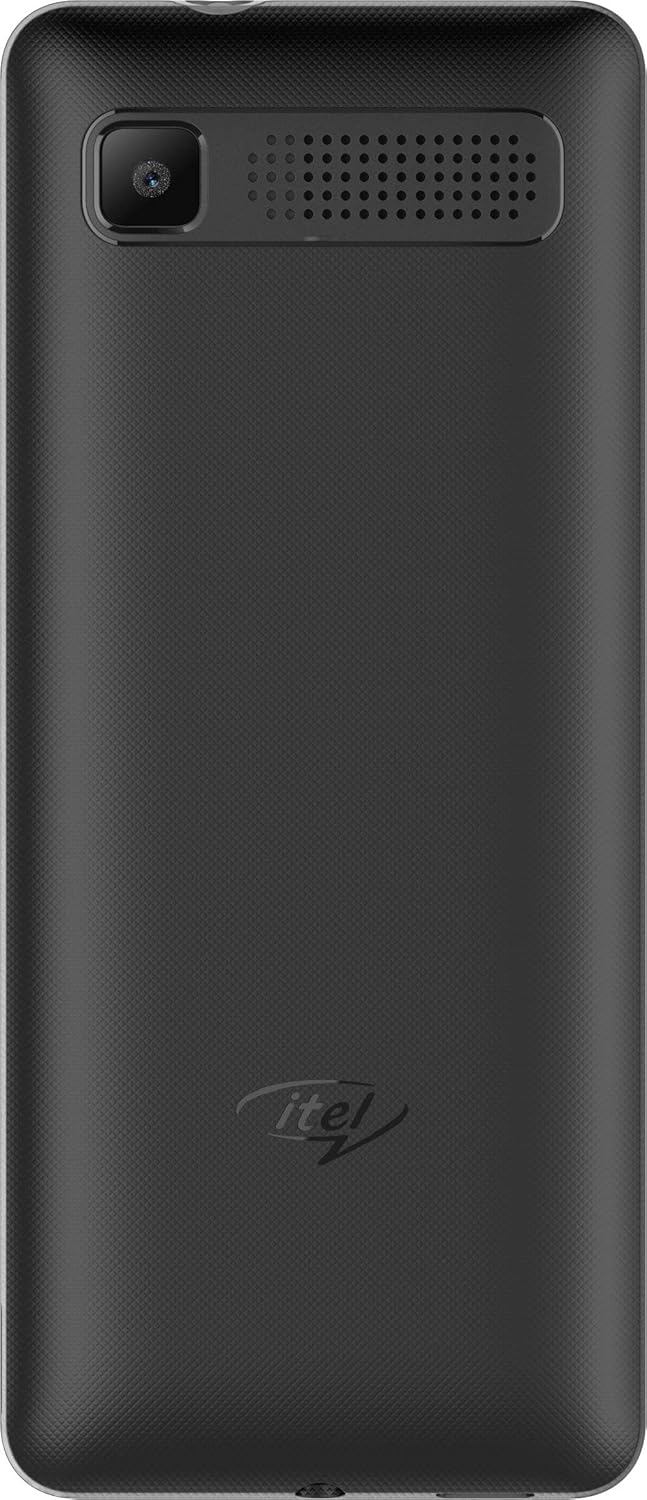
Imaxe: Traseira view of the itel it2160 mobile phone, showing the camera and speaker grille.
- Visualización: Pantalla de 1.77 polgadas para viewinformación.
- Teclado: Alphanumeric keys for dialing and text input.
- Teclas de navegación: Para a navegación e selección de menús.
- Teclas de chamada/fin de chamada: To initiate and terminate calls.
- Cámara traseira: Located on the back for capturing photos.
- Relator: Para saída de audio.
Configuración
1. Installing SIM Cards and Battery
- Retire a tapa traseira do teléfono facendo palanca suavemente para abrila desde a muesca.
- Insert your SIM card(s) into the designated SIM slots. Ensure the gold contacts face downwards. This phone supports dual SIM cards.
- Se é o caso, insira unha tarxeta microSD na ranura para tarxetas de memoria para ampliar o almacenamento.
- Introduza a batería, aliñando os contactos correctamente.
- Volva colocar a tapa traseira ata que encaixe firmemente no seu lugar.
2. Cargando a batería
- Conecta o cargador ao porto de carga do teu teléfono.
- Conecte o cargador a unha toma de corrente.
- Allow the phone to charge completely before first use. The battery indicator on the screen will show charging status.
3. Acendido/apagado
- Para acender: Manteña premida a tecla de acendido/fin ata que a pantalla se ilumine.
- Para apagar: Press and hold the Power/End key until the power-off options appear, then select "Power off".
Instrucións de funcionamento
1. Realización e recepción de chamadas
- Para facer unha chamada: Enter the phone number using the keypad and press the Call key. If using dual SIM, select the desired SIM for the call.
- Para recibir unha chamada: Prema a tecla Chamar cando soe o teléfono.
- Para finalizar unha chamada: Prema a tecla Fin.
2. Envío e recepción de SMS
- To Send SMS: Go to "Menu" > "Messages" > "Write message". Enter your message and the recipient's number, then send.
- To Read SMS: New messages will be indicated on the screen. Go to "Menu" > "Messages" > "Inbox" to view.
3. Usando a cámara
- Navigate to "Menu" > "Camera".
- Encadra a túa foto usando a pantalla.
- Press the center navigation key or a designated camera key to capture the image.
4. Radio FM
- Connect headphones to the phone's audio jack (headphones act as an antenna).
- Vaia a "Menú" > "Radio FM".
- Usa as teclas de navegación para buscar emisoras ou sintonizalas manualmente.
Mantemento
- Coidado da batería:
- Evita temperaturas extremas.
- Non sobrecargues nin descargues completamente a batería con frecuencia.
- Use only the original charger provided with the device.
- Limpeza:
- Wipe the phone with a soft, dry cloth.
- Avoid using liquid cleaners or aerosols.
- Almacenamento:
- Garda o teléfono nun lugar fresco e seco, lonxe da luz solar directa.
- Manter fóra do alcance dos nenos e animais.
Resolución de problemas
| Problema | Posible Solución |
|---|---|
| O teléfono non se acende. | Asegúrate de que a batería estea inserida e cargada correctamente. Conecta o cargador e inténtao de novo. |
| Sen sinal de rede. | Check if SIM cards are properly inserted. Move to an area with better network coverage. Contact your service provider. |
| Non se poden facer nin recibir chamadas. | Verify network signal. Check if call barring is active. Ensure sufficient balance on your SIM card. |
| A batería esgotarase rapidamente. | Reduce screen brightness. Close unused applications. Limit background activities. |
Especificacións
| Característica | Detalle |
|---|---|
| Nome do modelo | IT2160 |
| Tamaño de visualización | 1.77 polgadas |
| Resolución de visualización | 128 x 160 píxeles |
| Cámara traseira | 1.3 megapíxeles |
| Cámara frontal | Ningún |
| RAM do sistema | 4 Megabytes |
| Capacidade de almacenamento | 256 Gigabytes (Expandable) |
| Sistema Operativo | Proprietary Feature Phone OS |
| Modelo CPU | Basic Feature Phone Processor |
| Velocidade da CPU | 260 MHz |
| Dimensións do produto | 11.2 x 4.8 x 1.43 cm; 80 gramos |
Información da garantía
Your itel it2160 mobile phone comes with a warranty. Please review as seguintes condicións:
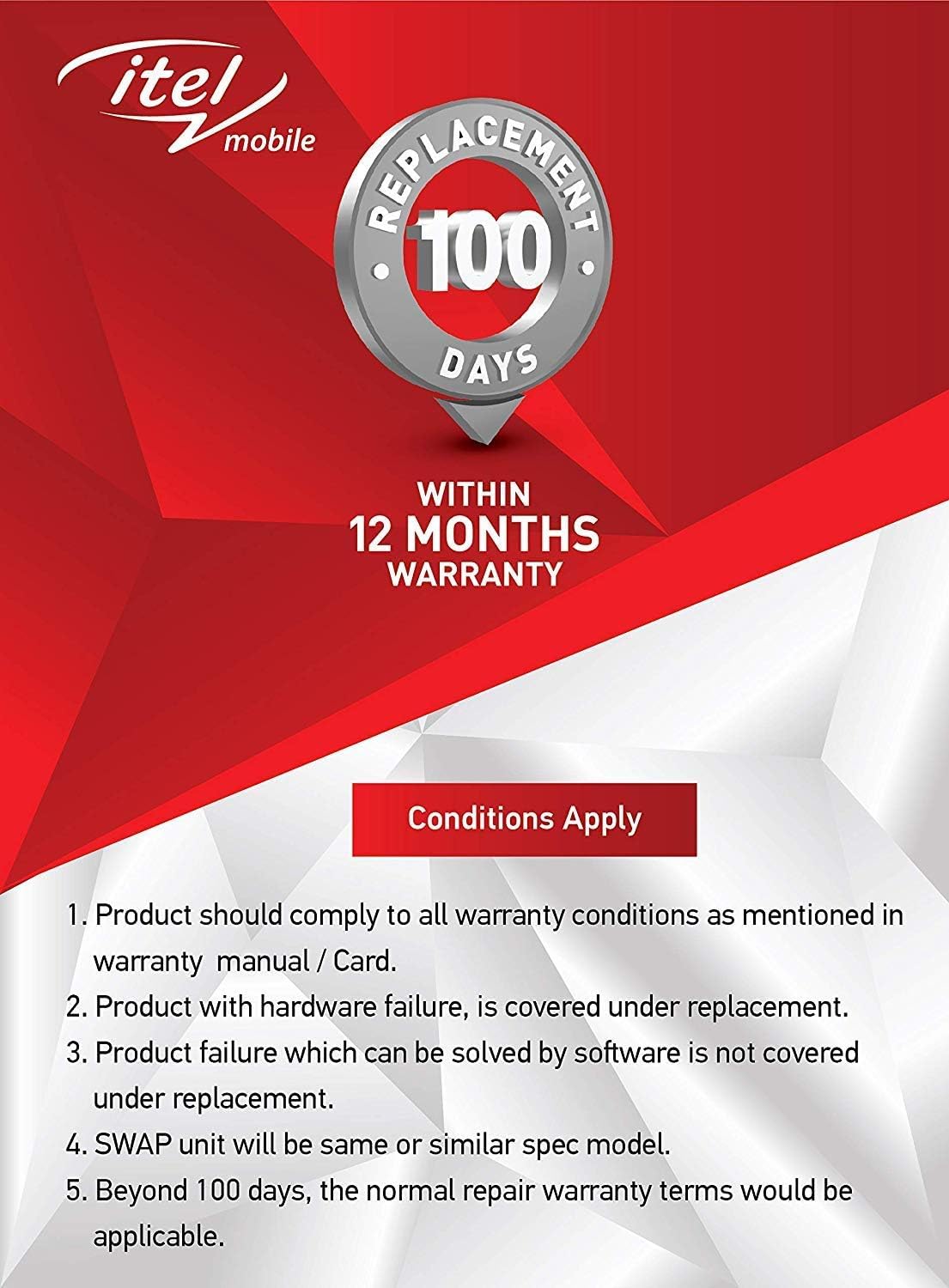
Imaxe: Warranty details for itel mobile products, indicating 100 days replacement and 12 months warranty.
- Product must comply with all warranty conditions as mentioned in the warranty manual/card.
- Product with hardware failure is covered under replacement.
- Product failure which can be solved by software is not covered under replacement.
- A SWAP unit will be the same or a similar spec model.
- Beyond 100 days, the normal repair warranty terms would be applicable.
- The warranty period is typically 12 months from the date of purchase.
For detailed warranty terms and conditions, refer to the warranty card included in your package or contact itel customer support.
Apoio
For further assistance, technical support, or service inquiries, please contact itel customer service. Contact details can typically be found on the official itel websitio web ou na súa tarxeta de garantía.
Recursos en liña: You may find additional support and FAQs on the official itel brand store.