1. Introdución
Grazas pola compraasing the lightmaXX Nano PAR FX 3x 4 W LED RGBW. This compact and powerful LED PAR spot is designed for various lighting applications, offering vibrant RGBW color mixing and dynamic strobe effects. This manual provides essential information for safe operation, setup, and maintenance of your device. Please read it thoroughly before use.
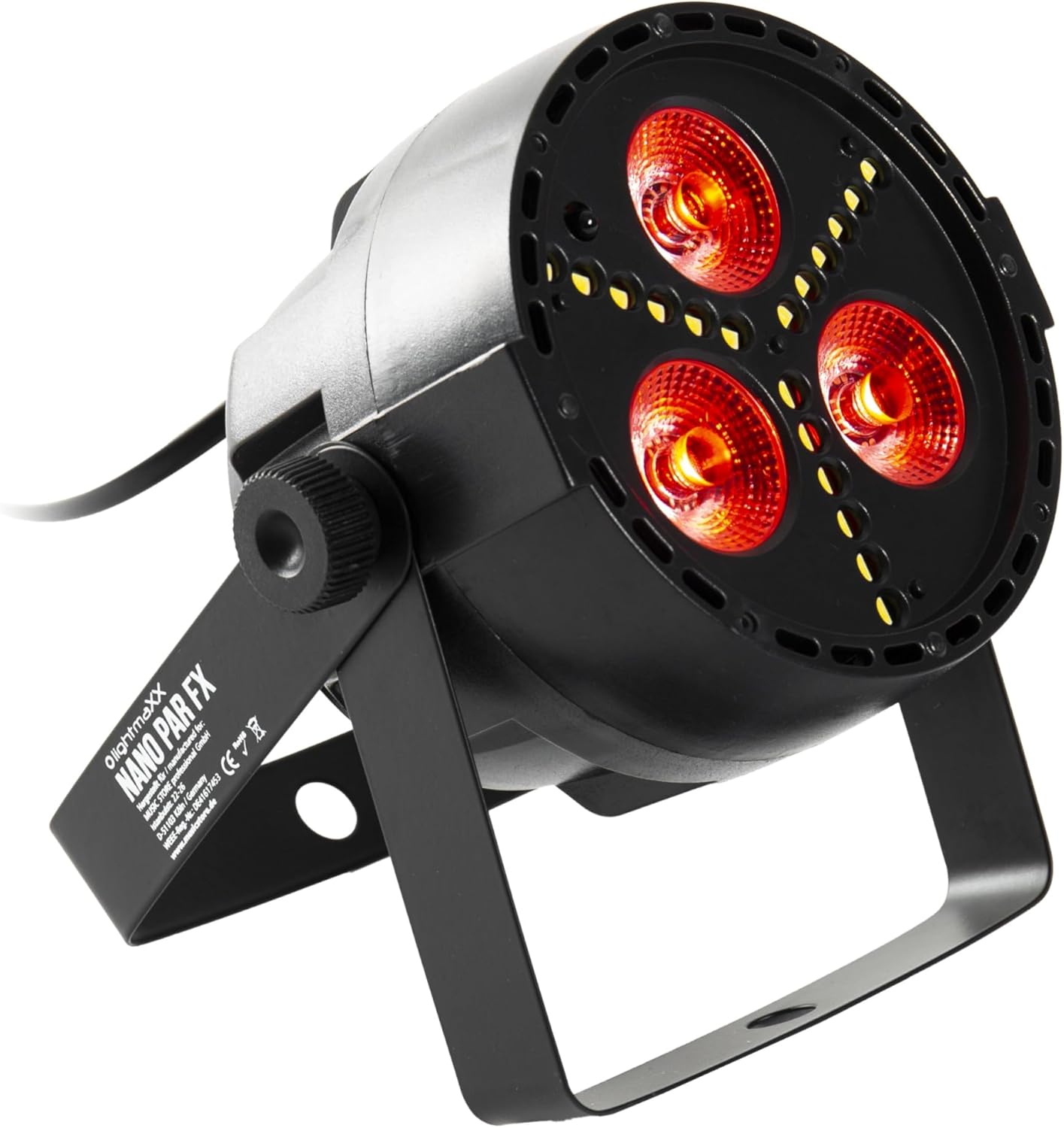
Figure 1: lightmaXX Nano PAR FX LED PAR Spot
2. Instrucións de seguridade
To ensure safe operation, please observe the following safety instructions:
- Fonte de alimentación: Connect the device only to a grounded power outlet with the correct voltage (230 V CA).
- Ventilación: Asegúrese de que haxa unha ventilación axeitada arredor da unidade. Non bloquee as aberturas de ventilación.
- Humidade: Do not expose the device to rain or moisture. Do not use it in damp ambientes.
- Temperatura: Operate the device within the specified temperature range. Avoid extreme heat or cold.
- Manexo: Manexa o dispositivo con coidado. Evita deixalo caer nin sometelo a impactos fortes.
- Mantemento: Encomende calquera tarefa de mantemento a persoal de servizo cualificado. Non intente reparar a unidade vostede mesmo.
- Saída de luz: Avoid looking directly into the light source, as it can cause eye damage.
3. Configuración
3.1 Colocación física
The lightmaXX Nano PAR FX is designed as a floor spot but can also be mounted using its adjustable bracket. Ensure the mounting surface or location is stable and can support the weight of the fixture. Allow sufficient space around the unit for proper ventilation.
3.2 Conexións
Connect the power cable to a suitable power outlet. For DMX control, connect a DMX cable from your DMX controller to the DMX IN port of the fixture. If linking multiple units, connect a DMX cable from the DMX OUT port of the first fixture to the DMX IN port of the next, and so on.

Figure 2: Rear panel with DMX ports and control display
4. Instrucións de funcionamento
4.1 Panel de control
The rear panel features a digital display and four control buttons: MENU, UP, DOWN, and ENTER. These buttons allow you to navigate through the settings and select various operating modes.
- MENÚ: Press to cycle through the main menu options.
- ARRIBA: Increases values or moves up in menu options.
- ABAIXO: Decreases values or moves down in menu options.
- ENTRAR: Confirma unha selección ou ingresa nun submenú.
4.2 Control remoto
The lightmaXX Nano PAR FX comes with an infrared (IR) remote control for convenient operation. Ensure there is a clear line of sight between the remote and the fixture's IR receiver.

Figure 3: Product with Remote Control
4.3 Modos de funcionamento
The fixture offers several built-in operating modes, accessible via the control panel or remote:
- Modo automático: Cycles through pre-programmed light shows automatically.
- Modo de son: Reacts to music or sound via a built-in microphone.
- Modo de salto: Changes colors abruptly.
- Modo de fundido: Transicións suaves entre cores.
- Modo estroboscópico: Produces a flashing light effect.
4.4 Color Mixing
The Nano PAR FX features RGBW LEDs, allowing for a wide spectrum of colors. You can select individual colors or mix them to create custom hues using the remote control or DMX.

Figura 4: Examples of color outputs

Red Light Output

Green Light Output
4.5 Funcionamento DMX
For professional control, the Nano PAR FX can be operated via DMX512. Set the DMX address using the control panel. Consult the DMX channel chart (typically found in a separate DMX manual or product sheet) for specific channel assignments for color, dimming, strobe, and mode control.
5. Mantemento
5.1 Limpeza
Regular cleaning helps maintain optimal performance and extends the lifespan of your fixture.
- Desconecte a alimentación antes de limpar.
- Use a soft, lint-free cloth to wipe the exterior.
- For lenses, use a specialized lens cleaner and a soft cloth to avoid scratches.
- Non use produtos de limpeza ou disolventes abrasivos.
5.2 Almacenamento
When not in use, store the fixture in a dry, dust-free environment, preferably in its original packaging or a protective case.
6 Solución de problemas
| Problema | Causa posible | Solución |
|---|---|---|
| Sen poder | Power cable disconnected; no power from outlet; faulty fuse. | Check power cable connection; test outlet; replace fuse if necessary. |
| Sen saída de luz | Fixture in standby; incorrect mode selected; DMX signal issue. | Check power and mode settings; verify DMX connection and address. |
| O control remoto non funciona | Battery low/dead; IR receiver blocked; too far from fixture. | Replace battery; ensure clear line of sight; move closer to fixture. |
| Problemas de control DMX | Enderezo DMX incorrecto; cable DMX defectuoso; problema co controlador DMX. | Verify DMX address; test DMX cable; check DMX controller. |
7. Especificacións
| Característica | Especificación |
|---|---|
| Marca | lightmaXX |
| Fabricante | lightmaXX |
| Número de modelo | LIG0015652-000 |
| Dimensións do produto (L x W x H) | 12.9 x 12.9 x 12.8 cm |
| Peso do elemento | 620 gramos |
| Estilo | Moderno |
| Cor | Black (fixture), RGBW (light output) |
| Vatios máximos | 20 vatios |
| Voltage | 230 voltios (CA) |
| Tipo de bulbo | Diodo emisor de luz (LED) |
| Tipo de fonte de luz | Diode électroluminescente (LED) |
8. Garantía e soporte
This product is subject to the standard return policy of 30 days from the date of purchase. For technical support, service, or warranty inquiries, please contact your retailer or the lightmaXX customer service department. Please have your model number (LIG0015652-000) and proof of purchase ready when contacting support.


