1. Introdución
The Elekpia Universal Remote Control is a direct replacement remote designed for compatibility with a vast array of Toshiba LCD, LED, 3D, HDTV, 4K UHD, and Smart TV models. This remote requires no programming or pairing; simply insert batteries, and it is ready for immediate use.
It is compatible with many original Toshiba remote models, including CT-90325, CT-90326, CT-90329, CT-8037, CT-90302, CT-90275, CT-90366, and more.
2. Configuración
To begin using your new universal remote control, follow these simple steps:
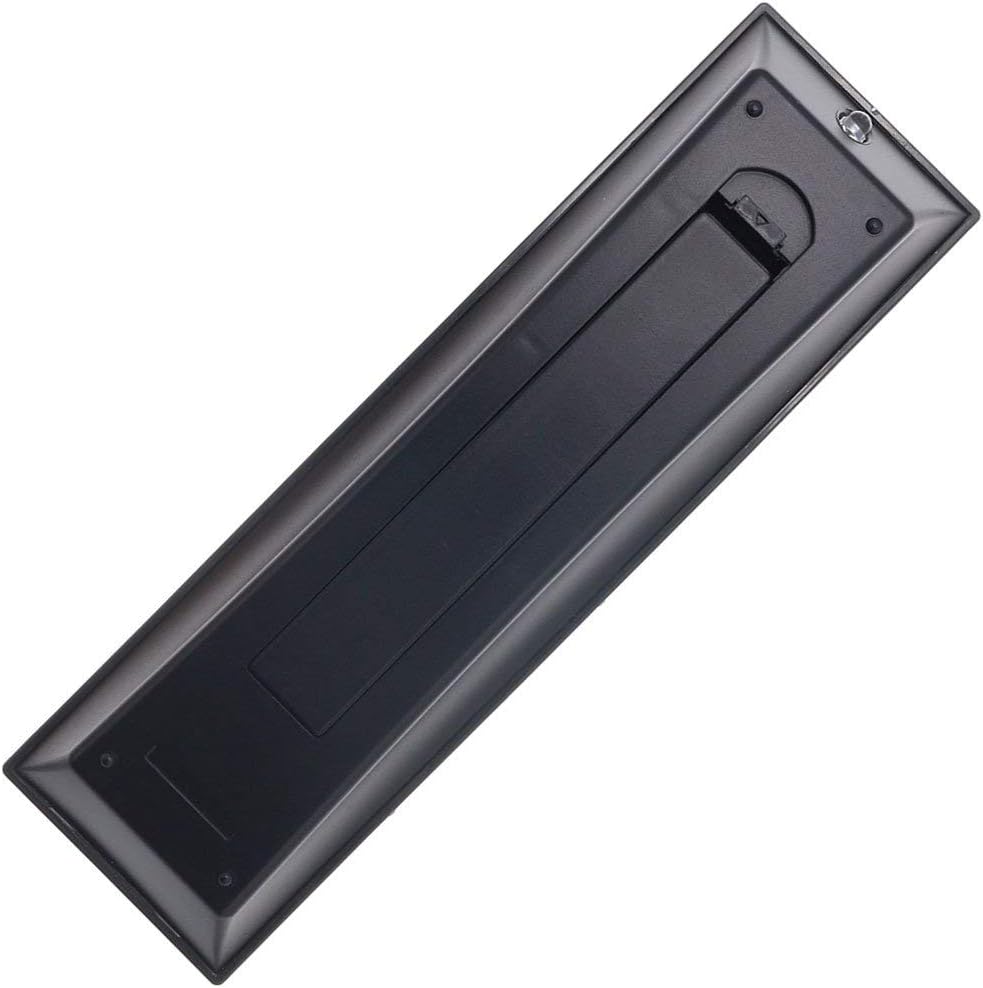
- Instalación da batería: Locate the battery compartment on the back of the remote control. Slide the battery cover downwards to open it. Insert two new AAA batteries (not included), ensuring the positive (+) and negative (-) terminals align correctly with the indicators inside the compartment. Close the battery cover by sliding it back into place until it clicks securely.
- Listo para usar: Once batteries are installed, the remote is ready for immediate operation with your compatible Toshiba TV. No additional programming, pairing, or code entry is required.

3. Instrucións de funcionamento
The Elekpia Universal Remote Control features a standard layout for easy navigation and control of your Toshiba television. Below is a guide to the primary functions:
- Botón de encendido (ⓘ): Situado na parte superior dereita, prémao para acender ou apagar o televisor.
- Botón de entrada: Cycles through available video input sources (HDMI, AV, Component, etc.).
- Number Buttons (0-9, 100, FAV): Used for direct channel selection. The "100" button may be used for three-digit channel numbers, and "FAV" for favorite channels if configured on your TV.
- Volume Control (VOL +/-): Increases or decreases the audio volume.
- Control de canles (CH +/-): Cambia a canle de televisión cara arriba ou cara abaixo.
- Botón de silencio: Silences the TV audio. Press again to restore sound.
- Teclado de navegación (Arriba, Abaixo, Esquerda, Dereita, INTRO): Used to navigate menus, select options, and confirm choices.
- Botón de menú: Accesses the TV's main menu for settings and adjustments.
- Botón Atrás: Volve á pantalla ou menú anterior.
- Botón de saída: Sae do menú ou función actual.
- Playback Controls (EJECT, PAUSE/STEP, PLAY, STOP, SKIP, REW, FF): These buttons control media playback functions for connected devices (e.g., DVD player, USB drive) if supported by your TV.
- Botón de información: Mostra información sobre o programa ou a entrada actual.
- C.CAPTION Button: Activa ou desactiva os subtítulos.
- Botón RECALL: Alterna entre o actual e o anterior viewcanle ed.
- CH RTN Button: Volve á canle anterior.
- PIC MODE / PIC SIZE: Adjusts picture mode and aspect ratio settings.
- SLEEP / FREEZE: Sleep timer and freeze frame functions, if supported by your TV.
4. Mantemento
Proper care and maintenance will extend the life of your remote control:
- Limpeza: Limpe o mando a distancia cun pano suave e seco. Para a sucidade persistente, dóreo lixeiramenteampEnxágüe o pano con auga ou un limpador suave e non abrasivo. Non empregue produtos químicos agresivos nin materiais abrasivos.
- Substitución da batería: Replace batteries when the remote's response becomes sluggish or stops working. Always replace both batteries at the same time with new ones of the same type (AAA). Remove batteries if the remote will not be used for an extended period to prevent leakage.
- Almacenamento: Garde o mando a distancia nun lugar fresco e seco, lonxe da luz solar directa, de temperaturas extremas e de alta humidade.
- Evita gotas: Protexa o mando a distancia de impactos físicos, xa que as caídas poden danar os compoñentes internos.
5 Solución de problemas
Se tes problemas co teu mando a distancia, consulta as seguintes solucións habituais:
| Problema | Causa posible | Solución |
|---|---|---|
| Remote is not working at all. | Pilas gastadas ou inseridas incorrectamente. Obstrución entre o mando a distancia e o televisor. | Check battery polarity and replace with fresh AAA batteries. Ensure a clear line of sight to the TV's IR receiver. |
| Algúns botóns non responden. | Low battery power. Button malfunction. | Replace batteries. If issue persists, the button may be faulty. |
| O control remoto funciona de forma intermitente. | Baterías febles. Interferencias. | Replace batteries. Remove any potential sources of infrared interference (e.g., strong lights). |
| Remote does not control my TV. | TV is not a compatible Toshiba model. | Verify your TV is a Toshiba brand and model listed as compatible in the product description. This remote is specifically designed for Toshiba TVs. |
6. Especificacións
- Marca: Elekpia
- Número de modelo: CT-90325
- Dispositivos compatibles: Toshiba Televisions (LCD, LED, 3D, HDTV, 4K UHD, Smart TV)
- Fonte de enerxía: 2 pilas AAA (non incluídas)
- Cor: Negro
- Dimensións do produto: 6 x 1.8 x 0.7 polgadas (aproximadamente)
- Peso do artigo: 2.71 onzas (aproximadamente)
- Característica especial: Universal replacement for specified Toshiba TV remotes; No programming required.
7. Garantía e soporte
For information regarding warranty coverage or technical support, please refer to the documentation provided with your purchase or contact the manufacturer directly. This remote is designed for straightforward plug-and-play operation, and most issues can be resolved by following the troubleshooting steps outlined in this manual.


