1. Introdución
Welcome to the user manual for MAGIX Acid Music Studio 11. This software is designed to provide a comprehensive and intuitive platform for music production, combining powerful technology with user-friendly features. It offers unlimited creative freedom for musicians and producers of all levels.
Acid Music Studio 11 leverages the legendary Acid Pro technology, introducing new features and 64-bit support for enhanced performance. Users can create music by utilizing over 2,500 acidized loops, integrating virtual instruments, recording vocals, and applying various audio effects to achieve a polished sound or create unique remixes.
2. Requisitos do sistema
Before installing Acid Music Studio 11, ensure your system meets the following minimum requirements:
- Sistema operativo: Microsoft Windows 10, Windows 8, or Windows 7
- Procesador: 1 GHz ou máis rápido
- RAM: 1 GB (mínimo)
- Tarxeta de son: Onboard sound card
- Tarxeta gráfica: Onboard graphics card with minimum resolution 1024 x 768
- Espazo no disco duro: 400 MB for program installation, plus 5 GB for included instruments and loops
- Conexión a Internet: Required for program registration, validation, and certain program functions.
A one-time registration is required for this program.
3. Configuración e instalación
Follow these steps to install Acid Music Studio 11 on your computer:
- Prepara o teu sistema: Ensure your computer meets the minimum system requirements listed above. Close all other applications before starting the installation process.
- Insert Installation Media or Download: If you have a physical copy (BOX version), insert the installation disc into your optical drive. If you purchased a digital version, download the installer file from the official MAGIX website or the provided download link.
- Executa o instalador:
- For disc installation: The installer should launch automatically. If not, navigate to the disc drive in "My Computer" or "This PC" and double-click the setup file (por exemplo, setup.exe or install.exe).
- For digital download: Locate the downloaded installer file (usually in your "Downloads" folder) and double-click it.
- Siga as instrucións na pantalla: The installation wizard will guide you through the process.
- Aceptar o Acordo de licenza de usuario final (EULA).
- Choose the installation directory (default is usually recommended).
- Select components to install (e.g., program files, content libraries).
- Instalación completa: Once the installation is complete, click "Finish" or "Close." You may be prompted to restart your computer.
- Product Registration and Activation: The first time you launch Acid Music Studio 11, you will be prompted to register and activate the software. Follow the instructions to enter your serial number and complete the online registration. An active internet connection is required for this step.
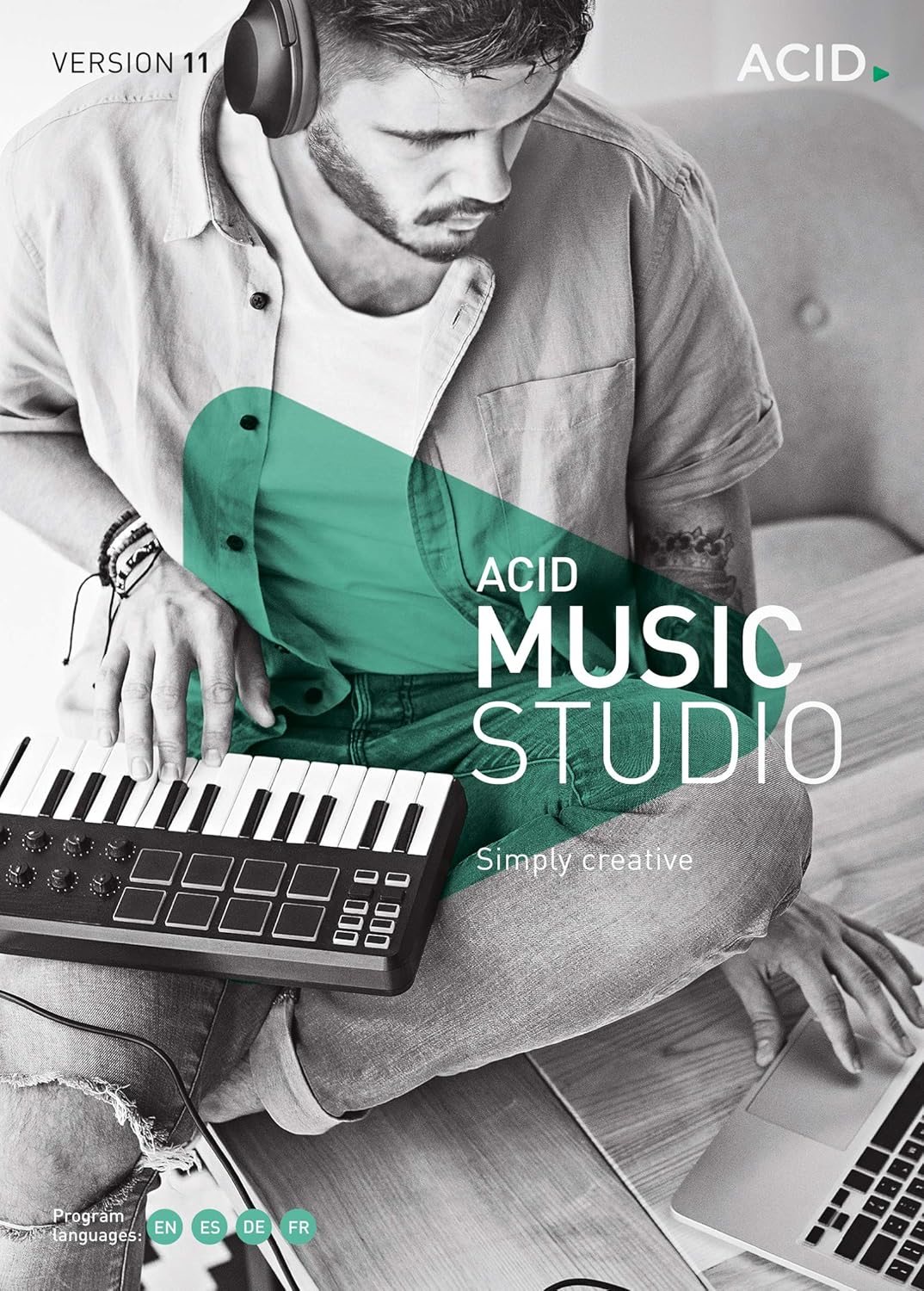
Figure 3.1: The retail box for Acid Music Studio 11, indicating the software version and creative focus. This image represents the physical product packaging.
4. Instrucións de funcionamento
Acid Music Studio 11 provides a powerful yet intuitive environment for music creation. Here are key aspects of its operation:
4.1. Loop-Based Music Production
The core of Acid Music Studio 11 is its legendary loop-based workflow. You can easily drag and drop "acidized" loops onto the timeline, and the software automatically adjusts them to your project's tempo and key. This allows for rapid song construction and experimentation.
- Accessing Loops: Browse the extensive library of over 2,500 included acidized loops, categorized by genre (Hip Hop, House, Rock, etc.).
- Arranging Loops: Drag loops from the Media Explorer onto tracks in the main timeline. Loops can be stretched, trimmed, and duplicated to build your arrangement.
- Automatic Tempo and Pitch Matching: Acid Music Studio automatically matches the tempo and pitch of loops to your project settings, ensuring seamless integration.
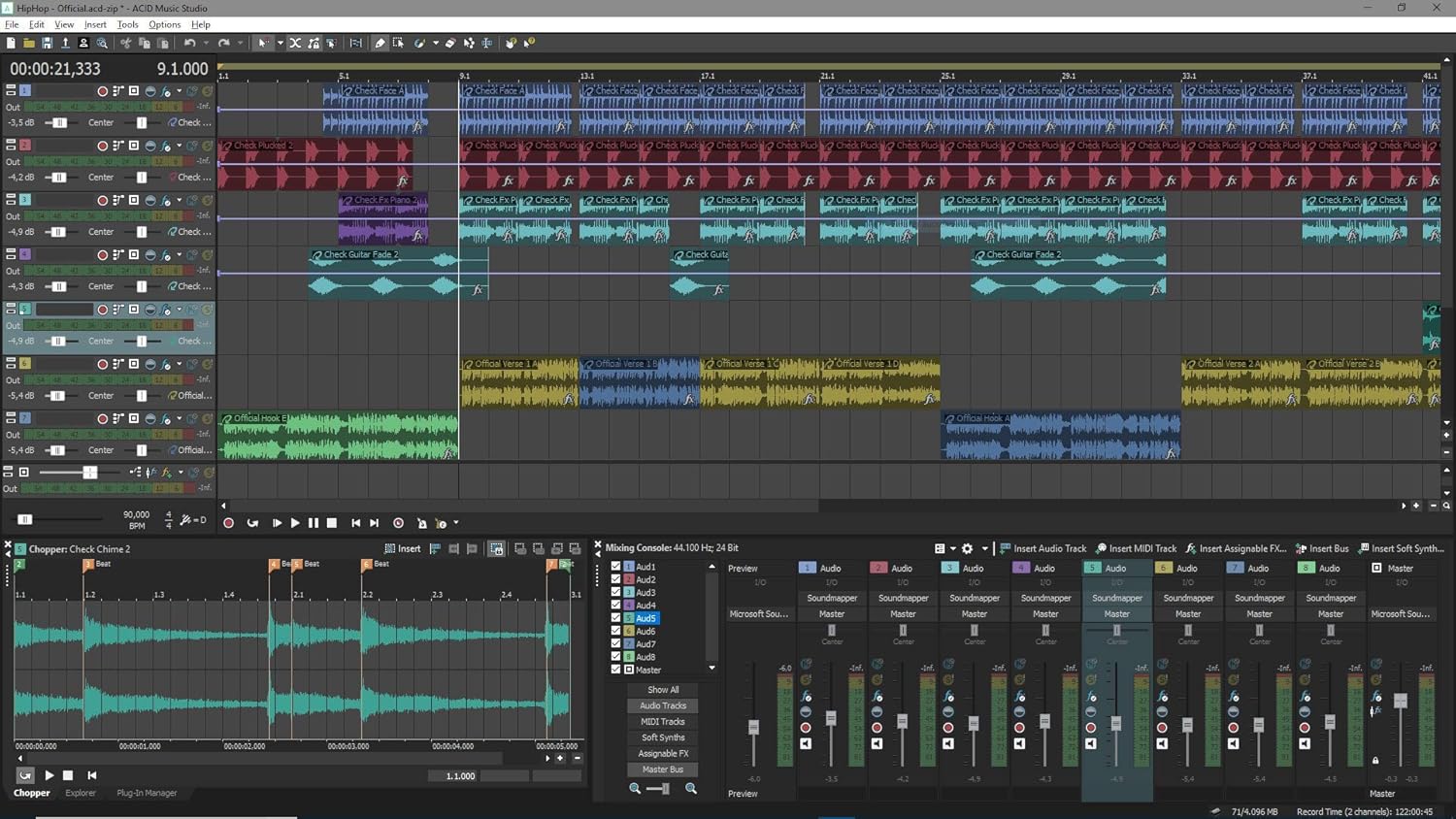
Figure 4.1: A screenshot of the Acid Music Studio 11 main interface, showing multiple audio tracks with waveform displays on the timeline, indicating a complex musical arrangement.
4.2. Virtual Instruments and Effects
Expand your sonic palette with the included virtual instruments and effects plug-ins. These allow you to create melodies, harmonies, and add professional polish to your tracks.
- Instrumentos virtuais: Acid Music Studio 11 includes 8 virtual instruments. These can be played using a MIDI keyboard or by programming notes directly into the MIDI editor.
- Effects Plug-ins: Apply 6 effects plug-ins to individual tracks or the master output. Effects include reverb, delay, chorus, and more, to shape your sound.
- Gravación: Record your own vocals or instruments directly into the software, which can then be integrated with loops and virtual instruments.

Figure 4.2: This image displays the Acid Music Studio 11 interface with the "Urban Drums" virtual instrument window open, showing a drum machine-style interface for beat creation.

Figure 4.3: A screenshot showing the Acid Music Studio 11 interface with the "Rock Drums" virtual instrument open, featuring a realistic drum kit interface for percussion programming.

Figure 4.4: This image shows the Acid Music Studio 11 interface with the "Concert Grand" virtual instrument open, displaying a piano-style interface for melodic composition.

Figure 4.5: A screenshot of the Acid Music Studio 11 interface, highlighting an open effect plugin window, likely a reverb or delay, with various parameters for sound manipulation.
4.3. Remixing Tools and 64-bit Support
Acid Music Studio 11 includes premium remixing tools, allowing you to manipulate existing audio with precision. The new 64-bit support enhances performance, enabling larger projects and more complex arrangements without performance bottlenecks.
- Audio Manipulation: Utilize tools for time-stretching, pitch-shifting, and beat-mapping to creatively remix tracks.
- 64-bit Architecture: Benefit from improved memory management and processing power, allowing for more tracks, effects, and virtual instruments in your projects.
5. Mantemento
To ensure optimal performance and stability of your Acid Music Studio 11 software, consider the following maintenance practices:
- Actualizacións de software: Regularly check for and install software updates provided by MAGIX. Updates often include bug fixes, performance improvements, and new features. You can usually find update options within the software's "Help" or "About" menu, or on the official MAGIX websitio.
- Project Backups: Regularly save and back up your music projects to an external drive or cloud storage. This protects your work from data loss due to hardware failure or accidental deletion.
- Optimización do sistema: Keep your operating system updated and perform regular disk cleanups to free up space. Ensure your audio drivers are up-to-date for best performance.
- Xestión de contidos: Organize your loops, samples, and project files in a structured manner to easily locate them.
6 Solución de problemas
If you encounter issues while using Acid Music Studio 11, consider the following troubleshooting steps:
- O software non se inicia:
- Asegúrate de que o teu sistema cumpre cos requisitos mínimos.
- Try running the program as an administrator (right-click the shortcut and select "Run as administrator").
- Reinstall the software if the issue persists.
- Problemas de reprodución de audio:
- Check your audio device settings within Acid Music Studio (Options > Preferences > Audio Device).
- Ensure your sound card drivers are up-to-date.
- Verify that your speakers or headphones are properly connected and functioning.
- Performance Problems (Lag, Crashes):
- Pecha outras aplicacións esixentes.
- Ensure you have sufficient RAM and hard drive space.
- Reduce the number of tracks or effects in your project if it's very complex.
- Install the latest software updates.
- Registration/Activation Errors:
- Verifica a túa conexión a internet.
- Double-check your serial number for typos.
- Contact MAGIX support if you continue to experience issues.
7. Especificacións
Detailed specifications for Acid Music Studio 11:
| Característica | Detalle |
|---|---|
| Tipo de software | Estación de traballo de audio dixital (DAW) |
| Plataforma | Windows (Windows 10 | 8 | 7) |
| Requisitos do procesador | 1 GHz mínimo |
| RAM Requirement | 1 GB mínimo |
| Espazo no disco duro | 400 MB (program), 5 GB (instruments/loops) |
| Resolución de visualización | 1024 x 768 mínimo |
| Included Loops | Over 2,500 acidized loops |
| Instrumentos virtuais | 8 incluídos |
| Effects Plug-ins | 6 incluídos |
| Arquitectura | 64-bit support |
| Linguaxe | Multilingüe |
| Número de modelo do artigo | 639191000058 |
| Fabricante | Us Magix Entertainment |
| Data de primeira dispoñibilidade | 24 de maio de 2018 |
8. Garantía e soporte
MAGIX provides support and warranty information for its software products. For detailed warranty terms and conditions, please refer to the End User License Agreement (EULA) included with your software or visit the official MAGIX websitio.
For technical assistance, product registration issues, or general inquiries, please contact MAGIX customer support. You can typically find support contact information, FAQs, and knowledge bases on the official MAGIX support portal.
Official MAGIX Websitio: www.magix.com
MAGIX Store on Amazon: Visit the MAGIX Store


