1. Introdución
This manual provides detailed instructions for the installation, operation, maintenance, and troubleshooting of your Thermaltake Toughpower iRGB Plus 750W 80+ Gold Power Supply. This fully modular digital power supply features a patented 16.8 million-color Ring Duo 14 RGB fan and supports Smart Power Management (SPM) for advanced control and monitoring.

Imaxe 1.1: Fronte view of the Thermaltake Toughpower iRGB Plus 750W Power Supply, showcasing its design and RGB fan.
2. Información de seguridade
Please read and follow these safety guidelines carefully to prevent injury and damage to your equipment:
- Desconectar a enerxía: Always disconnect the AC power cord from the wall outlet before installing, removing, or performing any maintenance on the power supply or other computer components.
- Non abrir: The power supply unit contains high voltage components. Do not open the PSU casing. Non hai pezas que o usuario poida reparar no interior. Abrir a casing anula a garantía.
- Conexión a terra adecuada: Ensure your computer system is properly grounded to prevent electrical shock.
- Ventilación: Ensure adequate ventilation around the power supply. Do not block the fan or ventilation openings.
- Moisture and Temperature: Avoid exposing the power supply to moisture, high humidity, or extreme temperatures. Operate within the specified operating temperature range (0°C to +50°C).
- Correct Cables: Emprega só os cables modulares que se inclúen con esta fonte de alimentación. O uso de cables incompatibles pode danar a fonte de alimentación ou os compoñentes conectados.
3. Características do produto
The Thermaltake Toughpower iRGB Plus 750W Power Supply offers several advanced features:
- Smart Power Management (SPM): Monitor real-time PSU, CPU, VGA, RAM, and HDD status, control lighting, and receive warning alerts via PC and mobile applications.
- Razer Chroma Compatibility: Synchronize gaming and RGB lighting effects with the Razer Chroma ecosystem for a unified lighting experience.
- Control de voz de Alexa: Control lighting or fan speed by speaking to an Alexa-enabled device.
- Smart Zero Fan: The fan activates only when the power supply reaches 30% of its rated load, minimizing noise during low-load operation.
- Built-in Ring Duo RGB Fan: Features a 16.8 million-color Ring Duo 140mm RGB fan with 18 addressable LEDs to customize your build's aesthetics.

Imaxe 3.1: Dous views of the power supply highlighting the built-in 140mm Riing Duo RGB fan with 18 addressable LEDs.

Imaxe 3.2: De arriba abaixo view of the power supply fan, showing the RGB lighting capabilities.
4. Contido do paquete
Verifique que o seu paquete conteña os seguintes elementos:
- Thermaltake Toughpower iRGB Plus 750W Power Supply Unit
- Cable de alimentación de CA
- Conxunto de cables modulares (como se detalla a continuación)
- Parafusos de montaxe
- Manual de usuario (este documento)
Conxunto de cables modulares:

Image 4.1: A table detailing the connector types, cable lengths, and quantities included with the 750W power supply.

Image 4.2: The power supply unit with its fully modular cable design, showing the various ports for connecting cables.
| Tipo de conector | Lonxitude do cable | Cantidade |
|---|---|---|
| Conector de alimentación principal (24 pines) | 600 mm | 1 |
| ATX 12V (4 + 4 Pin) | 650 mm | 1 |
| SATA (5 pines) | 500mm+150mm+150mm+150mm+150mm | 9 |
| PCI-E (6 + 2 Pin) | 500 mm + 150 mm + 150 mm | 4 |
| Peripheral (4 Pin) | 500mm+150mm+150mm+150mm | 4 |
| Adaptador de disquete (4 pines) | 100 mm | 1 |

Image 4.3: The power supply unit shown with a selection of its modular cables connected, demonstrating the flexibility of the design.
5. Configuración e instalación
Siga estes pasos para instalar a súa fonte de alimentación:
- Prepara o teu sistema: Ensure your computer is completely powered off and unplugged from the wall outlet. Open your computer case.
- Retirar a fonte de alimentación antiga (se corresponde): Desconecta todos os cables da túa antiga fonte de alimentación e retíraa da carcasa.
- Montar a nova fonte de alimentación: Place the Thermaltake Toughpower iRGB Plus 750W into the power supply bay of your computer case. Secure it with the provided mounting screws. Ensure the fan is facing the correct direction for optimal airflow (typically facing down if your case has a bottom vent, or up if it's a top-mounted PSU).
- Conectar os cables esenciais:
- Conecta o 24-pin Main Power Connector á súa placa base.
- Conecta o 4+4-pin ATX 12V Connector to your motherboard's CPU power socket.
- Conecta o necesario 6+2-pin PCI-E Connectors to your graphics card(s).
- Conectar Conectores de alimentación SATA to your storage drives (HDDs, SSDs) and optical drives.
- Conectar Peripheral (4-pin Molex) Connectors to any other components requiring them (e.g., case fans, fan controllers).
- Se é necesario, use o Adaptador de disquetes for older devices.
- Connect USB Cable for Digital Control: Locate the USB port on the power supply and connect one end of the provided USB cable. Connect the other end to an available USB 2.0 header on your motherboard. This connection is essential for Smart Power Management (SPM) and RGB control software.
- Xestión de cables Pasa os cables con coidado para mellorar a circulación do aire e a estética.
- Pechar a caixa e acender: Close your computer case, connect the AC power cord to the power supply, and then plug it into a wall outlet. Flip the power switch on the back of the PSU to the 'ON' position.

Image 5.1: Rear panel of the power supply, indicating the AC power inlet and the main power switch.
6. Instrucións de funcionamento
Once installed, you can utilize the advanced features of your power supply:
6.1. Smart Power Management (SPM)
The SPM platform allows you to monitor and manage your power supply digitally. Download and install the Thermaltake SPM software from the official Thermaltake website. This software provides:
- Real-time monitoring of power consumption, efficiency, voltage e temperatura.
- Fan speed control and Smart Zero Fan mode management.
- Customizable warning alerts for abnormal conditions.
- Access via PC application and mobile app.
6.2. Control da iluminación RGB
The iRGB Plus series offers extensive RGB lighting customization:
- TT RGB Plus Software: Use the Thermaltake TT RGB Plus software to customize the 16.8 million-color RGB fan. This software allows for various lighting modes, effects, and color synchronization with other compatible Thermaltake RGB products.
- Razer Chroma: Integrate your PSU's RGB lighting with the Razer Chroma ecosystem for synchronized effects across your Razer peripherals and other Chroma-compatible devices.
- Control de voz de Alexa: If configured, you can use voice commands through an Alexa-enabled device to change lighting colors, effects, or adjust fan speed.
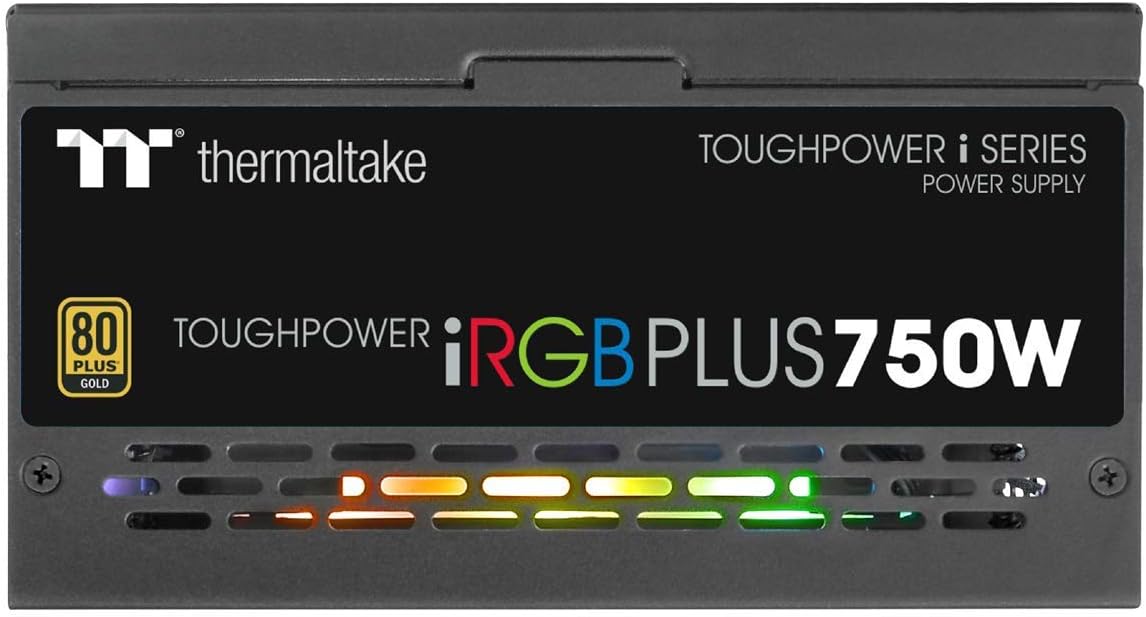
Imaxe 6.1: Lateral view of the power supply, illustrating the vibrant RGB lighting effects.
7. Mantemento
Un mantemento regular axuda a garantir a lonxevidade e o rendemento óptimo da súa fonte de alimentación:
- Eliminación de po: Periodically clean the power supply's fan and ventilation grilles using compressed air. Ensure the system is powered off and unplugged before cleaning.
- Comprobación do cable: Occasionally check all modular cable connections to ensure they are securely seated.
- Actualizacións de software: Keep the Thermaltake SPM and TT RGB Plus software updated to the latest versions for improved features and stability.
8 Solución de problemas
Se tes problemas coa fonte de alimentación, consulta os seguintes pasos comúns para a resolución de problemas:
- Sen enerxía:
- Asegúrate de que o cable de alimentación de CA estea conectado correctamente tanto á fonte de alimentación como á toma de corrente.
- Verify the power switch on the back of the PSU is in the 'ON' position.
- Check all modular cable connections, especially the 24-pin and 4+4-pin motherboard connectors.
- Proba a toma de corrente con outro dispositivo para asegurarte de que teña corrente.
- A iluminación RGB non funciona:
- Ensure the internal USB cable from the PSU is correctly connected to a USB 2.0 header on your motherboard.
- Install or update the Thermaltake TT RGB Plus software.
- Check software settings to ensure RGB lighting is enabled and configured.
- Reinicia o teu ordenador.
- Smart Zero Fan Not Functioning / Fan Always On:
- The Smart Zero Fan feature only activates the fan when the PSU load exceeds 30%. If your system load is consistently above this threshold, the fan will remain on.
- Check the SPM software settings to ensure Smart Zero Fan mode is enabled.
- Ensure the internal USB cable is connected for software control.
- Software Glitches (SPM/TT RGB Plus):
- Ensure you have the latest version of the software installed from the official Thermaltake websitio.
- Temporarily disable any conflicting RGB software from other manufacturers.
- Check your firewall settings to ensure the software is not being blocked.
- Reinstall the software if issues persist.
9. Especificacións
Detailed technical specifications for the Thermaltake Toughpower iRGB Plus 750W Power Supply:
| Característica | Especificación |
|---|---|
| Número de modelo | PS-TPI-0750F3FDGU-1 |
| Tipo | ATX 12V V2.4 and EPS V2.92 |
| Máx. Capacidade de saída | 750 W |
| Capacidade máxima de saída | 900 W |
| Dimensión (ancho/alto/profundo) | 150 mm (ancho) x 86 mm (alto) x 160 mm (profundo) |
| Corrección do factor de potencia (PFC) | PFC activo |
| Eficiencia | 80 PLUS Gold at 115Vac Input |
| Sistema de refrixeración | 14cm Hydraulic bearing fan |
| MTBF (tempo medio entre fallos) | 120,000 horas como mínimo |
| Aprobación de seguridade | CE/cTUVus/TUV/FCC/EAC/s-mark |
| Corrente de entrada | 10A máx. |
| Intervalo de frecuencia de entrada | 50 Hz - 60 Hz |
| Vol. De entradatage | 100 V - 240 V~ |
| Temperatura de funcionamento | 0°C a +50°C |
| Humidade de funcionamento | 20% a 90%, sen condensación |
| Temperatura de almacenamento | -20 °C a +70 °C |
| Humidade de almacenamento | 5% a 95%, sen condensación |
| Capacitores | 100% Japanese 105°C/221°F |
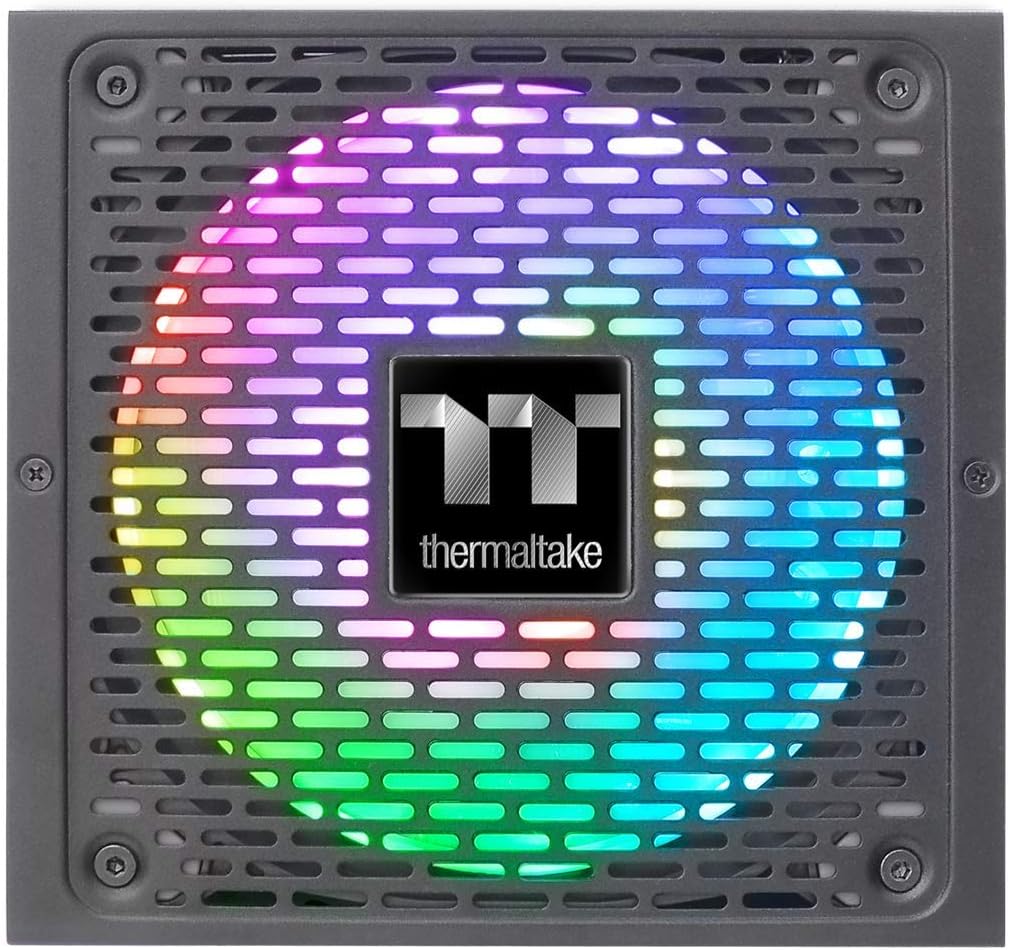
Image 9.1: Product label showing model number, input/output specifications, and safety warnings.

Imaxe 9.2: Primeiro plano interno view of the power supply, highlighting the 100% Japanese 105°C/221°F capacitors for enhanced durability and stability.

Imaxe 9.3: Un interno view of the power supply's circuit board and components, demonstrating quality construction.
10. Información da garantía
The Thermaltake Toughpower iRGB Plus 750W Power Supply comes with a 10 ano de garantía. This warranty covers defects in materials and workmanship under normal use. Please retain your proof of purchase for warranty claims. For full warranty terms and conditions, please refer to the official Thermaltake websitio ou póñase en contacto co seu servizo de atención ao cliente.
11. Apoio
For further assistance, technical support, or to download the latest software and drivers, please visit the official Thermaltake websitio:
Tamén podes atopar recursos útiles e preguntas frecuentes nas súas páxinas de soporte.
Vídeo oficial do produto:
Video 11.1: An official product video demonstrating features and functionality of the Thermaltake Toughpower iRGB Plus Power Supply. This video provides a visual overview para os usuarios.


