1. Introdución
This manual provides detailed instructions for the setup, operation, and maintenance of your One For All URC4811 Universal Replacement Learning Remote Control. This remote is designed to be compatible with all LG Televisions, including LCD, LED, OLED, and Plasma models, offering a seamless replacement for your original LG remote.
2. Produto rematadoview
The One For All URC4811 remote control is engineered for ease of use and broad compatibility with LG televisions. Key features include:
- Compatibilidade directa: Functions like your original LG television remote. For most LG TVs, no setup is required; simply insert batteries and it is ready to use.
- Función de aprendizaxe: Allows customization of the remote to your specific needs by copying functions from your original remote.
- Teclas de atallo da aplicación: Provides direct access to your favorite streaming services.
- Número de chaves: 50.
- Tecnoloxía de control remoto: Infrared (IR).
Imaxes do produto


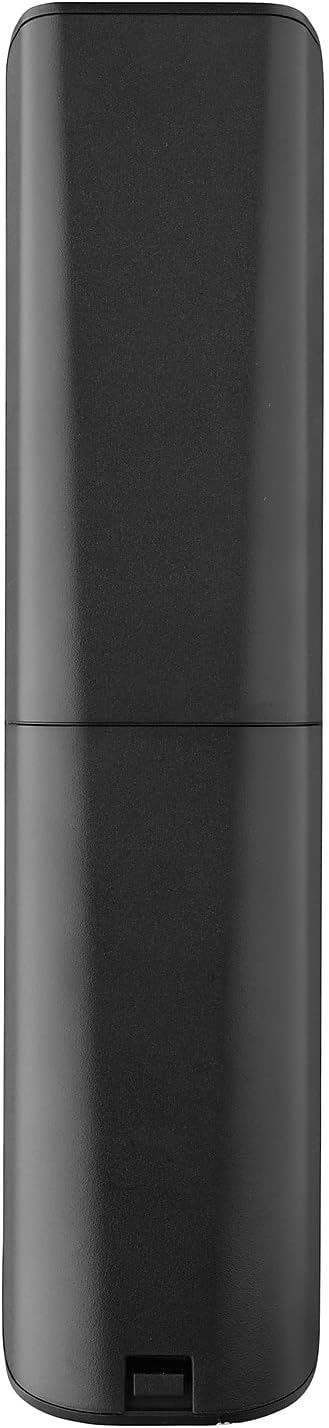


3. Configuración
3.1. Instalación da batería
The remote requires 2 AAA batteries (not included). To install the batteries:
- Remove the battery compartment cover located on the back of the remote.
- Insert 2 AAA batteries, ensuring correct polarity (+ and - terminals).
- Volva colocar a tapa do compartimento da batería ata que encaixe firmemente no seu lugar.
3.2. Initial Pairing / Codeless Setup
For most LG Televisions, the One For All URC4811 remote control is ready to use immediately after battery installation, requiring no additional setup. Simply point the remote at your LG TV and begin using it. If your TV does not respond, refer to the 'Learning Feature' section for advanced setup options.
4. Instrucións de funcionamento
4.1. Funcións básicas
The remote provides all standard functions of an LG TV remote, including:
- Encendido/apagado: Use the dedicated power button to turn your TV on or off.
- Control de volume: Adjust volume up or down using the +/- buttons.
- Navegación da canle: Change channels using the CH +/- buttons or direct number input.
- Atallos da aplicación: Dedicated buttons provide quick access to popular streaming services.
4.2. Learning Feature
The learning feature allows you to copy specific functions from your original LG remote control to your One For All URC4811 remote. This is useful if a particular function is not pre-programmed or if you prefer a custom button layout. Refer to the Quick Setup Guide included with your remote for detailed steps on using the learning feature.
4.3. Vídeo oficial do produto
5. Mantemento
Para garantir a lonxevidade e o rendemento óptimo do seu mando a distancia:
- Limpeza: Limpe o mando a distancia cun pano suave e seco. Evite usar produtos de limpeza líquidos ou materiais abrasivos.
- Coidado da batería: Replace batteries when the remote's performance degrades. Remove batteries if the remote will not be used for an extended period to prevent leakage.
- Almacenamento: Garde o mando a distancia nun lugar fresco e seco, lonxe da luz solar directa e de temperaturas extremas.
6 Solución de problemas
If you encounter issues with your remote control, try the following steps:
- O control remoto non responde: Comprobe se as pilas están inseridas correctamente e teñen a carga suficiente. Substitúaas se é necesario.
- Liña de visión: Asegúrate de que non haxa obstáculos entre o mando a distancia e o receptor de infravermellos do televisor.
- Funcións específicas que non funcionan: Use the learning feature to re-program the affected buttons from your original LG remote.
- TV Not Responding After Battery Change: For some LG models, the remote may require re-pairing or a quick setup process after battery replacement. Refer to the Quick Setup Guide.
7. Especificacións
| Característica | Especificación |
|---|---|
| Dimensións do produto | 8.03 x 2.01 x 0.94 polgadas |
| Peso do elemento | 2.72 onzas |
| Número de modelo do artigo | URC4811 |
| Pilas necesarias | 2 pilas AAA (non incluídas) |
| Marca | Un Para Todos |
| Característica especial | Universal, función de aprendizaxe |
| Cor | Negro |
| Número máximo de dispositivos compatibles | 1 (specifically for LG TVs) |
| Dispositivos compatibles | Televisores LG (LCD, LED, OLED, Plasma) |
8. Garantía e soporte
For warranty information and technical support, please refer to the documentation included with your product or visit the official One For All websitio. Garde o recibo da compra como proba de compra para calquera reclamación de garantía.


