1. Introdución
The Eyoyo EF07RB Underwater Fishing Camera is a portable video fish finder designed to enhance your fishing experience. It features a 7-inch color LCD monitor, a 1000TVL waterproof camera with infrared lights, and DVR recording capabilities. This manual provides detailed instructions for setting up, operating, and maintaining your device.
2. Contido do paquete
Carefully unpack your Eyoyo EF07RB and ensure all items listed below are present:
- 7-inch TFT Color Monitor
- Underwater Camera with 15m Cable
- 4500mAh Battery Box / Control Box
- Adaptador de alimentación
- Flotar
- Parasol
- Metal Clips (for cable management)
- Plastic Rings (for camera positioning)
- Tarxeta SD de 8 GB (preinstalada ou incluída por separado)
- Manual de usuario
- Maletín de transporte

Image: All components of the Eyoyo EF07RB Underwater Fishing Camera system, neatly arranged within its protective carrying case.
3. Configuración
3.1 Carga inicial
Before first use, fully charge the 4500mAh battery using the provided power adapter. The charging indicator on the battery box will change once charging is complete.
3.2 Conexión de compoñentes
Follow these steps to connect the camera, monitor, and battery box:
- Connect the camera's video output cable (yellow RCA connector) to the monitor's video input.
- Connect the camera's power cable to the designated power output on the battery box.
- Connect the monitor's power input to the designated power output on the battery box.
- Asegúrese de que todas as conexións estean seguras.

Image: Visual guide for connecting the monitor, camera, and battery box. The battery box provides power to both the monitor and the camera, with separate connectors for each.
3.3 IR Lights Control
The camera features 12 infrared (IR) lights for enhanced visibility in low-light or dark water conditions. To activate or deactivate the IR lights, connect or disconnect the dedicated IR light control cable from the battery box. When connected, the IR lights will turn on, providing night vision. When disconnected, they will turn off.
Video: This video demonstrates the connection process for the Eyoyo EF07R underwater fishing camera, including how to connect the monitor, camera, and battery, and how to control the infrared lights for night vision.
3.4 SD Card Insertion (for DVR Function)
The 7-inch monitor has a built-in DVR function. To record video, insert the provided 8GB SD card into the designated slot on the side of the monitor. Ensure the card is inserted correctly until it clicks into place. The monitor supports up to 32GB SD cards.
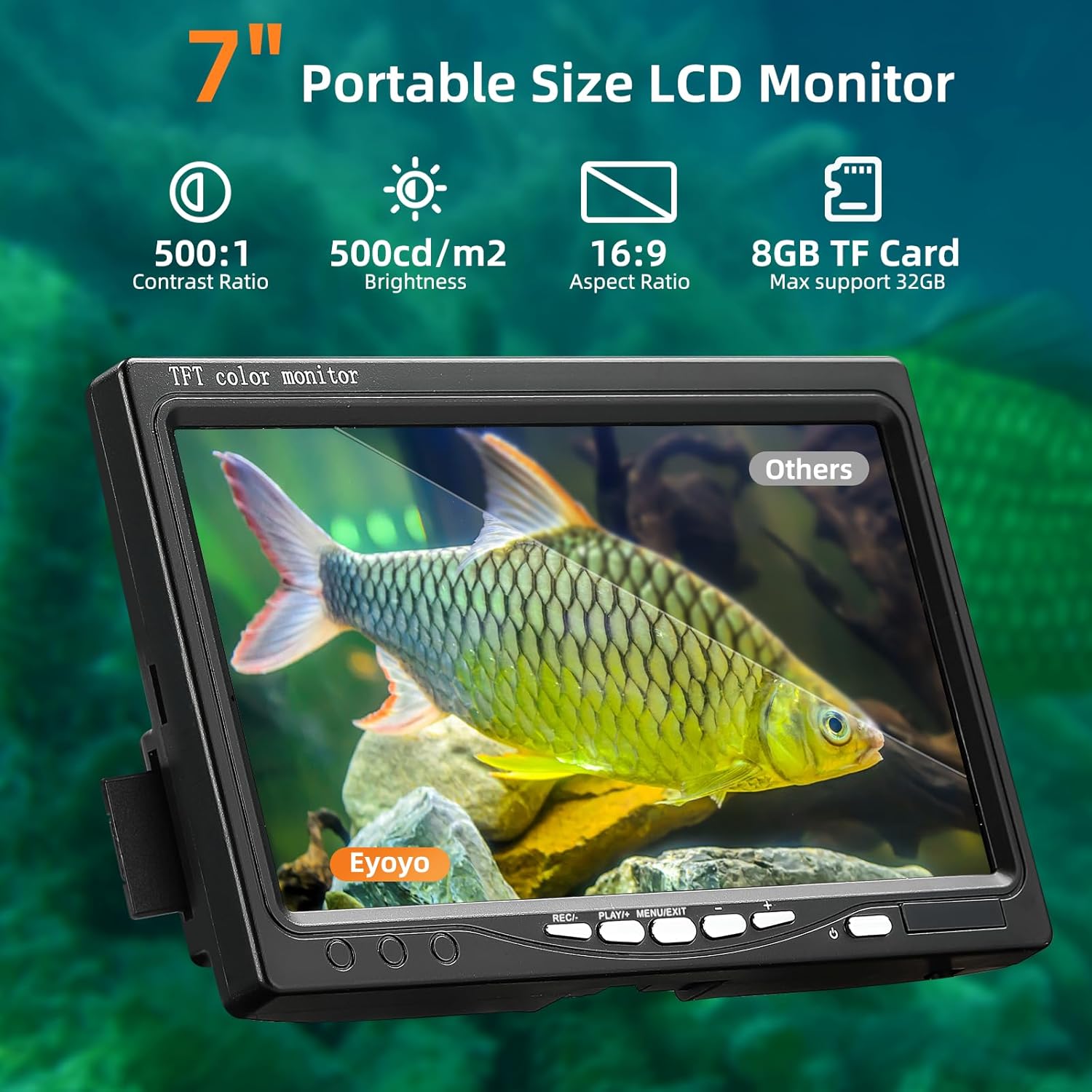
Image: The 7-inch portable LCD monitor, highlighting its display capabilities and compact design. This monitor is where the SD card is inserted for DVR functionality.
4. Instrucións de funcionamento
4.1 Acendido/Apagado
Press and hold the power button on the monitor to turn the device on or off. The monitor will display the live feed from the underwater camera.
4.2 Implementación da cámara
The camera is designed for various fishing environments, including ice fishing, lake fishing, and boat fishing. Use the provided float and plastic rings to adjust the camera's depth and orientation. The 15-meter cable allows for significant depth exploration.

Image: The robust 15-meter waterproof cable, demonstrating its durability and load capacity, essential for deploying the camera in various water conditions.

Image: The Eyoyo camera system being used in diverse fishing applications, such as ice fishing, night fishing, and from docks or kayaks, showcasing its wide range of uses.
4.3 Recording Video (DVR Function)
To start recording, press the 'REC' button on the monitor. A recording indicator will appear on the screen. Press 'REC' again to stop recording. Recorded files are saved to the SD card.
4.4 Reprodución
Para view recorded videos, navigate to the playback menu using the monitor's controls. Select the desired file para a reprodución.
4.5 Axustar a configuración do monitor
Use the 'MENU' button to access the monitor's settings. Options may include brightness, contrast, color, and time/date settings. Adjust these to optimize your viewexperiencia ing.

Imaxe: Unha detallada view of the camera head, highlighting the 12 infrared lights and 1000TVL lens. The image also illustrates the improved visibility provided by the IR lights in dark underwater environments compared to well-lit conditions.
5. Mantemento
5.1 Limpeza
After each use, especially in saltwater, rinse the camera and cable with fresh water. Wipe the monitor screen with a soft, dry cloth. Ensure all components are dry before storage.
5.2 Coidado coa batería
To prolong battery life, avoid fully discharging the battery frequently. Store the device with a partial charge (around 50%) if not used for extended periods. Recharge the battery at least once every three months.
5.3 Almacenamento
Store the camera system in its original carrying case in a cool, dry place, away from direct sunlight and extreme temperatures.
6 Solución de problemas
| Problema | Causa posible | Solución |
|---|---|---|
| No image on monitor / Blue screen | Loose cable connection, camera or monitor not powered, damaged cable. | Check all cable connections. Ensure battery is charged and connected. Inspect cables for damage. |
| Mala calidade de imaxe | Dirty camera lens, murky water, incorrect monitor settings. | Clean the camera lens. Adjust monitor brightness/contrast. Use IR lights in dark conditions. |
| O DVR non grava | SD card full, SD card not inserted correctly, faulty SD card. | Check SD card capacity and delete old files. Reinsert SD card. Try a different compatible SD card. |
| Batería de curta duración | Battery not fully charged, old battery, extreme cold. | Ensure battery is fully charged. Battery performance may decrease in very cold temperatures. Consider replacing an old battery. |
7. Especificacións
- Tamaño do monitor: LCD a cor de 7 polgadas
- Resolución da cámara: 1000 TVL
- Luces infravermellas: 12 unidades
- Clasificación impermeable: IP68
- Lonxitude do cable: 15 metros (49 pés)
- Batería: Polímero de litio de 4500 mAh (ata 8 horas de uso continuo)
- Función DVR: Si
- Soporte para tarxetas SD: 8GB included, supports up to 32GB
- Temperatura de funcionamento: -20 °C a 60 °C (-4 °F a 140 °F)
- Temperatura de almacenamento: -30 °C a 80 °C (-22 °F a 176 °F)
- Peso do artigo: Aproximadamente 4.09 libras
- Número de modelo: EF07RB

Imaxe: Un recorte view of the 1000TVL IP68 waterproof underwater camera, illustrating its internal components including the 12 infrared lamps and 92-degree viewing angle lens.
8. Garantía e soporte
Eyoyo products are designed for reliability and performance. For warranty information or technical support, please refer to the contact details provided in your product packaging or visit the official Eyoyo websitio. Garde o recibo da compra como xustificante da mesma.


