1. Introdución
Thank you for choosing the Havit HV-MS989GT Wireless Optical Mouse. This manual provides essential information for the proper setup, operation, and maintenance of your new device. Please read it thoroughly before use and retain it for future reference.
2. Información de seguridade
- To protect the mouse, avoid using it on rough surfaces. A high-quality mouse pad is recommended for optimal performance and longevity.
- The optical sensor emits a strong light. Do not direct the light towards your eyes or the eyes of others.
- The mouse contains precise electronic components. Do not twist, disassemble, or attempt to repair the mouse yourself, as this may shorten its service life or cause damage.
- Manteña o dispositivo lonxe da auga e doutros líquidos.
- Non expoña o dispositivo a temperaturas extremas.
3. Contido do paquete
Comprobe o contido do paquete ao abrilo:
- Havit HV-MS989GT Wireless Optical Mouse
- Receptor Nano USB
- Pila AA (pode estar preinstalada ou incluída por separado)
- Manual de usuario (este documento)
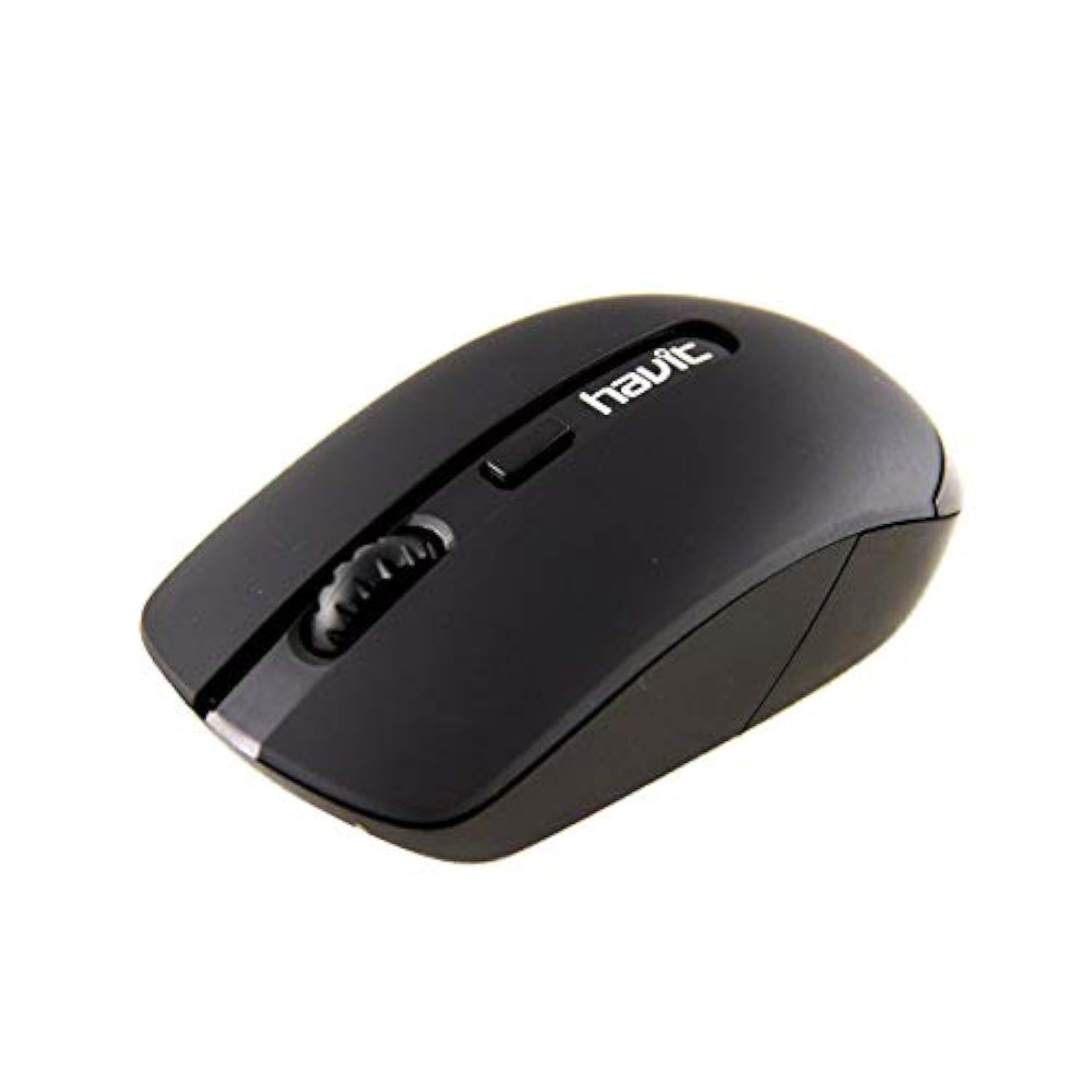
Image 1: Havit HV-MS989GT Wireless Optical Mouse in its retail packaging.
4. Produto rematadoview
The Havit HV-MS989GT is a 2.4 GHz wireless optical mouse designed for comfort and precision. It features an ambidextrous design, making it suitable for both left and right-handed users.
- Botón esquerdo: Función de clic estándar.
- Botón dereito: Función estándar do clic dereito.
- Roda de desprazamento: For scrolling documents and web páxinas. Tamén pode funcionar como un botón central para premer.
- Sensor óptico: Located on the underside for precise tracking.
- Compartimento de batería: Situado na parte inferior do rato.
- Almacenamento do receptor nano USB: A dedicated slot on the underside of the mouse for convenient storage of the receiver when not in use or during travel.

Imaxe 2: Primeiro plano view of the Havit HV-MS989GT mouse, highlighting the scroll wheel and main buttons.
5. Configuración
- Instalar batería: Abra a tapa do compartimento das pilas na parte inferior do rato. Insira unha pila AA, asegurándose de manter a polaridade correcta (+/-). Peche a tapa.
- Conectar o receptor USB: Remove the USB Nano Receiver from its storage slot on the underside of the mouse. Plug the receiver into an available USB port on your computer (PC or laptop).
- Encendido: The mouse should automatically power on and connect to the receiver. If there is an ON/OFF switch, ensure it is in the "ON" position. Your computer's operating system will typically install the necessary drivers automatically.
- Funcionalidade de proba: Move the mouse to check if the cursor responds on your screen. If not, refer to the Troubleshooting section.
6. Instrucións de funcionamento
- Operación sen fíos: The mouse operates using 2.4 GHz wireless technology, providing a stable connection up to 8 meters from the USB receiver.
- Deseño ambidiestro: The ergonomic design allows for comfortable use by both left-handed and right-handed individuals.
- Función de sono automática: To conserve battery life, the mouse features an integrated automatic sleep function. If inactive for a period, it will enter a low-power sleep mode. To wake it up, simply move the mouse or click any button.
- Sensibilidade de DPI: The mouse provides a resolution range of 800-1600 DPI for precise and quick tracking.
- Compatibilidade do sistema: Compatible with Windows 2000, XP, Vista, Windows 7, Windows 8, Windows 10, Linux, and Mac operating systems.
7. Mantemento
- Limpeza: Usa un pano suave e seco para limpar o rato. Evita o uso de produtos químicos agresivos ou materiais abrasivos.
- Substitución da batería: When the mouse performance degrades or it stops responding, replace the AA battery. Ensure proper polarity when inserting the new battery.
- Almacenamento do receptor: Always store the USB Nano Receiver in its dedicated slot on the mouse when traveling or not in use to prevent loss.
- Superficie óptima: For best tracking performance and to protect the optical sensor, use the mouse on a clean, smooth surface, preferably with a high-quality mouse pad.
8 Solución de problemas
| Problema | Posible Solución |
|---|---|
| Mouse not responding or cursor not moving. |
|
| Movemento errático do cursor. |
|
| O rato desconéctase con frecuencia. |
|
9. Especificacións
| Marca | Havit |
| Número de modelo | HV-MS989GT |
| Tipo de rato | Rato óptico |
| Conectividade | Sen fíos (2.4 GHz) |
| Distancia sen fíos | 8 metros |
| Dimensións (L x W x H) | 104 × 58 × 37 mm |
| Número de botóns | 4 |
| Resolución DPI | 800-1600 DPI |
| Vida clave | 1,000,000 clics |
| Fonte de alimentación | 1 batería AA |
| Sistemas operativos compatibles | Windows 2000, XP, Vista, Windows 7, Windows 8, Windows 10, Linux, Mac |
| Orientación das mans | Ambidiestro |
10. Garantía e soporte
For warranty information, please refer to the warranty card included with your product or contact your retailer. You may also visit the official Havit websitio web con recursos de asistencia e información de contacto.
For additional assistance, please contact Havit customer support through their official channels.


