Introdución
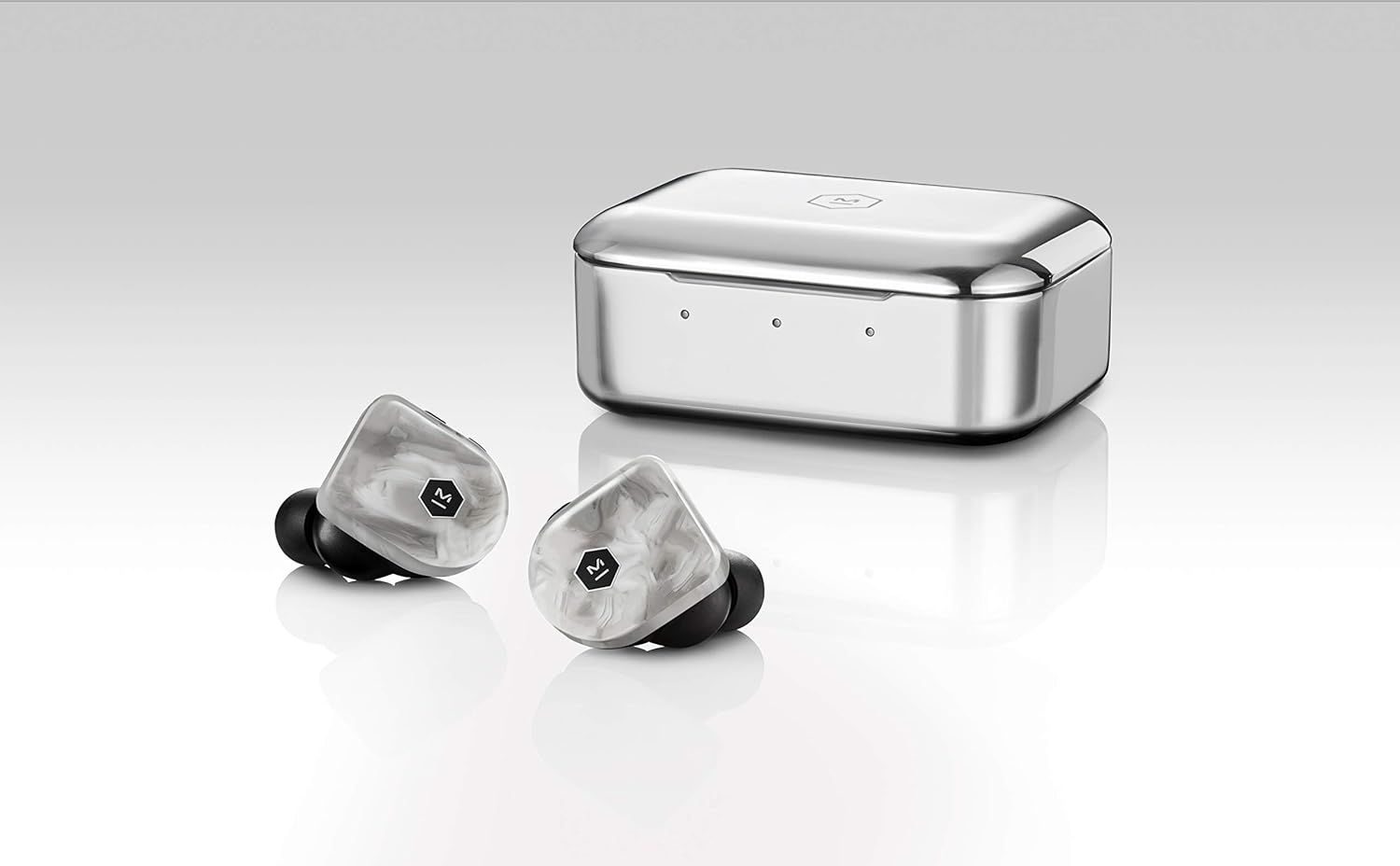
The Master & Dynamic MW07 Plus True Wireless Earphones represent the second generation of the MW07 series, designed for an exceptional audio experience. These earphones feature a handcrafted acetate body and a stainless steel charging case, combining durable materials with advanced technology. Key functionalities include extended battery life, Bluetooth 5.0 connectivity, Active Noise-Cancelling, and an Ambient Listening Mode, providing a versatile and high-quality listening solution.
This manual provides essential information for setting up, operating, maintaining, and troubleshooting your MW07 Plus earphones.
O que hai na caixa
- MW07 Plus True Wireless Earphones (Left and Right)
- Stainless Steel Charging Case
- Cable de carga USB-C a USB-C
- Adaptador USB-C a USB-A
- Protective Canvas Pouch
- 5 Pairs of Silicone Ear Tips (XS, S, M, L, XL)
- 3 Pairs of Fit Wings (S, M, L)
Configuración
1. Cargando
Before first use, fully charge your MW07 Plus earphones and the charging case. Use the provided USB-C cable to connect the charging case to a power source. The earphones charge inside the case.
- Duración da batería dos auriculares: Ata 10 horas cunha única carga.
- Tempo total de reprodución coa funda: Up to 40 hours (additional 3 charges from the case).
- Tempo de carga: Approximately 1.5 hours for earphones and case.

2. Encaixe
Select the ear tips and fit wings that provide the most secure and comfortable fit for your ears. A proper seal is crucial for optimal sound quality and noise cancellation.

3. Maridaxe
- Retira os dous auriculares da caixa de carga. Entrarán automaticamente no modo de emparellamento.
- On your device (smartphone, tablet, computer), enable Bluetooth and select "M&D MW07 PLUS" from the list of available devices.
- If prompted, confirm the pairing. The earphones will indicate successful connection.

Instrucións de funcionamento
Controis de auriculares
The MW07 Plus earphones feature intuitive physical buttons for control. Refer to the diagram below for button locations and functions.

| Botón/Acción | Función |
|---|---|
| Left Earphone: Vol+ / Vol- |
|
| Right Earphone: Multi-function Button |
|
Active Noise-Cancelling (ANC) and Ambient Listening Mode
The MW07 Plus features two distinct listening modes:
- Active Noise-Cancelling (ANC): Reduces external ambient noise, ideal for focused listening in noisy environments. Activate/deactivate by long-pressing the Vol- button on the left earphone.
- Ambient Listening Mode: Allows you to hear your surroundings while listening to audio, enhancing awareness. Activate/deactivate by long-pressing the Vol+ button on the left earphone.
Mantemento
Proper care ensures the longevity and performance of your MW07 Plus earphones.
- Limpeza: Limpe os auriculares e a funda de carga regularmente cun pano suave, seco e sen pelusa. Non empregue produtos químicos agresivos nin materiais abrasivos.
- Consellos para oídos: Retire as almofadas dos oídos e límpeas con auga e xabón suave se é necesario. Asegúrese de que estean completamente secas antes de volvelas colocar.
- Almacenamento: Garda sempre os auriculares no seu estoxo de carga cando non os uses para protexelos e mantelos cargados.
- Resistencia á auga: The earphones have an IPX5 water resistance rating, meaning they can withstand light splashes and sweat. Do not submerge them in water.
Resolución de problemas
If you encounter issues with your MW07 Plus earphones, try the following solutions:
- No Sound / Connectivity Issues:
- Asegúrate de que ambos auriculares estean completamente cargados.
- Place both earphones back into the charging case, close the lid, wait a few seconds, then remove them to re-establish connection.
- Check your device's Bluetooth settings to ensure "M&D MW07 PLUS" is selected and connected.
- Tenta esquecer o dispositivo na configuración de Bluetooth e volver emparellalo.
- Un auricular non funciona:
- Asegúrate de que ambos auriculares estean cargados.
- Place both earphones in the case, close the lid, and then remove them. This often re-syncs them.
- Perform a factory reset (refer to the diagram or manufacturer's website for specific steps if needed, as the provided diagram is in Japanese and not fully clear on factory reset).
- Poor Sound Quality / Lack of Bass:
- Ensure you have a proper seal with the ear tips. Try different sizes of ear tips and fit wings to find the best fit.
- Clean any debris from the ear tips or earphone nozzles.

Especificacións
| Característica | Detalle |
|---|---|
| Nome do modelo | MW07 PLUS |
| Tecnoloxía de conectividade | Sen fíos (Bluetooth 5.0) |
| Alcance Bluetooth | 30 metros (100 pés) |
| Tipo de controlador de audio | Driver dinámico |
| Tamaño do controlador de audio | 10 milímetros |
| Rango de frecuencias | 20 Hz - 20,000 Hz |
| Duración da batería (auriculares) | 10 horas |
| Duración total da batería (con funda) | Ata 40 horas |
| Tempo de carga | 1.5 Hours (Earphones & Case) |
| Nivel de resistencia á auga | IPX5 (resistente á auga) |
| Control de ruído | Cancelación activa de ruído |
| Material | Handcrafted Acetate (Earphones), Stainless Steel (Case) |
| Peso do elemento | 9 Grams (each earphone) |
| Peso da caixa | 9 gramos |
| Dispositivos compatibles | Teléfonos móbiles, ordenadores de sobremesa, portátiles, tabletas |
Vídeo oficial do produto
Este vídeo ofrece unha breve introduciónview of the Master & Dynamic MW07 Plus True Wireless Earphones, highlighting key features such as sound quality, design, and battery life.
Garantía e Soporte
For warranty information, technical support, or further assistance, please visit the official Master & Dynamic websitio web ou póñase en contacto directamente co servizo de atención ao cliente.
Tamén podes visitar o MASTER & DYNAMIC Store on Amazon para obter máis información sobre o produto e recursos.