1. Introdución
Thank you for choosing the Kaidi KD-750 Bluetooth Headphones. This manual provides essential information for the proper setup, operation, and maintenance of your device. Please read it thoroughly before use to ensure optimal performance and longevity of your headphones.
2. Contido do paquete
Verifica que todos os elementos estean presentes no teu paquete:
- 1 x Kaidi KD-750 Bluetooth Headphones
- 1 x cable de carga USB
- 1 x Reinforced 3.5mm Audio Cable with Microphone (P2 Cable)
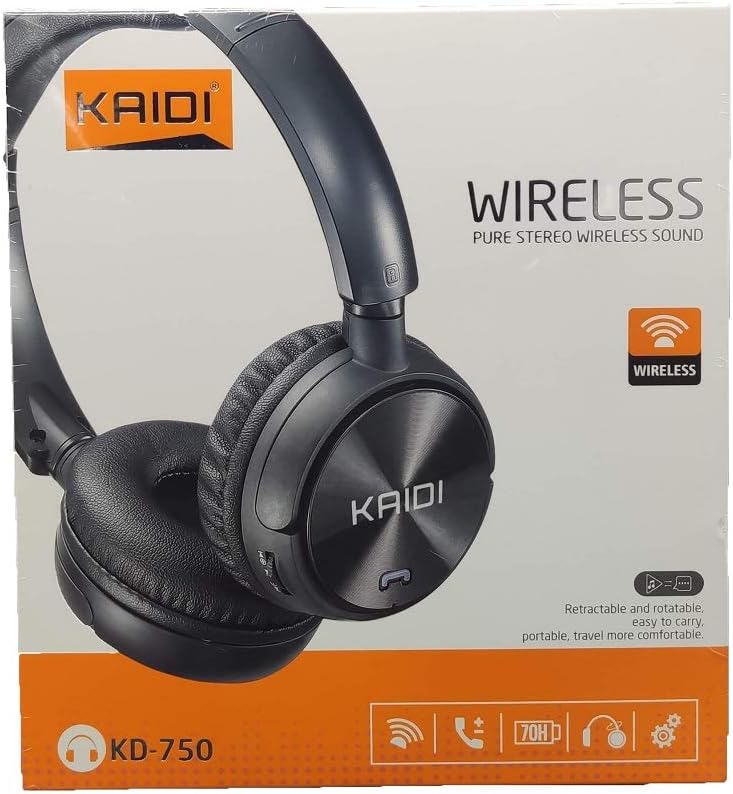
Imaxe: Fronte view of the Kaidi KD-750 retail packaging, showing the headphones and branding.
3. Produto rematadoview
Familiarize yourself with the various parts and controls of your Kaidi KD-750 headphones.

Imaxe: Fronte view of the Kaidi KD-750 Bluetooth Headphones, showcasing the earcups with Kaidi logo and the adjustable headband.
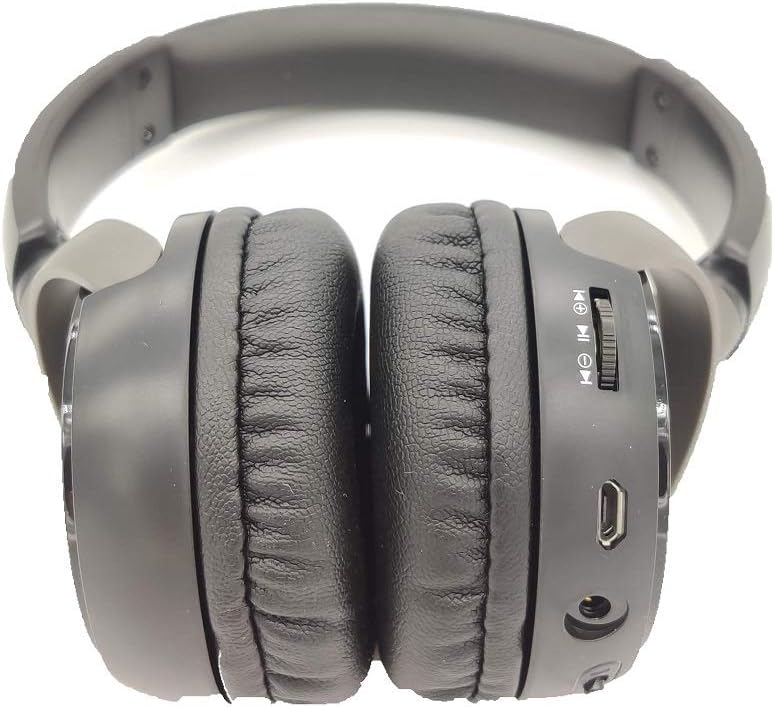
Imaxe: Lateral view of the Kaidi KD-750 Bluetooth Headphones, highlighting the control buttons, charging port, and audio jack on the earcup.

Image: Back of the Kaidi KD-750 retail box, featuring a diagram of the headphone controls and key product features.
3.1. Controis e portos
- Botón de acendido/botón multifunción: Acendido/Apagado, Reproducir/Pausa, Responder/Finalizar chamada.
- Botón para subir o volume / seguinte canción: Presión curta para subir o volume, presión longa para a seguinte pista.
- Botón para baixar o volume / pista anterior: Presión curta para baixar o volume, presión longa para a pista anterior.
- Botón de modo (M): Switch between Bluetooth, FM Radio, and SD Card modes.
- Porto de carga micro USB: Para cargar os auriculares.
- Entrada AUX de 3.5 mm: Para conexión por cable usando o cable de audio incluído.
- Ranura para tarxeta Micro SD: Para reproducir música directamente desde unha tarxeta Micro SD.
- Micrófono: Para chamadas mans libres.
4. Configuración
4.1. Carga dos auriculares
Antes do primeiro uso, carga completamente os auriculares.
- Connect the Micro USB end of the charging cable to the charging port on the headphones.
- Conecta o extremo USB-A do cable de carga a un adaptador de corrente USB (non incluído) ou ao porto USB dun ordenador.
- The LED indicator will illuminate (usually red) during charging.
- Once fully charged (approximately 2 hours), the LED indicator will change color or turn off (refer to specific LED behavior in the specifications).
Nota: A duración da batería é de aproximadamente 5 horas cunha carga completa.
4.2. Emparellamento Bluetooth
Pair your headphones with a Bluetooth-enabled device.
- Asegúrese de que os auriculares estean apagados.
- Manteña premido o botón de acendido durante aproximadamente 3-5 segundos ata que o indicador LED parpadee en azul e vermello alternativamente, indicando o modo de emparellamento.
- No teu dispositivo (teléfono intelixente, tableta, ordenador), activa o Bluetooth e busca os dispositivos dispoñibles.
- Select "KD-750" from the list of found devices.
- Unha vez emparellado, o indicador LED normalmente parpadeará en azul lentamente ou permanecerá en azul fixo.
- If a password is required, enter "0000".
O alcance efectivo do Bluetooth é de aproximadamente 10 metros (33 pés).
5. Instrucións de funcionamento
5.1. Acendido/apagado
- Encendido: Press and hold the Power Button for 2-3 seconds until the LED indicator lights up.
- Apagado: Press and hold the Power Button for 3-4 seconds until the LED indicator turns off.
5.2. Reprodución de música (modo Bluetooth)
- Reproducir/Pausa: Prema brevemente o botón de acendido.
- Próxima pista: Mantén premido o botón para subir volume.
- Pista anterior: Mantén premido o botón para baixar o volume.
- Subir volume: Prema brevemente o botón Subir volume.
- Baixar volume: Prema brevemente o botón para baixar o volume.
5.3. Chamadas telefónicas
- Responder chamada: Short press the Power Button when an incoming call rings.
- Finalizar a chamada: Short press the Power Button during a call.
- Rexeitar a chamada: Long press the Power Button when an incoming call rings.
- Volver a marcar o último número: Prema dúas veces o botón de acendido/apagado.
5.4. Mode Switching (FM Radio / SD Card / AUX)
Preme o Botón de modo (M). to cycle through available modes: Bluetooth, FM Radio, and SD Card playback.
5.4.1. Modo de radio FM
- Switch to FM mode using the Mode (M) Button.
- Mantén premido o botón de acendido para buscar e gardar automaticamente as emisoras de FM dispoñibles.
- Short press the Volume Up/Down buttons to adjust volume.
- Long press the Volume Up/Down buttons to switch between saved stations.
5.4.2. Reprodución de tarxetas Micro SD
- Insira unha tarxeta Micro SD (con MP3 files) into the SD card slot.
- Switch to SD Card mode using the Mode (M) Button. The headphones will automatically begin playing music from the card.
- Use the Play/Pause, Volume Up/Down, and Next/Previous Track controls as in Bluetooth mode.

Imaxe: Primeiro plano view of the Micro SD card slot on the Kaidi KD-750 headphones.
5.4.3. AUX Wired Mode
- Connect one end of the included 3.5mm audio cable to the AUX input on the headphones.
- Conecta o outro extremo á saída de audio de 3.5 mm do teu dispositivo.
- Os auriculares cambiarán automaticamente ao modo AUX.
- In AUX mode, controls on the headphones (volume, track control) may not function; use your connected device for control.
6. Mantemento e coidados
- Limpa os auriculares cun pano suave e seco. Non empregues produtos de limpeza abrasivos nin disolventes.
- Evite expoñer os auriculares a temperaturas extremas, humidade ou luz solar directa.
- Non mergullo os auriculares en auga nin en ningún outro líquido.
- Garda os auriculares nun lugar fresco e seco cando non estes en uso.
- Charge the headphones regularly, even if not used for extended periods, to maintain battery health.
7 Solución de problemas
7.1. Os auriculares non se acenden.
Solución: The battery may be depleted. Connect the headphones to a power source using the USB charging cable and allow them to charge for at least 30 minutes before attempting to power on again.
7.2. Cannot pair with a Bluetooth device.
- Solución 1: Ensure the headphones are in pairing mode (LED flashing blue and red alternately).
- Solución 2: Asegúrate de que o Bluetooth estea activado no teu dispositivo e que estea a menos de 10 metros dos auriculares.
- Solución 3: Turn off Bluetooth on your device, then turn it back on and try searching again.
- Solución 4: If previously paired, try "forgetting" or "unpairing" the headphones from your device's Bluetooth list and then re-pairing.
7.3. Sen son ou volume baixo.
- Solución 1: Comprobe os niveis de volume tanto nos auriculares como no dispositivo conectado.
- Solución 2: Ensure the headphones are properly connected via Bluetooth or the 3.5mm AUX cable.
- Solución 3: If using AUX mode, ensure the cable is fully inserted into both the headphones and the audio source.
7.4. FM radio reception is poor.
Solución: Move to an open area away from obstructions or electronic interference. The 3.5mm audio cable can sometimes act as an antenna; try connecting it even if not using AUX mode for improved reception.
8. Especificacións
| Versión Bluetooth: | v4.2 |
| Protocolos compatibles: | AVRCP1.3, A2DP1.0, HFP1.5, HSP1.0 |
| Rango efectivo: | 10 metros (33 pés) |
| Frecuencia de traballo: | 2.402 GHz - 2.480 GHz |
| Tipo de batería: | Built-in 3.7V 300mAh Rechargeable Lithium Battery |
| Vol. De cargatage: | CC de 4.2 V a 5.5 V |
| Tempo de carga: | Aproximadamente 2 horas |
| Duración da batería: | Approximately 5 hours (playback) |
| Impedancia do altofalante: | 32 ohmios |
| Control de ruído: | Cancelación de ruído pasiva |
| Tecnoloxía de conectividade: | Bluetooth, conector de 3.5 mm |
| Dispositivos compatibles: | Any device supporting Bluetooth connectivity |
| Peso do produto: | 190 g |
| Cor: | Negro |
9. Garantía e soporte
The Kaidi KD-750 Bluetooth Headphones come with a standard manufacturer's warranty against defects in materials and workmanship. Please refer to the warranty card included with your purchase for specific terms and conditions, including the warranty period.
For technical support, troubleshooting assistance, or warranty claims, please contact your retailer or the official Kaidi customer service. Contact information can typically be found on the product packaging or the official Kaidi websitio.
Conserve o comprobante de compra para efectos da garantía.


