1. Introdución
This manual provides comprehensive instructions for the setup, operation, and maintenance of your CHESONA Wireless Keyboard Case. Designed to enhance your tablet experience, this case offers protection, versatile viewing angles, and a detachable Bluetooth keyboard for increased productivity.
2. Compatibilidade
The CHESONA Wireless Keyboard Case is compatible with the following iPad models:
- iPad Pro 11-inch (4th Gen): A2759, A2759, A2761, A2762
- iPad Pro 11-inch (3rd Gen): A2377, A2301, A2459, A2460
- iPad Pro 11-inch (2nd Gen): A2228, A2068, A2230, A2231
- iPad Pro 11-inch (1st Gen): A1980, A2013, A1934
- iPad Air 10.9-inch (5th Gen 2022): A2588, A2589, A2591
- iPad Air 10.9-inch (4th Gen 2020): A2072, A2316, A2324, A2325
- iPad Air 11-inch (M3 2025): A3266, A3267, A3270
- iPad Air 11-inch (M2 2024): A2902, A2903, A2904

Image: Compatibility chart for CHESONA keyboard case.
To ensure proper fit, verify your iPad's model number by navigating to Settings > General > About > Model Number.
Video: Guide on how to identify your iPad Pro 11 or iPad Air 10.9/11 model.
3. Contido do paquete
O paquete inclúe:
- CHESONA Wireless Keyboard Case
- Cable USB
4. Características do produto
- Magnetically Removable Keyboard: The wireless Bluetooth keyboard can be easily detached from the case, offering flexibility for various uses.
- Multiple Stand Angles: The case features built-in grooves to support your iPad at three different viewing angles, suitable for typing, reading, or gaming.
- Protección Premium: An anti-slide design and durable twill material provide 360° protection against scratches, bumps, and drops. Precise cutouts ensure full access to all ports, sensors, speakers, microphone, and cameras.
- Integrated Pencil Holder: A dedicated slot is included for storing and charging your Apple Pencil.
- Batería de longa duración: The built-in rechargeable battery provides over 80 hours of working time and 120 days of standby time on a 2-3 hour charge.

Image: CHESONA Wireless Keyboard Case with iPad and Apple Pencil.
Vídeo: Rematadoview of the CHESONA Keyboard Case features, including detachable keyboard, multiple viewing angles, and pencil holder.
5. Instrucións de configuración
5.1 Inserting Your iPad into the Case
- Align your iPad with the protective shell of the case.
- Gently press the iPad into the case, ensuring all corners and edges are securely fitted.
5.2 Conexión do teclado Bluetooth
- Asegúrate de que o teclado estea cargado.
- Turn on the keyboard using the power switch located on the top right. The Bluetooth indicator light will flash.
- No teu iPad, vai a Configuración > Bluetooth.
- Turn on Bluetooth. Your iPad will search for nearby devices.
- Select 'Bluetooth Keyboard' (or similar name) from the list of available devices.
- Follow any on-screen prompts to complete the pairing process. The indicator light on the keyboard will stop flashing once connected.
6. Instrucións de funcionamento
6.1 Uso do teclado
The keyboard features a standard QWERTY layout with additional hotkeys customized for iPads, including volume control, music control, and brightness adjustment. These function keys are typically accessed by pressing the 'Fn' key in combination with the desired function key.

Image: Detachable wireless Bluetooth keyboard.
6.2 Axuste Viewángulos ing
The case allows for multiple viewing angles. Position your iPad in one of the three built-in grooves on the case cover to achieve your preferred angle for typing, watching videos, or browsing.

Image: iPad case demonstrating adjustable viewángulos de inflexión.
6.3 Using the Apple Pencil Holder
The case includes a specific slot designed to hold your Apple Pencil. This holder allows for convenient storage and supports wireless charging of the Apple Pencil when placed correctly.

Image: iPad case with Apple Pencil charging in the integrated holder.
7. Cargando
The keyboard features a built-in rechargeable battery. A full charge takes approximately 2-3 hours and provides over 80 hours of continuous use or 120 days of standby time. Use the provided USB cable to charge the keyboard.

Image: USB-C charging port on the wireless keyboard.
8. Mantemento
Para limpar a carcasa, limpe con coidado cun pano suaveamp cloth. Avoid using harsh chemicals or abrasive materials that could damage the surface. Ensure the keyboard is turned off and disconnected from your iPad before cleaning.
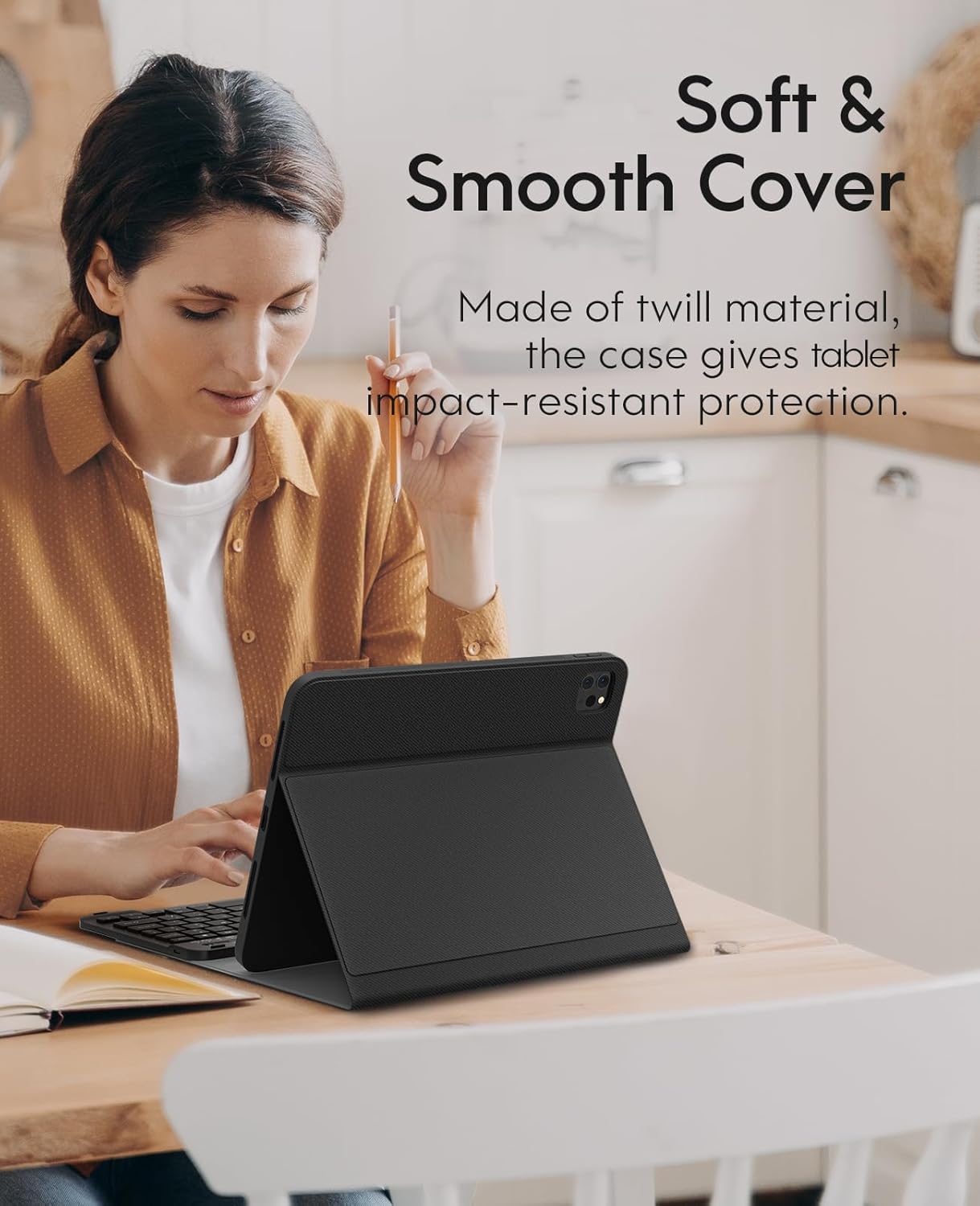
Image: Close-up of the soft and smooth cover material.
9 Solución de problemas
9.1 O teclado non se conecta
- Asegúrate de que o teclado estea acendido e completamente cargado.
- Verify that Bluetooth is enabled on your iPad.
- If the keyboard was previously paired, try 'forgetting' the device in your iPad's Bluetooth settings and re-pairing it.
- Press the 'Connect' button on the keyboard to initiate pairing mode.
9.2 Keyboard Entering Sleep Mode
The keyboard is designed to enter sleep mode after 10 minutes of inactivity to conserve battery. To wake it up and reconnect to your iPad, simply press any key on the keyboard.
10. Especificacións
| Característica | Detalle |
|---|---|
| Dimensións do produto | 9.84 x 8.27 x 0.98 polgadas |
| Peso do elemento | 1.49 libras |
| Número de modelo do artigo | A2301, A2459, A2460 |
| Baterías | 1 pilas de polímero de litio necesarias. (incluído) |
| Tecnoloxía de conectividade | Bluetooth |
| Descrición do teclado | Ergonómico |
| Característica especial | Ergonómico |
| Cor | Negro |
| Soporte de cores de retroiluminación do teclado | Cor única |
11. Garantía e soporte
For warranty information or technical support, please refer to the contact details provided with your product packaging or visit the official CHESONA websitio. Conserve o recibo de compra para reclamacións de garantía.


