1. Produto rematadoview
The CHACON 4-Channel Wireless Remote Control Kit allows you to wirelessly control your lighting and electrical appliances from anywhere within your home. This kit is designed for ease of installation and provides convenient remote operation for various devices.
1.1. Contido do paquete
- 1 x Wireless Remote Control (4 channels)
- 1 x Wireless Control Plug (FR version, 3500W maximum power)
- 1 x CR2032 - 3V Battery (pre-installed in remote control)

Image: The CHACON 4-Channel Wireless Remote Control Kit, featuring the white remote control with 'A', 'B', 'C', 'D', 'ON', and 'OFF' buttons, alongside the white wireless control plug.
2. Información de seguridade
- Só para uso en interiores: Este produto está deseñado para uso en interiores en lugares secos. Non o expoña á humidade nin a temperaturas extremas.
- Carga máxima: Do not exceed the maximum load of 3500W for the wireless control plug. Overloading can cause damage to the device and pose a fire hazard.
- Seguridade eléctrica: Ensure the plug is fully inserted into the wall socket. Do not use if the plug or cable is damaged.
- Seguridade da batería: The remote control uses a CR2032 lithium battery. Keep batteries out of reach of children. Do not ingest, recharge, or dispose of batteries in fire.
- Limpeza: Disconnect the plug from the power outlet before cleaning. Use a dry, soft cloth. Do not use liquid cleaners.
3. Instrucións de configuración
3.1. Instalación da batería do control remoto
The CR2032 battery is typically pre-installed. If replacement is needed, open the battery compartment on the back of the remote control and insert a new CR2032 battery with the correct polarity (+ side up).
3.2. Pairing the Wireless Control Plug with the Remote Control
Follow these steps to pair the plug with your remote control:
- Plug the wireless control plug into a standard wall socket. The indicator light on the plug will typically flash or illuminate briefly.
- Press and hold the small learning button on the side of the wireless control plug for approximately 3 seconds. The indicator light on the plug will start to flash, indicating it is in pairing mode.
- Within 5 seconds of the plug's indicator light flashing, press the desired 'ON' button (A, B, C, or D) on your remote control.
- The indicator light on the plug will stop flashing and remain solid for a moment, then turn off, confirming successful pairing.
- Test the connection by pressing the corresponding 'ON' and 'OFF' buttons on the remote control. The plug should respond by turning the connected appliance on or off.
- To pair additional plugs or assign the same plug to multiple channels, repeat steps 1-4 for each desired channel or plug.
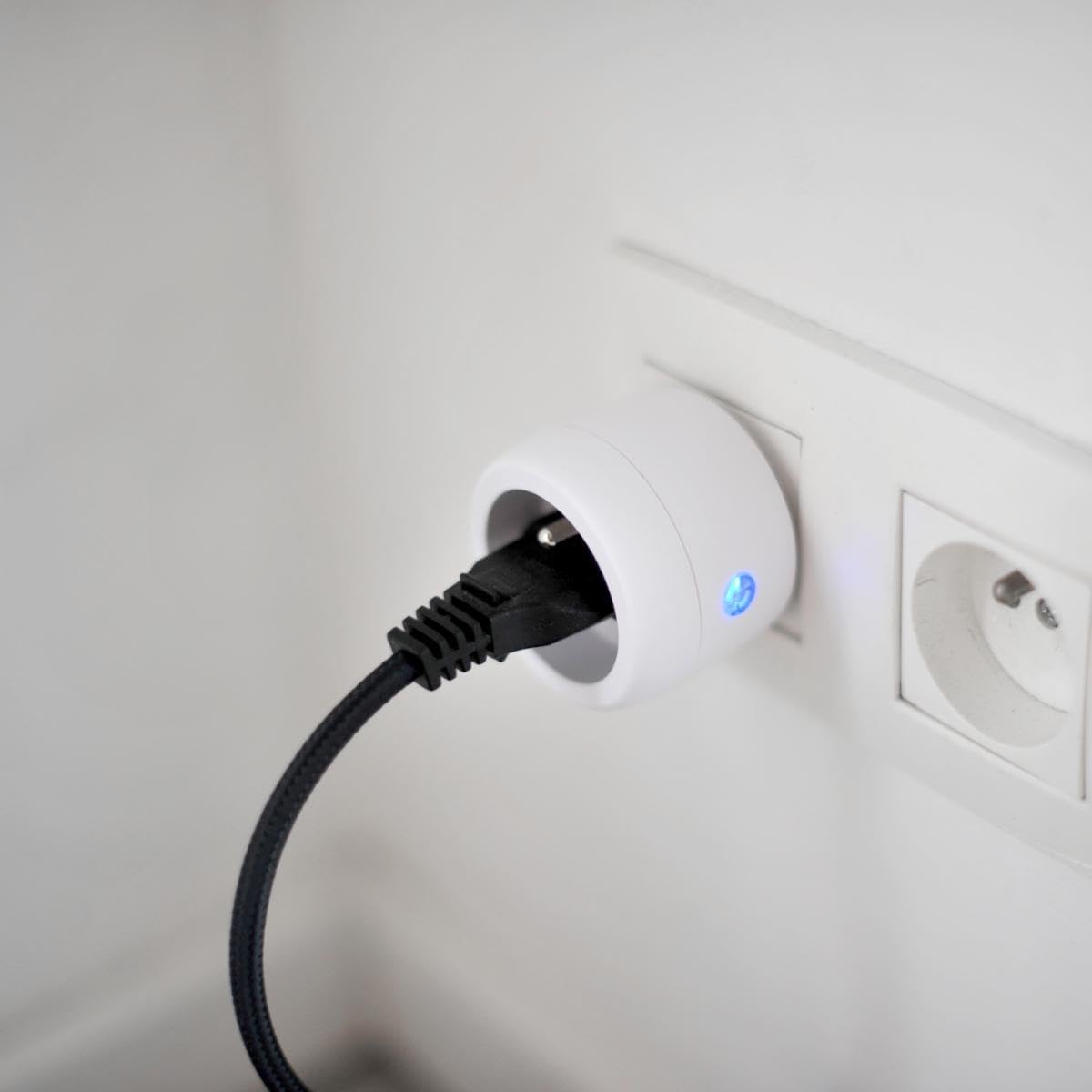
Image: A CHACON wireless control plug is shown inserted into a wall socket, with a black power cable plugged into the control plug, and a blue indicator light visible.
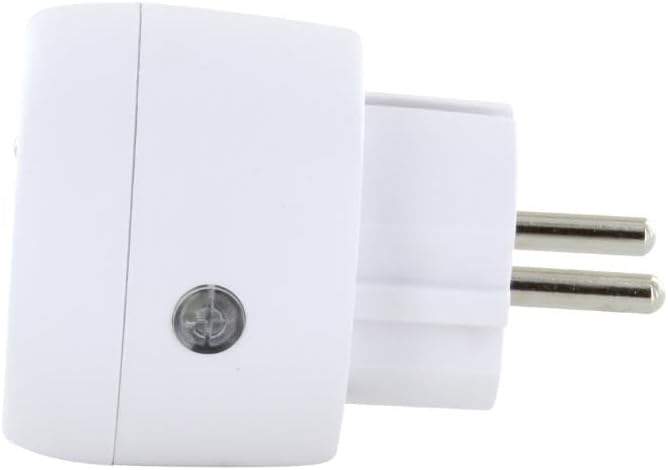
Imaxe: Un lado view of the CHACON wireless control plug, highlighting a small circular button on its side, which is the learning button.
4. Instrucións de funcionamento
Once paired, operating the CHACON Wireless Remote Control Kit is straightforward:
- Control de canles individuais: Use botóns A, B, C, ou D to control the specific plug(s) assigned to that channel. Press the 'ON' button for the channel to turn the appliance on, and the 'OFF' button to turn it off.
- Control mestre: The remote control also features a master 'ON' button and a master 'OFF' button. Pressing the master 'ON' button will activate all paired plugs simultaneously. Pressing the master 'OFF' button will deactivate all paired plugs simultaneously.

Image: A hand holds the white CHACON remote control, with a finger pressing one of the 'ON' buttons. A green indicator light is visible on the remote.
The remote control operates using a radio frequency of 433.92 MHz, providing a transmission distance of up to 30 meters in open areas without obstructions.
5. Mantemento
- Limpeza: Clean the remote control and plug with a dry, soft cloth. Do not use abrasive cleaners or solvents.
- Substitución da batería: When the remote control's range decreases or it becomes unresponsive, replace the CR2032 battery. Ensure correct polarity.
- Almacenamento: Store the kit in a dry place, away from direct sunlight and extreme temperatures, when not in use for extended periods.
6 Solución de problemas
| Problema | Causa posible | Solución |
|---|---|---|
| O enchufe non responde ao mando a distancia. | Low battery in remote control. Plug not paired correctly. O enchufe non recibe corrente. Out of range or obstructions. | Substituír a batería CR2032. Repita o proceso de emparellamento (Sección 3.2). Check if the wall socket is live. Move closer to the plug or remove obstructions. |
| Indicator light on plug flashes continuously. | Plug is in pairing mode. Interferencia. | Complete the pairing process by pressing a remote button. Move the plug or remote away from other electronic devices. |
| Connected appliance does not turn on/off. | O electrodoméstico está avariado. Appliance is not properly plugged into the control plug. | Test the appliance directly in a wall socket. Ensure the appliance's plug is fully inserted into the control plug. |
7. Especificacións
- Marca: CHACON
- Número de modelo: 54664
- Dimensións do produto: 8 x 24 x 20 cm; 140 gramos
- Maximum Power (Plug): 3500 W
- Frecuencia de radio: 433.92 MHz
- Distancia de transmisión: Ata 30 metros (sen obstáculos)
- Remote Control Channels: 4 (A, B, C, D) + Master ON/OFF
- Batería de control remoto: 1 x CR2032 (3V) - included
- Uso: Só no interior
- Cor: Branco
8. Garantía e soporte
For warranty information, please refer to the documentation provided with your purchase or contact your retailer. CHACON products typically come with a manufacturer's warranty covering defects in materials and workmanship.
For technical support, frequently asked questions, or to register your product, please visit the official CHACON websitio web ou póñase en contacto co seu departamento de atención ao cliente. Os datos de contacto adoitan atoparse na embalaxe do produto ou na ficha do fabricante. websitio.


