1. Produto rematadoview
The GOWIN 10.1 Inch Android 10.0 Tablet is a high-performance device designed for versatile use, featuring a quad-core processor, 4GB RAM, and 64GB internal storage, expandable up to 128GB. It supports dual SIM cards for cellular connectivity and includes a detachable keyboard and wireless mouse for enhanced productivity.

Image: GOWIN 10.1 Inch Android Tablet with its accessories, including a detachable keyboard, wireless mouse, and stylus.
2. Que hai na caixa
Verifica que todos os elementos estean presentes no paquete:
- GOWIN 10.1 Inch Android Tablet
- Teclado Bluetooth
- Rato sen fíos
- Funda para tableta
- Cargador de CA.
- Manual de usuario
- Cable USB
- Cable OTG

Image: All components included in the GOWIN tablet package, laid out for inspection.
3. Disposición do dispositivo e portos
Familiarize yourself with the tablet's physical features and connection points.
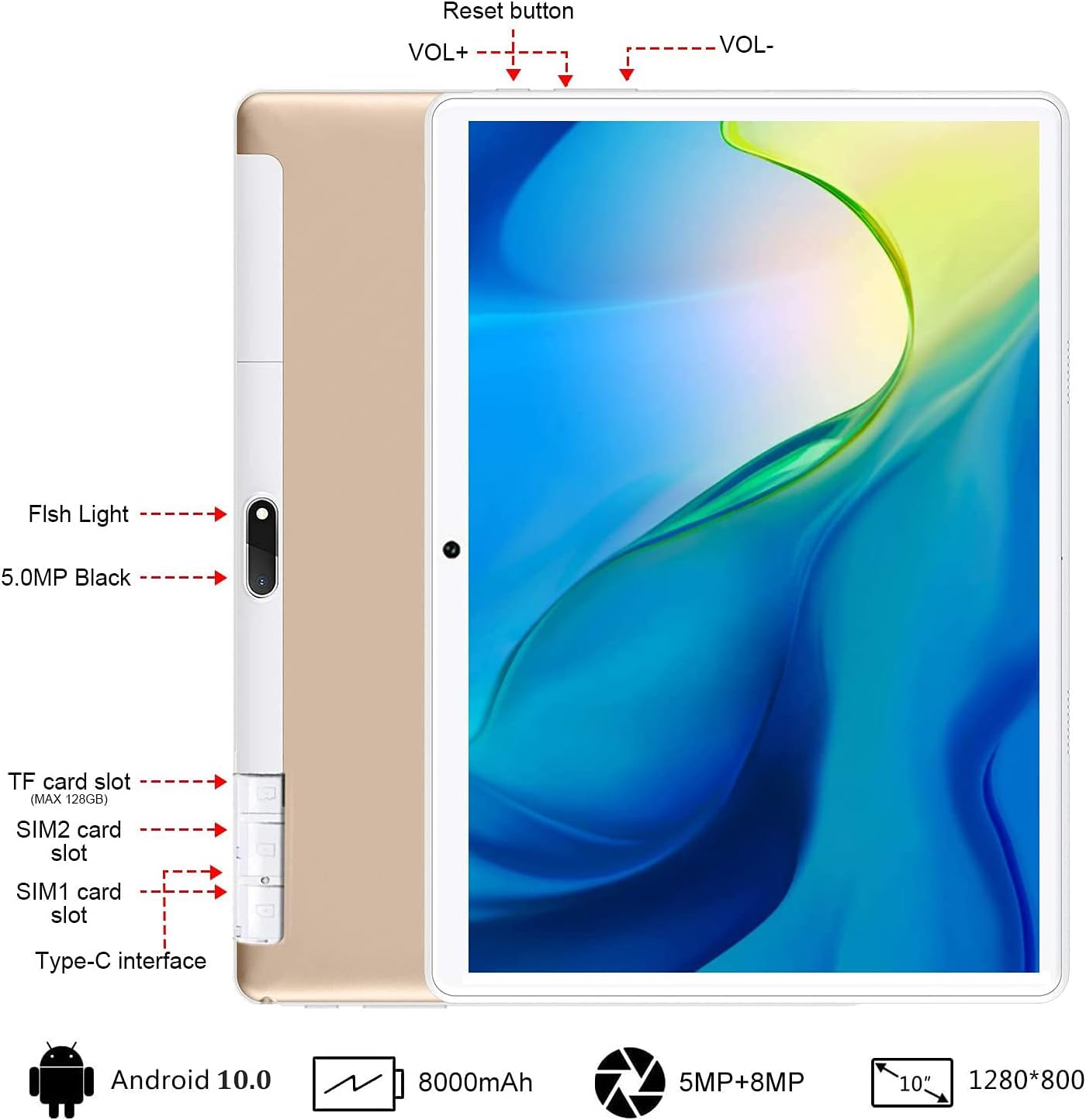
Imaxe: Traseira view of the GOWIN tablet, highlighting the TF card slot, SIM card slots, Type-C interface, reset button, volume controls, and camera.
- Ranura para tarxetas TF: Para almacenamento ampliable (ata 128 GB).
- SIM1/SIM2 Card Slots: For dual 4G cellular connectivity.
- Interface tipo C: Para carga e transferencia de datos.
- VOL+ / VOL-: Volume up and down buttons.
- Botón de reinicio: To restart the device if unresponsive.
- Cámaras: 5MP front-facing and 8MP rear-facing cameras.
4. Configuración
4.1 Carga inicial
Before first use, fully charge the tablet using the provided AC charger and USB cable. The 8000mAh battery provides extended usage time.

Image: The GOWIN tablet screen showing a full battery indicator, emphasizing its 8000mAh capacity.
4.2 Inserción de tarxetas SIM e SD
Carefully insert your SIM cards and/or a microSD card into the designated slots as shown in the device layout section. Ensure the tablet is powered off before inserting or removing cards.
4.3 Connecting Keyboard and Mouse
The included keyboard and mouse connect via Bluetooth. Refer to their individual instructions for pairing. Once paired, they provide a laptop-like experience.

Image: A user's hands typing on the detachable Bluetooth keyboard connected to the GOWIN tablet, with the wireless mouse nearby.
4.4 Attaching Tablet Case
The tablet case provides protection and can be folded into a stand for multiple viewángulos de inflexión.

Image: The GOWIN tablet positioned in its protective case, illustrating how the case can be folded to create various viewángulos de inflexión.
5. Instrucións de funcionamento
5.1 Encendido/apagado
- Para acender: Manteña premido o botón de acendido ata que a pantalla se ilumine.
- Para apagar: Mantén premido o botón de acendido e, a seguir, selecciona "Apagar" entre as opcións.
5.2 Navegación básica (Android 10.0)
The tablet runs on Android 10.0, offering an intuitive user interface. Swipe gestures and on-screen buttons are used for navigation. Access Google Play Store to download applications like YouTube and Netflix.
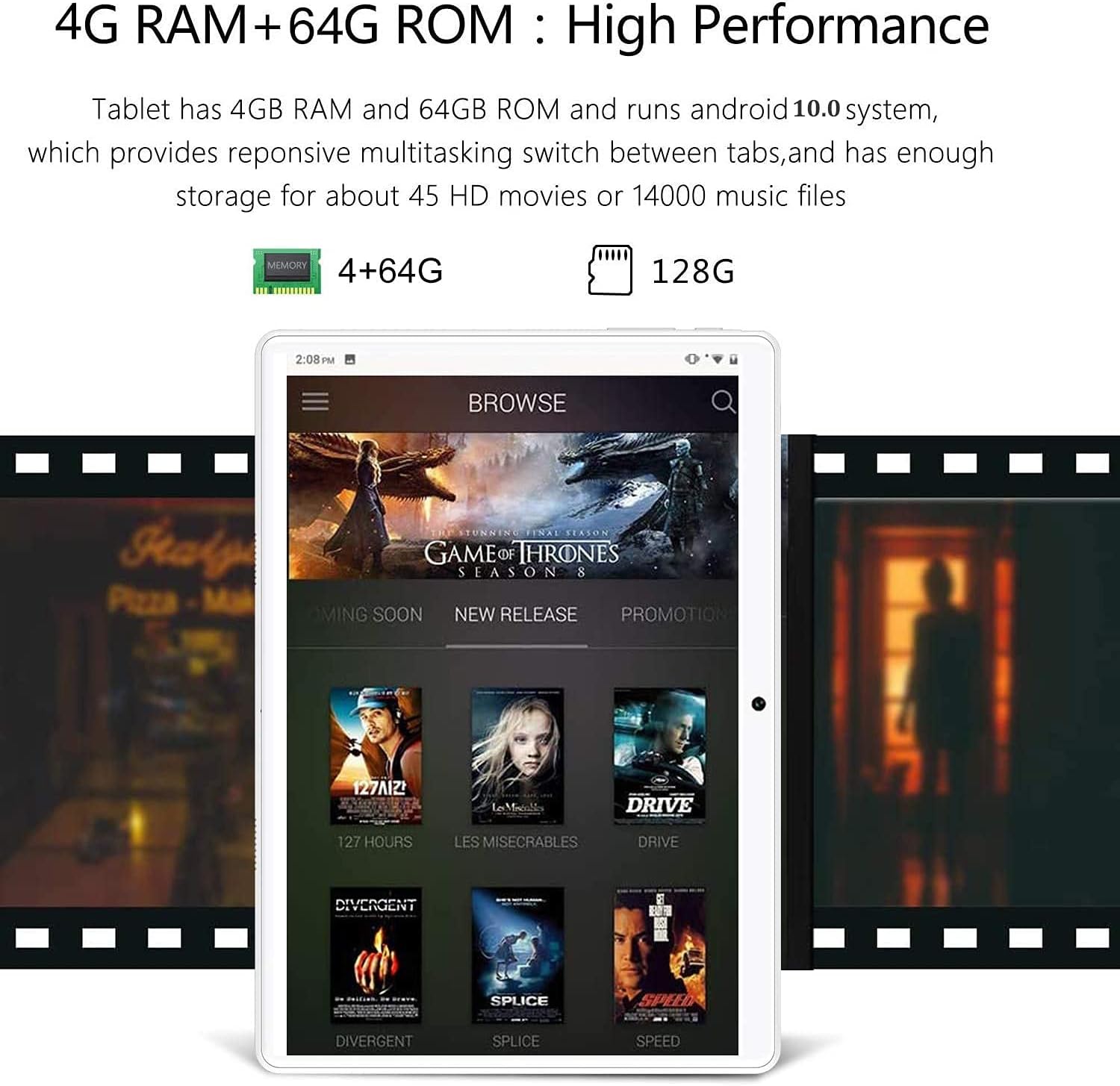
Image: The GOWIN tablet's display showing the Android 10.0 interface with various media applications, demonstrating its high performance and storage capacity.
5.3 Conectividade
- Wi-Fi: Vaia a Configuración > Rede e internet > Wi-Fi para conectarse ás redes dispoñibles.
- Bluetooth: Vaia a Axustes > Dispositivos conectados > Bluetooth para emparellalos con accesorios Bluetooth.
- Datos móbiles: If SIM cards are inserted, enable mobile data in Settings > Network & internet > Mobile network.
5.4 Uso da cámara
The tablet is equipped with a 5MP front camera and an 8MP rear camera for photos and videos. Open the Camera app from the home screen or app drawer.

Image: The GOWIN tablet screen showcasing a vibrant image, illustrating the quality of its 8MP rear camera.
6. Mantemento
- Limpeza: Usa un pano suave e sen fiapos para limpar a pantalla e a carcasa. Evita produtos de limpeza abrasivos ou solventes.
- Coidado da batería: To prolong battery life, avoid extreme temperatures and do not let the battery fully drain frequently.
- Actualizacións de software: Comproba periodicamente se hai actualizacións do sistema en Configuración > Sistema > Actualización do sistema para garantir un rendemento e unha seguridade óptimos.
7 Solución de problemas
- Device is Slow/Apps Crashing: Close unused applications, clear cache, or restart the tablet. Ensure sufficient storage space is available.
- Pantalla sen resposta: Perform a soft reset by pressing and holding the power button until the device restarts. If unresponsive, use the reset button (refer to Section 3).
- Cannot Connect to Wi-Fi/Bluetooth: Ensure Wi-Fi/Bluetooth is enabled. Restart the tablet and the router/Bluetooth device.
- A batería se descarga rapidamente: Reduce o brillo da pantalla, desactiva as funcións non utilizadas (Wi-Fi, Bluetooth, GPS) e pecha as aplicacións en segundo plano.
For further assistance, please contact customer service through Amazon. We aim to provide a satisfactory answer within 24 hours.
8. Especificacións
| Característica | Especificación |
|---|---|
| Marca | GOWIN |
| Nome do modelo | Touch (K6) |
| Sistema Operativo | Android 10 |
| Tamaño da pantalla | 10.1 polgadas |
| Resolución de pantalla | 1280 x 800 píxeles (IPS) |
| Procesador | 1.5 GHz Quad-Core (MediaTek) |
| RAM | 4 GB |
| Almacenamento interno | 64 GB |
| Almacenamento ampliable | Ata 128 GB (microSD) |
| Cámara traseira | 8 MP |
| Cámara frontal | 5 MP |
| Capacidade da batería | 8000 mAh |
| Conectividade | Dual 4G Cellular, Wi-Fi, Bluetooth |
| Peso do elemento | 1.2 libras |
| Cor | Ouro |
9. Garantía e soporte
GOWIN provides a one-month free replacement policy and 365 days of free repair service for non-human damage. For any questions or support needs, please contact our customer service team via Amazon. We are committed to providing a satisfactory resolution within 24 hours.
For more information about DUODUOGO products, visit the official brand store: DUODUOGO Store on Amazon.


