Introdución
Thank you for choosing the LeadsaiL LX-002 2.4G Wireless Mouse. This manual provides detailed instructions for setting up, operating, and maintaining your new wireless mouse. Please read this manual carefully to ensure proper use and optimal performance.
O que hai na caixa
- 1 x LeadsaiL LX-002 Wireless Mouse
- 1 x Receptor USB (gardado dentro do rato)
- 1 x Manual de usuario
Produto rematadoview
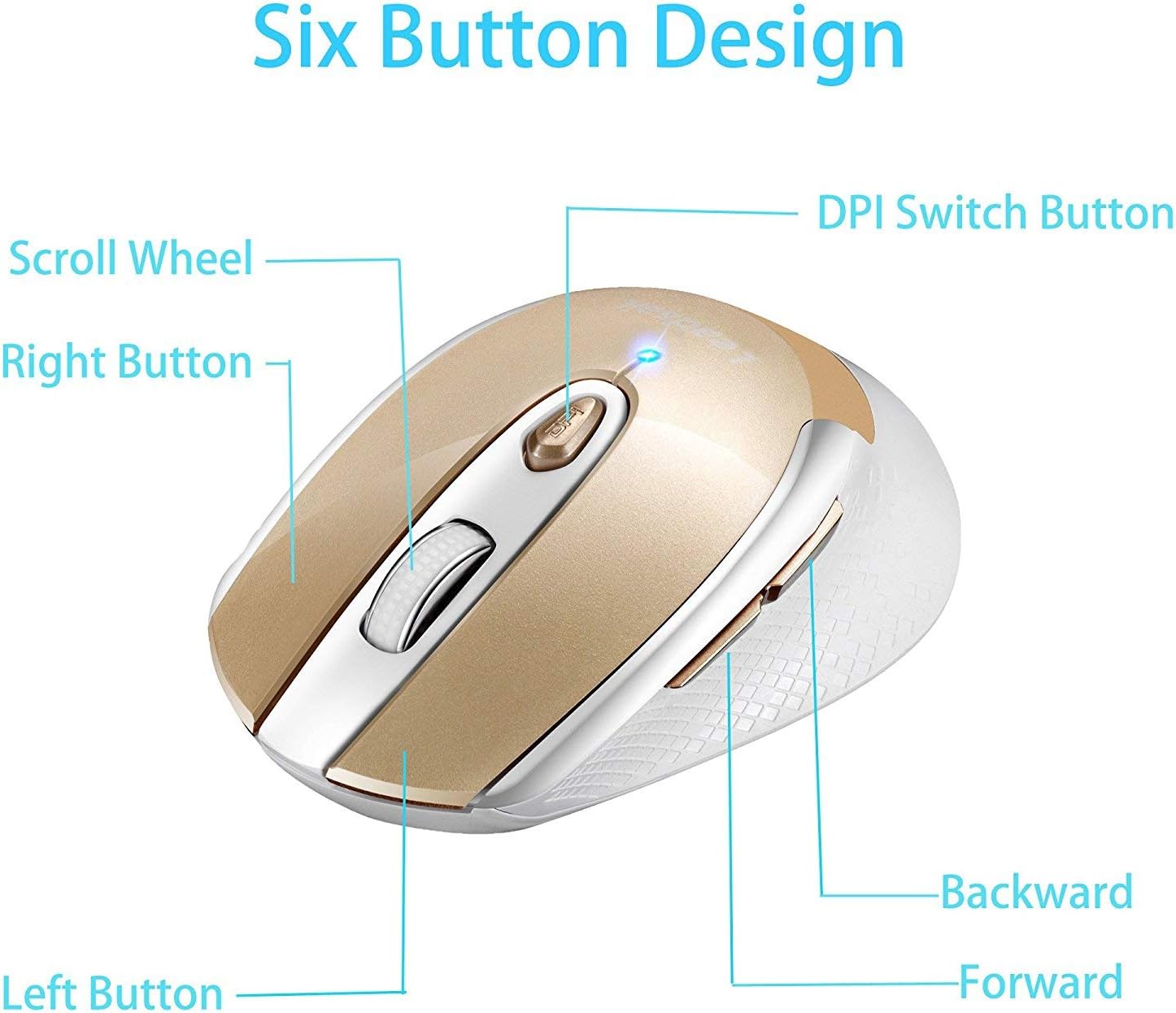
Figure 1: Six Button Design. Esta imaxe mostra a parte superior view of the LeadsaiL LX-002 wireless mouse, highlighting its six buttons: Left Button, Right Button, Scroll Wheel, DPI Switch Button, Backward Button, and Forward Button.
The LeadsaiL LX-002 wireless mouse features a 6-button design for enhanced functionality and an ergonomic shape for comfortable use. Key features include:
- Clic silencioso: Designed for quiet operation, minimizing noise during use.
- DPI axustable: Three DPI levels (800, 1200, 1600) allow for customizable cursor sensitivity.
- Deseño ergonómico: Slim, sweat-resistant, and skin-friendly finish for maximum comfort, including a thoughtful ring and little finger rest.
- Tecnoloxía sen fíos de 2.4 GHz: Provides a stable and reliable connection with a transmission distance of up to 15 meters (50 feet).
- Modo de aforro de enerxía: Entra automaticamente en modo de suspensión despois de 15 minutos de inactividade para conservar a batería.
Instrucións de configuración
1. Instale a batería
- Localiza o compartimento da batería na parte inferior do rato.
- Abra a tapa do compartimento da batería deslizándoa con coidado.
- Insira unha pila AA (non incluída) no compartimento, asegurándose de manter a polaridade correcta (+/-).
- Pecha a tapa do compartimento da batería de forma segura.

Figure 2: Battery and USB Receiver Location. This image shows the bottom of the mouse, indicating where to insert the AA battery and where the USB receiver is stored.
2. Connect USB Receiver
- Remove the mini USB receiver from its storage slot within the battery compartment.
- Plug the USB receiver into an available USB port on your computer (laptop, desktop, or netbook PC).
- No driver installation is required; the mouse is plug-and-play.

Figure 3: Wireless Connection. This image illustrates the 2.4G wireless connection between the mouse and a laptop via the USB receiver, indicating a lag-free experience.
3. Power On the Mouse
- Slide the ON/OFF switch, located on the underside of the mouse, to the "ON" position.
- O rato xa está listo para o seu uso.
Instrucións de funcionamento
Axustar a sensibilidade dos DPI
- Preme o Botón de conmutación DPI (located below the scroll wheel) to cycle through the three available DPI settings: 800, 1200, and 1600.
- Select the DPI setting that best suits your activity for optimal cursor speed and precision.

Figure 4: DPI Adjustment. This image shows the mouse with an overlay indicating the DPI switch button and the three adjustable DPI levels (800, 1200, 1600).
Modo de aforro de enerxía
- The mouse will automatically enter sleep mode after 15 minutes of no operation to save power.
- To wake the mouse, simply press any button.
Compatibilidade
The LeadsaiL LX-002 wireless mouse offers wide compatibility with various operating systems:
- Windows XP
- Windows Vista
- Windows 7
- Windows 8
- Windows 10
- Mac OS X
- Linux
- Chrome OS
- DOS
- Windows 2000 Server
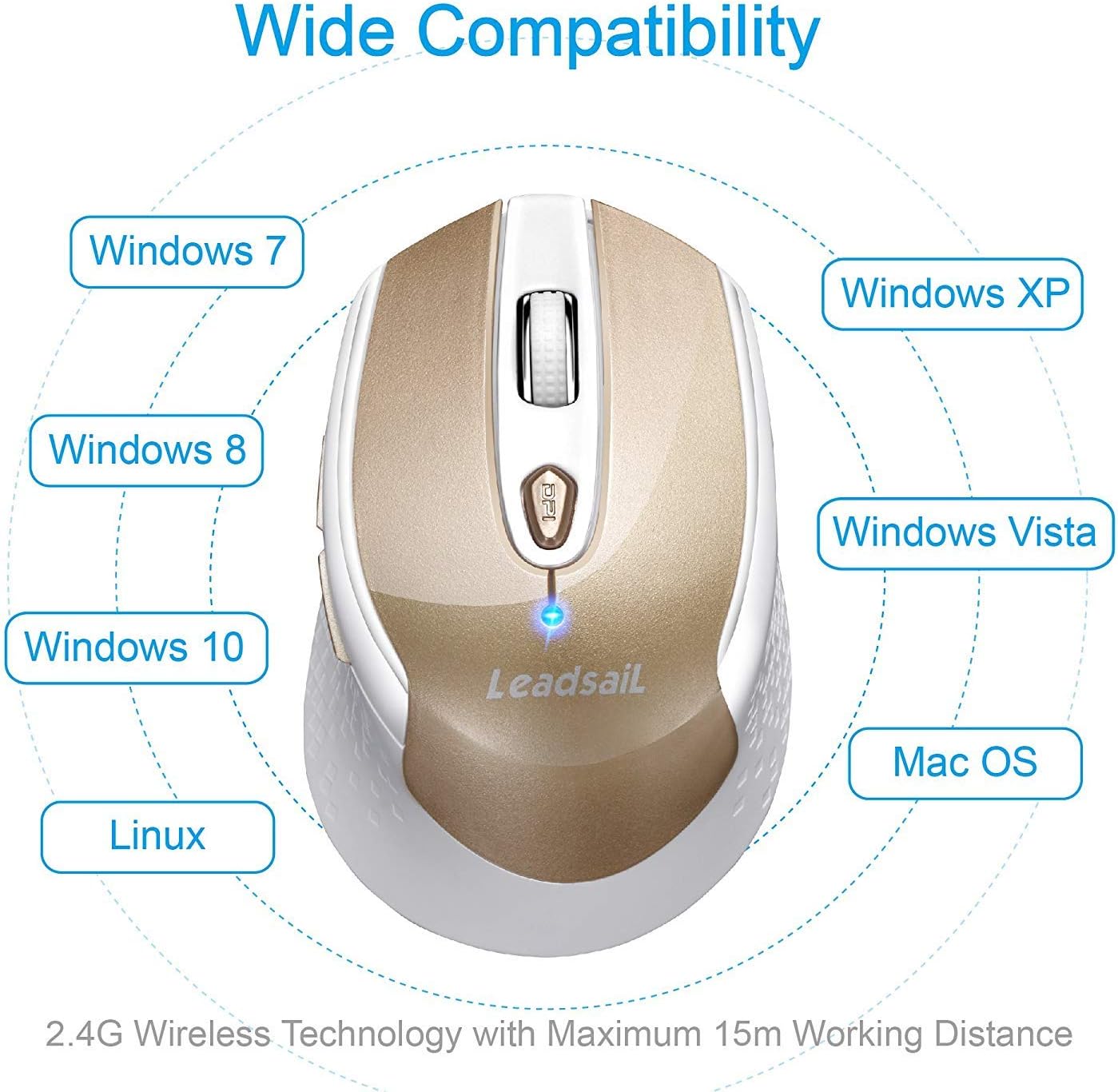
Figure 5: Wide Compatibility. This image visually represents the broad compatibility of the mouse with various operating systems, including Windows, Mac OS, and Linux.
Mantemento
- Keep the mouse clean by wiping it with a soft, dry cloth. Avoid using harsh chemicals or abrasive cleaners.
- Ensure the optical sensor on the underside of the mouse is free from dust and debris for accurate tracking.
- When not in use for extended periods, turn off the mouse using the ON/OFF switch to further conserve battery life.
- Store the USB receiver inside the mouse's battery compartment when traveling to prevent loss.
Resolución de problemas
| Problema | Solución |
|---|---|
| O rato non responde / O cursor non se move |
|
| Cursor movement is erratic or jittery |
|
| Problemas de conexión sen fíos |
|
Especificacións
| Característica | Detalle |
|---|---|
| Marca | Leadsail L |
| Número de modelo | LX-002 |
| Tecnoloxía de conectividade | Sen fíos de 2.4 GHz (receptor USB) |
| Detección de Movemento | Óptica |
| Niveis de DPI | 800, 1200, 1600 |
| Botóns | 6 (Esquerda, Dereita, Roda de desprazamento, Interruptor DPI, Adiante, Atrás) |
| Fonte de enerxía | 1 x pilas AA (non incluídas) |
| Peso do elemento | 2.89 onzas (aprox. 82 g) |
| Dimensións do produto (LxWxH) | 4.09 x 2.6 x 0.1 polgadas (aprox. 10.4 x 6.6 x 0.25 cm) |
| Sistemas operativos | Windows XP/Vista/7/8/10, Mac OS X, Linux, Chrome OS, DOS, Windows 2000 Server |
| Características especiais | Ergonomic Design, Lightweight, Portable, Silent Click, Wireless |
Garantía e Soporte
LeadsaiL products are designed for durability and performance. For any questions, technical support, or warranty claims, please refer to the contact information provided on the product packaging or visit the official LeadsaiL websitio. Conserve o comprobante de compra para efectos de garantía.


