Introdución
Grazas pola compraasing the LEXiBOOK Cyber Arcade Mini Handheld Game Console. This manual provides essential information for the safe and efficient use of your device. Please read it thoroughly before operation and retain it for future reference.

Imaxe: Fronte view of the LEXiBOOK Cyber Arcade Mini handheld game console, showing the screen, directional pad, and action buttons.
Contido do paquete
- 1 x LEXiBOOK Cyber Arcade Mini Handheld Game Console (Model JL1890)
- 1 x Manual de usuario

Image: The LEXiBOOK Cyber Arcade Mini handheld game console in its retail packaging, highlighting the "8-in-1" games and 1.8" LCD screen.
Configuración
1. Instalación da batería
The LEXiBOOK Cyber Arcade Mini requires 3 x LR03/AAA alkaline batteries (not included) for operation.
- Locate the battery compartment cover on the back of the console.
- Using a small screwdriver, carefully unscrew the battery compartment cover.
- Insert 3 new LR03/AAA alkaline batteries, ensuring correct polarity (+/-).
- Coloque a tapa do compartimento da batería e fíxaa co parafuso.
Importante: Do not mix old and new batteries. Do not mix alkaline, standard (carbon-zinc), or rechargeable (nickel-cadmium) batteries. Remove batteries if the device will not be used for an extended period.
Instrucións de funcionamento
1. Acendido/apagado
- To power on the console, press the Botón de acendido (usually marked with a circle and a vertical line) located on the top left of the console.
- To power off the console, press and hold the Botón de acendido ata que se apague a pantalla.
2. Selección de xogos
- Unha vez acendido, o menú principal mostrará unha lista dos xogos dispoñibles.
- Usa o Pad direccional (D-Pad) on the left side of the console to navigate through the game list.
- Preme o botón START or a designated action button (e.g., 'A' or 'B') to select and launch a game.
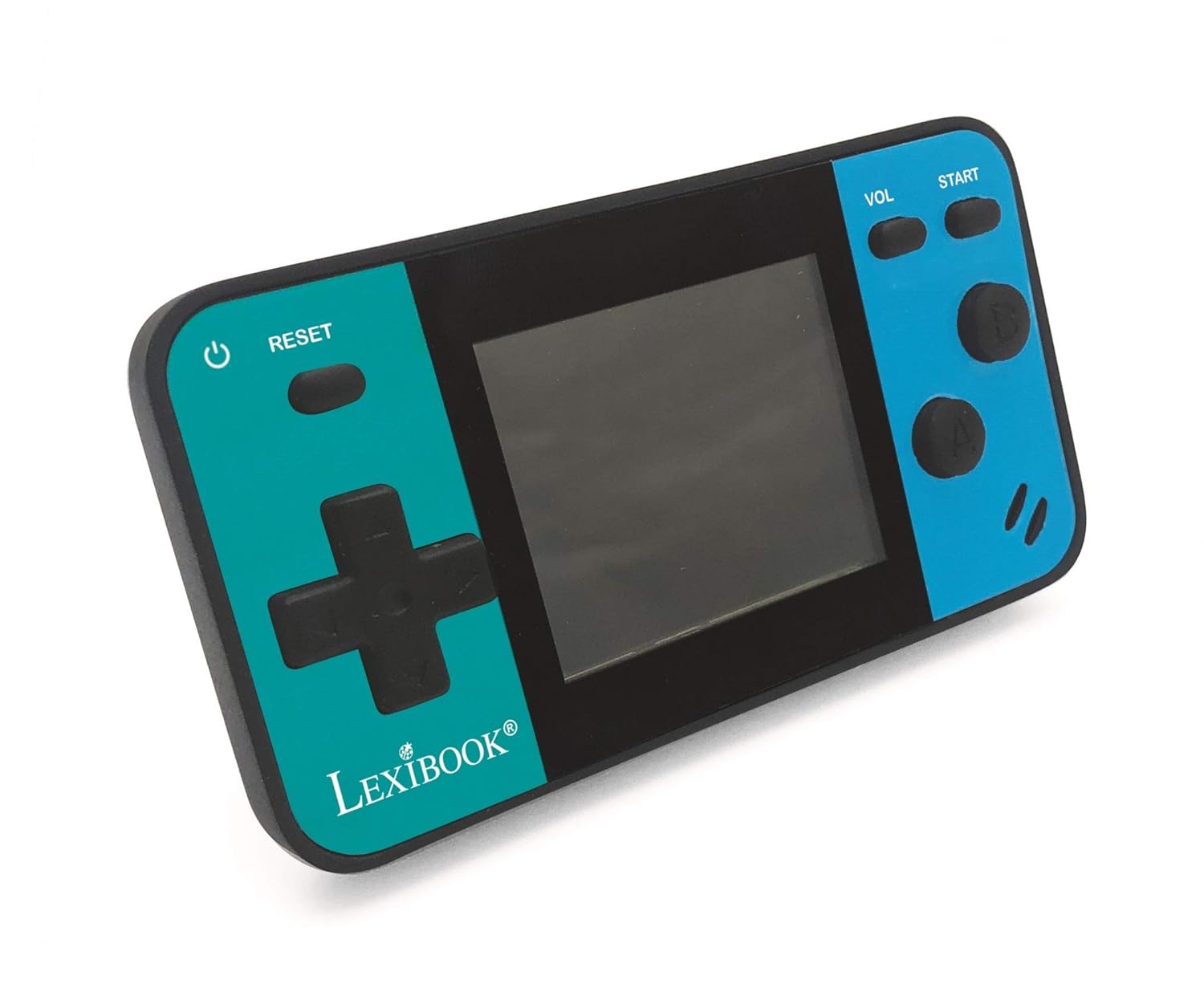
Image: A person holding the LEXiBOOK Cyber Arcade Mini, actively playing one of the built-in games on its 1.8-inch color LCD screen.
3. Gameplay Controls
- Pad direccional (D-Pad): Used for movement and navigation within games.
- Action Buttons (A, B, etc.): Used for jumping, shooting, interacting, and other in-game actions. Specific functions vary by game.
- Botón INICIO: Typically used to start games, pause, or confirm selections.
- Botón VOL: Axusta o nivel de volume do altofalante incorporado.
- Botón RESET: Resets the current game or returns to the main menu.
4. Axuste de volume
Preme o Botón VOL repeatedly to cycle through different volume levels or mute the sound.
Mantemento
- Keep the console dry. Avoid exposure to moisture or liquids.
- Clean the console with a soft, dry cloth. Do not use abrasive cleaners or solvents.
- Garda a consola nun lugar fresco e seco, lonxe da luz solar directa e de temperaturas extremas.
- Do not attempt to disassemble or modify the console, as this will void the warranty and may cause damage.
Resolución de problemas
| Problema | Causa posible | Solución |
|---|---|---|
| A consola non se acende. | As baterías están agotadas ou están mal instaladas. | Replace batteries with new LR03/AAA alkaline batteries, ensuring correct polarity. |
| A pantalla está en branco ou parpadea. | Batería baixa; problema de conexión interna. | Substitúa as pilas. Se o problema persiste, póñase en contacto co servizo de atención ao cliente. |
| Sen son ou volume baixo. | O volume está silenciado ou demasiado baixo. | Preme o Botón VOL to increase volume or unmute. |
| O xogo conxélase ou falla. | Fallo de software. | Preme o botón RESET to restart the game or return to the main menu. If frequent, replace batteries. |
Especificacións
- Modelo: JL1890
- Pantalla: 1.8" (4.5 cm) Color LCD
- Xogos: 8 built-in games (8-bit graphics)
- Fonte de alimentación: 3 x LR03/AAA batteries (not included)
- Dimensións: Aproximadamente 3.7 x 2.01 x 0.91 polgadas (9.4 x 5.1 x 2.3 cm)
- Peso: Aproximadamente 0.08 kg (0.18 lbs)
- Material: Plástico
- Idade recomendada: 3+ anos
Garantía e Soporte
Para obter información sobre a garantía ou asistencia técnica, consulte os datos de contacto que aparecen na embalaxe do produto ou visite o sitio web oficial de LEXiBOOK. websitio. Garde o recibo da compra como xustificante da mesma.
Soporte en liña: www.lexibook.com