Manual do usuario do ventilador de torre CREATE/COOL DC
Model: 901ac5f5-3fab-4ab6-92cb-7ef7d8ca7a54
1. Introdución
Thank you for choosing the CREATE/COOL DC Tower Fan. This bladeless tower fan is designed to provide efficient and quiet air circulation with its advanced DC motor and 9-speed settings. Featuring a sleek design, remote control, and 90-degree oscillation, it offers optimal comfort for any room.
Please read this manual thoroughly before operating the device to ensure safe and proper use. Keep this manual for future reference.
2. Instrucións de seguridade
- Desconecte sempre o ventilador da toma de corrente antes de limpalo ou realizar calquera mantemento.
- Non fagas funcionar o ventilador cun cable ou enchufe danados. Se o cable ou o enchufe están danados, ponte en contacto co persoal de servizo cualificado.
- Do not place the fan near water or in excessively humid environments.
- Keep fingers, hair, and loose clothing away from the fan's openings during operation.
- Asegúrate de colocar o ventilador sobre unha superficie estable e plana para evitar que se volque.
- Este aparello non está pensado para o seu uso por persoas (incluídos nenos) con capacidades físicas, sensoriais ou mentais reducidas, ou con falta de experiencia e coñecementos, a menos que teñan supervisión ou instrucións sobre o uso do aparello por unha persoa responsable da súa seguridade.
- Os nenos deben ser supervisados para asegurarse de que non xoguen co aparello.
- Do not insert any objects into the fan's openings.
- Non cubra o ventilador durante o funcionamento.
3. Contido do paquete
Verifica que todos os elementos estean presentes no paquete:
- CREATE/COOL DC Tower Fan Unit
- Control remoto
- Cable de alimentación (integrado)
- Manual de usuario (este documento)
4. Configuración
- Desempaquetar o ventilador: Carefully remove the tower fan and all accessories from the packaging.
- Colocación: Place the fan on a firm, level surface. Ensure there is adequate space around the fan for proper air circulation and oscillation.
- Conectar enerxía: Insert the power plug into a standard electrical outlet. Ensure the voltage coincide cos requisitos do ventilador (230 V).
- Batería de control remoto: The remote control may require batteries (not included). Open the battery compartment and insert the correct type and number of batteries, observing polarity.
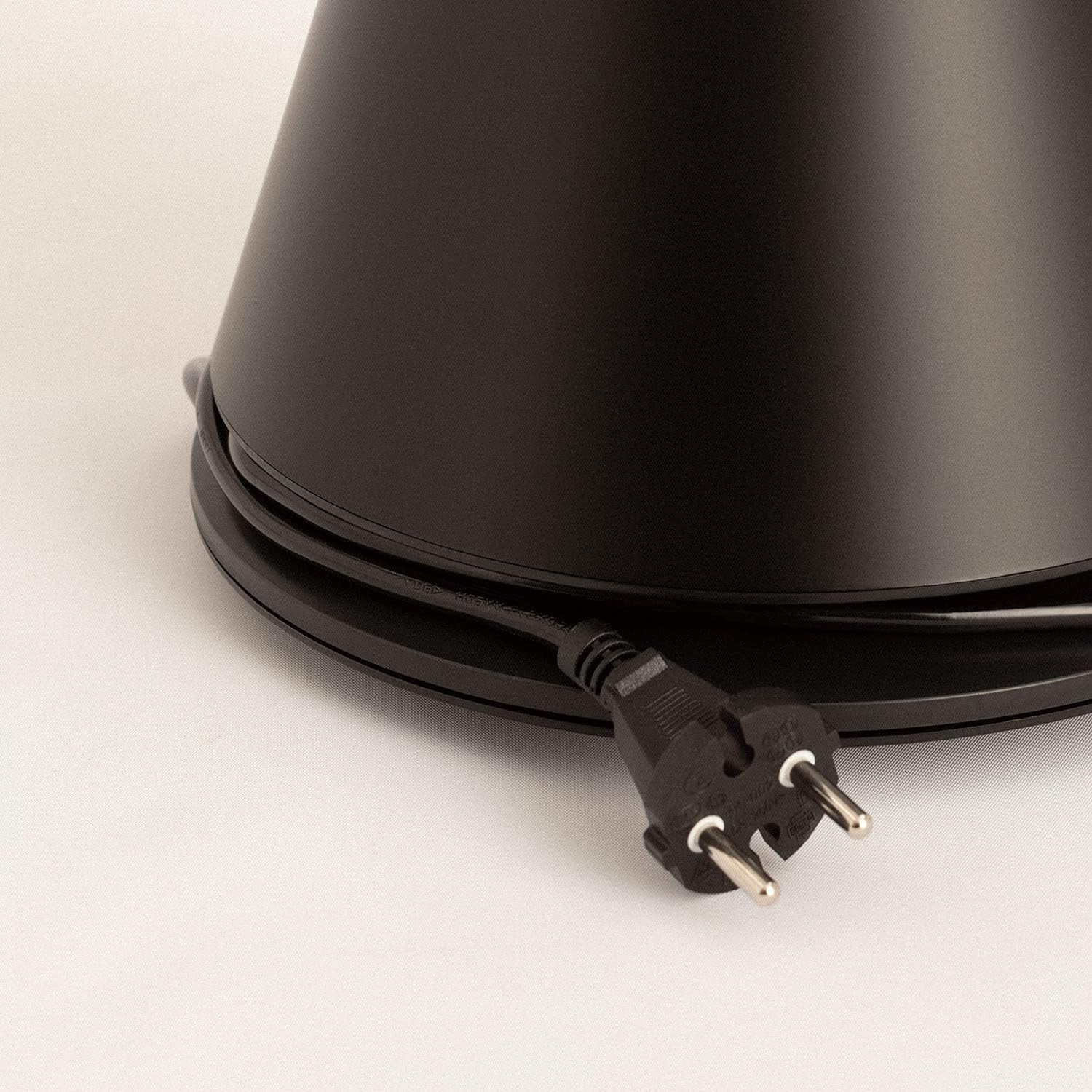
Image: Power cord connected to the fan base.
This image shows the integrated power cord and plug, ready for connection to a wall outlet. The cord is neatly wrapped around the base for storage.
5. Instrucións de funcionamento
Control Panel (Digital Display Touch-System)
The fan features a digital display touch-system on its top, which also serves as the integrated remote control storage. Touch the icons to control the fan.
Control remoto
The magnetic remote control can be stored conveniently on top of the fan. It provides full functionality for operating the fan from a distance.

Image: Remote control for the tower fan.
This image displays the compact remote control with clearly labeled buttons for power, speed adjustment, mode selection, and oscillation control.
Funcións:
- Encendido/apagado: Preme o botón de acendido (⏻) to turn the fan on or off.
- Axuste de velocidade: The fan has 9 speed levels. Use the '+' and '-' buttons to increase or decrease the fan speed.
- Modos de vento: Select between 2 wind modes (e.g., Normal, Sleep, Natural - specific modes may vary). Press the mode button to cycle through available modes.
- Oscilación: Prema o botón de oscilación (↻) to activate or deactivate the 90-degree oscillation feature, which distributes air evenly across the room.
- Temporizador: Set the fan to automatically turn off after a specified period. Refer to the display for timer settings (e.g., 1-12 hours).

Image: Tower fan placed in a bedroom.
This image shows the sleek black tower fan positioned in a modern bedroom, demonstrating its compact footprint and aesthetic integration into a living space.
6. Mantemento
Unha limpeza regular axudará a manter o rendemento do ventilador e a prolongar a súa vida útil.
- Limpeza do exterior: Limpe as superficies exteriores do ventilador cun pano suave eamp pano. Non use produtos de limpeza ou disolventes abrasivos.
- Eliminación de po: Use a vacuum cleaner with a brush attachment or compressed air to remove dust from the air intake and outlet grilles.
- Almacenamento: If storing the fan for an extended period, unplug it, clean it thoroughly, and store it in a cool, dry place, preferably in its original packaging.
- Non mergullo o ventilador en auga ou en calquera outro líquido.
7 Solución de problemas
| Problema | Causa posible | Solución |
|---|---|---|
| O ventilador non se acende. | Non está conectado; A toma de corrente non funciona; O botón de acendido non está premido. | Asegúrate de que o ventilador estea conectado correctamente a unha toma de corrente que funcione. Preme o botón de acendido/apagado. |
| Fluxo de aire débil. | Low speed setting; Air inlets/outlets blocked by dust. | Increase the fan speed. Clean the air inlets and outlets. |
| O ventilador é ruidoso. | Fan not on a level surface; Internal obstruction; High speed setting. | Place the fan on a flat, stable surface. Check for any obstructions. Reduce fan speed. |
| O control remoto non funciona. | Batteries dead or incorrectly inserted; Obstruction between remote and fan. | Replace batteries, ensuring correct polarity. Remove any obstructions. Ensure remote is pointed at the fan. |
8. Especificacións
| Característica | Detalle |
|---|---|
| Marca | CREAR |
| Número de modelo | 901ac5f5-3fab-4ab6-92cb-7ef7d8ca7a54 |
| Dimensións do produto | 102 x 23 x 102 cm (aprox. 23 cm de profundidade x 23 cm de ancho x 102 cm de alto) |
| Peso | 2.6 quilogramos |
| Cor | Negro |
| Fonte de enerxía | Eléctrico con cable |
| Voltage | 230 voltios |
| Wattage | 26 vatios |
| Nivel de ruído | 2 dB (Note: This value seems unusually low based on customer reviews, typical fan noise is higher. Please refer to actual product performance.) |
| Número de velocidades | 9 |
| Características especiais | Oscillating, Lightweight, DC Motor, Timer, Remote Control |
9. Garantía e soporte
CREATE products are manufactured to the highest quality standards. For information regarding warranty coverage, please refer to the warranty card included with your purchase or visit the official CREATE websitio.
For technical support, troubleshooting assistance, or spare parts, please contact CREATE customer service. Contact details can typically be found on the product packaging or the official brand websitio.
Websitio: CREATE Official Store


