1. Introdución
Thank you for choosing the Losei D65 Wireless Earbuds. These earbuds are designed to provide a high-quality audio experience with advanced features such as environmental noise canceling (ENC), individual power display, wireless charging, and IPX7 waterproofing. This manual will guide you through the setup, operation, and maintenance of your new earbuds.
2. Que hai na caixa
- Wireless Sport Earbuds (1 Pair)
- Charging Case (1 PC)
- Type-C Charging Cable (1 PC)
- Original Ear Caps (1 Pair)
- Spare Ear Caps (6 Pairs)
- Manual de usuario (este documento)
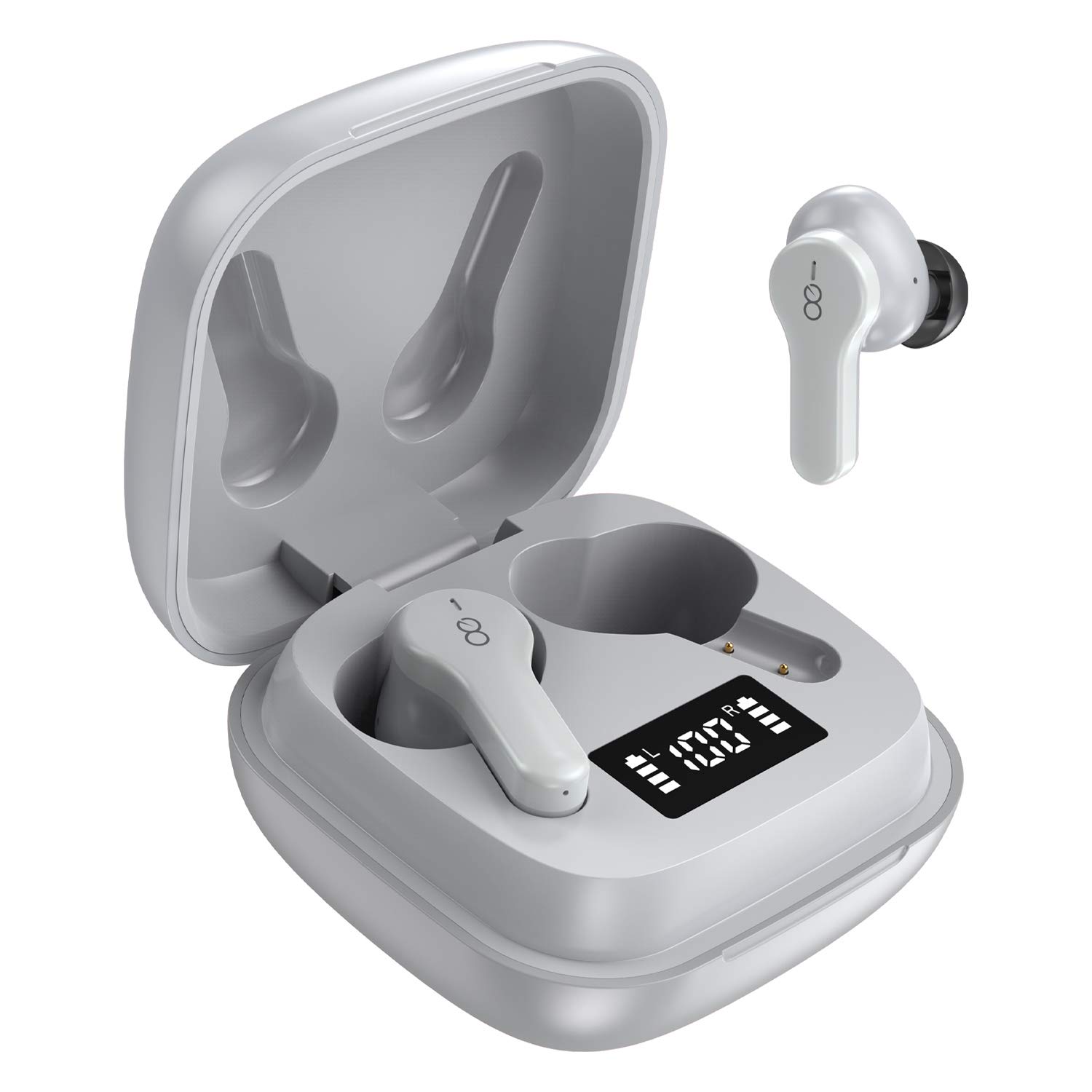
3. Produto rematadoview
The Losei D65 earbuds feature a compact, in-ear design with touch controls. The accompanying charging case provides portable power and includes a digital display to show battery levels for both the case and individual earbuds.
Características principais:
- Clear Call with 4-Mics Noise Reduction: Built-in 4 microphones with Environmental Noise Canceling (ENC) technology for clear calls.
- Individual Power Display: A pantalla dixital na caixa de carga mostra a porcentaxe da bateríatage for the case and charging status for each earbud.
- Wireless Charging & Extended Playtime: Supports wireless charging and provides up to 30 hours of total playtime with the charging case.
- Comfortable Fit & IPX7 Waterproof: Ergonomic design with multiple ear tip sizes and IPX7 water resistance for sports and daily use.
- Auto Pairing & Smart Touch Control: Automatic connection to the last paired device and intuitive touch controls for various functions.
4. Configuración
4.1 Carga dos auriculares e da funda
Antes do primeiro uso, carga completamente os auriculares e a caixa de carga.
- Cargando os auriculares: Place the earbuds into the charging case. The marquee lights on the case will indicate charging. They will stop when fully charged.
- Charging the Case (Wired): Connect the provided Type-C charging cable to the charging port on the case and to a USB power source. The digital display will show the battery percentage incrementoasing. A full charge takes approximately 1.5-2 hours.
- Charging the Case (Wireless): Place the charging case on a compatible wireless charging pad (not included). The digital display will indicate charging status.
The charging case's digital display shows the battery percentage (1-100%). The individual earbud power consumption indicators show 4 grids, each representing 25% battery.
4.2 Emparellamento co teu dispositivo
The Losei D65 earbuds feature automatic pairing.
- Asegúrate de que o Bluetooth do teu dispositivo estea activado.
- Abre a caixa de carga. Os auriculares acenderanse automaticamente e entrarán no modo de emparellamento.
- On your device, search for Bluetooth devices and select "Losei-D65" from the list.
- Unha vez conectado, escoitarás unha mensaxe de confirmación e os auriculares estarán listos para usar.
The earbuds will automatically reconnect to the last paired device when taken out of the charging case.
5. Instrucións de funcionamento
Controis táctiles intelixentes 5.1
The Losei D65 earbuds utilize touch controls for various functions. The sensor area is typically located on the outer surface of each earbud.
- Reproducir/Pausa: Toca un só auricular en calquera dos auriculares.
- Próxima pista: Toca dúas veces no auricular dereito.
- Pista anterior: Toca dúas veces no auricular esquerdo.
- Subir volume: Toca tres veces no auricular dereito.
- Baixar volume: Toque tres veces no auricular esquerdo.
- Responder/Finalizar chamada: Un só toque en calquera dos auriculares durante unha chamada entrante.
- Rexeitar a chamada: Manteña premido calquera dos auriculares durante 2 segundos durante unha chamada entrante.
- Activar o asistente de voz: Mantén premido calquera dos auriculares durante 3 segundos (cando non esteas nunha chamada).
5.2 Multi-Using Modes
The earbuds support different usage scenarios:
- Modo Mono: Each earbud can be used independently. This is ideal for driving or when you need to be aware of your surroundings. Simply take one earbud out of the case and connect it.
- Modo de compartir: You can share one earbud with another person to listen to the same audio content.
- Modo estéreo: Use both earbuds together for a full, immersive stereo sound experience.
6. Mantemento
6.1 Limpeza
Unha limpeza regular axuda a manter a calidade do son e a hixiene.
- Usa un pano suave, seco e sen fiapos para limpar os auriculares e a funda de carga.
- Para as almofadas dos auriculares, retíreas dos auriculares e límpeas cunha solución de xabón suave se é necesario, despois enxágüeas ben e sequeas completamente antes de volvelas colocar.
- Non empregue produtos de limpeza abrasivos, alcol nin disolventes químicos.
6.2 Almacenamento
Cando non estean en uso, garde os auriculares no seu estoxo de carga para protexelos e mantelos cargados.
- Gardar nun lugar fresco e seco, lonxe de temperaturas extremas.
- Evite a exposición prolongada á luz solar directa.
6.3 Resistencia á auga (IPX7)
The Losei D65 earbuds are IPX7 waterproof, meaning they can withstand immersion in water up to 1 meter for 30 minutes. This makes them suitable for sports and protection against sweat and rain. However, they are not designed for swimming or prolonged submersion. Ensure the earbuds are dry before placing them back in the charging case to prevent damage.
7 Solución de problemas
If you encounter issues with your Losei D65 earbuds, refer to the following common solutions:
- Os auriculares non se emparellan nin se conectan:
- Asegúrate de que os dous auriculares estean cargados.
- Desactiva o Bluetooth no teu dispositivo e volve activalo.
- Forget/delete "Losei-D65" from your device's Bluetooth list and attempt to pair again.
- Volva colocar os dous auriculares na caixa de carga, peche a tapa, agarde uns segundos e logo ábraa para reinicialos.
- Só funciona un auricular:
- Asegúrate de que os dous auriculares estean cargados.
- Place both earbuds back into the charging case, close the lid, wait a few seconds, then open the lid. They should reconnect to each other automatically.
- If the issue persists, try resetting the earbuds as described in the pairing section.
- Mala calidade de son ou baixo volume:
- Axusta o volume tanto no dispositivo como nos auriculares.
- Asegúrate de que as almofadiñas estean ben seladas no conduto auditivo. Proba almofadiñas de diferentes tamaños para un mellor axuste.
- Limpa calquera residuo dos altofalantes e das almofadas dos auriculares.
- Asegúrate de que non haxa obstáculos entre o dispositivo e os auriculares.
- Estuche de carga que non se carga:
- Comprobe se o cable de carga e o adaptador de corrente están danos.
- Asegúrate de que o cable tipo C estea conectado correctamente tanto á carcasa como á fonte de alimentación.
- If using wireless charging, ensure the case is correctly positioned on a compatible wireless charging pad.
8. Especificacións
| Nome do modelo | Losei-D65 |
| Tecnoloxía de conectividade | Sen fíos (Bluetooth 5.0) |
| Colocación do oído | En Orella |
| Control de ruído | Sound Isolation, Environmental Noise Canceling (ENC) |
| Nivel de resistencia á auga | IPX7 (Impermeable) |
| Tipo de control | Control táctil |
| Duración da batería (auriculares) | Ata 5 horas cunha soa carga |
| Tempo de reprodución total (con estuche) | Ata 30 horas |
| Tempo de carga (caso) | Aprox. 1.5-2 horas |
| Interfaz de carga | Type-C, Wireless Charging |
| Dispositivos compatibles | Most Bluetooth-enabled devices (Android, iOS, PC, etc.) |
| Peso do elemento | 0.176 onzas (por auricular) |
| Dimensións do produto | 1.18 x 1.54 x 1.85 polgadas (estuche de carga) |
9. Garantía e soporte
9.1 Información da garantía
The Losei D65 Wireless Earbuds come with a Garantía de substitución de 12 meses. Additionally, returns are accepted within 30 days for a full refund. This warranty covers manufacturing defects and ensures customer satisfaction.
9.2 Atención ao cliente
For any questions, issues, or support needs, please contact Losei customer service. Quick-response professional customer service is available to assist you.
Please refer to the product packaging or the official Losei websitio web para obter datos de contacto específicos.


