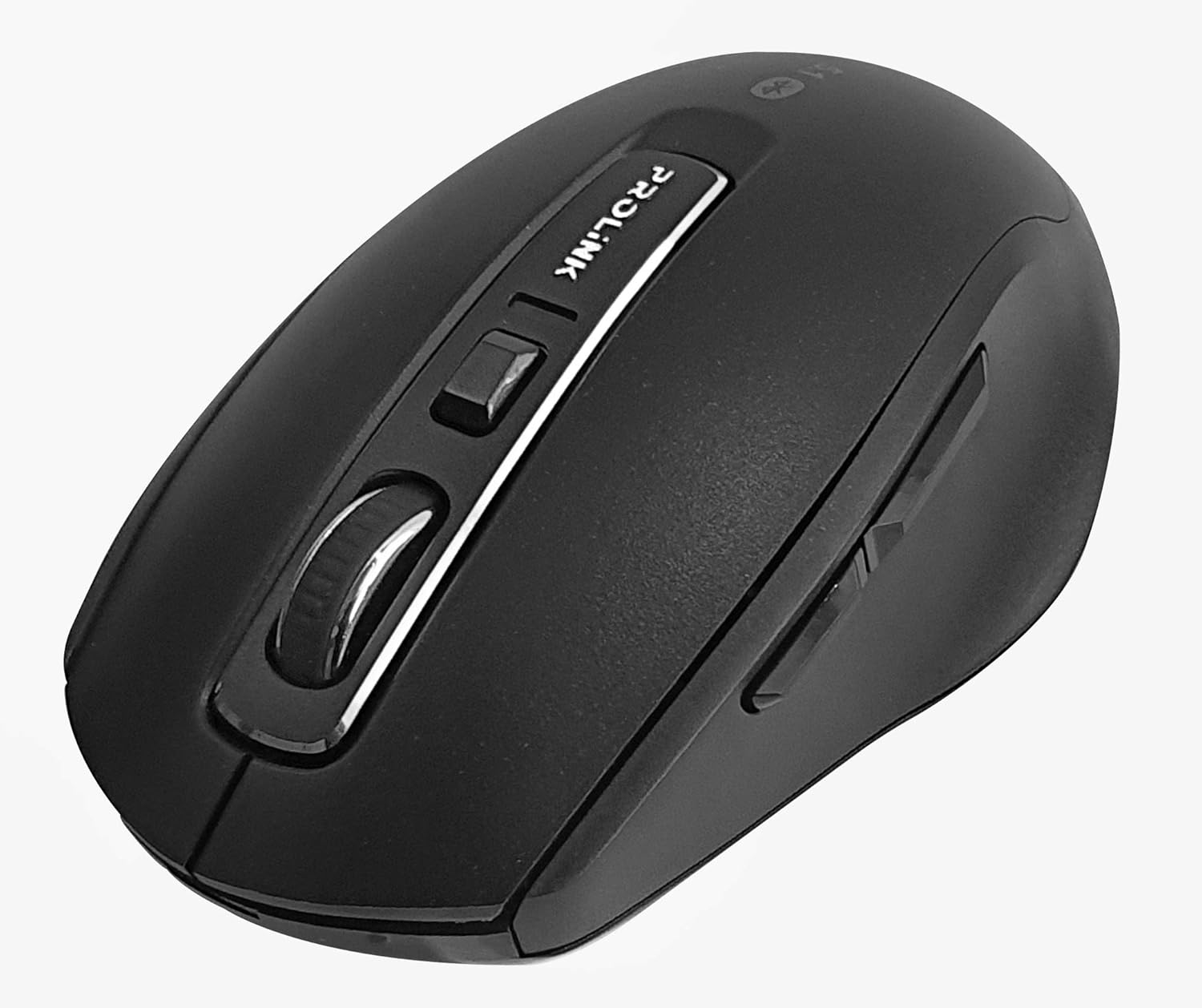
Imaxe: De arriba abaixo view of the Prolink PMB8502 Bluetooth Wireless Optical Mouse.
1. Introdución e finalview
The Prolink PMB8502 Bluetooth Mouse is designed for seamless wireless control of your desktop, laptop, or tablet. It features Bluetooth 5.2 connectivity, an ergonomic design, and adjustable DPI settings for personalized comfort and precision. This manual provides detailed instructions for setup, operation, maintenance, and troubleshooting.
Características principais:
- Bluetooth 5.2 connectivity (backward compatible with 5.1/5.0/4.2/4.1/4.0)
- Up to 27 months battery life (based on supplied batteries)
- DPI axustable: 800/1200/1600
- 6-button design including back and forward buttons
- Deseño ergonómico para un uso cómodo
- Operating range of up to 10 meters

Image: Prolink PMB8502 mouse highlighting its Bluetooth 5.2, battery life, DPI, and range features.
2. Contido do paquete
- Prolink PMB8502 Bluetooth Wireless Optical Mouse
- 1 pila AA (preinstalada ou incluída por separado)
- Manual de usuario (este documento)
3. Instrucións de configuración
3.1. Instalación da batería
- Localiza a tapa do compartimento da batería na parte inferior do rato.
- Deslice ou levante a tapa con suavidade para abrir o compartimento.
- Insira unha pila AA, asegurándose de que os terminais positivo (+) e negativo (-) estean aliñados correctamente coas marcas do interior do compartimento.
- Volva colocar a tapa do compartimento da batería ata que encaixe firmemente no seu lugar.
3.2. Emparellamento Bluetooth
Before pairing, ensure your device (computer, laptop, tablet) has Bluetooth enabled.
- Acenda o rato usando o interruptor de acendido/apagado situado na parte inferior.
- Press and hold the Bluetooth 'Connect' button (usually located near the On/Off switch or within the battery compartment) for 3-5 seconds until the LED indicator on the mouse begins to flash, indicating it is in pairing mode.
- No teu dispositivo, desprázate ata a configuración de Bluetooth.
- Busca new devices. The mouse should appear as "Prolink PMB8502" or similar.
- Select the mouse from the list to complete the pairing process. The LED indicator on the mouse will stop flashing and remain solid for a few seconds, then turn off, indicating a successful connection.

Imaxe: Fronte view of the Prolink PMB8502 mouse, showing its ergonomic shape.
4. Instrucións de funcionamento
4.1. Funcións dos botóns
- Botón esquerdo para premer: Selección e activación estándar.
- Botón dereito do rato: Accede aos menús contextuais.
- Roda de desprazamento: Pergamiña documentos e web páxinas verticalmente. Tamén se pode premer para a funcionalidade de clic central.
- Botón de axuste de DPI: Located below the scroll wheel. Press to cycle through DPI settings (800/1200/1600).
- Botón de avance: Navega cara adiante web navegadores ou file exploradores.
- Botón Atrás: Navega cara atrás en web navegadores ou file exploradores.

Imaxe: Lateral view of the Prolink PMB8502 mouse, illustrating the placement of the back and forward navigation buttons.
4.2. Axuste de DPI
The mouse offers three DPI (Dots Per Inch) settings: 800, 1200, and 1600. Press the DPI button located below the scroll wheel to switch between these sensitivities. A higher DPI setting results in faster cursor movement across the screen.
4.3. Xestión de enerxía
- Interruptor On/Off: To conserve battery life, turn off the mouse using the switch on its underside when not in use for extended periods.
- Modo de suspensión automático: The mouse automatically enters a sleep mode after more than 10 minutes of inactivity. To wake it up, simply move the mouse or click any button.
5. Mantemento
5.1. Limpeza
To clean the mouse, use a soft, dry, lint-free cloth. For stubborn dirt, slightly dampen the cloth with water or a mild cleaning solution. Avoid using harsh chemicals, abrasive cleaners, or spraying liquids directly onto the mouse.
5.2. Substitución da batería
When the mouse performance degrades or the LED indicator suggests low battery, replace the AA battery following the steps in Section 3.1. Dispose of used batteries responsibly according to local regulations.
6 Solución de problemas
- Mouse not connecting or erratic movement:
- Asegúrese de que o rato estea acendido.
- Comprobe o nivel da batería e substitúela se é necesario.
- Asegúrate de que o Bluetooth estea activado no teu dispositivo.
- Try re-pairing the mouse with your device (refer to Section 3.2).
- Move the mouse closer to your device to rule out range issues.
- Ensure there are no other strong wireless signals interfering with the Bluetooth connection.
- Cursor not moving smoothly:
- Limpa o sensor óptico da parte inferior do rato.
- Usa o rato sobre unha superficie limpa e non reflectante.
- Axusta a configuración de DPI ao nivel que mellor se adapte ás túas preferencias.
- Botóns que non responden:
- Comproba o nivel da batería.
- Ensure the mouse is properly connected via Bluetooth.
- Reinicia o teu ordenador ou dispositivo.
7. Especificacións
| Característica | Detalle |
|---|---|
| Botóns | 6 |
| Sensor | Óptica |
| Resolución DPI | 800/1200/1600 DPI |
| Interface | Bluetooth 5.2 (backward compatible with Bluetooth 5.1/5.0/4.2/4.1/4.0) |
| Taxa de informes USB | 125 Hz |
| FPS | 2400 veces/seg |
| Humidade de funcionamento | 30%RH - 95%RH |
| Temperatura de funcionamento | -20°C - +60°C |
| Sistema Operativo | Windows 7 / 10 / 11, Mac OS 10.2 above |
| Dimensións (L x W x H) | 108 mm x 66.7 mm x 40.2 mm |
| Peso | 69.2g (product only) |
| Tipo de batería | 1 x batería AA |

Image: Graphic displaying the technical specifications of the Prolink PMB8502 mouse.
8. Garantía e soporte
The Prolink PMB8502 Bluetooth Wireless Optical Mouse typically comes with a 3 ano de garantía from the date of purchase. Please refer to your purchase receipt or the official Prolink website for specific warranty terms and conditions applicable in your region.
For technical support, troubleshooting assistance, or warranty claims, please visit the official Prolink website or contact their customer service department. Contact information can usually be found on the product packaging or the Prolink official websitio.
Recursos en liña:

Image: Prolink PMB8502 mouse with a "3 Year Warranty" label, indicating product assurance.