1. Introdución
This manual provides essential information for the safe and efficient operation of your Sharp 32Bi3EA Smart Android TV. Please read these instructions thoroughly before using the television and retain them for future reference. This television features Android TV 9.0, Google Assistant with voice control, integrated Chromecast, Bluetooth connectivity, Harman/Kardon speakers, HDR10 support, and DTS Virtual X audio technology.
2. Información de seguridade
Observe sempre as seguintes precaucións de seguridade para evitar descargas eléctricas, incendios ou danos no televisor:
- Non expoñas o televisor á choiva nin á humidade.
- Non abra o armario; remitir o servizo a persoal cualificado.
- Asegúrate de que haxa unha ventilación axeitada arredor do televisor.
- Evite colocar o televisor preto de fontes de calor ou baixo a luz solar directa.
- Use só o cable de alimentación subministrado co televisor.
- Manteña as pilas fóra do alcance dos nenos.
3. Que hai na caixa
Verify that all the following items are included with your Sharp 32Bi3EA Smart Android TV:
- Sharp 32Bi3EA Smart Android TV Unit
- Pedestal Stand (2 pieces)
- Control remoto
- Pilas AAA (2x)
- Manual de instrucións (este documento)
- Cable de alimentación
4. Configuración
4.1. Instalación física
Your television can be installed using the included pedestal stand or mounted on a wall (wall mount not included).
Attaching the Pedestal Stand
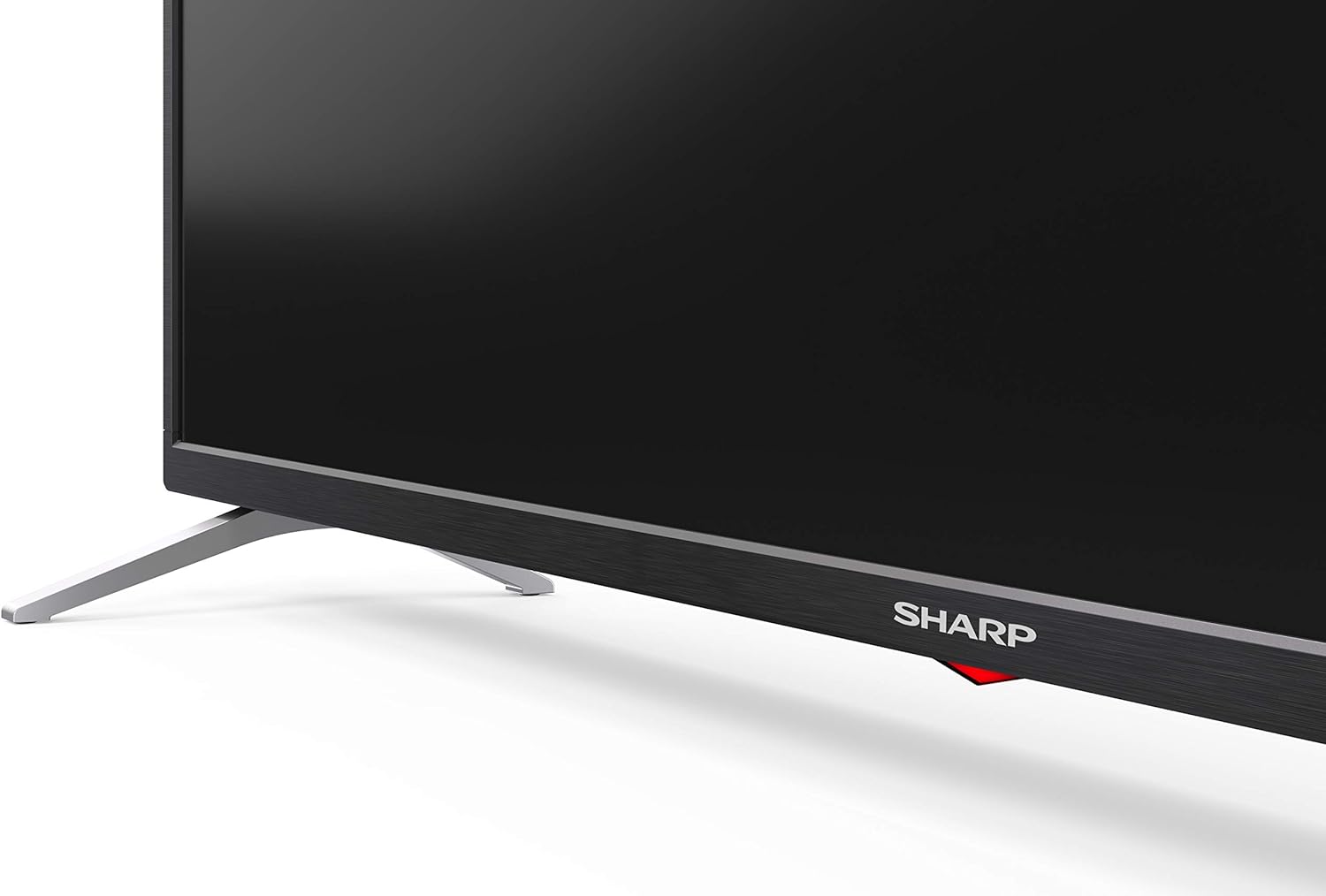
Carefully place the TV screen-down on a soft, flat surface. Align the pedestal stands with the screw holes on the bottom of the TV and secure them using the provided screws. Ensure the stands are firmly attached before placing the TV upright.

Imaxe: Lateral view of the Sharp 32Bi3EA TV, illustrating the slim profile and the attached pedestal stand.
Montaxe en parede
If you choose to wall mount the television, use a VESA compatible bracket with dimensions of 200x100 mm. Consult a professional for wall mounting to ensure proper installation and safety.
4.2. Dispositivos de conexión
Connect your external devices to the appropriate ports on the back or side of the television.
Imaxe: Traseira view of the Sharp 32Bi3EA TV, highlighting the Ethernet, Optical, HDMI, USB, and AV input ports.
- Portos HDMI (3x): Conecta reprodutores de Blu-ray, consolas de xogos ou descodificadores.
- Portos USB (2x): Conecta dispositivos de almacenamento USB para reproducir contido multimedia ou actualizar software.
- Porto Ethernet: Para unha conexión a internet por cable.
- Saída de audio dixital óptica: Para conectar un sistema de son externo.
- Entrada AV: Para dispositivos máis antigos que usan vídeo composto e audio estéreo.
4.3. Initial Power-On and Android TV Setup
After connecting the power cord and turning on the TV, follow the on-screen instructions to complete the initial setup. This includes selecting your language, connecting to a Wi-Fi network, and logging into your Google account to activate Android TV features like Google Assistant and Chromecast.
5. Funcionamento do televisor
5.1. Control remoto
The included remote control allows you to navigate the Android TV interface, adjust settings, and use Google Assistant voice commands. Insert the two AAA batteries into the remote control, ensuring correct polarity.
- Botón de encendido: Acende ou apaga o televisor.
- Botón do Asistente de Google: Activates voice control. Press and hold to speak commands.
- Botóns de navegación: Use the directional pad and OK button to move through menus.
- Botón de inicio: Volve á pantalla de inicio de Android TV.
- Volume +/-: Axusta o nivel de volume.
- Canle +/-: Cambia as canles de televisión.
- Botóns de acceso directo da aplicación: Direct access to popular streaming services (e.g., Netflix, Amazon Prime Video).
5.2. Funcións da Smart TV (Android TV)
Your Sharp 32Bi3EA TV runs on Android TV 9.0, providing access to a wide range of applications and services.
- Asistente de Google: Use your voice to search for content, control smart home devices, get answers, and manage tasks.
- Chromecast integrado: Cast content from your compatible smartphone, tablet, or computer directly to the TV screen.
- Google Play Store: Download and install additional apps, games, and streaming services.
- Servizos de Internet compatibles: Access popular platforms such as Netflix, Amazon Prime Video, HBO, Disney+, Movistar+, DAZN, Atresmedia, KODI, IPTV, Steamlink, Twitch, VLC, YouTube, Puffin TV Browser, Spotify, Deezer, and TuneIn Radio.
5.3. Audio and Video Settings
The television supports advanced audio and video technologies for an enhanced viewexperiencia ing.
- HDR10: Ofrece unha gama máis ampla de cores e contraste para contido compatible.
- Harman/Kardon Speakers: Integrated audio system designed to deliver clear and powerful sound (2x10W).
- DTS Virtual X / DTS HD: Enhances audio with virtual surround sound capabilities.
- Active Motion 400: Mellora a claridade do movemento para escenas de ritmo rápido.
5.4. Conectividade
O televisor ofrece varias opcións de conectividade:
- Wi-Fi: Connects to your home wireless network for internet access.
- Bluetooth: Pair with compatible devices such as headphones, soundbars, or game controllers.
6. Mantemento
6.1. Limpeza
To clean the TV screen, gently wipe it with a soft, lint-free cloth. For stubborn marks, slightly dampen the cloth with water or a specialized screen cleaner. Do not use abrasive cleaners or solvents. For the TV cabinet, use a soft, dry cloth.
6.2. Actualizacións de software
Your Android TV may receive software updates periodically to improve performance and add new features. Ensure your TV is connected to the internet to receive these updates. You can check for updates manually through the TV's settings menu.
7 Solución de problemas
Se tes problemas co teu televisor, consulta as seguintes solucións habituais:
| Problema | Posible Solución |
|---|---|
| Sen poder | Comprobe se o cable de alimentación está ben conectado ao televisor e á toma de corrente. Probe cunha toma diferente. |
| Sen imaxe/son | Asegúrate de que estea seleccionada a fonte de entrada correcta. Comproba as conexións dos cables aos dispositivos externos. |
| O control remoto non funciona | Substitúa as pilas. Asegúrese de que non haxa obstrucións entre o mando a distancia e o sensor de infravermellos do televisor. |
| Problemas de conexión wifi | Restart your router and the TV. Check Wi-Fi password. Ensure the TV is within range of the router. |
| Android TV apps freezing | Restart the TV. Clear the cache of the problematic app in the TV settings. Uninstall and reinstall the app. |
Se o problema persiste despois de probar estas solucións, póñase en contacto co servizo de atención ao cliente de Sharp.
8. Especificacións
| Característica | Detalle |
|---|---|
| Número de modelo | 32Bi3E |
| Tamaño da pantalla | 32 polgadas (81 cm) |
| Tecnoloxía de visualización | LED |
| Resolución | 720p (1366 x 768 píxeles) |
| Taxa de actualización | 60 Hz |
| Sistema Operativo | Android TV 9.0 |
| Características especiais | Google Assistant, Chromecast Built-in, HDR10, DTS Virtual X, Active Motion 400 |
| Sistema de audio | Harman/Kardon (2x10W) |
| Conectividade | Bluetooth, Ethernet, HDMI (3x), USB (2x), Wireless (Wi-Fi) |
| Monte VESA | 200x100 mm |
| Dimensións (con soporte) | 803.0 x 542.0 x 149.0 mm (ancho x alto x fondo) |
| Dimensións (sen soporte) | 730.0 x 436.1 x 83.5 mm (ancho x alto x fondo) |
| Peso | 4.6 kg |
| Power Consumption (1000h) | 31 kWh (Energy Class F) |

Image: Energy efficiency label for the Sharp 1T-C32BIx series, indicating an F energy class and 31 kWh per 1000 hours of operation. For more details, refer to the official EU EPREL database via the QR code or link: Base de datos EPREL.

Image: Detailed Product Information Sheet, providing comprehensive technical specifications and regulatory information for the Sharp 32Bi3EA TV in various languages.
9. Garantía e soporte
9.1. Información da garantía
Your Sharp 32Bi3EA Smart Android TV comes with a standard manufacturer's warranty. Please refer to the warranty card included with your product or visit the official Sharp websitio web para obter termos e condicións detallados específicos da túa rexión.
9.2. Atención ao cliente
For technical assistance, troubleshooting beyond this manual, or warranty claims, please contact Sharp customer support. Contact information can typically be found on the official Sharp websitio web ou na documentación que se inclúe co televisor.
Online resources and FAQs may also be available on the Sharp support portal.


