1. Introdución
Grazas pola compraasing the Yenkee YSP 2025 2.0 PC Speaker System. This manual provides detailed instructions for setting up, operating, and maintaining your new speakers. Please read this manual thoroughly before use to ensure proper operation and to maximize the lifespan of your product.
The Yenkee YSP 2025 speaker system is designed to enhance your multimedia audio experience with powerful and clear sound. It features versatile connectivity options including Bluetooth 5.0, 3.5mm audio input, TF card reader, and USB port for various audio sources.
2. Información de seguridade
Para garantir un funcionamento seguro e evitar danos, observe as seguintes precaucións de seguridade:
- Non expoña os altofalantes á auga, á humidade nin a temperaturas extremas.
- Do not place the speakers near heat sources such as radiators, heat registers, stoves, or other apparatus (including amplificadores) que producen calor.
- Use só accesorios/accesorios especificados polo fabricante.
- Desenchufe este aparello durante tormentas eléctricas ou cando non se use durante longos períodos de tempo.
- Encargue toda a reparación a persoal de servizo cualificado. O mantemento é necesario cando o aparello resultou danado dalgún xeito, como o cable de alimentación ou o enchufe está danado, se derrama líquido ou caen obxectos no aparello, o aparello estivo exposto á choiva ou á humidade, non funciona normalmente. , ou foi abandonado.
- Non bloquee ningunha abertura de ventilación. Instáleo segundo as instrucións do fabricante.
- Protexa o cable de alimentación para evitar que se pise ou se pinche, especialmente nos enchufes, tomas de corrente e no punto de saída do aparello.
3. Contido do paquete
Comprobe o contido do paquete ao desembalar. Se falta algún elemento ou está danado, póñase en contacto co seu vendedor.
- Yenkee YSP 2025 2.0 PC Speaker System (2 speakers)
- Control remoto
- Cable de audio de 3.5 mm
- Cable de alimentación
- Manual de usuario
4. Produto rematadoview
Familiarize yourself with the components and controls of your Yenkee YSP 2025 speaker system.

Figura 4.1: Fronte view of the Yenkee YSP 2025 speakers, showing the main speaker with control panel on the side and the secondary speaker.
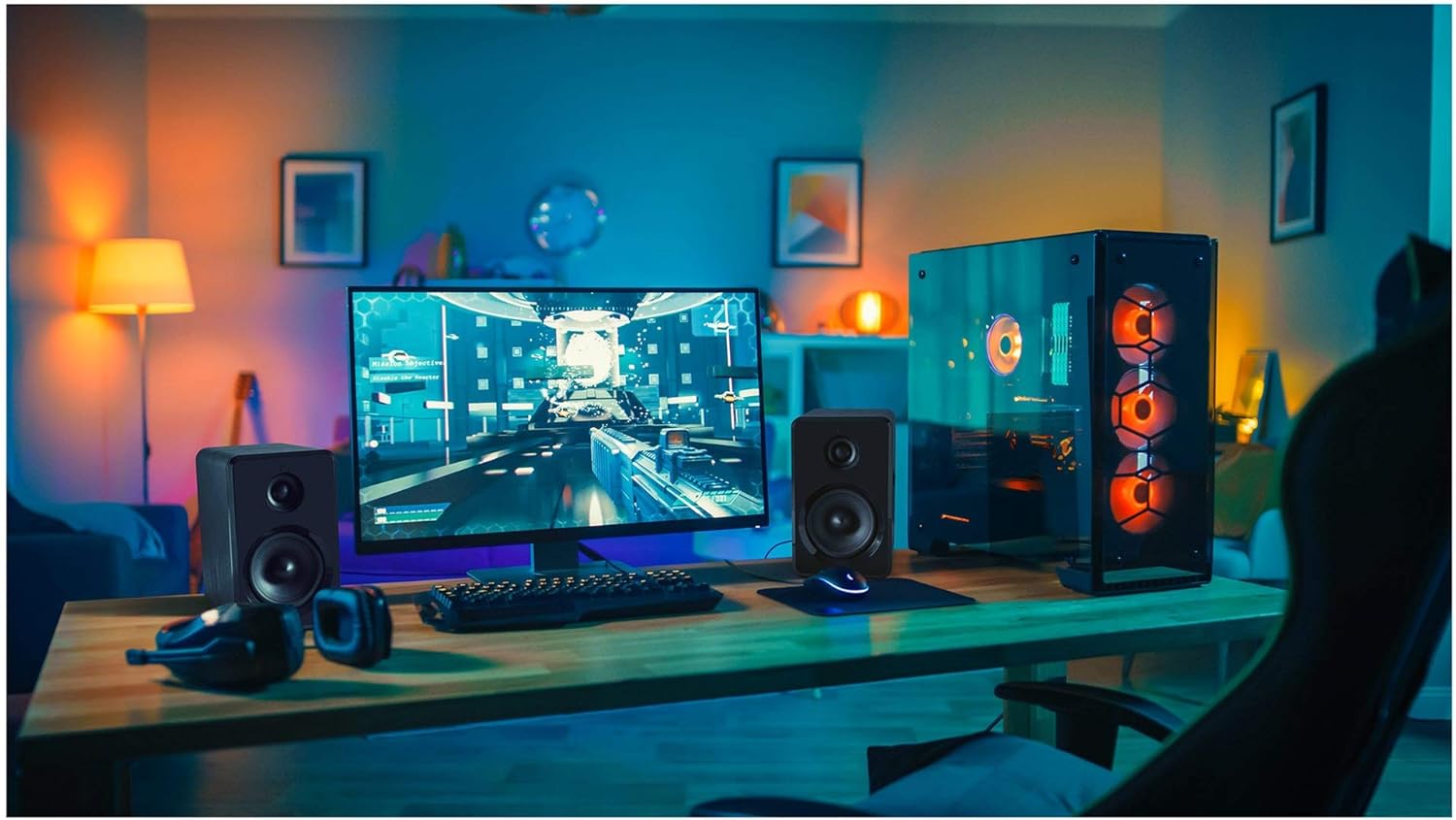
Figura 4.2: Yenkee YSP 2025 speakers integrated into a typical desktop computer setup, demonstrating their compact size and placement beside a monitor.

Figura 4.3: The retail packaging for the Yenkee YSP 2025 speakers, highlighting key features and including an image of the remote control.
4.1 Main Speaker Controls and Ports
The main speaker houses the primary controls and connectivity ports:
- Botón de volume: Axusta o volume xeral.
- Botón de modo: Cycles through input modes (Bluetooth, AUX, USB, TF).
- Botón Reproducir/Pausa: Controls playback in Bluetooth, USB, and TF modes.
- Botóns de pista anterior/seguinte: Navigates tracks in Bluetooth, USB, and TF modes.
- Porto USB: Para a reprodución desde unha unidade flash USB.
- Ranura para tarxetas TF: For TF (microSD) card playback.
- Entrada AUX (3.5 mm): Para conectar dispositivos de son externos mediante cable.
- Entrada de enerxía: Conéctase ao adaptador de alimentación.
- Saída do altofalante: Connects to the secondary speaker.
4.2 Control remoto
O mando a distancia incluído proporciona un acceso cómodo a varias funcións:
- Encendido/apagado
- Selección de modo
- Subir/Baixar o volume
- Silenciar
- Reproducir/Pausa
- Pista anterior / seguinte
- EQ Presets (if available)
5. Configuración
5.1 Colocación de altofalantes
For optimal sound quality, place the speakers on a stable, flat surface. Position them equidistant from your listening position, forming an equilateral triangle for the best stereo imaging. Ensure there is adequate ventilation around the speakers.
5.2 Conexión dos altofalantes
- Connect the cable from the secondary speaker to the "Speaker Output" port on the main speaker.
- Connect the power cable to the "Power Input" on the main speaker, then plug the other end into a standard wall outlet (100-240V).
5.3 Conexión de fontes de son
5.3.1 Conexión AUX
Use the included 3.5mm audio cable to connect your device (e.g., computer, smartphone, MP3 player) to the "AUX Input" port on the main speaker.
5.3.2 USB/TF Card Connection
Insert a USB flash drive or TF (microSD) card into the respective port on the main speaker. The system will automatically switch to USB/TF mode and begin playing supported audio files.
6. Instrucións de funcionamento
6.1 Encendido/apagado
Press the Power button on the remote control or the main speaker to turn the speakers on or off.
6.2 Selección de modo
Press the "MODE" button on the main speaker or the remote control to cycle through the available input modes: Bluetooth, AUX, USB, and TF.
6.3 Control de volume
Rotate the volume knob on the main speaker clockwise to increase volume and counter-clockwise to decrease. Alternatively, use the Volume Up/Down buttons on the remote control.
6.4 Emparejamento Bluetooth
- Switch the speaker system to Bluetooth mode. The indicator light will flash, indicating it's ready for pairing.
- On your Bluetooth-enabled device (e.g., smartphone, tablet, computer), enable Bluetooth and search for available devices.
- Select "Yenkee YSP 2025" from the list of devices.
- Once paired, the indicator light will stop flashing and remain solid. You can now play audio wirelessly from your device.
6.5 USB/TF Playback
When a USB flash drive or TF card is inserted, the speakers will automatically switch to the corresponding mode and begin playing audio files. Use the Play/Pause and Previous/Next Track buttons on the main speaker or remote control to manage playback.
7. Mantemento
Un mantemento axeitado garante a lonxevidade e o rendemento dos seus altofalantes:
- Limpeza: Use a soft, dry cloth to clean the speaker surfaces. Do not use abrasive cleaners, waxes, or solvents.
- Almacenamento: If storing the speakers for an extended period, unplug them from the power outlet and store them in a cool, dry place, away from direct sunlight and extreme temperatures.
- Ventilación: Asegúrese de que as aberturas de ventilación non estean bloqueadas para evitar o sobrequecemento.
8 Solución de problemas
If you encounter issues with your Yenkee YSP 2025 speakers, refer to the following common problems and solutions:
| Problema | Causa posible | Solución |
|---|---|---|
| Sen son |
|
|
| Son distorsionado |
|
|
| Problemas de vinculación Bluetooth |
|
|
| A tarxeta USB/TF non se reproduce |
|
|
9. Especificacións
Detailed technical specifications for the Yenkee YSP 2025 speaker system:
| Número de modelo | YSP 2025 |
| Tipo de altofalante | 2.0 PC Speaker System |
| Potencia de saída (RMS) | 40 W |
| Resposta en frecuencia | 60 Hz - 20 kHz |
| Versión Bluetooth | 5.0 |
| Opcións de conectividade | Bluetooth, 3.5mm AUX, USB, TF Card |
| Dimensións (por altofalante) | 115 x 185 x 159 mm (ancho x alto x fondo) |
| Peso total | 2.5 kg |
| Fonte de alimentación | CA 100-240 V |
| Método de control | Botón pulsador, control remoto |
| Cor | Negro |
10. Garantía e soporte
Yenkee products are manufactured to the highest quality standards. For information regarding warranty terms and conditions, please refer to the warranty card included with your product or contact your local retailer. Keep your purchase receipt as proof of purchase.
For technical support or service inquiries, please contact the retailer where you purchased the product or visit the official Yenkee websitio para información de contacto.


