Introdución
Thank you for choosing BEBEN T9 Wireless Earbuds. These earbuds are designed to provide a high-quality audio experience with advanced features such as Bluetooth 5.3 connectivity, intelligent touch control, and a long-lasting battery. This manual will guide you through the setup, operation, and maintenance of your new earbuds to ensure optimal performance and longevity.
O que hai na caixa
- BEBEN T9 Wireless Earbuds (Left and Right)
- Estuche de carga
- Cable de carga USB (tipo C)
- Manual de usuario
Produto rematadoview
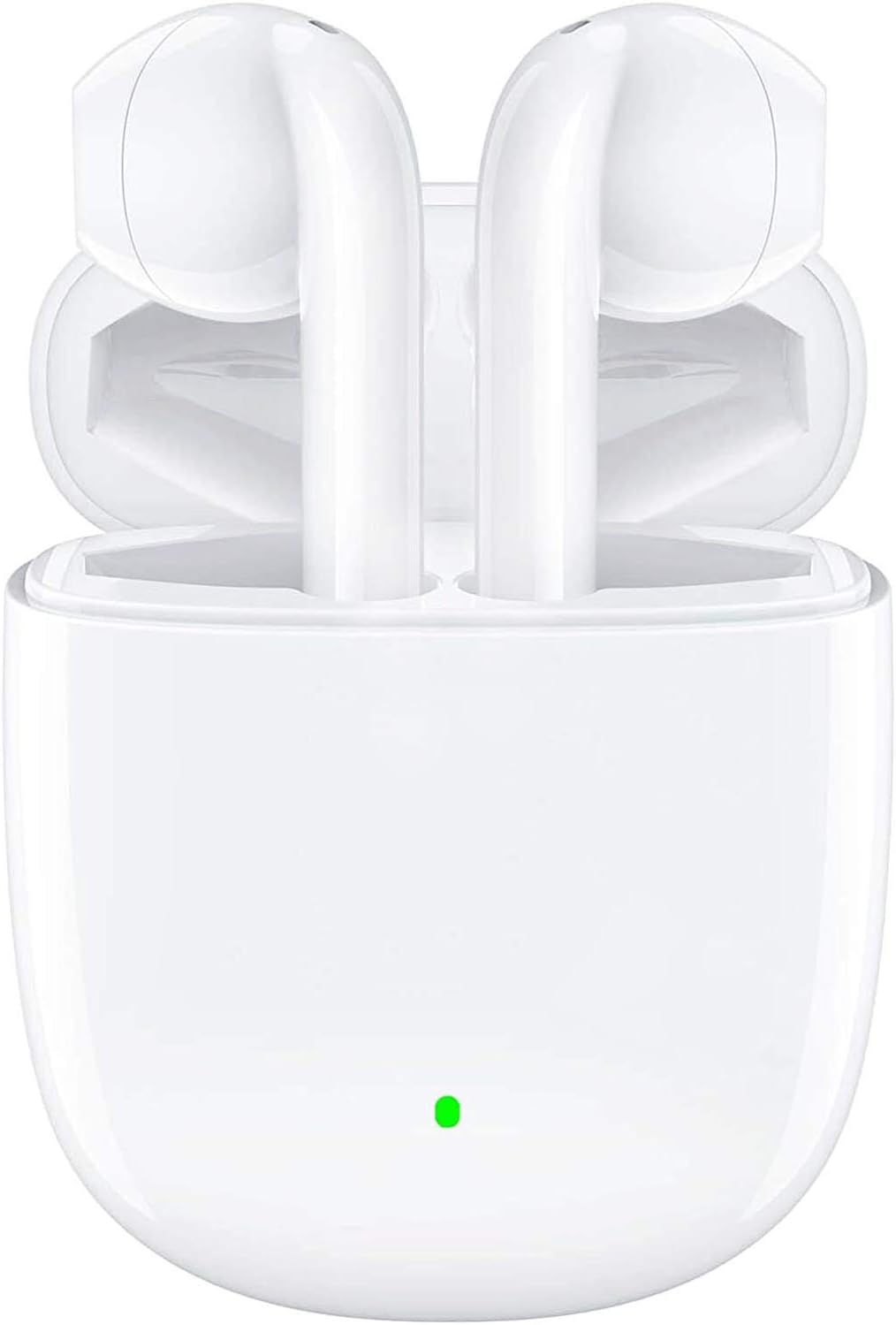
The BEBEN T9 Wireless Earbuds are housed in a compact charging case, designed for portability and convenience. The earbuds feature an ergonomic semi-in-ear design for comfortable wear.

Each earbud is equipped with a 14mm dynamic driver, engineered to deliver high-fidelity stereo sound with clear audio reproduction.

The charging case is designed to be pocket-sized, making it easy to carry your earbuds and charge them on the go. Its dimensions are approximately 2.2 inches by 1.85 inches by 0.86 inches.
Configuración
1. Carga dos auriculares e da funda
Before first use, ensure both the earbuds and the charging case are fully charged. The charging case provides extended battery life for your earbuds.
- Coloque os auriculares na caixa de carga.
- Connect the provided USB Type-C charging cable to the charging port on the case and to a compatible USB power source (e.g., wall adapter, computer USB port, power bank).
- The indicator light on the charging case will show charging status. A full charge typically takes about 1.5 hours.
- Once fully charged, the earbuds offer 4 to 5 hours of continuous use, and the charging case provides multiple recharges for a total playtime of up to 35 hours.

The earbuds and case support Type-C fast charging, providing up to 35 hours of total playtime with the charging case's backup power.
2. Emparellamento co teu dispositivo (emparellamento nun só paso)
The BEBEN T9 earbuds feature a convenient one-step pairing process thanks to Bluetooth 5.3 technology.
- Ensure Bluetooth is enabled on your smartphone, tablet, or other Bluetooth-enabled device.
- Abra a tapa da caixa de carga. Os auriculares acenderanse automaticamente e entrarán no modo de vinculación.
- On your device, search for Bluetooth devices and select "T9" from the list.
- Unha vez conectados, escoitarás un ton de confirmación e os auriculares estarán listos para usar.
- After the initial pairing, the earbuds will automatically connect to the last paired device when you open the charging case.

The earbuds offer one-step pairing, automatically connecting to your device when the charging case is opened.
Instrucións de funcionamento
Control táctil intelixente
The T9 earbuds utilize intelligent touch controls for various functions. Gently tap the touch area on either earbud to perform the following actions:

The earbuds feature intelligent touch controls for easy management of music playback, calls, and voice assistant activation.
| Acción | Toca Comando |
|---|---|
| Reproducir/Pausa música | Toca un só auricular en calquera dos auriculares |
| Responder/Finalizar chamada | Toca un só auricular en calquera dos auriculares |
| Rexeitar a chamada | Press and hold for 2 seconds on either earbud |
| Próxima canción | Toca dúas veces no auricular dereito |
| Canción anterior | Toca dúas veces no auricular esquerdo |
| Subir volume | Toque tres veces no auricular dereito |
| Baixar o volume | Toque tres veces no auricular esquerdo |
| Activar o asistente de voz (Siri/Asistente de Google) | Press and hold for 3 seconds on either earbud |
Single Earbud Mode vs. Binaural Mode
The T9 wireless earbuds allow flexible usage, supporting both single earbud (mono) and binaural (stereo) modes. You can switch between modes seamlessly.
- Modo auricular único: You can use either the left or right earbud independently. Simply take one earbud out of the charging case, and it will connect to your device. This is useful for situations where you need to be aware of your surroundings.
- Modo Binaural: To use both earbuds for stereo sound, take both earbuds out of the charging case. They will automatically connect to each other and then to your device.
- Modos de cambio: If you are using one earbud and wish to switch to binaural mode, simply take the other earbud out of the case. They will automatically connect. If you are using both and wish to switch to single mode, place one earbud back into the charging case; the other will continue to function.

The earbuds support flexible usage, allowing for single earbud use, binaural stereo sound, or even sharing one earbud with another person.
Mantemento
Limpeza
Unha limpeza regular axuda a manter a calidade do son e a hixiene.
- Usa un pano suave, seco e sen fiapos para limpar os auriculares e a funda de carga.
- Para a sucidade persistente, d lixeiramenteampgl o pano con auga ou un limpador suave e non abrasivo.
- Non empregue produtos químicos agresivos, alcol nin materiais abrasivos.
- Asegúrate de que os contactos de carga dos auriculares e da funda estean limpos e secos.
Almacenamento
Cando non estean en uso, garde os auriculares no seu estoxo de carga para protexelos e mantelos cargados.
- Gardar nun lugar fresco e seco, lonxe de temperaturas extremas e da luz solar directa.
- Evitar almacenar en ambientes poeirentos ou sucios.
Resistencia á auga
The BEBEN T9 earbuds are designed with a waterproof exterior, making them suitable for sports and fitness activities where they may encounter sweat or light splashes. However, they are not designed for submersion in water. Avoid prolonged exposure to water or using them while swimming or showering.
Resolución de problemas
| Problema | Posible Solución |
|---|---|
| Os auriculares non se emparellan/conectan | Ensure earbuds are charged. Turn off and on Bluetooth on your device. Forget "T9" in your device's Bluetooth settings and re-pair. Place earbuds back in case, close lid, then open again. |
| Só funciona un auricular | Ensure both earbuds are charged. Place both earbuds back in the charging case, close the lid for 5 seconds, then open it again. They should automatically re-sync. |
| Volume baixo ou mala calidade de son | Adjust volume on both your device and using the earbud touch controls. Ensure earbuds are clean and free of debris. Check if the earbuds are properly seated in your ears. |
| Os auriculares non se cargan | Ensure the charging cable is securely connected to both the case and the power source. Check if the charging contacts on the earbuds and inside the case are clean. Try a different USB port or cable. |
| Os controis táctiles non responden | Asegúrate de ter os dedos limpos e secos. Tenta reiniciar os auriculares colocándoos na funda e sacándoos de novo. |
Especificacións
| Característica | Detalle |
|---|---|
| Nome do modelo | T9 |
| Tecnoloxía de conectividade | Sen fíos (Bluetooth) |
| Tecnoloxía de comunicación sen fíos | Bluetooth 5.3 |
| Alcance Bluetooth | Ata 10 metros (33 pés) |
| Tipo de controlador de audio | Driver dinámico |
| Tamaño do controlador de audio | 13 milímetros |
| Duración da batería (auriculares) | 4-5 horas (uso continuo) |
| Tempo de reprodución total (co estoxo de carga) | Ata 35 horas |
| Porto de carga | USB tipo C |
| Método de control | Control táctil |
| Nivel de resistencia á auga | Waterproof (suitable for sweat/light splashes) |
| Colocación do oído | Intraauricular (deseño semiintraauricular) |
| Dimensións do produto | 3.15 x 3.15 x 3.15 polgadas |
| Peso do elemento | 3.2 onzas |
Garantía e Soporte
BEBEN products are manufactured to high standards and undergo rigorous quality checks. For specific warranty information, please refer to the warranty card included with your product or visit the official BEBEN websitio.
If you encounter any issues or have questions regarding your BEBEN T9 Wireless Earbuds, please contact BEBEN customer support through the retailer's platform or the contact information provided on the official BEBEN websitio. Teña a man o modelo do produto e os detalles da compra ao contactar co servizo de asistencia.


