Introdución
The Wicked Audio Driftr True Wireless Earbuds offer a seamless audio experience with easy pairing and comfortable wear. Designed for convenience, these earbuds provide clear sound and intuitive controls, making them ideal for everyday use.
O que hai na caixa
- Wicked Audio Driftr True Wireless Earbuds (Left and Right)
- Estuche de carga
- Cable de carga USB
- Manual de usuario (este documento)
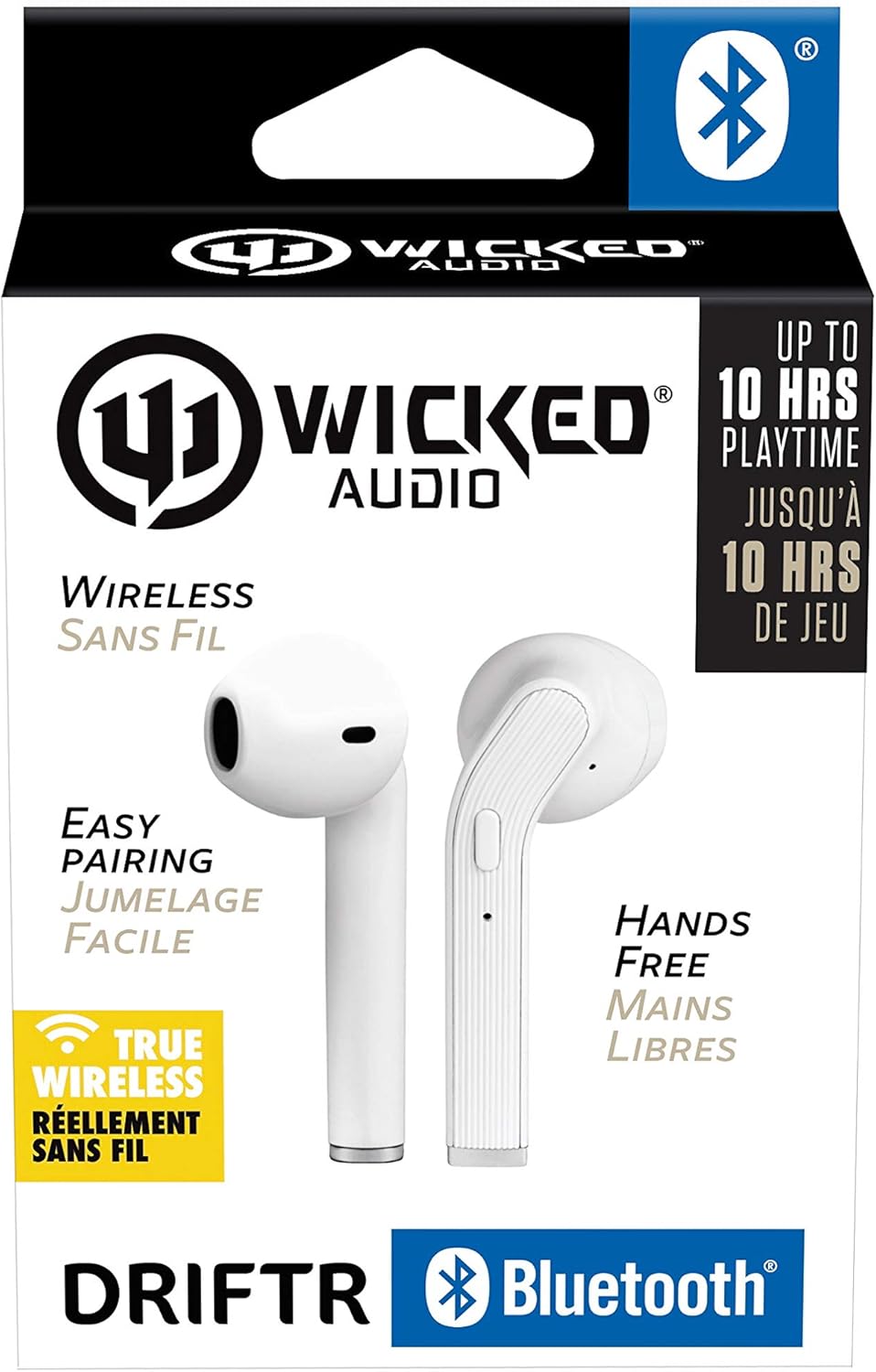
Image: Product packaging showing the earbuds and charging case.
Produto rematadoview
The Driftr earbuds feature an angled housing design for a comfortable fit. Each earbud includes touch controls for managing audio playback and calls, along with a built-in microphone for hands-free communication. The compact charging case provides additional battery life on the go.

Image: White Wicked Audio Driftr True Wireless Earbuds resting inside their open charging case.

Imaxe: Primeiro plano view of the left and right Wicked Audio Driftr True Wireless Earbuds, showing their angled design and control surfaces.

Image: A person wearing a white Wicked Audio Driftr True Wireless Earbud in their ear, demonstrating the fit.
Configuración
1. Carga dos auriculares e da funda
Before first use, fully charge the earbuds and the charging case. Connect the provided USB charging cable to the charging port on the case and plug the other end into a USB power source (e.g., computer, wall adapter). The charging indicator light on the case will show charging status. A full charge takes approximately 1 hour for both the earbuds and the case.
2. Emparellamento sinxelo
- Asegúrate de que os auriculares estean cargados.
- Abre a caixa de carga. Os auriculares acenderanse automaticamente e entrarán no modo de emparellamento.
- No teu dispositivo (teléfono intelixente, tableta, portátil), vai á configuración de Bluetooth.
- Select "Wicked Audio Driftr" from the list of available devices.
- Once connected, you will hear an audio prompt, and the indicator light on the earbuds will change.
The earbuds are designed for straightforward, no-nonsense pairing in one easy step. After the initial pairing, they will automatically connect to your last paired device when removed from the case.
Instrucións de funcionamento
Controis táctiles
The Driftr earbuds feature intuitive touch controls for various functions:
- Reproducir/Pausa: Toca un só auricular en calquera dos auriculares.
- Próxima pista: Toca dúas veces no auricular dereito.
- Pista anterior: Toca dúas veces no auricular esquerdo.
- Responder/Finalizar chamada: Un só toque en calquera dos auriculares durante unha chamada entrante.
- Rexeitar a chamada: Mantén premido calquera dos auriculares durante unha chamada entrante.
- Activar o asistente de voz: Toca tres veces en calquera dos auriculares (por exemplo, Siri, Asistente de Google).
Usando os auriculares
Insert the earbuds into your ears with the angled housing pointing slightly forward for a secure and comfortable fit. Adjust as needed to ensure optimal sound quality and passive noise cancellation.
Mantemento
To ensure the longevity and optimal performance of your Wicked Audio Driftr earbuds, follow these maintenance guidelines:
- Limpeza: Limpe os auriculares e a funda de carga regularmente cun pano suave, seco e sen pelusa. Non empregue produtos químicos agresivos nin materiais abrasivos.
- Almacenamento: Cando non estean en uso, garde sempre os auriculares no seu estoxo de carga para protexelos e mantelos cargados.
- Evitar a humidade: The earbuds are not water resistant. Avoid exposure to water, sweat, and high humidity.
- Temperatura: Non expoñas os auriculares nin a funda a temperaturas extremas (calor ou frío).
Resolución de problemas
If you encounter issues with your Driftr earbuds, try the following solutions:
- Auriculares sen emparellamento:
- Asegúrate de que os dous auriculares estean cargados.
- Volva colocar os dous auriculares na caixa de carga, peche a tapa, agarde uns segundos e, a seguir, ábraa de novo.
- On your device, forget "Wicked Audio Driftr" from your Bluetooth settings and attempt to pair again.
- Sen son dun auricular:
- Asegúrate de que ambos auriculares estean cargados e correctamente colocados na funda.
- Try resetting the earbuds by placing them in the case and then removing them.
- Auriculares sen cargar:
- Comproba o cable de carga e a fonte de alimentación.
- Asegúrate de que os contactos de carga dos auriculares e do interior da funda estean limpos e libres de residuos.
- Mala calidade de son:
- Asegúrate de que os auriculares estean correctamente asentados nas orellas.
- Check the audio source and volume levels on your device.
- Acércate máis ao dispositivo emparellado para evitar interferencias.
Especificacións
| Característica | Detalle |
|---|---|
| Nome do modelo | Wicked Audio Driftr (WITW2151) |
| Tecnoloxía de conectividade | Sen fíos (Bluetooth 5.0) |
| Alcance Bluetooth | Ata 32 pés |
| Duración da batería | Up to 10 Hours (earbuds) |
| Tempo de carga | Approx. 1 Hour (earbuds and case) |
| Tamaño do controlador de audio | 13 milímetros |
| Resposta en frecuencia | 20 Hz - 20,000 Hz |
| Sensibilidade | 15 dB |
| Impedancia | 32 ohmios |
| Control de ruído | Cancelación de ruído pasiva |
| Método de control | Toca |
| Nivel de resistencia á auga | Non resistente á auga |
| Peso do elemento | 2.11 onzas |
| Dimensións do produto | 1.5 x 3 x 5.5 polgadas |
| UPC | 712949012265 |
Garantía e Soporte
Wicked Audio products are designed for durability and performance. For specific warranty information and support inquiries, please refer to the official Wicked Audio websitio web ou póñase en contacto directamente co servizo de atención ao cliente. Garde o comprobante de compra para reclamacións de garantía.
Para obter máis asistencia, visite o Wicked Audio Store on Amazon.


