1. Introdución
Thank you for choosing the Aerocool Mirage 12 ARGB PC Fan. This manual provides detailed instructions for the installation, operation, and maintenance of your new fan. The Mirage 12 ARGB fan features an Infinity Mirror RGB design and is compatible with Addressable RGB motherboards for customizable lighting effects. Please read this manual thoroughly before installation and use to ensure proper functionality and safety.
2. Información de seguridade
- Ensure your computer system is powered off and disconnected from the main power supply before installation.
- Manexa os compoñentes con coidado para evitar danos.
- Do not attempt to modify the fan or its connectors.
- Manter fóra do alcance dos nenos.
- Refer to your motherboard manual for specific ARGB header and fan header locations and voltage requisitos.
3. Contido do paquete
The Aerocool Mirage 12 ARGB PC Fan package includes the following items:
- 1 x Aerocool Mirage 12 ARGB PC Fan (120mm)
- Parafusos de montaxe
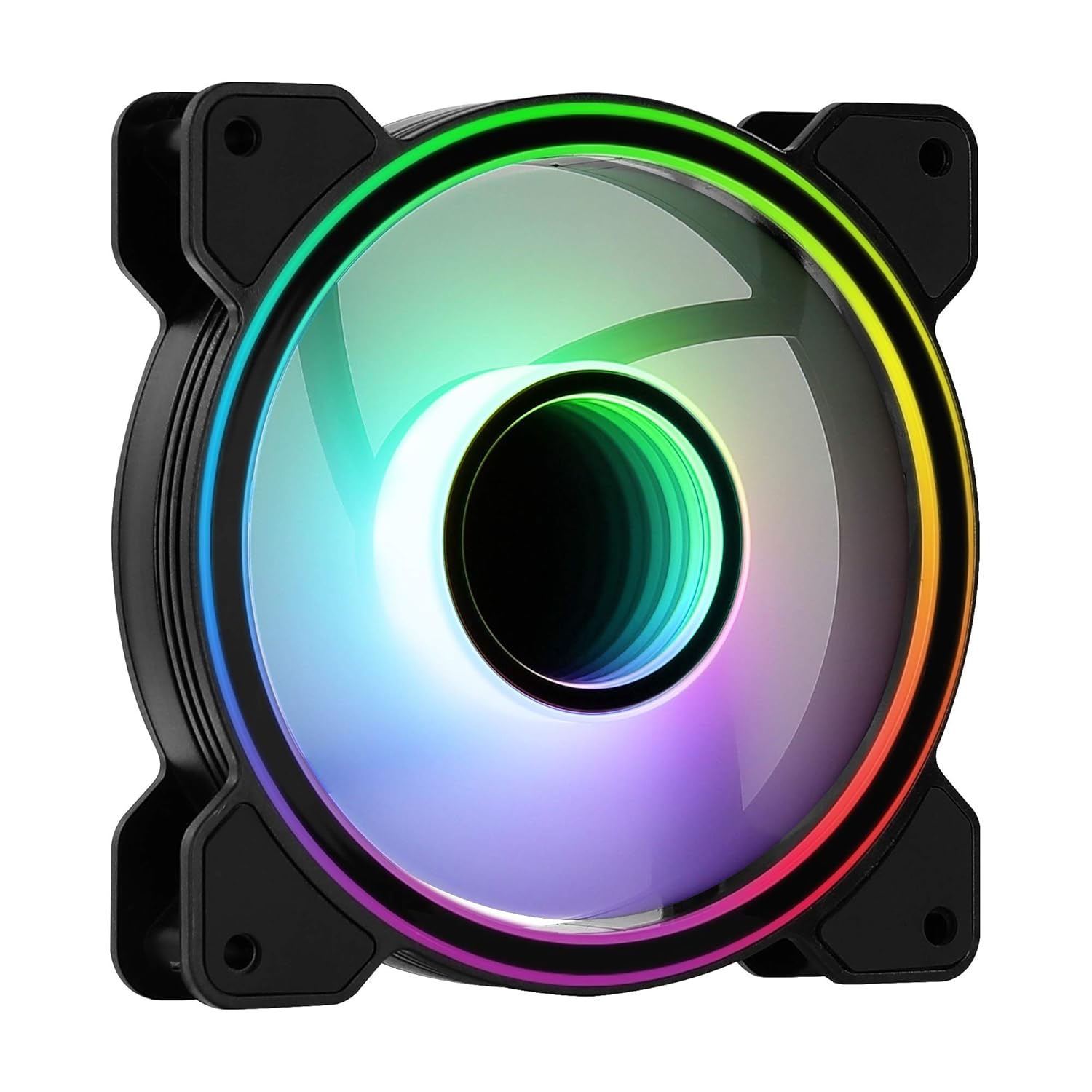
Imaxe 1: Fronte view of the Aerocool Mirage 12 ARGB PC Fan, showcasing its infinity mirror RGB lighting effect.
4. Guía de instalación
4.1 Instalación física
- Identify the desired mounting location within your PC case (e.g., front, rear, top, bottom).
- Position the fan in the chosen location, ensuring proper airflow direction (typically, the side with the frame supports and sticker is the exhaust side).
- Secure the fan to the case using the provided mounting screws. Do not overtighten.

Imaxe 2: Costas view of the Aerocool Mirage 12 ARGB PC Fan, illustrating the fan blade structure and motor hub.
4.2 Conexión eléctrica
- Locate the 6-pin connector on the fan cable.
- Connect the 6-pin connector to a compatible Aerocool H66F RGB Control Hub (if available) or a similar Addressable RGB controller that supports 6-pin fan connections.
- If using an H66F RGB Control Hub, connect the hub to your motherboard's 4-pin PWM fan header for fan speed control and a 3-pin 5V Addressable RGB header for lighting control. Refer to the H66F hub manual for detailed instructions.
- Asegúrate de que todas as conexións estean seguras antes de encender o teu sistema.

Imaxe 3: Primeiro plano view of the 6-pin connector, used for both power and ARGB signal transmission.
5. Funcionamento
5.1 Control de iluminación ARGB
The Aerocool Mirage 12 ARGB fan's lighting can be controlled via a compatible Addressable RGB motherboard or an external ARGB controller (e.g., Aerocool H66F RGB Control Hub).
- Software da placa base: If connected to a 3-pin 5V ARGB header on your motherboard, use the motherboard's proprietary software (e.g., ASUS Aura Sync, MSI Mystic Light Sync, Gigabyte RGB Fusion) to customize lighting effects, colors, and patterns.
- Controlador externo: If connected to an external ARGB controller, refer to the controller's manual for instructions on how to adjust lighting settings.
5.2 Control de velocidade do ventilador
The fan speed is controlled via the 6-pin connector, which typically interfaces with a PWM-compatible fan header on your motherboard (often through a control hub like the H66F). You can adjust fan speeds through your motherboard's BIOS/UEFI settings or dedicated fan control software.
- Ensure your motherboard's 4-pin fan header is PWM compatible for optimal speed control.
- Adjust fan curves in your motherboard's BIOS/UEFI or operating system software to balance cooling performance and noise levels.
6. Mantemento
To ensure optimal performance and longevity of your Aerocool Mirage 12 ARGB PC Fan, periodic cleaning is recommended.
- Apagado: Always power off your computer and disconnect it from the power supply before cleaning.
- Eliminación de po: Use compressed air or a soft, dry cloth to gently remove dust accumulation from the fan blades and frame.
- Evitar líquidos: Do not use liquid cleaners or immerse the fan in water.
7 Solución de problemas
| Problema | Causa posible | Solución |
|---|---|---|
| O ventilador non xira | Incorrect or loose power connection. Insufficient power. | Check the 6-pin connector and ensure it is securely connected to the control hub/motherboard. Verify power supply connections. |
| A iluminación ARGB non funciona | Incorrect or loose ARGB connection. Incompatible ARGB header. Software issue. | Ensure the 6-pin connector is properly seated. Verify that your motherboard's ARGB header is 3-pin 5V (not 4-pin 12V RGB). Check motherboard ARGB software settings. |
| Fan speed not controllable | Non-PWM fan header. Incorrect BIOS settings. | Confirm your motherboard's fan header is PWM compatible. Adjust fan control settings in your motherboard's BIOS/UEFI. |
8. Especificacións
| Característica | Detalle |
|---|---|
| Número de modelo | MIRAGE12 |
| Dimensións do produto | 4.72" de longo x 4.72" de ancho x 0.98" de alto (120 mm x 120 mm x 25 mm) |
| Tipo de conector de alimentación | 6-pin |
| Voltage | 12 voltios |
| Wattage | 1.8 vatios |
| Método de arrefriamento | Ventilador |
| Dispositivos compatibles | Escritorio |
| Nivel de ruído | 17.8 decibeis |
| Material | Policarbonato |
| Velocidade de rotación máxima | 1300 RPM |
9. Garantía e soporte
For warranty information and technical support, please refer to the official AeroCool websitio web ou póñase en contacto co seu distribuidor local. Garde o comprobante de compra para reclamacións de garantía.
AeroCool Official Websitio: www.aerocool.io


