Introdución
Thank you for choosing the Mpow Air Pro 2.4G Wireless Gaming Headset. This manual provides detailed instructions on how to set up, operate, and maintain your headset to ensure optimal performance and longevity. The Mpow Air Pro is designed for an immersive gaming experience with 7.1 surround sound, a stable 2.4G wireless connection, and a noise-cancelling microphone.

Image: The Mpow Air Pro 2.4G Wireless Gaming Headset, featuring a black and red design with an adjustable microphone.
Contido do paquete
Verifique que todos os elementos que se indican a continuación estean incluídos no seu paquete:
- Mpow Air Pro Wireless Gaming Headset
- USB Dongle (2.4G Wireless Receiver)
- Cable de carga USB
- Cable de audio de 3.5 mm
- Guía de usuario
- User Guide for Software (for 7.1 Surround Sound)

Image: A flat lay showing all items included in the Mpow Air Pro headset package: the headset, USB dongle, USB charging cable, 3.5mm audio cable, and two user guides.
Funcións rematadasview
The Mpow Air Pro headset incorporates several key features for an enhanced audio experience:
7.1 Son envolvente
Experience immersive 7.1 Surround Sound, engineered for ultra-low distortion audio, bringing games, music, and movies to life. Note: The 7.1 surround sound software is available on Windows 7/8/10.

Image: A visual representation of the virtual 7.1 surround sound feature, showing the headset overlaid on a gaming scene with directional audio indicators.
Conexión sen fíos 2.4G
The 2.4G wireless technology provides wireless freedom with lag-free real-time transmission. Enjoy up to 17 hours of battery life and a wireless range of approximately 39 feet (12 meters).
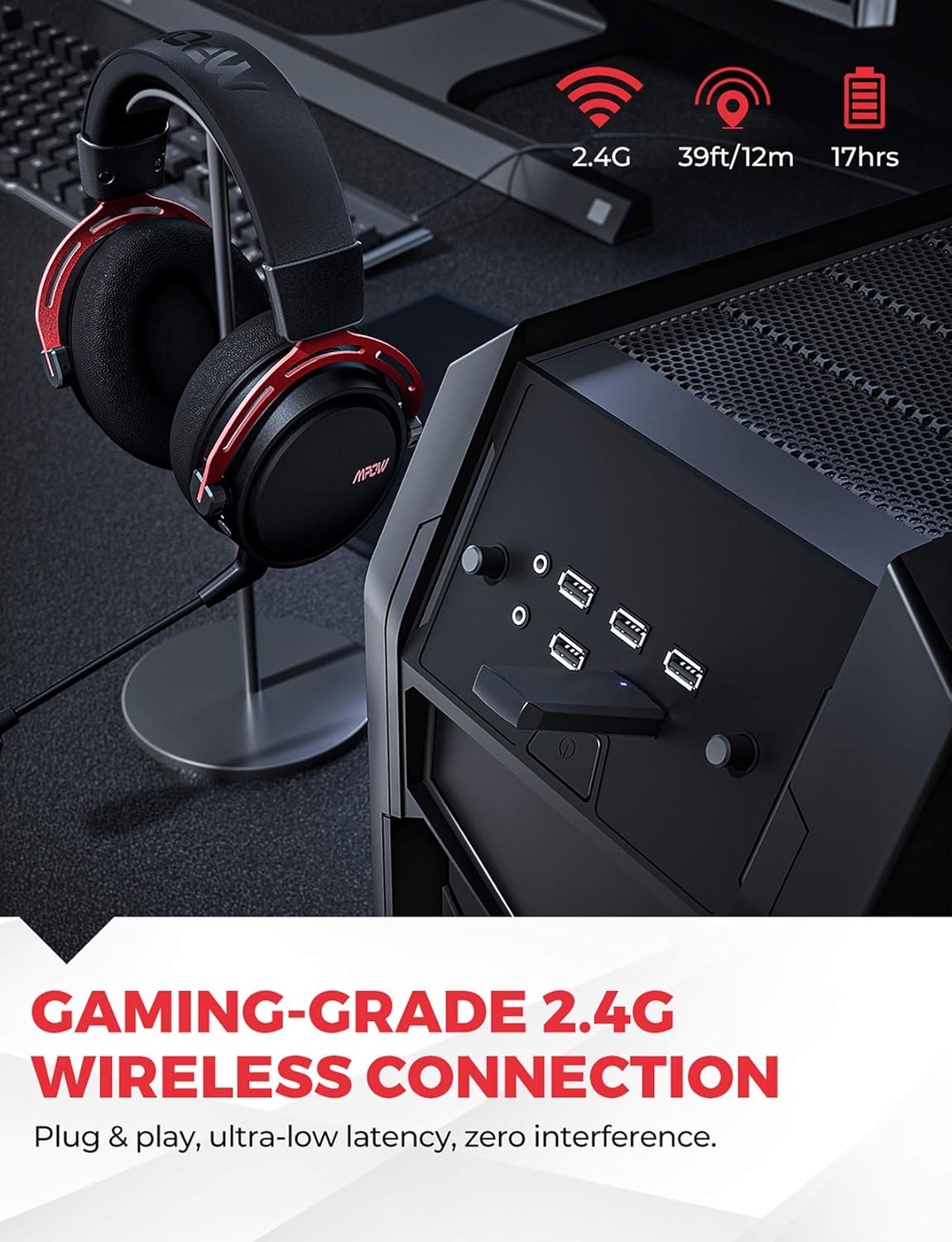
Image: The Mpow Air Pro headset connected wirelessly via a USB dongle to a PC, highlighting the 2.4G wireless, 39ft/12m range, and 17-hour battery life.
Micrófono con cancelación de ruído
The integrated noise-cancellation microphone delivers clear vocal communications by reducing background noise. The flexible microphone can be adjusted for optimal voice pickup.

Image: A gamer wearing the Mpow Air Pro headset, demonstrating the use of the noise-cancelling microphone during gameplay.
Comodidade e durabilidade
Constructed with an aluminum frame, soft leather headpad, memory foam ear cushions, and an adjustable steel headband, the headset is designed for extended comfort during use.

Imaxe: Primeiro plano views highlighting the comfort features of the Mpow Air Pro headset, including the adjustable steel headband, leather head pad, lightweight aluminum frame, and memory-protein foam ear cushions.
Configuración e conexión
Wireless Connection (2.4G)
- Insert the USB dongle into an available USB port on your PC, Mac, or Nintendo Switch (TV Mode).
- Power on the Mpow Air Pro headset by pressing and holding the Power button until the indicator light illuminates.
- The headset will automatically pair with the USB dongle. A solid indicator light on the headset signifies a successful connection.
- Ensure the Mpow Air Pro is selected as the default audio output and input device in your operating system's sound settings.
Nota: The wireless function does not support PS4 temporarily. For 7.1 surround sound, software installation is required on Windows 7/8/10.
Conexión con cable (cable de audio de 3.5 mm)
- Connect one end of the 3.5mm audio cable to the audio jack on the Mpow Air Pro headset.
- Connect the other end of the 3.5mm audio cable to the audio output jack on your PC, PS4, Xbox One, Nintendo Switch, or mobile phone.
- The headset will function in stereo mode when connected via the 3.5mm cable.
Cargando os auriculares
- Conecta o cable de carga USB ao porto de carga dos auriculares.
- Connect the other end of the USB charging cable to a USB power source (e.g., computer USB port, USB wall adapter).
- The indicator light will show charging status and turn off or change color when fully charged. A full charge provides approximately 17 hours of usage.
Instrucións de funcionamento
Encendido/apagado
- Para acender, manteña premido o botón de acendido durante 2 segundos.
- Para apagar, manteña premido o botón de acendido durante 3 segundos.
Control de volume
- Rotate the volume wheel located on the earcup to adjust the audio output level.
Silenciar / activar micrófono
- Use the microphone mute button on the earcup to toggle the microphone on or off.
- The microphone is flexible and can be adjusted to your preferred position.
7.1 Surround Sound Software (Windows Only)
- For Windows 7/8/10 users, download and install the dedicated software from the Mpow official website to enable and customize the 7.1 surround sound feature.
- Refer to the "User Guide for Software" included in your package for detailed installation and usage instructions.
Mantemento
- Limpeza: Usa un pano suave e seco para limpar os auriculares. Non empregues produtos de limpeza abrasivos nin disolventes. Para as almofadas dos oídos, limpe suavemente cun panoamp pano e deixe secar completamente ao aire.
- Almacenamento: Garda os auriculares nun lugar fresco e seco, lonxe da luz solar directa e de temperaturas extremas. Evita colocar obxectos pesados enriba dos auriculares.
- Coidado da batería: To prolong battery life, avoid fully discharging the headset frequently. Charge the headset regularly, even if not in use for extended periods (e.g., once every 3 months).
- Manexo: Do not bend or twist the microphone arm excessively. Avoid dropping the headset.
Resolución de problemas
| Problema | Causa posible | Solución |
|---|---|---|
| Sen son dos auriculares (sen fíos) | Auriculares non acendidos; Non emparellados; Saída de audio incorrecta seleccionada; Batería baixa. | Ensure headset is powered on. Re-pair with USB dongle. Check sound settings on PC/Mac and select "Mpow Air Pro". Charge the headset. |
| O micrófono non funciona | Micrófono silenciado; Entrada de audio incorrecta seleccionada; Micrófono non conectado correctamente (se é extraíble). | Unmute the microphone. Check sound settings on PC/Mac and select "Mpow Air Pro" as input device. Ensure microphone is securely attached. |
| Mala conexión sen fíos/desconexións | Too far from dongle; Interference from other 2.4G devices; Obstructions. | Move closer to the USB dongle. Reduce interference by moving away from other wireless devices (e.g., Wi-Fi routers). Ensure clear line of sight. |
| O son envolvente 7.1 non funciona | Software not installed; Incorrect settings; Not on Windows OS. | Install the 7.1 surround sound software (Windows 7/8/10 only). Check software settings. Ensure you are using a compatible Windows operating system. |
Especificacións
| Característica | Detalle |
|---|---|
| Nome do modelo | BH473A |
| Tecnoloxía de conectividade | 2.4G Wireless, 3.5mm Jack |
| distancia wireless | Ata 39 pés (12 metros) |
| Duración da batería | Aprox. 17 horas |
| Tipo de audio | 7.1 Surround Sound (via software on Windows), Stereo (via 3.5mm) |
| Micrófono | Noise-Cancelling, Fixed |
| Colocación do oído | Sobre orella |
| Material | Leather, Foam (ear cushions), Aluminum (frame) |
| Peso do elemento | 350 gramos |
| Dimensións do produto | 10 x 16.3 x 20.8 cm |
| Compatible Devices (Wireless) | PC, MAC, Nintendo Switch (TV Mode) |
| Compatible Devices (Wired) | PC, PS4, Xbox One, Nintendo Switch, Cell Phone |
Garantía e Soporte
MPOW products come with a standard manufacturer's warranty. For detailed warranty terms and conditions, please refer to the warranty card included in your package or visit the official MPOW websitio.
If you encounter any issues or have questions regarding your Mpow Air Pro headset, please contact MPOW Customer Support through their official website or the contact information provided in your product documentation. Please have your model number (BH473A) and purchase details ready when contacting support.


