This instruction manual provides essential information for setting up, operating, maintaining, and troubleshooting your new CyberpowerPC Gamer Master Gaming PC, model GMA2130CC. Please read this manual thoroughly before using your computer to ensure proper function and longevity. The Gamer Master series is designed for high-performance computing, featuring an AMD Ryzen 5 3600 processor and NVIDIA GeForce RTX 2060 graphics for an optimal gaming experience.
O que hai na caixa
Verifique que todos os elementos que se indican a continuación estean incluídos no seu paquete:
Desktop PC (CyberpowerPC Gamer Master GMA2130CC)
Teclado
Rato
Cable de alimentación
Image: The CyberpowerPC Gamer Master Gaming PC tower, accompanied by the included keyboard and mouse, ready for setup.
Guía de configuración
Desembalaxe e colocación
Carefully remove the PC and all accessories from the packaging. Place the PC on a stable, flat surface with adequate ventilation. Ensure there is enough space around the PC for airflow, especially at the rear and top vents.
Conexión de periféricos
Monitor: Connect your monitor to the graphics card (NVIDIA GeForce RTX 2060) ports located at the lower rear of the PC. Use either the HDMI or DisplayPort connection.
Teclado e rato: Connect the included keyboard and mouse to any available USB ports on the rear or top of the PC.
Potencia: Connect the power cord to the power supply unit (PSU) at the rear of the PC, then plug the other end into a wall outlet or surge protector.
Rede (opcional): For a wired internet connection, connect an Ethernet cable to the RJ-45 network port on the rear of the PC.
Imaxe: Primeiro plano view of the top panel ports, including USB and audio jacks, for convenient peripheral connection.
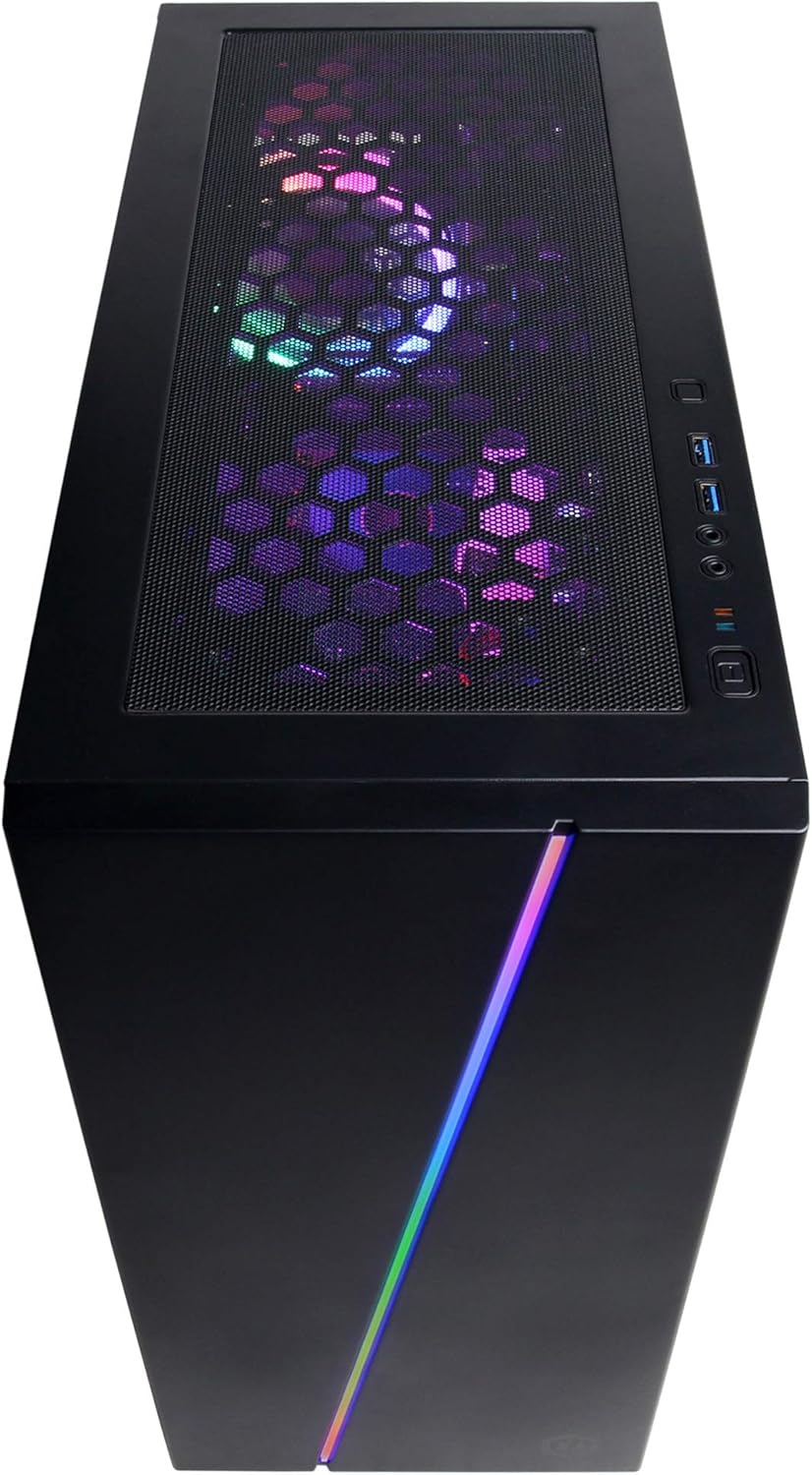
Imaxe: Unha vista superior view of the PC case, showing the top mesh panel for ventilation and accessible front I/O ports.
Encendido inicial
Press the power button located on the top front of the PC. The system will boot up, and you should see the CyberpowerPC logo on your monitor.
Configuración do sistema operativo
Follow the on-screen instructions to complete the Windows 10 Home setup process. This typically involves selecting your region, language, creating a user account, and accepting the license agreement.
Manexo do seu PC
Windows 10 Home
Your CyberpowerPC comes pre-installed with genuine Windows 10 Home 64-bit. Familiarize yourself with the Windows interface, Start Menu, and taskbar for efficient navigation.
Connecting to the Internet (Wi-Fi)
Para conectarse a unha rede sen fíos:
Fai clic na icona Wi-Fi na bandexa do sistema (parte inferior dereita da pantalla).
Seleccione a rede desexada da lista.
Fai clic en "Conectar" e introduce a clave de seguridade da rede (contrasinal) se se che solicita.
Configuración de audio
Connect your speakers or headphones to the appropriate audio jacks on the rear or top of the PC. Windows 10 will typically detect and configure the audio device automatically. You can adjust volume and sound settings via the sound icon in the system tray.
Control de iluminación RGB
Your PC features custom RGB case lighting and RGB fans. Control software for these features may be pre-installed or available for download from the CyberpowerPC website. Refer to the software's documentation for specific instructions on customizing lighting effects.
Image: The sleek front panel of the PC case, featuring a vibrant RGB light strip that can be customized.
Imaxe: Unha interna view of the PC, showcasing the illuminated RGB cooling fans and the neatly arranged internal components.
Mantemento
Limpeza xeral
Exterior: Use un suave, damp un pano para limpar o exterior da carcasa. Evite produtos de limpeza abrasivos.
Filtros de po: Periodically clean the dust filters (if present) on the case to maintain optimal airflow. These are typically located on the top, front, or bottom of the case and can be removed for cleaning.
Compoñentes internos: For internal cleaning, power off and unplug the PC. Use compressed air to gently remove dust from fans, heatsinks, and other components. Exercise caution to avoid damaging sensitive parts.
Actualizacións de software
Regularly update your Windows operating system, graphics drivers (NVIDIA GeForce), and other software to ensure system stability, security, and optimal performance. Windows Update can be accessed via Settings > Update & Security.
Resolución de problemas
This section addresses common issues you might encounter. For more complex problems, refer to the CyberpowerPC support websitio.
Sen enerxía:
Ensure the power cord is securely connected to both the PC and the wall outlet.
Check if the power switch on the back of the PSU is in the 'ON' position.
Verifica que a toma de corrente funcione conectando outro dispositivo.
Sen visualización no monitor:
Confirme que o cable de alimentación do monitor estea conectado e que o monitor estea acendido.
Ensure the video cable (HDMI/DisplayPort) is securely connected to the graphics card ports on the PC and the monitor.
Verify the monitor input source is correctly selected (e.g., HDMI 1, DisplayPort).
System is Slow or Unresponsive:
Close unnecessary programs running in the background.
Comprobe se hai malware ou virus usando un software antivirus.
Asegúrate de que Windows e os controladores estean actualizados.
Monitor system temperatures to prevent overheating.
Peripherals (Keyboard/Mouse) Not Working:
Tenta conectar o periférico a un porto USB diferente.
Reinicie o PC.
Check device drivers in Windows Device Manager.
Especificacións técnicas
Compoñente
Especificación
Procesador
AMD Ryzen 5 3600 3.6GHz (6-core)
Tarxeta Gráfica
NVIDIA GeForce RTX 2060 6GB
RAM
8 GB DDR4
Almacenamento
240GB SSD, 1TB HDD
Sistema Operativo
Windows 10 Home de 64 bits
Chipset
AMD B450
Conectividade
802.11ac Wi-Fi, 10/100/1000 Ethernet
Portos USB
6x USB 3.1, 2x USB 2.0
Audio
Audio de 7.1 canles
Dimensións (LxWxH)
17.91 x 8.5 x 19.29 polgadas
Peso
36 libras
Imaxe: Un lado view of the PC case, highlighting the mesh panel design for enhanced airflow and cooling.
Garantía e Soporte
Your CyberpowerPC Gamer Master Gaming PC (GMA2130CC) includes a 1 anos de garantía en pezas e man de obra. Additionally, CyberpowerPC provides soporte técnico gratuíto de por vida para este produto.
For technical assistance, warranty claims, or further inquiries, please visit the official CyberpowerPC support website or contact their customer service. Keep your purchase receipt and product serial number readily available when contacting support.
Note: Opening the PC case may void the warranty if not performed by authorized personnel or according to specific instructions. Consult CyberpowerPC support before attempting internal modifications.
Documentos relacionados - GMA2130CC
Soporte informático e preguntas frecuentes de CyberpowerPC Atopa información de soporte esencial, datos de contacto e respostas a preguntas frecuentes sobre o teu sistema informático CyberpowerPC. Obtén información sobre a configuración, a resolución de problemas e moito máis.
Guía de Inicio Rápido CyberpowerPC: Configuración Paso a Paso Guía de inicio rápido para configurar su CyberpowerPC Gamer Xtreme VR Gaming PC. Aprenda a desempaquetar, conectar pantalla e periféricos, encender o sistema e atopar a súa clave de Windows.
Guía de inicio rápido de CyberPowerPC: configuración do teu PC para xogos Unha guía concisa para configurar o teu ordenador para xogos CyberPowerPC, que abrangue o proceso de desembalaxe, as conexións da pantalla e dos periféricos e os procedementos de acendido inicial. Inclúe información de contacto de asistencia e detalles de cumprimento da normativa FCC.
Guía de inicio rápido para PC de xogos CyberPowerPC Guía completa de inicio rápido para configurar o teu PC para xogos CyberPowerPC, que abrangue o proceso inicial de desembalaxe, as conexións e os procedementos de acendido.
Guía do usuario do teclado mecánico para xogos CyberPowerPC serie CK60 Guía do usuario para o teclado mecánico para xogos CyberPowerPC serie CK60. Aprende a personalizar as teclas de función, crear e asignar macros e personalizar a iluminación RGB para unha configuración de xogos mellorada.