Introdución
Thank you for choosing the Hoover H-PURIFIER 300 HHP30C Air Purifier. This device is designed to improve your indoor air quality by effectively filtering various pollutants. Equipped with advanced sensors and a triple-action HEPA13 filter, it captures PM2.5, PM10, VOCs, CO, and removes up to 99.97% of bacteria and pollen. This manual provides essential information for the safe and efficient use of your air purifier.
Información importante de seguridade
Please read all safety instructions before operating the appliance. Keep this manual for future reference.
- Asegúrese de que o aparello estea conectado a unha toma de corrente con conexión a terra e o voltaxe correctotage (230 V).
- Non faga funcionar o aparello cun cable ou enchufe danados.
- Manteña a entrada e saída de aire libres de obstáculos.
- Non empregue o aparello preto da auga nin en ambientes excesivamente húmidos.
- Este aparello só é para uso interior.
- Desconecte o aparello antes de limpalo ou realizar calquera mantemento.
Produto rematadoview
The Hoover H-PURIFIER 300 features an intuitive design with integrated sensors and a multi-layer filtration system.

Figura 1: Fronte view of the Hoover H-PURIFIER 300 Air Purifier, showcasing its sleek design and multi-sensor area.

Figura 2: Arriba view of the air purifier, highlighting the control panel with its various indicators and buttons.
Compoñentes clave:
- Panel de control: Located on the top, with touch controls and a 4-color LED light ring indicating air quality.
- Multi-Sensors: Detects PM2.5, PM10, VOCs, and CO levels in the air.
- Entrada de aire: Located around the lower section of the unit for 360° air intake.
- Saída de aire: Located at the top for purified air release.
- HEPA13 Filter: A triple-action filter system for comprehensive air purification.
- Hidden Handles: Para unha fácil portabilidade.
Instrucións de configuración
1. Desembalaxe e colocación
- Retire con coidado o purificador de aire da súa embalaxe.
- Place the unit on a flat, stable surface, ensuring at least 20 cm of clear space around all sides for optimal airflow. The unit is designed to purify areas up to 100m².
- Evite colocar a unidade preto de fontes de calor, luz solar directa ou en zonas con alta humidade.
2. Instalación do filtro
The HEPA13 filter is typically pre-installed but may require removal of protective packaging before first use.
- Locate the filter access panel, usually at the bottom or side of the unit.
- Open the panel and ensure the HEPA13 filter is correctly seated and any plastic wrapping is removed.
- Pecha o panel de acceso ao filtro de forma segura.
3. Conexión de alimentación
- Conecte o cable de alimentación a unha toma de corrente axeitada (230 V).
- A unidade entrará no modo de espera.
4. App Connection (hOn App)
For advanced control and real-time air quality monitoring, connect your air purifier to the hOn app.
- Descarga a aplicación hOn desde a tenda de aplicacións do teu teléfono intelixente.
- Crea unha conta ou inicia sesión.
- Follow the in-app instructions to add your Hoover H-PURIFIER 300. This typically involves enabling Wi-Fi and Bluetooth on your phone and pressing a specific button on the purifier to initiate pairing.

Figure 3: A smartphone screen showing the hOn app, used for controlling the air purifier and monitoring air quality.
Instrucións de funcionamento
1. Acendido/apagado
- Press the power button on the control panel or via the hOn app to turn the unit on or off.
2. Modos de funcionamento
The H-PURIFIER 300 offers several operating modes:
- Modo automático: The purifier automatically adjusts fan speed based on detected air quality levels (PM2.5, PM10, VOC, CO). This is the recommended mode for continuous operation.
- Night Mode (Sleep Function): Reduces fan speed to its lowest setting (21 dB) and dims the control panel lights for quiet operation during sleep.
- Modo Turbo: Operates at maximum fan speed for rapid air purification.
- Velocidade manual: Allows you to manually select a fan speed (e.g., 3 speeds available).
3. Air Quality Indicator (LED Ring)
The LED light ring on the control panel changes color to indicate current air quality:
- Verde: Excelente calidade do aire.
- amarelo: Calidade do aire moderada.
- Laranxa: Mala calidade do aire.
- Vermello: Very poor air quality.
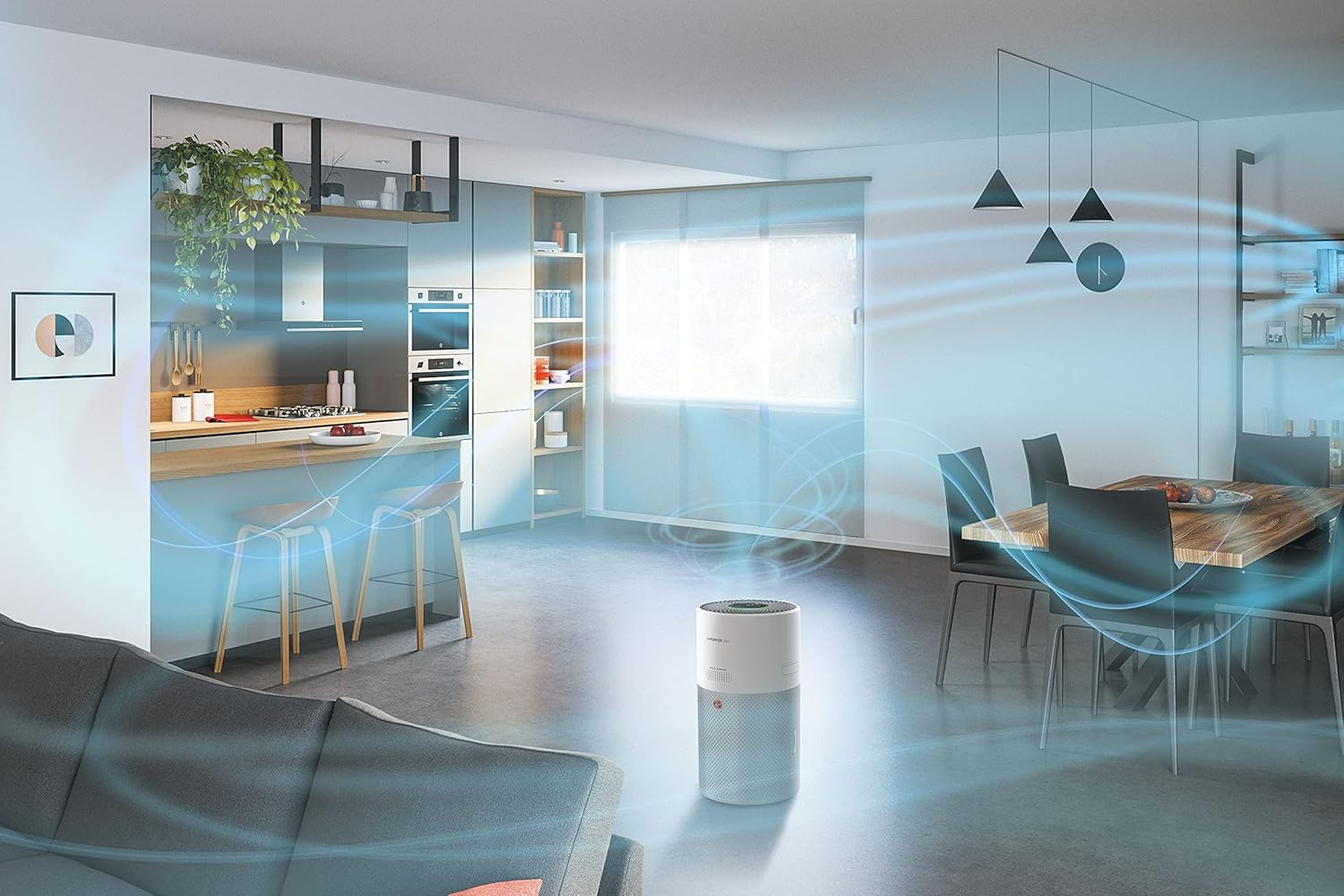
Figure 4: Illustration of the 360-degree airflow system, showing air intake from all sides and purified air expulsion from the top.
Mantemento
Un mantemento regular garante un rendemento óptimo e prolonga a vida útil do seu purificador de aire.
1. Substitución do filtro
The HEPA13 filter has a limited lifespan and needs to be replaced periodically. The hOn app will notify you when a filter change is due.
- Desenchufe o purificador de aire da toma de corrente.
- Open the filter access panel.
- Retire o filtro antigo e desfágase del correctamente.
- Insert a new genuine Hoover HEPA13 filter, ensuring it is correctly oriented.
- Pecha o panel de acceso ao filtro de forma segura.
- Plug the unit back in. Reset the filter life indicator via the control panel or hOn app if prompted.
2. Limpeza do sensor
Dust and debris can accumulate on the sensors, affecting their accuracy. Clean them regularly, especially if you notice inconsistent air quality readings.
- Desenchufe a unidade.
- Gently wipe the sensor area (located on the side/back of the unit) with a soft, dry cloth or a cotton swab. Do not use liquids or abrasive cleaners.
3. Limpeza exterior
- Wipe the exterior surfaces of the air purifier with a soft, damp pano.
- Do not allow water to enter the unit.
- Avoid using harsh chemicals or abrasive cleaning agents.
Resolución de problemas
If you encounter issues with your Hoover H-PURIFIER 300, refer to the following table:
| Problema | Causa posible | Solución |
|---|---|---|
| A unidade non se acende. | Sen fonte de alimentación. | Check if the power cord is securely plugged into the outlet and the unit. Test the outlet with another device. |
| Mal rendemento da purificación do aire. | Clogged or incorrectly installed filter. | Check filter installation. Replace the filter if it is dirty or expired. |
| Inaccurate air quality readings. | Dirty sensors. | Clean the air quality sensors as described in the Maintenance section. |
| Cannot connect to hOn app. | Wi-Fi/Bluetooth issues; incorrect pairing process. | Ensure your phone's Wi-Fi and Bluetooth are on. Restart the air purifier and your phone. Follow the app's pairing instructions carefully. Try disabling Wi-Fi on the unit for 30 minutes, then re-enabling and trying to connect again. |
| A unidade é ruidosa. | Operating in Turbo mode; obstruction in fan. | Switch to Auto or Night mode for quieter operation. Check for any foreign objects obstructing the fan. |
Especificacións
| Característica | Detalle |
|---|---|
| Marca | Hoover |
| Número de modelo | HHP30C |
| Cor | Branco |
| Dimensións do produto (L x W x H) | 27.99 x 31.39 x 52.04 cm |
| Peso do elemento | 6.3 quilogramos |
| Poder | 35 vatios |
| Voltage | 230 V |
| Nivel de son | 21 Decibels (in Night Mode) |
| Tipo de filtro | HEPA13 (Triple-action) |
| Cobertura da superficie do piso | Ata 100 m² |
| Método de control | Control Panel, hOn App (Wi-Fi + BLE) |
| Características especiais | Sleep Function, Gas Sensor, Night Mode, Turbo Mode, Pollen Filtering |
| Fonte de enerxía | Cable eléctrico |
| Especificacións conformes | TUV |
Garantía e Soporte
The Hoover H-PURIFIER 300 HHP30C comes with a manufacturer's warranty. Please refer to the warranty card included in your product packaging for specific terms and conditions.
Dispoñibilidade de pezas de reposición:
Spare parts for this model are available for a period of 2 years from the date of purchase.
Atención ao cliente:
For technical assistance, troubleshooting beyond this manual, or to inquire about spare parts, please contact Hoover customer support. Contact details can be found on the official Hoover websitio web ou na documentación do produto.


