1. Introdución
This manual provides essential information for the safe and efficient operation of your iFFALCON 32F2A 32-inch HD Ready Android Smart LED TV. Please read these instructions thoroughly before using the television and retain them for future reference.
The iFFALCON 32F2A is an 80 cm (32 inches) HD Ready Android Smart LED TV designed to offer a comprehensive entertainment experience. It features a 720p resolution display, integrated Android operating system, and smart functionalities like Google Assistant and Chromecast built-in.
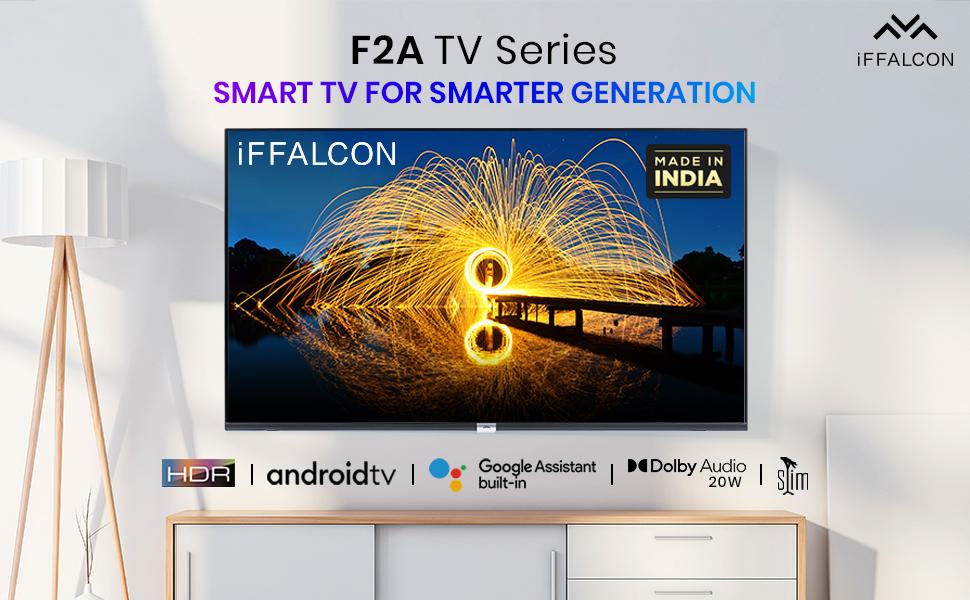
Imaxe 1.1: Fronte view of the iFFALCON 32F2A Smart LED TV displaying the Android TV interface, alongside icons representing key features such as HDR, Android TV, Google Assistant, Micro Dimming, IPQ Engine, Chromecast built-in, AI, and Dolby Audio with 20W speakers.
2. Que hai na caixa
Verify that all components are present and undamaged upon unpacking your new television.
- 1 x iFFALCON 32F2A LED TV
- 1 soporte de mesa
- 1 x Manual de usuario
- 1 x tarxeta de garantía
- 1 x mando a distancia
- 2 pilas AAA (para o mando a distancia)
3. Configuración
3.1 Desembalaxe e colocación
Carefully remove the TV from its packaging. It is recommended to have two people for this process. Place the TV on a stable, flat surface or mount it securely on a wall.
3.2 Attaching the Table Top Stand
- Coloque a pantalla do televisor coa pantalla cara abaixo sobre unha superficie suave e limpa para evitar rabuñaduras.
- Aliñe as bases do soporte coas ranuras correspondentes na parte inferior do televisor.
- Secure the stand bases using the provided screws. Ensure they are tightened firmly.
3.3 Montaxe na parede (opcional)
If you choose to wall mount your TV, please note that the wall mount bracket is not included and must be purchased separately. Follow the instructions provided with your wall mount kit and ensure professional installation for safety.
3.4 Conexión de dispositivos externos
Your iFFALCON 32F2A TV offers various connectivity options:
- Portos HDMI: Connect Blu-ray players, gaming consoles, or set-top boxes.
- Porto USB: Conecta dispositivos de almacenamento USB para a reprodución multimedia.
- Porto Ethernet: Para conexión a internet por cable.
- Jack para auriculares: Para escoita privada.
3.5 Conexión de alimentación
Connect the power cord to the TV's power input and then to a suitable AC power outlet (240 Volts, 50 Watts). Ensure the power cable is securely connected.
3.6 Acendido inicial e asistente de configuración
After connecting power, press the power button on the TV or remote control. The TV will guide you through the initial setup wizard, including language selection, network connection (Wi-Fi or Ethernet), Google account sign-in, and channel scanning.

Image 3.1: A diagram illustrating the physical dimensions of the iFFALCON 32F2A TV, including screen size (32 inches / 79.97 cm diagonal), width (73.20 cm / 29 inch), height (48.20 cm / 19 inch), and depth (17.30 cm / 6.9 inch).
4. Instrucións de funcionamento
4.1 Control remoto
The provided remote control allows you to navigate the TV's interface and access various functions. Insert the two AAA batteries (included) into the remote control, ensuring correct polarity.
- Botón de encendido: Acende ou apaga o televisor.
- Botóns de navegación: Use the directional pad and OK button to move through menus.
- Volume +/-: Axusta o nivel de volume.
- Canle +/-: Cambia as canles de televisión.
- Botón de inicio: Volve á pantalla de inicio de Android TV.
- Botón Atrás: Volve á pantalla anterior.
- Botón do Asistente de Google: Activa o control por voz.
- Botón de Netflix: Direct access to Netflix.
- Amazon Prime Video Button: Direct access to Amazon Prime Video.
- Zee5 Button: Direct access to Zee5.
- TCL Channel Button: Direct access to TCL channel.

Image 4.1: The smart remote control for the iFFALCON TV, highlighting the Google Assistant button and a dedicated hotkey for Netflix for quick access.
4.2 Interface de Android TV
Your TV runs on Android 9, providing access to a wide range of apps and services. The home screen displays recommended content, installed applications, and input sources.
- Aplicacións: Access pre-installed applications like Netflix, YouTube, Prime Video, Disney+Hotstar, Sun NXT, and Zee5. Download more from the Google Play Store.
- Entradas: Switch between HDMI inputs, USB, and other connected devices.
- Configuración: Customize TV settings such as picture, sound, network, and system preferences.

Image 4.2: The iFFALCON Smart LED TV showcasing its Android TV home screen, featuring prominent app icons for Netflix, YouTube, Prime Video, and other streaming services.

Image 4.3: The iFFALCON Smart LED TV interface, illustrating the availability of popular streaming platforms such as YouTube, Prime Video, Disney+ Hotstar, SonyLIV, Zee5, ALTBalaji, Voot Select, and Eros Now.
4.3 Asistente de Google
The built-in Google Assistant allows you to control your TV and smart home devices using voice commands. Press the Google Assistant button on your remote and speak into the microphone.
- Search Content: Say "Play a cartoon movie" or "Busca action films."
- Control TV: Say "Turn up the volume" or "Switch to HDMI 1."
- Get Information: Ask "What's the weather today?" or "How long is Moonlight?"
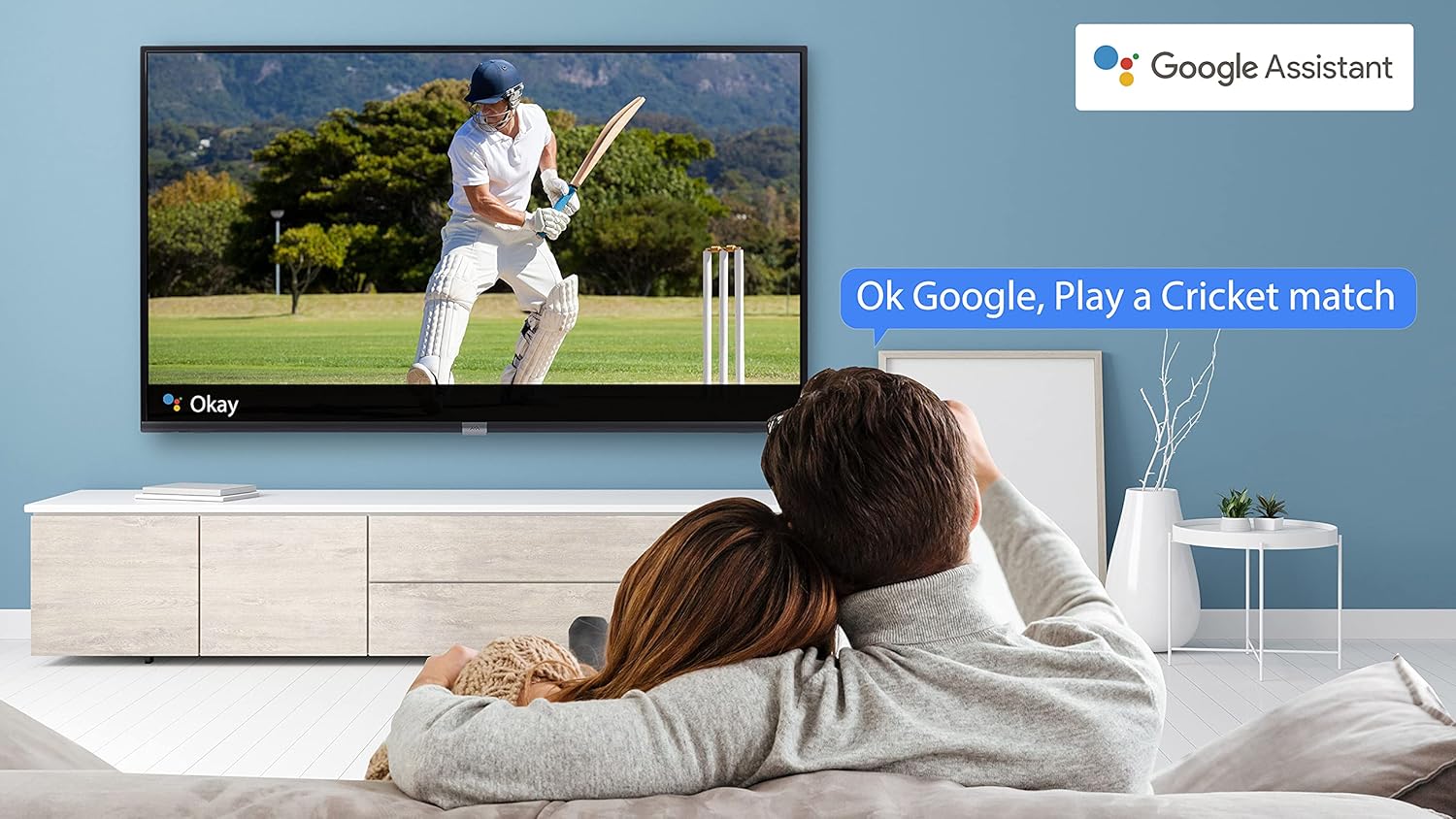
Image 4.4: A couple watching a cricket match on the iFFALCON TV, with a Google Assistant prompt bubble showing "Ok Google, Play a Cricket match," demonstrating voice control functionality.
Image 4.5: The Google Assistant logo, indicating the TV's integrated voice control capabilities.
4.4 Chromecast integrado
Use Chromecast built-in to cast content from your compatible smartphone, tablet, or computer directly to your TV screen. Ensure your device and TV are connected to the same Wi-Fi network.

Image 4.6: A smartphone displaying a car image, with a casting icon indicating that the content is being mirrored to a larger TV screen, demonstrating the Chromecast built-in feature.
5. Características clave
5.1 HDR (alto rango dinámico)
HDR technology enhances contrast, color accuracy, and brightness, delivering a more lifelike and immersive viewing experience with greater detail in both dark and bright scenes.

Image 5.1: A split-screen comparison showing the visual difference between an image without HDR 10 (left, darker, less vibrant) and with HDR 10 (right, brighter, more detailed, and richer colors).
5.2 Micro Dimming
Micro Dimming analyzes the TV content in hundreds of separate zones to adjust brightness and darkness independently. This results in improved contrast and picture quality, especially in scenes with mixed light levels.

Image 5.2: A split-screen comparison demonstrating the effect of Micro Dimming, with the 'Without Micro Dimming' side appearing less vibrant and the 'With Micro Dimming' side showing enhanced contrast and color saturation in a city night scene.
5.3 IPQ Engine
The IPQ Engine (Image Quality Processing Engine) optimizes picture quality by intelligently adjusting brightness, color range, and contrast, ensuring a more vivid and accurate display.

Image 5.3: A visual representation of the IPQ Engine, highlighting its 'High Brightness Precision Control Technology' and 'Intelligent Color Range Control Technology' for optimized picture quality.
5.4 Dolby Audio
Experience rich, clear, and powerful sound with Dolby Audio. This technology enhances the audio output, providing an immersive listening experience for movies, music, and games.

Image 5.4: The Dolby Audio logo, signifying enhanced sound quality and an immersive audio experience.
5.5 Smart Volume
Smart Volume automatically adjusts the sound level to prevent sudden changes in volume, such as during commercials or when switching channels, ensuring a consistent listening experience.

Image 5.5: An illustration of the Smart Volume feature, showing how it maintains consistent audio levels across different content types, represented by varying sound wave patterns.
5.6 Modo deportivo
Sports Mode optimizes picture and sound settings for sports content, enhancing motion clarity and audio to provide a more engaging viewing experience for live sports.

Image 5.6: A split-screen comparison of a cricket player, showing the 'Without Sports Mode' side with standard clarity and the 'With Sports Mode' side with enhanced motion and detail, indicated by a playback bar.
5.7 Slim Design
The iFFALCON 32F2A features a slim design, allowing it to blend seamlessly into various living spaces and offering a modern aesthetic.

Image 5.7: An illustration emphasizing the slim profile of the iFFALCON TV, with a hand demonstrating its thinness.
6. Mantemento
6.1 Limpeza da pantalla
Limpe a pantalla con suavidade cun pano suave e sen pelusa. Para marcas difíciles, d suavementeampEnxágüe o pano con auga ou cun limpador de pantallas especializado. Evite o uso de produtos químicos agresivos ou materiais abrasivos.
6.2 Limpeza do armario
Limpa o moble da televisión cun pano suave e seco. Non uses produtos de limpeza líquidos directamente sobre o moble.
6.3 Coidado do cable de alimentación
Comprobe regularmente o cable de alimentación para ver se está danado. Non coloque obxectos pesados enriba do cable nin o expoña a unha calor excesiva.
7 Solución de problemas
Se tes problemas co teu televisor, consulta os seguintes problemas e solucións comúns:
| Problema | Causa posible | Solución |
|---|---|---|
| Sen poder | Power cord disconnected, power outlet issue | Ensure power cord is securely plugged in. Check if the power outlet is working. |
| Sen imaxe, pero hai son | Fonte de entrada incorrecta, cable defectuoso | Verify the correct input source is selected. Check HDMI/AV cable connections. |
| Sen son, pero si imaxe | Volume muted or too low, audio settings issue | Increase volume. Check audio output settings in the TV menu. |
| O control remoto non funciona | Pilas descargadas, obstrución, mando a distancia fóra de alcance | Substitúa as pilas. Retire os obstáculos entre o mando a distancia e o televisor. Asegúrese de que o mando a distancia estea dentro do rango de funcionamento. |
| Non se pode conectar á wifi | Incorrect password, router issue, TV too far from router | Re-enter Wi-Fi password. Restart router. Move TV closer to router or use Ethernet. |
Se o problema persiste despois de probar estas solucións, póñase en contacto co servizo de atención ao cliente.
8. Especificacións
Detailed technical specifications for the iFFALCON 32F2A Smart LED TV:
| Característica | Especificación |
|---|---|
| Marca | iFFALCON |
| Nome do modelo | 32F2A |
| Tamaño da pantalla | 32 polgadas (80 cm) |
| Tecnoloxía de visualización | Panel LED de grao A+ |
| Resolución | HD Ready (1366 x 768 píxeles) |
| Taxa de actualización | 60 Hz |
| Viewángulo ing | 178 graos |
| Relación de aspecto da imaxe | 16:9 |
| Relación de contraste da imaxe | 3000:1 |
| Sistema Operativo | Android |
| Tamaño da memoria RAM instalada | 1 GB |
| Capacidade de almacenamento dixital | 8 GB |
| Coprocesador gráfico | Mali470x2 |
| Audio Wattage | 16 vatios |
| Son envolvente do altofalante | Audio Dolby |
| Tecnoloxía de conectividade | Wi-Fi, Ethernet, HDMI, USB |
| Total de portos USB | 1 |
| Fonte de enerxía | AC |
| Voltage | 240 voltios |
| Wattage | 50 vatios |
| Dimensións do produto | 48.2 x 73.2 x 18.3 cm |
| Peso do elemento | 3.9 kg |
9. Garantía e soporte
Your iFFALCON 32F2A TV comes with a warranty. Please refer to the included Warranty Card for detailed terms and conditions, including the warranty period and coverage.
For technical assistance, service requests, or further inquiries, please visit the official iFFALCON support website or contact their customer service helpline. Contact information can typically be found on the Warranty Card or the manufacturer's official websitio.


