1. Introdución
This manual provides detailed instructions for the KOSPET Max S Android Smart Watch. Please read this manual thoroughly before using the device to ensure proper operation and to maximize its features. Keep this manual for future reference.
2. Información de seguridade
- Do not attempt to disassemble, repair, or modify the device. Unauthorized modifications may void the warranty and cause damage.
- Manteña o dispositivo lonxe de temperaturas extremas, luz solar directa e substancias corrosivas.
- Use only the provided charging cable and adapter. Using incompatible accessories may cause damage or fire.
- The device is IP67 waterproof. Avoid prolonged immersion in water or exposure to high-pressure water jets. Ensure the SIM card tray is properly sealed to maintain water resistance.
- Consult a medical professional before using the device if you have a pacemaker or other medical implants.
3. Contido do paquete
Verifica que todos os elementos estean presentes no paquete do teu produto:
- KOSPET Max S Smart Watch
- Charging Cable/Dock
- Watch Band/Strap
- Manual de usuario (este documento)
- SIM Card Tray Ejector Tool (or small screwdriver)
4. Produto rematadoview
Familiarize yourself with the components of your KOSPET Max S Smart Watch.

Figure 4.1: KOSPET Max S Smart Watch front view showing the display with time, date, network, battery status, and app icons.

Figure 4.2: Close-up of the KOSPET Max S 2.4-inch Super Retina Display, showcasing its clarity and vibrant colors.
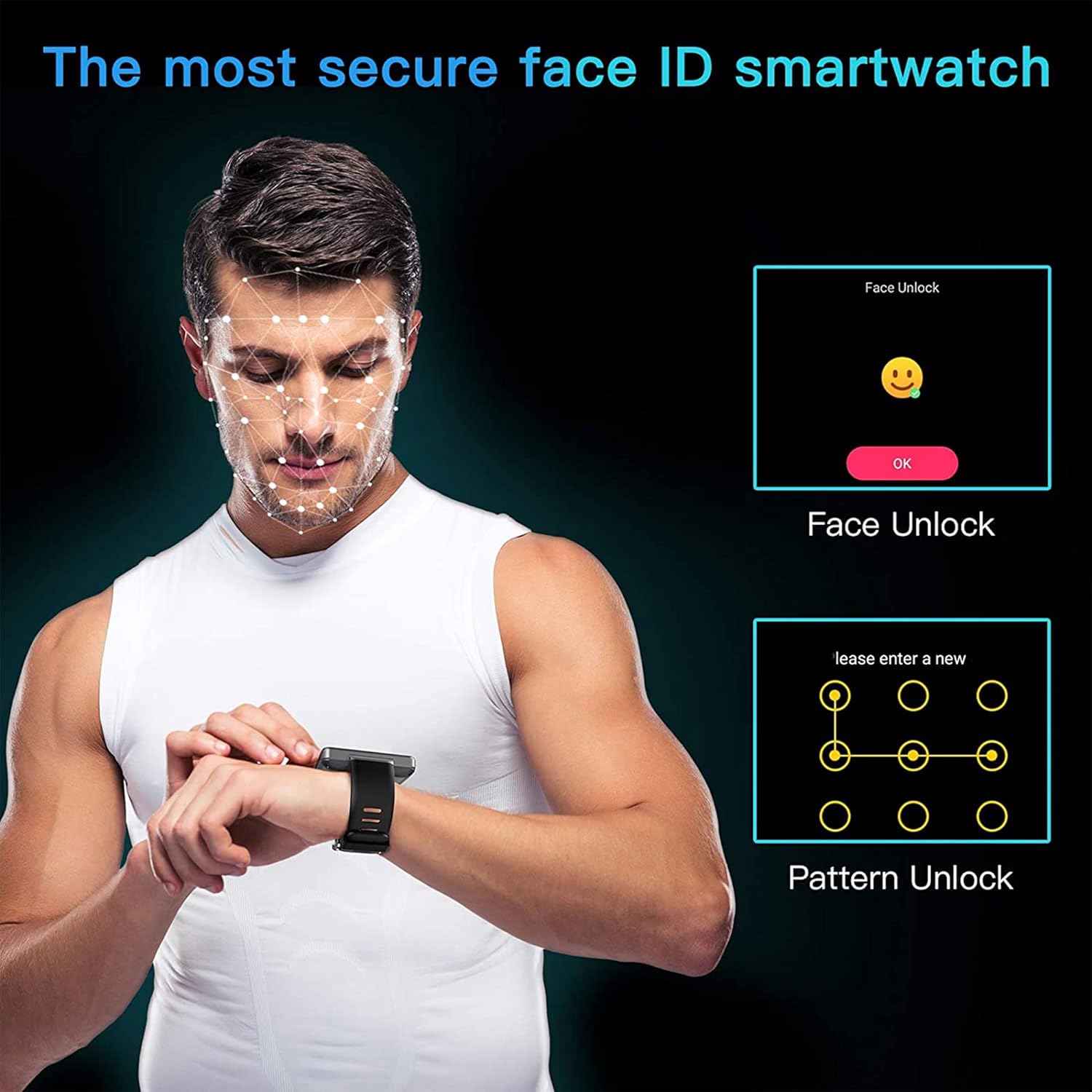
Figura 4.3: Lateral view of the KOSPET Max S Smart Watch, highlighting the integrated side camera and physical buttons.
Compoñentes clave:
- Visualización: 2.4-inch high-definition touchscreen.
- Cámara lateral: 8-megapixel camera for photos and video.
- Cámara frontal: 2-megapixel camera for video calls and face unlock.
- Ranura para tarxeta SIM: Supports Nano SIM for 4G LTE connectivity.
- Micrófono e altofalante: Para chamadas e comandos de voz.
- Sensor de frecuencia cardíaca: Located on the back for fitness tracking.
5. Configuración
5.1. Cargando o dispositivo
Before initial use, fully charge your KOSPET Max S Smart Watch. Connect the charging cable to the watch's charging port and plug the other end into a USB power adapter (not included) or a computer's USB port. The screen will indicate charging status.

Figure 5.1: Diagram illustrating the KOSPET Max S battery life under typical usage (40 hours) and light usage (60 hours) with its 2000mAh battery.
5.2. Instalación da tarxeta SIM
The KOSPET Max S supports 4G LTE connectivity via a Nano SIM card. To install:
- Power off the watch.
- Locate the SIM card tray on the side of the watch.
- Use the provided ejector tool (or a small screwdriver) to open the SIM card tray.
- Carefully place the Nano SIM card into the tray with the gold contacts facing down.
- Insert the tray back into the watch until it clicks into place. Ensure it is flush with the watch body to maintain water resistance.
Note: Some users have reported difficulty with the provided screwdriver. If necessary, use a suitable alternative tool for SIM tray access.
5.3. Acendido inicial
Press and hold the power button (usually on the side) until the KOSPET logo appears. Follow the on-screen prompts to complete the initial setup, including language selection, time zone, and Wi-Fi connection.
5.4. Emparellar cun teléfono intelixente
To fully utilize all features, pair your KOSPET Max S with a compatible smartphone. The recommended application is WiiWatch 2. Download it from the Google Play Store or Apple App Store.
- Enable Bluetooth on your smartphone and the KOSPET Max S.
- Open the WiiWatch 2 app on your smartphone and follow the instructions to search for and connect to your watch.
Note: Some users have experienced unstable Bluetooth connections with WiiWatch 2. Alternatives like "Watch Droid Phone" (for smartphone) and "Watch Droid Assistant" (for watch) may offer a more stable connection.
6. Instrucións de funcionamento
6.1. Navegación básica
- Pantalla táctil: Desliza o dedo cara á esquerda/dereita, arriba/abaixo para navegar polos menús e as pantallas. Toca para seleccionar.
- Botón de encendido: Press to wake/sleep the screen. Press and hold to power on/off or restart.
- Botón Atrás: (If present) Returns to the previous screen.
6.2. 4G LTE Network and Calls
With a Nano SIM card installed, your KOSPET Max S can function as a standalone phone. It supports 5 network modes and global 4G/3G/2G bands.
- Facer chamadas: Use the dialer app on the watch to make calls directly.
- Recepción de chamadas: Answer or decline incoming calls directly from the watch.
- Mensaxería: Enviar e recibir mensaxes SMS.
6.3. Applications and Google Play Store
Running on Android 10.1, the KOSPET Max S allows you to download and install applications from the Google Play Store. This includes social media, navigation, and productivity apps.
6.4. Funcionalidade da cámara
The watch features dual cameras:

Figura 6.1: Explotado view illustrating the KOSPET Max S dual camera setup, featuring an 8MP side camera and a 2MP front camera for versatile photography and video calls.
- Side Camera (8MP): Ideal for capturing photos and videos in a traditional camera orientation.
- Cámara frontal (2MP): Primarily used for video calls and the Face Unlock feature.
Access the camera app from the main menu to take pictures or record videos.
6.5. Navegación GPS
The KOSPET Max S integrates multi-satellite positioning, supporting GPS, GLONASS, and A-GPS signals for accurate location tracking and navigation.
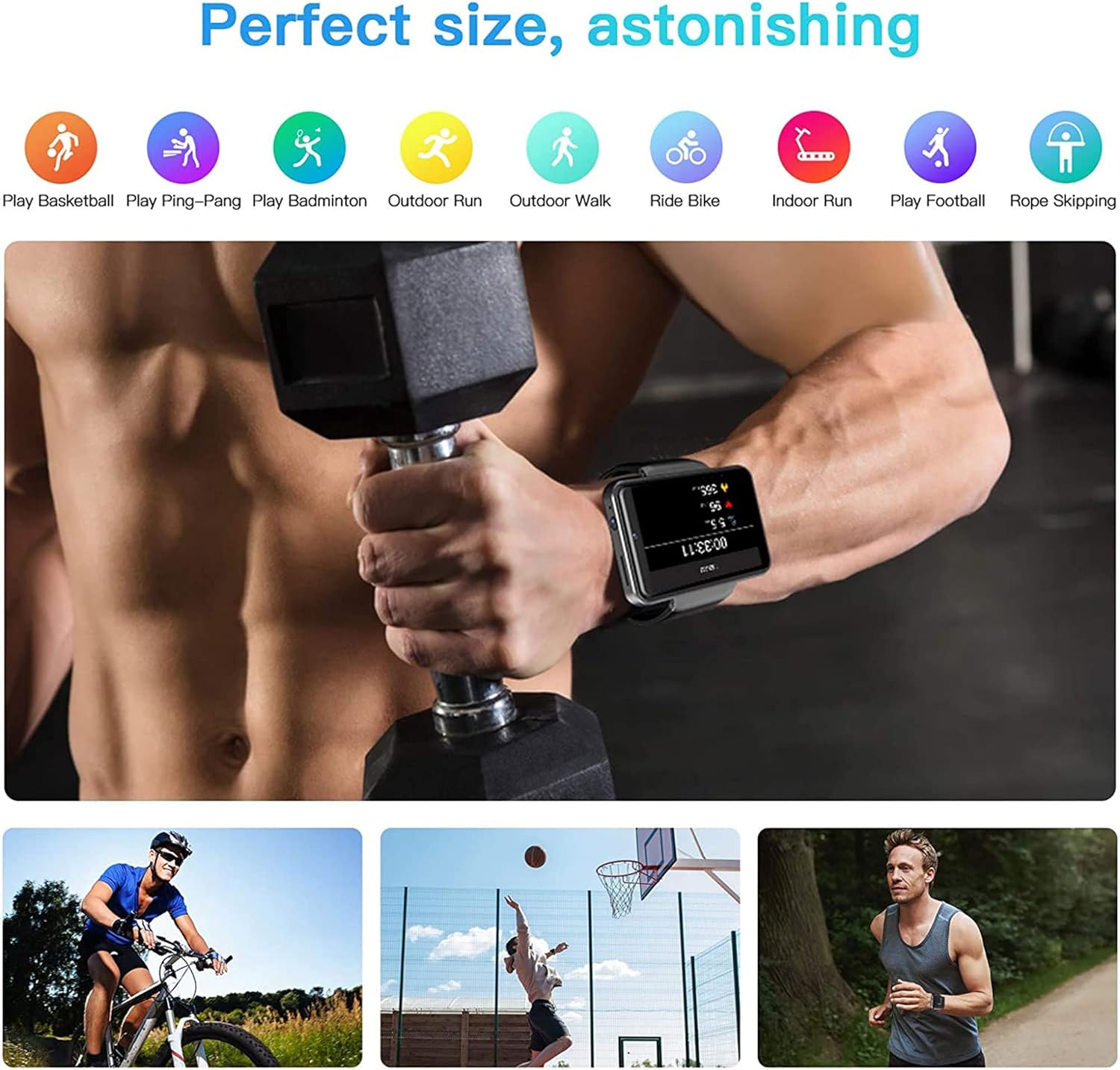
Figure 6.2: KOSPET Max S Smart Watch displaying a map with GPS navigation, indicating multi-satellite positioning support (GPS, A-GPS, GLONASS) for precise location tracking.
Usa aplicacións de mapas preinstaladas ou descarga a túa aplicación de navegación preferida desde Google Play Store.
6.6. Face Unlock and Security
Enhance the security of your watch with Face Unlock. This feature uses the front camera to recognize your face for quick and secure access.

Figure 6.3: Illustration of the KOSPET Max S Face Unlock feature, showing facial recognition in action, alongside the option for pattern unlock.
To set up Face Unlock, navigate to the security settings in your watch and follow the on-screen instructions to register your face. You can also set up a pattern or PIN as a backup.
6.7. Seguimento da actividade física
The KOSPET Max S includes features for tracking your physical activity.

Figure 6.4: KOSPET Max S Smart Watch displaying various fitness tracking modes, including basketball, ping-pong, badminton, outdoor run, outdoor walk, ride bike, indoor run, play football, and rope skipping.
- Contador de pasos: Automatically tracks your daily steps.
- Monitor de frecuencia cardíaca: Mide a túa frecuencia cardíaca ao longo do día.
- Modos deportivos: Select from various sports modes (e.g., running, cycling) for more accurate tracking of specific activities.
Access fitness data through the dedicated fitness app on your watch.
7. Mantemento
7.1. Limpeza
Limpe o reloxo e a correa regularmente cun pano suave eamp pano. Evite o uso de produtos químicos agresivos ou materiais abrasivos, que poden danar o acabado.
7.2. Resistencia á auga (IP67)
The KOSPET Max S is rated IP67 waterproof, meaning it is resistant to dust and can withstand immersion in water up to 1 meter for 30 minutes. However, it is not suitable for swimming, diving, or exposure to high-pressure water. Always ensure the SIM card tray is securely closed to maintain water resistance.
8 Solución de problemas
- Watch does not power on: Ensure the watch is fully charged. If the issue persists, try a hard reset by holding the power button for an extended period (e.g., 15-20 seconds).
- SIM card not detected or no network:
- Verify the SIM card is correctly inserted and the tray is fully closed.
- Asegúrate de que a túa tarxeta SIM estea activa e teña un plan de datos válido.
- Check network settings on the watch to ensure mobile data is enabled.
- Confirm compatibility with your network provider's bands.
- Conexión Bluetooth inestable:
- Reinicia o reloxo e o teu smartphone.
- Ensure both devices are within Bluetooth range.
- Consider using alternative pairing applications like "Watch Droid Phone" and "Watch Droid Assistant" if WiiWatch 2 is problematic.
- Apps are slow or unresponsive:
- Close background applications to free up memory.
- Clear the cache of the problematic app.
- Asegúrate de que o software do reloxo estea actualizado.
- O GPS non capta sinal:
- Asegúrate de estar nunha zona aberta con clara view do ceo.
- Check that location services are enabled in the watch settings.
9. Especificacións
| Característica | Especificación |
|---|---|
| Marca | KOSPET |
| Modelo | Max S |
| Sistema Operativo | Android 10.1 |
| Mostrar | LCD de 2.4 polgadas, resolución de 400 x 400 |
| Procesador | MediaTek MT6739 (1.25GHz max clock speed, 570MHz graphics processor) |
| Capacidade de almacenamento da memoria | 3 GB RAM (implied from 3GB+32GB feature bullet) |
| Almacenamento interno | 32 GB (implied from 3GB+32GB feature bullet) |
| Conectividade | 4G LTE (Cellular), GPS (Built-in GPS, GLONASS, A-GPS), 802.11ac Wireless |
| Cámaras | 8MP Side Camera, 2MP Front Camera |
| Capacidade da batería | 2000 mAh |
| Resistencia á auga | IP67 |
| Peso do elemento | 259 g |
| Forma do elemento | Praza |
10. Garantía e soporte
Warranty information for the KOSPET Max S Smart Watch is typically provided with your purchase documentation or can be found on the official KOSPET website. Please refer to these resources for details regarding warranty coverage, terms, and conditions.
For technical support, troubleshooting assistance beyond this manual, or warranty claims, please contact KOSPET customer service through their official websitio web ou a información de contacto proporcionada co produto.


