Introdución
Thank you for choosing the AUNA Microstar Sing Vertical Karaoke Micro System. This manual provides essential information for the safe and efficient operation of your device. Please read it thoroughly before use and retain it for future reference.
Instrucións de seguridade
- Lea atentamente todas as instrucións antes de operar a unidade.
- Manteña a unidade lonxe da auga, da humidade e da luz solar directa.
- Non bloquee as aberturas de ventilación. Asegúrese de que haxa espazo suficiente arredor da unidade para un fluxo de aire axeitado.
- Use só o adaptador de alimentación que se proporciona coa unidade.
- Non intente reparar nin modificar a unidade vostede mesmo. Encargue todo o mantemento a persoal cualificado.
- Clean the unit only with a dry, soft cloth. Do not use liquid cleaners or aerosols.
- Keep small parts and packaging materials out of reach of children.
Contido do paquete
Comprobe se o paquete contén os seguintes elementos:
- AUNA Microstar Sing Main Unit
- Altofalantes estéreo (2 unidades)
- Micrófono con fíos
- Adaptador de alimentación
- Manual de usuario (este documento)
Produto rematadoview
The AUNA Microstar Sing is a versatile micro system designed for karaoke and audio playback. It features a compact design, multiple input options, and integrated LED lighting.

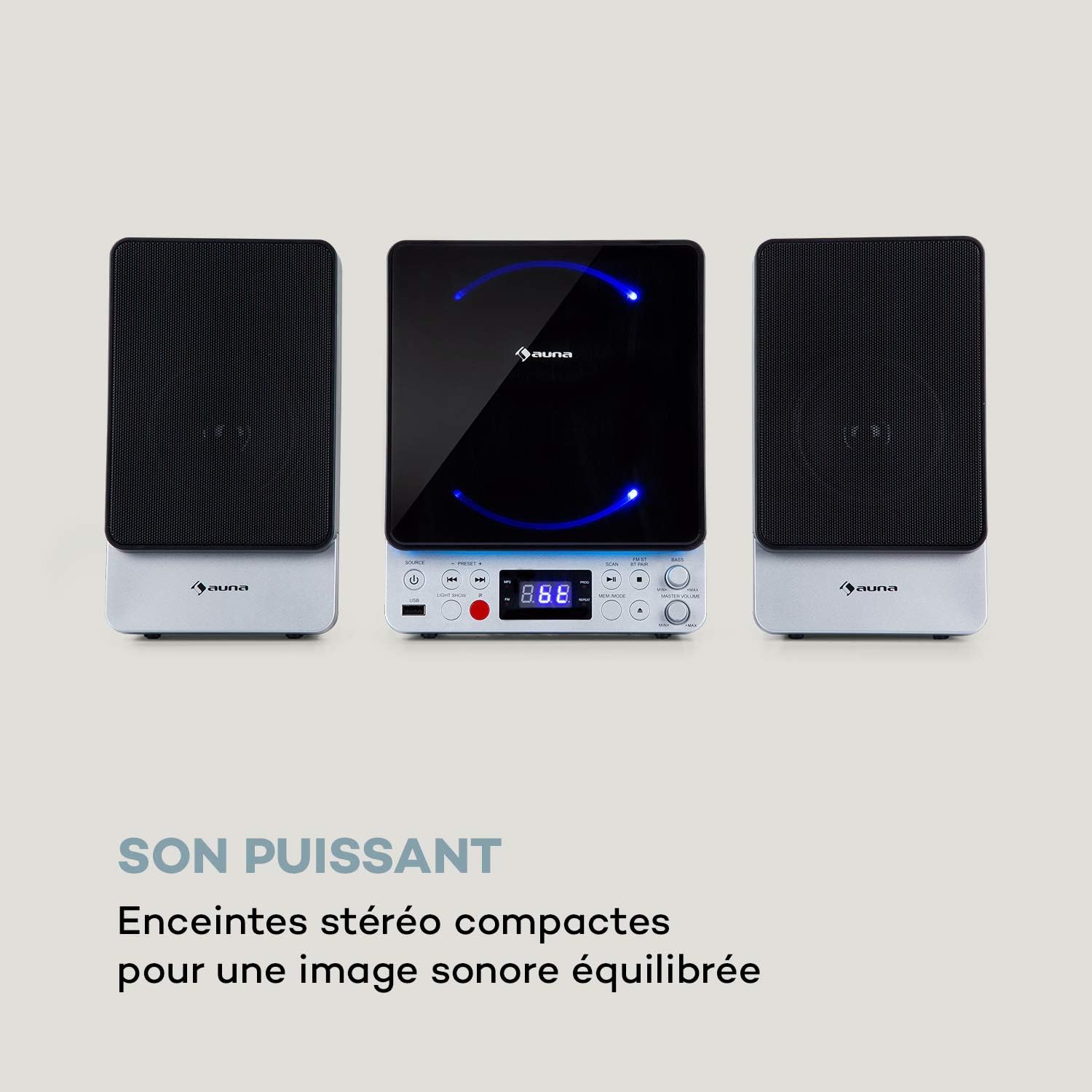

Características principais:
- Deseño vertical que aforra espazo
- CD player compatible with standard audio CDs, CD-R, CD-RW, MP3 CDs, and CD-G (Karaoke CDs with graphics)
- Video output (composite PAL) for displaying CD-G lyrics on an external screen
- Bluetooth interface for wireless audio streaming
- USB port for MP3 playback from USB storage devices
- FM radio tuner with 30 preset stations
- Two microphone inputs for duets
- Integrated LED lighting for ambiance
- AUX-In for connecting external audio sources
Configuración
1. Desembalaxe e colocación:
Carefully remove all components from the packaging. Place the main unit and speakers on a stable, flat surface. Ensure there is adequate ventilation around the unit.
2. Conexión dos altofalantes:
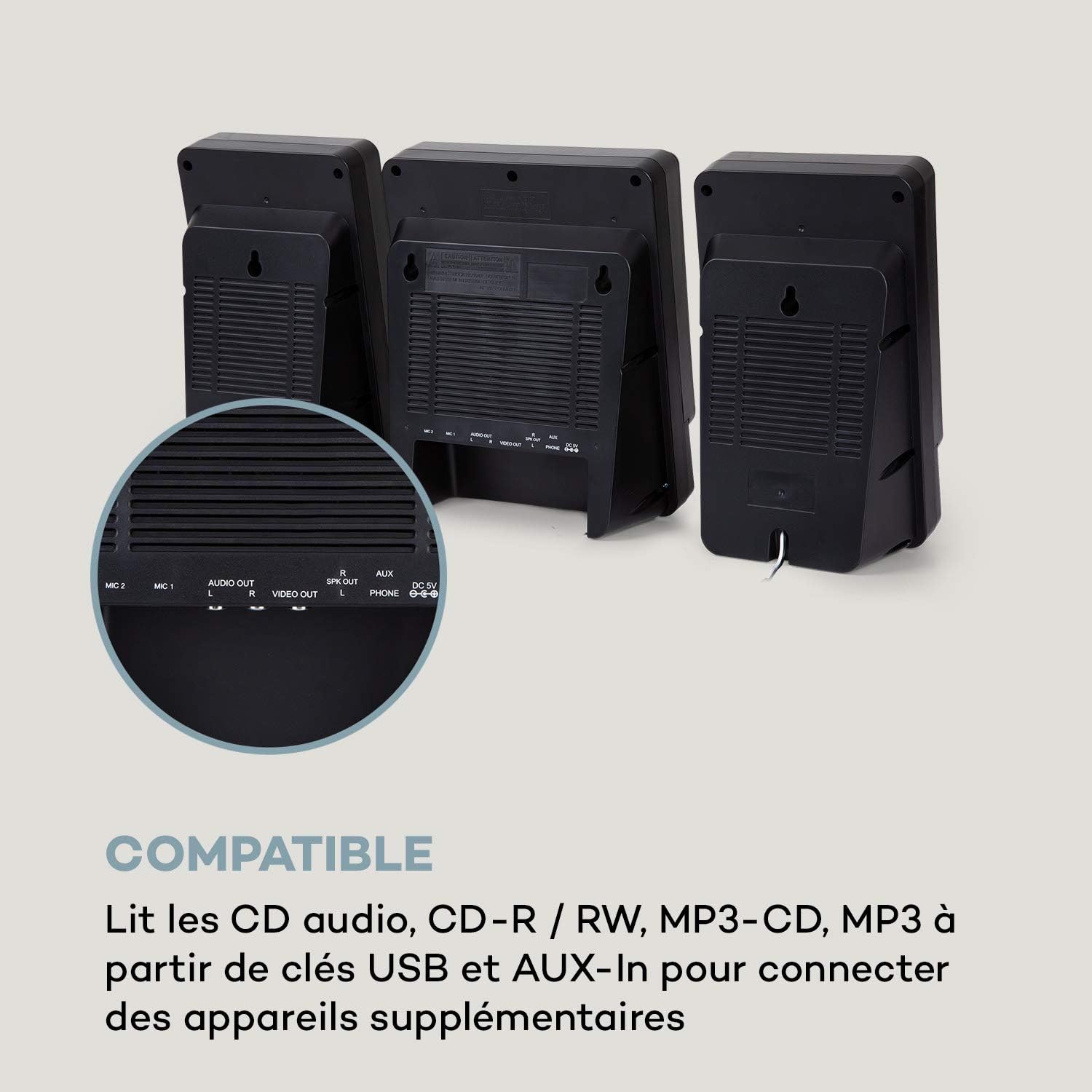
Connect the two stereo speakers to the speaker output ports on the main unit. Ensure a secure connection for optimal sound quality.
3. Conexión de alimentación:
Connect the supplied power adapter to the DC 5V input on the main unit, then plug the adapter into a wall outlet.
4. Conexión do micrófono:
Plug the wired microphone into one of the MIC input jacks (MIC 1 or MIC 2) on the main unit.
5. Video Output (for CD-G):
If using CD-G discs, connect a composite video cable (not included) from the VIDEO OUT port on the main unit to the video input of your TV or monitor.
Instrucións de funcionamento
1. Encendido/apagado:
Preme o POTENCIA botón para acender ou apagar a unidade.
2. Selección da fonte:
Preme o FONTE button repeatedly to cycle through available modes: CD, Bluetooth (BT), USB, FM, AUX.
3. Reprodución de CD:
- Seleccione o modo CD usando o botón FONTE botón.
- Abra o compartimento do CD.
- Place a CD (audio CD, CD-R, CD-RW, MP3 CD, or CD-G) onto the spindle with the label side facing up.
- Close the CD compartment. The disc will begin playing automatically or after pressing REPRODUCIR/PAUSA.
- Use ANTERIOR e SEGUINTE botóns para saltar pistas.

4. Emparejamento Bluetooth:
- Select BT mode using the FONTE button. The display will show "BT" and flash, indicating pairing mode.
- Activa o Bluetooth no teu dispositivo móbil (teléfono intelixente, tableta, etc.).
- Busca "AUNA Microstar Sing" in your device's Bluetooth settings and select it to pair.
- Once paired, you can stream audio wirelessly from your device to the Microstar Sing.

5. Reproducción USB:
- Inserir unha unidade flash USB que conteña son MP3 files no porto USB.
- Seleccione o modo USB usando o botón FONTE botón.
- A unidade detectará automaticamente e comezará a reproducir MP3 files.
- Use ANTERIOR e SEGUINTE botóns para navegar polas pistas.
6. Radio FM:
- Seleccione o modo FM usando o botón FONTE botón.
- Preme o ESCANEAR botón para buscar e gardar automaticamente as emisoras de FM dispoñibles.
- Usa o PRESET + e PRECONFIGURAR - buttons to cycle through saved stations.
7. Karaoke Function:
With a CD-G disc playing and connected to a TV, or any audio source playing, adjust the microphone volume using the dedicated VOLUME MIC knob. Sing along with the music. The LED lighting will enhance the karaoke experience.
8. Control de volume:
Axuste o volume xeral usando o botón VOLUME MESTRE botón. O Bass knob allows for bass level adjustment.
9. LED Light Show:
Preme o ESPECTÁCULO LUZ button to activate or deactivate the integrated LED lighting effects.
Mantemento
Limpeza:
Wipe the unit with a soft, dry cloth. Do not use abrasive cleaners, waxes, or solvents as they may damage the finish. Ensure the unit is unplugged before cleaning.
Almacenamento:
If not in use for an extended period, unplug the unit and store it in a cool, dry place, away from direct sunlight and extreme temperatures.
Resolución de problemas
| Problema | Causa posible | Solución |
|---|---|---|
| Sen poder | O adaptador de corrente non está conectado ou a toma de corrente está defectuosa. | Asegúrate de que o adaptador de corrente estea conectado correctamente á unidade e a unha toma de corrente que funcione. |
| Sen son | Volume too low; incorrect source selected; speakers not connected. | Increase master volume. Select the correct input source. Check speaker connections. |
| Non se reproduce o CD | CD inserted incorrectly; disc scratched/dirty; incorrect mode. | Ensure CD is inserted correctly. Clean or replace the disc. Select CD mode. |
| Bluetooth non se conecta | Unit not in pairing mode; device too far; Bluetooth off on source device. | Ensure unit is in BT mode and flashing. Move device closer. Enable Bluetooth on your device. |
| O micrófono non funciona | Microphone not connected; MIC volume too low. | Ensure microphone is securely plugged in. Increase MIC volume. |
| Recepción de radio FM deficiente | Weak signal; antenna not positioned correctly. | Adjust the position of the unit or external antenna (if applicable) for better reception. |
Especificacións
| Característica | Especificación |
|---|---|
| Marca | AUNA |
| Número de modelo | MG3-9200-hghg |
| Cor | Prata |
| Tecnoloxía de conectividade | Bluetooth, USB |
| Conexións | USB, AUX-In, Microphone (2), Video Out (Composite) |
| Total de portos USB | 1 |
| Tipo de medios | CD-RW, USB, MP3 CD, CD-G |
| Número de falantes | 2 (estéreo) |
| Compoñentes incluídos | Micrófono |
| Usos recomendados | Casa |
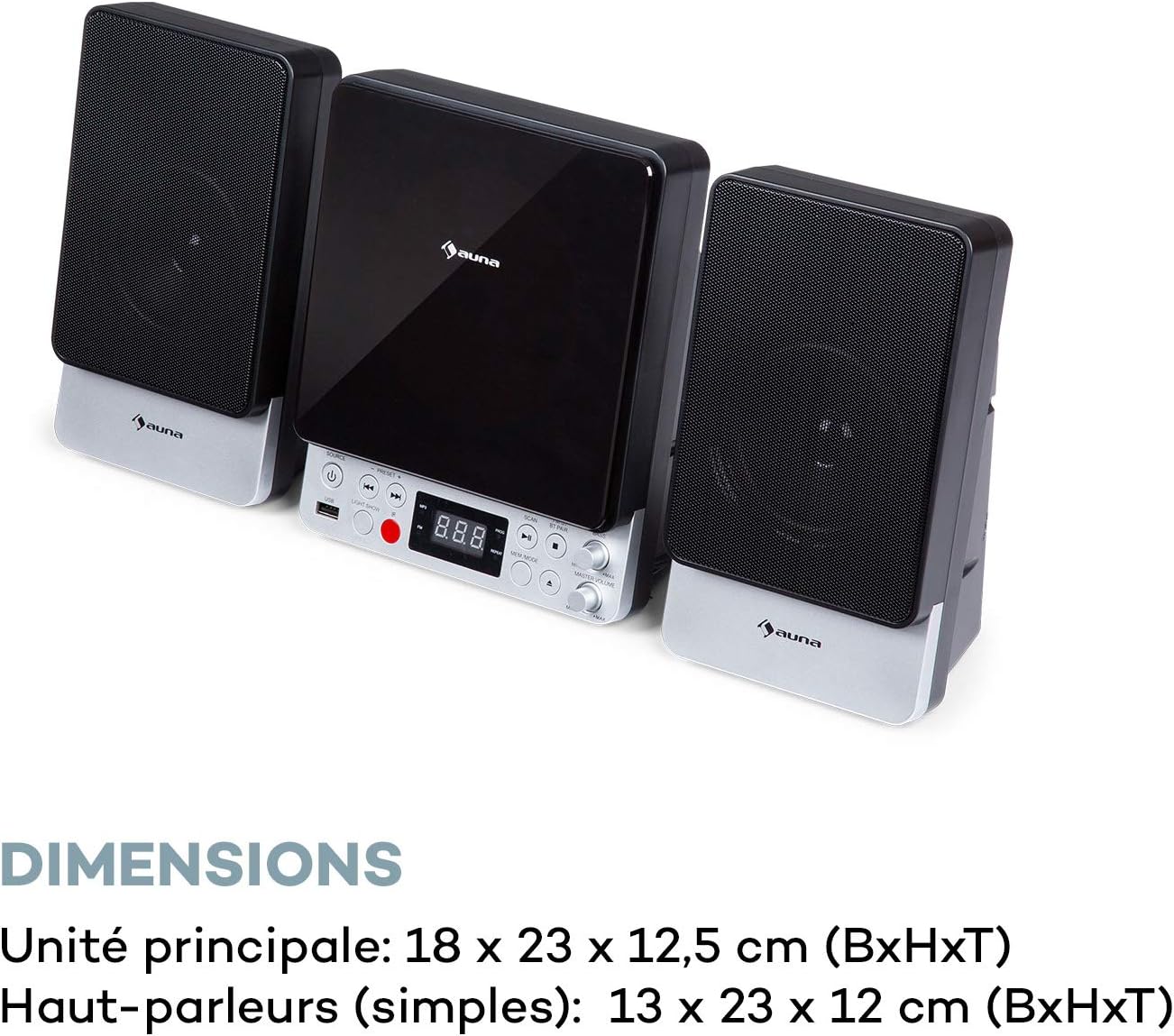
| Main Unit Dimensions (WxHxD) | 18 x 23 x 12.5 cm |
| Speaker Dimensions (WxHxD, each) | 13 x 23 x 12 cm |
Garantía e Soporte
For warranty information and technical support, please refer to the warranty card included with your product or contact AUNA customer service directly. Keep your proof of purchase for any warranty claims.
For further assistance, please visit the official AUNA websitio web ou póñase en contacto cos seus canais de asistencia.


