1. Introdución
This instruction manual provides essential information for the safe and effective use of your Sans HEPA 13 Air Purifier. Please read this manual thoroughly before operating the device and retain it for future reference. Your Sans Air Purifier is designed to improve indoor air quality by filtering out various airborne particles and odors, contributing to a healthier living environment.
2. Información importante de seguridade
- Desconecte sempre o purificador de aire antes de limpalo, realizando mantemento ou cando non o use.
- Do not operate the device with a damaged cord or plug. If the cord or plug is damaged, contact customer support.
- Keep the air purifier away from water or wet surfaces. Do not immerse the device in water or other liquids.
- Ensure proper ventilation around the device. Do not block air inlets or outlets.
- Non introduza ningún obxecto nas ventilacións.
- Este aparello non está pensado para o seu uso por persoas (incluídos nenos) con capacidades físicas, sensoriais ou mentais reducidas, ou con falta de experiencia e coñecementos, a menos que teñan supervisión ou instrucións sobre o uso do aparello por unha persoa responsable da súa seguridade.
- Os nenos deben ser supervisados para asegurarse de que non xoguen co aparello.
3. Produto rematadoview
The Sans HEPA 13 Air Purifier is engineered to deliver clean air efficiently and quietly. It features a multi-stage filtration system and smart technology for optimal performance.
Características principais:
- Cobertura: Cleans air in spaces up to 1560 sq. ft. per hour.
- Multi-Stage Filtración: Includes a pre-filter, medical-grade HEPA 13 filter, activated carbon filter, and internal UV-C light.
- Eliminación de partículas: Removes over 99.9% of particles down to 0.1 microns, including pollutants, allergens, dust, dander, harmful chemicals, gases, and odors.
- Tecnoloxía intelixente: Equipped with precise sensors to measure air quality (AQI) and automatically adjust fan settings.
- Air Quality Display: Easy-to-read display provides real-time insight into your space's air quality.
- Whisper Quiet Sleep Mode: Operates silently and turns off display lights for undisturbed sleep.

Figure 3.1: Sans HEPA 13 Air Purifier with packaging.
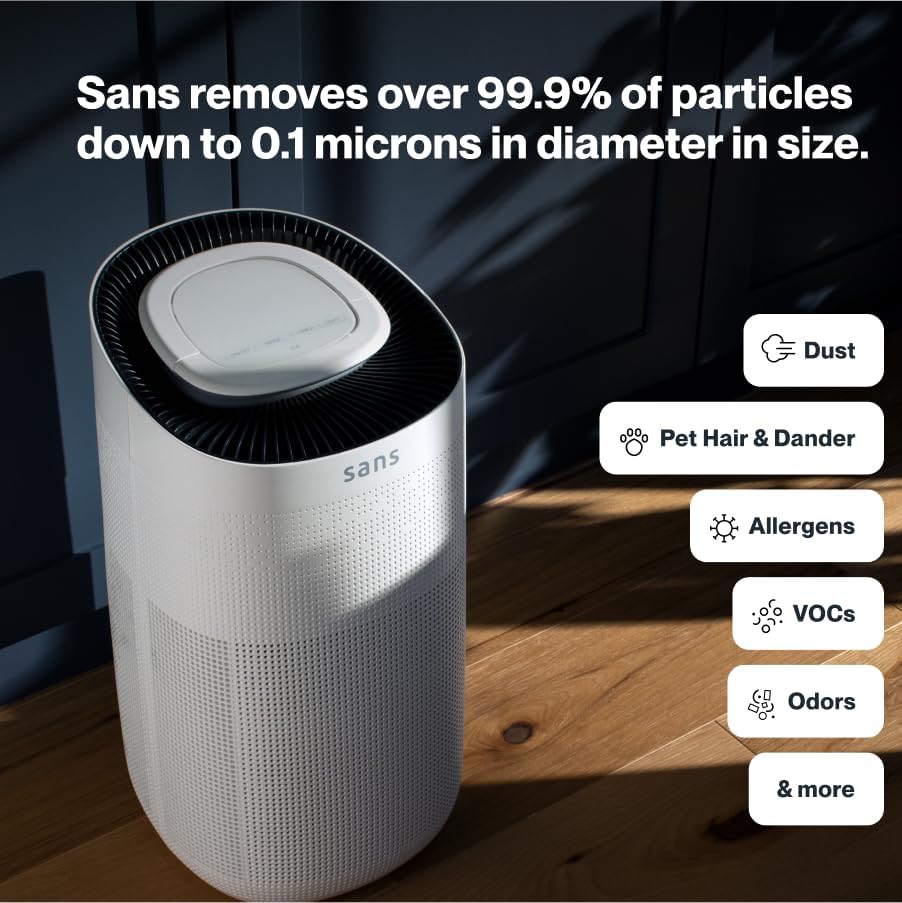
Figure 3.2: Illustration of the air purifier's effectiveness against various airborne particles.
Sistema de filtración:
The Sans Air Purifier utilizes a comprehensive four-stagproceso de filtración:
- Prefiltro: Captures larger particles such as dust, pet hair, and dander.
- Filtro HEPA-13: A medical-grade filter that traps smoke, ash, PM2.5, and PM10 particles.
- Filtro de carbón activado: Neutralizes chemicals, odors, and gases.
- Internal UV-C Light: Acts as a final layer of defense against airborne pathogens.
4. Configuración
- Desempaquetar: Retire con coidado o purificador de aire da súa embalaxe.
- Instalación do filtro: Ensure all filters are correctly installed and any protective packaging is removed. Refer to Section 6: Maintenance for detailed filter replacement instructions.
- Colocación: Place the air purifier on a flat, stable surface, ensuring adequate space (at least 6 inches) around all sides for optimal airflow. Avoid placing it directly against walls or furniture.
- Conexión de alimentación: Enchufe o cable de alimentación nunha toma eléctrica estándar.

Figure 4.1: Proper placement of the air purifier in a living space.
5. Instrucións de funcionamento
The control panel on top of the air purifier allows for easy operation and monitoring.

Figure 5.1: Control panel with SmartPure Display and buttons.
Funcións do panel de control:
- Botón de encendido (⏻): Prema para acender ou apagar a unidade.
- Botón de modo (⏚): Cycles through fan speeds (Low, Medium, High) and Auto Mode.
- Sensor Mode (⌕): Displays PM2.5 or VOC levels.
- Botón do temporizador (◷): Sets the operating time (e.g., 2H, 4H, 8H).
- Botón de luz (💡): Turns the ambient light On or Off.
- Modo de suspensión: Activates quiet operation and turns off display lights for minimal disturbance.
Indicador de calidade do aire:
The ambient light ring and digital display provide real-time air quality feedback:
- Luz azul: Indicates clean air.
- Red/Purple Light: Indicates dirty air, and the unit will increase fan speed in Auto Mode to clean the air.
- Pantalla dixital: Shows the Air Quality Index (AQI) or specific pollutant levels (PM2.5, VOC). Lower numbers indicate cleaner air.
Video 5.1: Demonstration of Sans Air Purifier features and operation, including fan speed and air quality indicator.
6. Mantemento
Regular maintenance ensures optimal performance and longevity of your Sans Air Purifier.
Substitución do filtro:
The Sans filter is designed for approximately three months of continuous use (24/7). A light on the control panel will illuminate to indicate when the filter needs to be changed.
- Apagado: Desenchufe o purificador de aire da toma de corrente.
- Filtro de acceso: Press down on the release button on the back of the machine to open the filter compartment cover.
- Eliminar o filtro antigo: Gently pull out the used filter.
- Inserir novo filtro: Place the new Sans filter into the compartment, ensuring it is seated correctly.
- Pechar o compartimento: Reattach the filter compartment cover until it clicks securely into place.
- Restablecer o indicador do filtro: After replacing the filter, press and hold the filter reset button (usually indicated by a filter icon) on the control panel for 3-5 seconds until the indicator light turns off.
Video 6.1: Step-by-step guide on how to change the Sans Air Purifier filter.
Limpeza do exterior:
Limpe o exterior do purificador de aire cun pano suave e seco. Non empregue produtos de limpeza abrasivos nin solventes.
7 Solución de problemas
If you encounter any issues with your Sans Air Purifier, refer to the following common problems and solutions:
| Problema | Causa posible | Solución |
|---|---|---|
| A unidade non se acende. | O cable de alimentación non está ben conectado; non hai corrente na toma de corrente. | Comprobe a conexión do cable de alimentación; probe cunha toma de corrente diferente. |
| O fluxo de aire é débil ou ruidoso. | Filter is dirty or blocked; air inlets/outlets are obstructed. | Replace the filter (see Section 6); ensure no obstructions around the unit. |
| Air quality reading (AQI) is consistently high. | High levels of pollutants in the environment; sensor is dirty. | Ensure the unit is running in Auto or High mode; clean the air quality sensor (refer to manufacturer's guide for sensor location). |
| Filter replacement indicator remains on after changing filter. | O indicador do filtro non se restableceu. | Press and hold the filter reset button for 3-5 seconds. |
If the problem persists after attempting these solutions, please contact Sans customer support.
8. Especificacións
- Marca: Sans
- Modelo: HEPA 13 Air Purifier
- Cor: Branco
- Dimensións do produto: 10" de profundidade x 11.5" de ancho x 20" de alto (10 x 11.5 x 20 polgadas)
- Peso: 14 libras
- Área de cobertura: 1560 Square Feet (per hour)
- Certificacións: CARB Certified, ETL Certified, FCC Certified
- Primeiro dispoñible: 5 de xaneiro de 2021
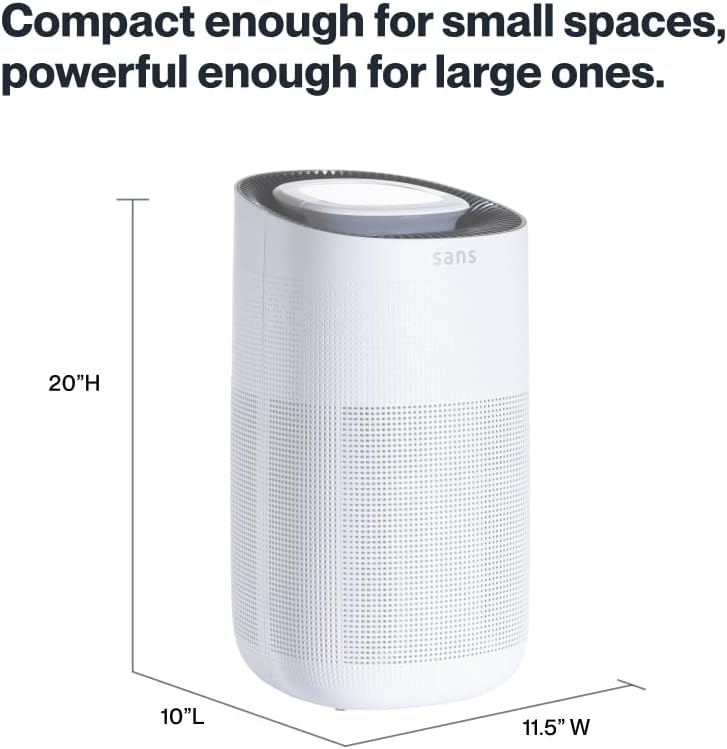
Figure 8.1: Sans Air Purifier dimensions.
9. Garantía e soporte
For warranty information, product support, or to purchase replacement filters, please visit the official Sans Home Wellness website or contact their customer service directly. Details regarding available protection plans can also be found through authorized retailers.


