1. Introdución
Thank you for choosing the Lenco SCD-720 Boombox. This versatile audio system offers a wide range of playback options, including DAB+ and FM radio, Bluetooth 5.0 connectivity, a CD/MP3 player, a cassette player, and a USB port for digital audio files. It features 2 x 6W RMS audio output with Bass Reflex for enhanced sound and comes with a remote control for convenient operation. This manual provides essential information for setting up, operating, and maintaining your device.
2. Información importante de seguridade
- Lea atentamente todas as instrucións antes de usar o dispositivo.
- Conserve este manual para futuras consultas.
- Non expoña a unidade á choiva nin á humidade para evitar incendios ou descargas eléctricas.
- Asegúrese de que haxa unha ventilación axeitada. Non bloquee ningunha das aberturas de ventilación.
- Non coloque a unidade preto de fontes de calor como radiadores, rexistros de calor, estufas ou outros aparellos (incluídos amplificadores) que producen calor.
- Protexa o cable de alimentación para evitar que se pise ou se pinche, especialmente nos enchufes, tomas de corrente e no punto de saída do aparello.
- Use só anexos/accesorios especificados polo fabricante.
- Desenchufe este aparello durante tormentas eléctricas ou cando non se use durante longos períodos.
- Encargue toda a reparación a persoal de servizo cualificado. O mantemento é necesario cando o aparello resultou danado dalgún xeito, como o cable de alimentación ou o enchufe está danado, se derrama líquido ou caen obxectos no aparello, o aparello estivo exposto á choiva ou á humidade, non funciona normalmente. , ou foi abandonado.
3. Produto rematadoview
Familiarize yourself with the main components and controls of your Lenco SCD-720 Boombox.
Fronte View con porto USB

This image shows the front of the Lenco SCD-720 Boombox, highlighting the main control panel, speakers, and a USB stick inserted into the USB port on the top left.
Fronte View with CD Compartment Open

This image displays the Lenco SCD-720 Boombox from the front, with the top-loading CD compartment lid open, ready for CD insertion.
Traseira View
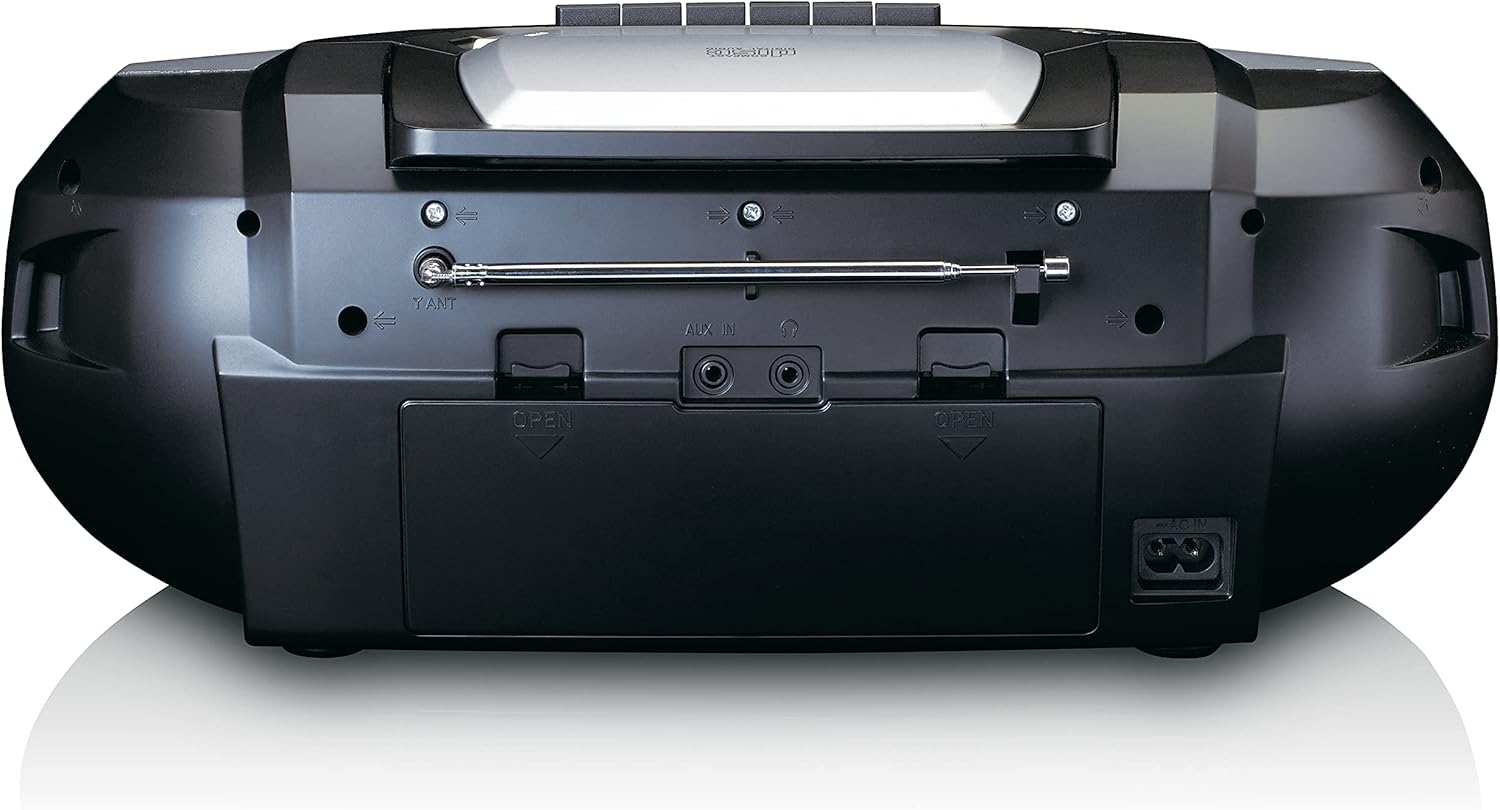
This image shows the back of the Lenco SCD-720 Boombox, featuring the telescopic antenna, AUX input, headphone jack, and the AC power input socket.
Control Panel Close-up

Un detallado view of the Lenco SCD-720 Boombox's central control panel, including the digital display, source selection buttons, tuning/navigation buttons, and the illuminated volume knob.
Boombox with Remote Control
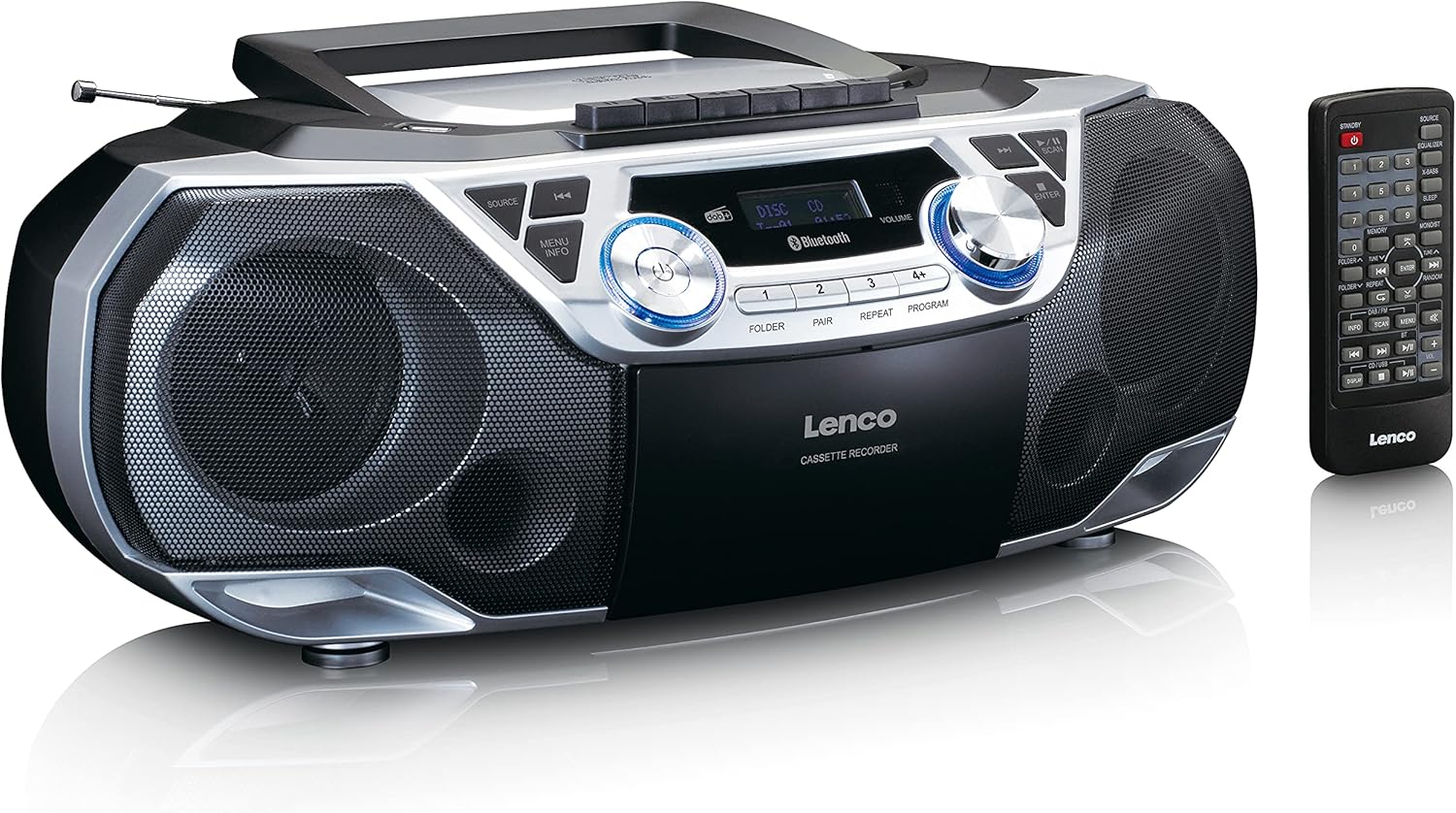
The Lenco SCD-720 Boombox is displayed next to its included remote control, illustrating the complete package.
Disposición do control remoto

A close-up image of the remote control for the Lenco SCD-720 Boombox, showing all buttons for power, source selection, playback, tuning, and other functions.
4. Configuración
4.1 Conexión de alimentación
The Lenco SCD-720 Boombox can be powered by AC mains or batteries.
- Potencia CA: Connect the supplied AC power cord to the AC IN socket on the rear of the unit and then to a standard wall outlet.
- Funcionamento da batería: For portable use, open the battery compartment on the rear of the unit and insert 8 x 'C' type batteries (not included), ensuring correct polarity. Close the compartment securely.
4.2 Axuste da antena
For optimal radio reception, extend the telescopic antenna fully. Adjust its position and angle to achieve the best signal quality for both DAB+ and FM broadcasts.
4.3 Encendido inicial
Preme o POTENCIA button on the unit or remote control to turn on the boombox. The display will light up, and the unit will typically start in the last used mode.
5. Instrucións de funcionamento
5.1 Controis xerais
- Encendido/apagado: Preme o POTENCIA botón.
- Control de volume: Xire o VOLUME knob on the unit or use the VOL + / - botóns do control remoto.
- Selección da fonte: Preme o FONTE button on the unit or the dedicated source buttons (DAB/FM, CD/USB, BT) on the remote to switch between modes (DAB+, FM, CD, USB, Bluetooth, AUX).
5.2 Funcionamento da radio (DAB+/FM)
- Seleccionar modo: Preme o FONTE button until DAB+ or FM mode is selected.
- Escaneo automático: In DAB+ or FM mode, press the ESCANEAR button to automatically search for and store available stations.
- Sintonización manual: Usa o TUNE < / > botóns para axustar manualmente a frecuencia.
- Estacións predefinidas: The unit allows you to save your favorite stations. Press and hold one of the numbered preset buttons (1-4) to store the current station. Briefly press a preset button to recall a stored station.
- DAB+ Information: No modo DAB+, prema o botón INFO button to cycle through various information such as program type, signal strength, time, and date.
Reprodución de CD/MP3 5.3
- Load CD: Open the CD compartment lid by pressing the ABERTO button. Place a CD or MP3 CD with the label side facing up. Close the lid securely.
- Reprodución: The CD will start playing automatically. If not, press the REPRODUCIR/PAUSA botón.
- Controis: Use SKIP << / >> botóns para saltar pistas. Mantén premido para avanzar/rebobinar rapidamente.
- Repetir: Preme REPETIR to repeat the current track or all tracks.
- Programa: Preme PROGRAMA to create a custom playback order for tracks.
5.4 Reprodución e gravación de casetes
- Load Cassette: Open the cassette compartment. Insert a cassette tape.
- Reprodución: Preme o XOGAR botón.
- Gravación: To record from Radio, CD, USB, or AUX, select the desired source. Insert a blank cassette. Press the RECORDAR button (usually red) along with the XOGAR botón simultaneamente.
- Controis: Use AVANCE RÁPIDO e RETROBAR botóns. Preme PARAR/EXPULSIÓN to stop playback and open the compartment.
Conectividade Bluetooth 5.5 5.0
- Entrar ao modo Bluetooth: Preme o FONTE botón ata que apareza "BT" ou "Bluetooth" na pantalla. A unidade entrará no modo de emparellamento, o que se indicará cunha icona de Bluetooth que parpadea.
- Emparejamento: On your smartphone or tablet, enable Bluetooth and search for available devices. Select 'Lenco SCD-720' from the list. Once paired, the Bluetooth icon will stop flashing.
- Reprodución: Start playing audio on your connected device. The sound will be streamed to the boombox.
Reprodución por USB 5.6
- Inserir USB: Insira unha unidade flash USB que conteña MP3 files no porto USB.
- Seleccionar o modo USB: Preme o FONTE button until 'USB' appears. The unit will automatically scan and begin playing MP3 files.
- Controis: Use os botóns de control de reprodución (PLAY/PAUSE, SKIP << / >>) to manage your music.
5.7 Entrada AUX
Connect external audio devices (e.g., MP3 players, smartphones without Bluetooth) to the AUX IN jack on the rear of the unit using a 3.5mm audio cable (not included). Select AUX mode via the FONTE botón.
5.8 Saída de auriculares
For private listening, connect headphones to the AURICULAR jack on the rear of the unit. The main speakers will be muted automatically.
5.9 Control remoto
The included remote control provides full functionality for the boombox, allowing you to control power, source, volume, playback, tuning, and other settings from a distance. Ensure the remote has working batteries and is pointed towards the front of the boombox.
6. Mantemento
6.1 Limpeza da unidade
Wipe the exterior of the boombox with a soft, dry cloth. Do not use abrasive cleaners, waxes, or solvents as they may damage the finish. For stubborn stains, a slightly damp pódese usar un pano, seguido dun pano seco.
6.2 Coidado da lente do CD
If CD playback becomes erratic, the CD lens may need cleaning. Use a commercially available CD lens cleaner disc. Do not touch the lens directly.
6.3 Limpeza da cabeza do casete
Limpe regularmente as cabezas da casete, os rodillos de presión e os cabrestantes cun hisopo de algodón lixeiramente humedecido en alcol isopropílico para garantir unha calidade de son óptima e evitar danar a cinta.
6.4 Substitución da batería
If the unit is powered by batteries and performance degrades, replace all 8 'C' type batteries with new ones, ensuring correct polarity. Do not mix old and new batteries or different types of batteries.
7 Solución de problemas
| Problema | Causa posible | Solución |
|---|---|---|
| Sen poder | Cable de alimentación non conectado; Pilas esgotadas ou inseridas incorrectamente. | Comprobe a conexión do cable de CA; substitúa as pilas, asegurándose de que a polaridade sexa correcta. |
| Sen son | Volume demasiado baixo; Fonte incorrecta seleccionada; Auriculares conectados. | Increase volume; Select correct source; Disconnect headphones. |
| Mala recepción de radio | Antena non estendida ou colocada correctamente; sinal débil. | Extend and adjust the telescopic antenna; Try moving the unit to a different location. |
| Non se reproduce o CD/USB | Disc dirty/scratched; USB format not supported; Incorrect mode. | Clean or replace disc; Ensure USB contains MP3 files; Select CD or USB mode. |
| Fallou o emparejamento por Bluetooth | Boombox not in pairing mode; Device too far; Bluetooth off on device. | Ensure boombox is in BT pairing mode; Move device closer; Enable Bluetooth on your device. |
| Cassette recording issues | Incorrect source selected; Cassette write-protect tab engaged. | Select the desired recording source; Ensure the write-protect tab on the cassette is not broken off. |
8. Especificacións
- Modelo: SCD-720SI
- Marca: Lenco
- Conectividade: DAB+, FM Radio, Bluetooth 5.0, CD/MP3 Player, Cassette Player, USB Playback, AUX Input, Headphone Output
- Saída de audio: 2 x 6 W RMS
- Fonte de enerxía: AC 230V ~ 50Hz or 8 x 'C' type batteries (DC 12V)
- Formatos de audio admitidos: CD, CD-R/RW, MP3 (from CD/USB)
- Características especiais: Bass Reflex, Remote Control
- Dimensións (L x W x H): Aproximadamente 38.5 cm x 23.5 cm x 14.5 cm
- Cor: Prata
- Fabricante: Lenco GmbH
- País de orixe: China
9. Garantía e soporte
Lenco products are covered by a warranty in accordance with European law. For specific warranty terms and conditions, please refer to the warranty card included with your product or visit the official Lenco website. For technical support, service, or spare parts information, please contact Lenco customer service or your local dealer. Please have your model number (SCD-720SI) and purchase details ready when contacting support.
Information regarding software updates and spare parts availability is not provided at this time.


