1. Introdución
The Thomson WEAR7701 Bluetooth HiFi Earbuds provide a wireless audio experience with high-fidelity sound. Designed for comfort and convenience, these lightweight in-ear headphones feature touch controls, voice assistant compatibility, and IPX4 splash protection, making them suitable for various activities, including sports.
This manual provides detailed instructions for setting up, operating, and maintaining your WEAR7701 earbuds to ensure optimal performance and longevity.

2. Contido do paquete
Comprobe que todos os elementos estean presentes no paquete:
- 1x Thomson WEAR7701 Bluetooth Earbuds
- 1x estuche de carga
- 3x Pairs of Silicone Ear Tips (Sizes S, M, L)
- 1x cable de carga micro USB
- 1 x Manual de usuario
3. Configuración
3.1 Carga inicial
Antes do primeiro uso, carga completamente os auriculares e a caixa de carga.
- Connect the supplied Micro USB cable to the charging port on the charging case and to a suitable USB power source.
- Place the earbuds into the charging case. Ensure they are correctly seated; indicator lights on the earbuds or case will confirm charging status.
- Unha carga completa da funda leva aproximadamente 3 horas. Os auriculares cárganse dentro da funda.
The charging case provides up to 3 additional full charges for the earbuds, extending their usage time.
3.2 Emparellamento cun dispositivo Bluetooth
For the first connection, it is crucial to remove both earbuds from the charging case simultaneously to ensure proper stereo pairing with your smartphone.
- Ensure your smartphone's Bluetooth function is enabled.
- Retira os dous auriculares da caixa de carga. Acenderanse automaticamente e entrarán no modo de emparellamento.
- On your smartphone, search for available Bluetooth devices.
- Select "Thomson WEAR7701" (or similar name) from the list of found devices.
- Once connected, your device will indicate successful pairing.
Nota importante: If only one earbud connects, place both earbuds back into the charging case, close the lid, wait a few seconds, then remove both simultaneously and repeat the pairing process.

4. Instrucións de funcionamento
4.1 Encendido/apagado
- Encendido: Os auriculares acéndense automaticamente ao retiralos da caixa de carga.
- Apagado: Os auriculares apáganse automaticamente ao volvelo colocar na caixa de carga e pechar a tapa.
4.2 Controis táctiles
The earbuds feature intuitive touch controls for managing music playback and calls.
- Reproducir/pausar música: Toca un só auricular en calquera dos auriculares.
- Próxima pista: Toca dúas veces no auricular dereito.
- Pista anterior: Toca dúas veces no auricular esquerdo.
- Responder/Finalizar chamada: Toca un só auricular en calquera dos auriculares.
- Rexeitar a chamada: Mantén premido calquera dos auriculares durante 2 segundos.
- Activar o Asistente de voz (Siri/Asistente de Google): Toca tres veces en calquera dos auriculares.

4.3 Uso dos auriculares
Select the ear tips that provide the most comfortable and secure fit. The package includes three sizes (S, M, L) of Mushroom-shaped silicone ear tips to ensure a proper seal for optimal sound quality and stability, even during physical activity.
- Insira suavemente o auricular no canal auditivo.
- Xira lixeiramente o auricular ata que estea seguro e cómodo.
- If the fit is not ideal, try a different size of ear tip.
5. Mantemento
5.1 Limpeza
- Limpa regularmente os auriculares e a funda de carga cun pano suave, seco e sen fiapos.
- Retire as almofadas dos oídos e límpeas con auga e xabón suave, logo séqueas ben antes de volvelas colocar.
- Non empregue produtos de limpeza abrasivos, alcol nin disolventes químicos.
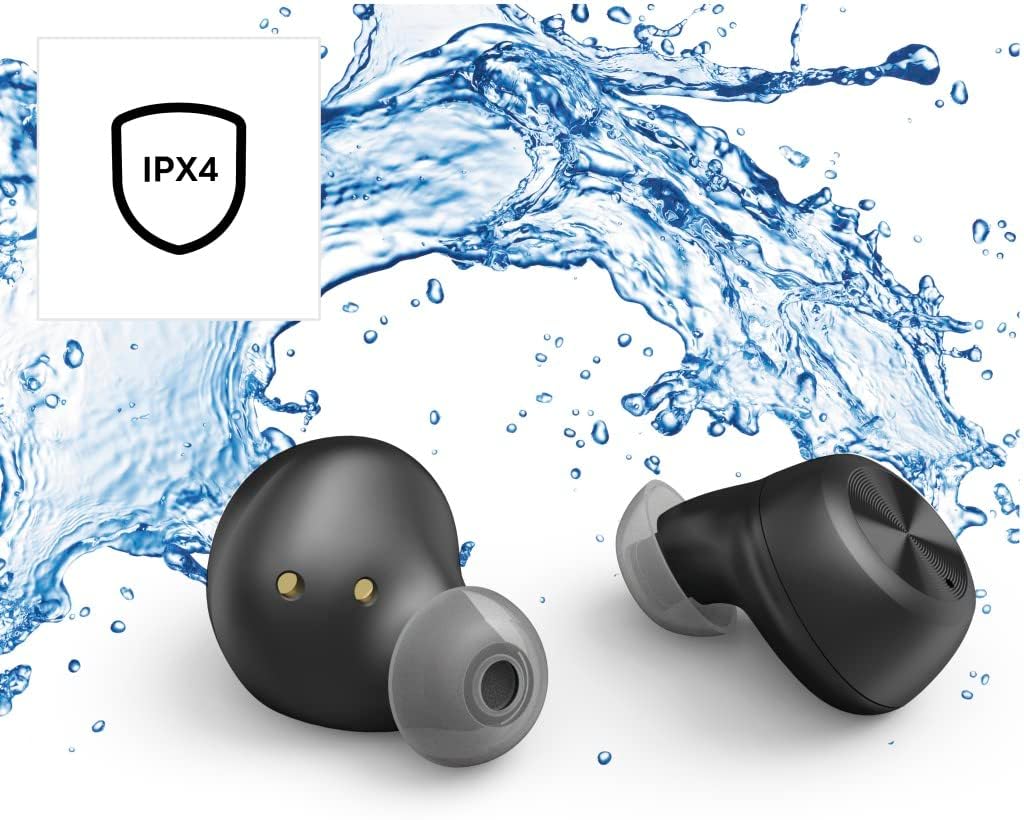
5.2 Resistencia á auga (IPX4)
The Thomson WEAR7701 earbuds are rated IPX4, meaning they are protected against splashing water from any direction. This makes them suitable for use during workouts or in light rain.
- Non mergulles os auriculares na auga.
- Do not expose them to pressurized water or high-velocity water, such as showering or swimming.
- Ensure the earbuds are dry before placing them back into the charging case to prevent damage to the charging contacts.
5.3 Almacenamento
Cando non estean en uso, garde os auriculares no seu estoxo de carga para protexelos e mantelos cargados.
6 Solución de problemas
6.1 Earbuds Not Pairing or Only One Earbud Connects
- Asegúrate de que os dous auriculares estean completamente cargados.
- Place both earbuds back into the charging case, close the lid, wait a few seconds, then remove both simultaneously.
- Delete the earbuds from your device's Bluetooth list ("Forget Device") and attempt to pair again from scratch.
- Ensure the earbuds are within Bluetooth range of your device (up to 10 meters).
6.2 Sen son ou volume baixo
- Comproba o nivel de volume tanto no dispositivo conectado como nos auriculares.
- Asegúrate de que os auriculares estean correctamente asentados nas orellas e de que as almofadas proporcionen un bo selado.
- Volve conectar os auriculares ao teu dispositivo.
- Limpa calquera residuo dos altofalantes dos auriculares.
6.3 Problemas de carga
- Asegúrate de que o cable de carga estea conectado correctamente tanto á carcasa como á fonte de alimentación.
- Verify that the power source is functional.
- Limpa os contactos de carga tanto dos auriculares como do interior da caixa de carga.
- Try a different Micro USB charging cable.
7. Especificacións
| Nome do modelo | VESTIR 7701 |
| Número de modelo | 132568 |
| Cor | Negro |
| Conectividade | Bluetooth 5.0 |
| Clase Bluetooth | Clase 2 |
| Banda de frecuencia | 2402-2480 MHz |
| Rango de frecuencia dos auriculares | 20 Hz - 20 kHz |
| Rango de frecuencia do micrófono | 100 Hz - 5 kHz |
| Impedancia dos auriculares | 32 Ω |
| Impedancia do micrófono | 2.2 kΩ |
| Distancia de transmisión | 10 m |
| Sensibilidade dos auriculares | 92 dB +/- 3 dB |
| Sensibilidade do micrófono | -42 dB ± 3 dB |
| Tempo máximo de conversa | 4 horas |
| Tempo máximo de reprodución de música | 4 horas |
| Máx. Tempo de espera | 150 horas |
| Recargas de caixas de carga | Ata 3 veces |
| Average Charging Time (Case) | 3 horas |
| Tipo de carga | Micro USB |
| Posición do micrófono | Integrado |
| Tipo de micrófono | Omnidireccional |
| Control de voz | Apple Siri/Asistente de Google |
| Bluetooth Pro compatiblefiles | A2DP V1.3/AVRCP V1.6/HFP V1.7/SPP V1.2 |
| Características especiais | Finger-Touch Sensor, QuickPair, Call Answer Button, True Wireless |
| Clasificación de resistencia á auga | IPX4 (a proba de salpicaduras) |
| Peso (por auricular) | 4 g |
| Peso total | 41 g (earbuds + case) |
| Uso recomendado | Deportes |
8. Garantía e soporte
Thomson products are manufactured with attention to quality and performance. For information regarding warranty coverage, please refer to the warranty card included with your product or visit the official Thomson websitio.
For technical support, troubleshooting assistance, or to inquire about replacement parts, please contact Thomson customer service through their official channels. Contact details can typically be found on the product packaging or the manufacturer's websitio.
Conserve o comprobante de compra para reclamacións de garantía.