1. Introdución
The OnePlus 7 Pro (Model GM1917) is a high-performance smartphone designed to deliver a smooth and immersive user experience. It features a 6.67-inch Fluid AMOLED display with a 90 Hz refresh rate and QHD+ resolution, offering exceptional clarity and fluidity. The device is equipped with a versatile camera system, including a 48 MP main camera, an ultra-wide-angle lens, and 3x optical zoom, enhanced by smart scene recognition and Nightscape 2.0 technology. This manual provides essential information for setting up, operating, and maintaining your OnePlus 7 Pro.

Figura 1: Fronte view of the OnePlus 7 Pro smartphone.
2. Configuración inicial
2.1. Contido do paquete
Antes de continuar, asegúrate de que todos os elementos estean presentes no teu paquete:
- OnePlus 7 Pro Smartphone (Model GM1917)
- Adaptador de alimentación
- Cable USB Tipo-C
- Ferramenta de expulsión de SIM
- Guía de inicio rápido
- Información de seguridade
2.2. Inserción de tarxetas SIM
- Localiza a bandexa da tarxeta SIM no lateral do teu dispositivo.
- Insert the SIM ejector tool into the small hole on the tray and press firmly until the tray ejects.
- Place your Nano-SIM cards into the tray with the gold contacts facing down. The OnePlus 7 Pro supports Dual SIM functionality.
- Volva a introducir coidadosamente a bandexa no dispositivo.
2.3. Acendido e configuración inicial
- Press and hold the Power button (located on the right side) until the OnePlus logo appears.
- Segue as instrucións na pantalla para seleccionar o idioma, conectarte a unha rede wifi e configurar a túa conta de Google.
- You will be guided through setting up security features such as fingerprint unlock and face unlock.
3. Operating Your OnePlus 7 Pro
3.1. Características da pantalla
The OnePlus 7 Pro features a 6.67-inch Fluid AMOLED display with a QHD+ resolution (2560 x 1440 pixels) and a 90 Hz refresh rate. This combination provides incredibly smooth scrolling, fluid animations, and vibrant colors. Adjust display settings such as brightness, color mode, and refresh rate (if applicable) in the Settings menu under 'Display'.
3.2. Rendemento e almacenamento
Powered by a Qualcomm Snapdragon 855 processor and 6GB of RAM, the OnePlus 7 Pro delivers robust performance for multitasking, gaming, and demanding applications. The device comes with 128GB of internal storage, providing ampespazo para aplicacións, fotos e vídeos.
3.3. Navegación
Your device offers various navigation options, including traditional on-screen navigation buttons or gesture navigation. These can be customized in the Settings menu under 'Buttons & gestures'.
4. Sistema de cámaras
The OnePlus 7 Pro is equipped with a triple rear camera setup and a unique pop-up front camera.
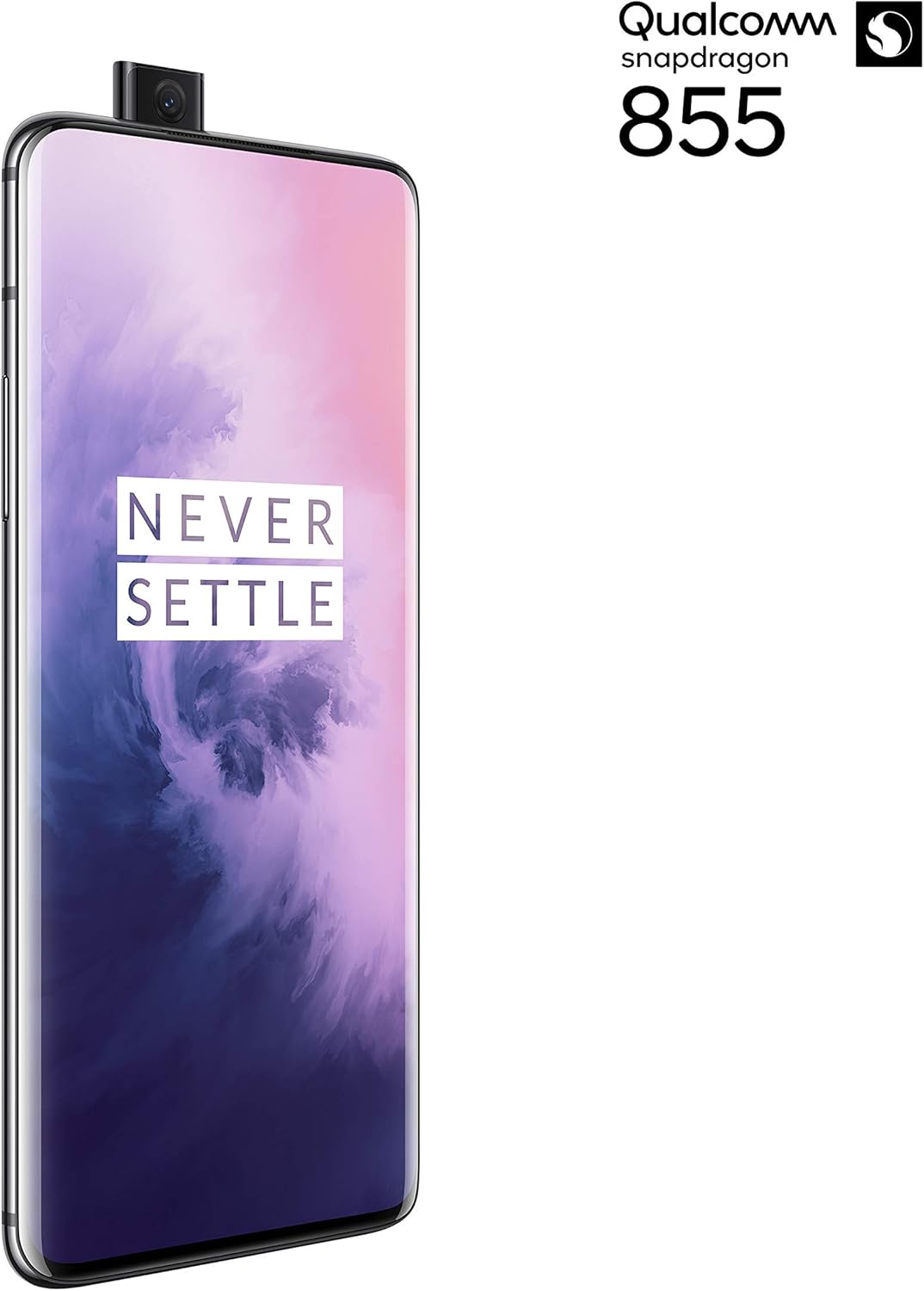
Figura 2: Fronte view of the OnePlus 7 Pro with its pop-up selfie camera.
4.1. Cámaras traseiras
- Cámara principal: 48 MP sensor for high-resolution photos.
- Ultra-Wide Angle Lens: Abarca un campo máis amplo de view, ideal para paisaxes e fotos de grupo.
- Teleobjetivo: Offers 3x optical zoom for clear, detailed shots from a distance.
4.2. Cámara frontal
The device features a motorized pop-up front camera, ensuring an uninterrupted full-screen display. This camera is designed for high-quality selfies and video calls.
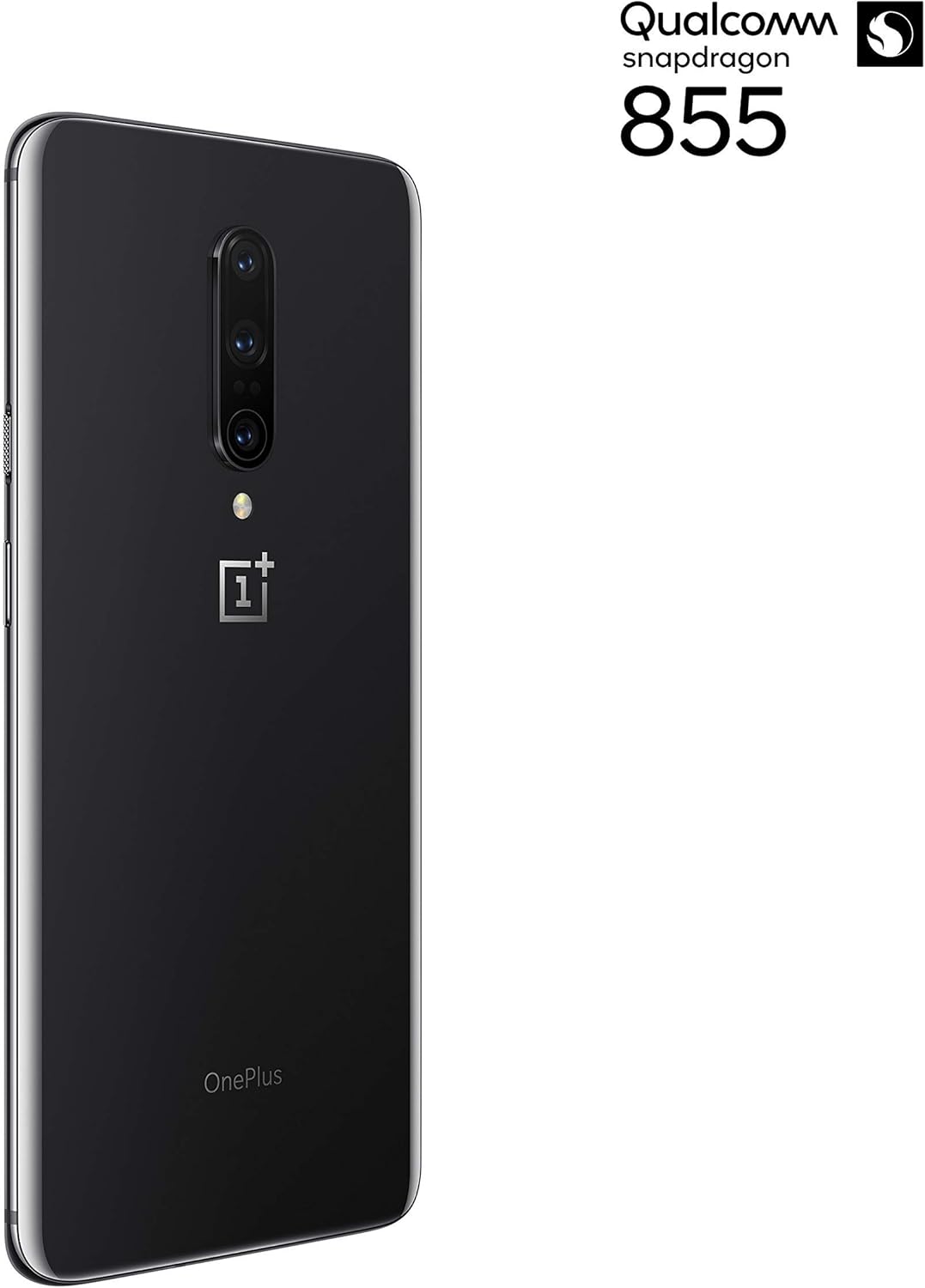
Figura 3: Traseira view of the OnePlus 7 Pro highlighting the triple camera module.
4.3. Camera Modes
Explore various camera modes to enhance your photography:
- Foto: Standard mode for everyday shots.
- Retrato: Creates a depth-of-field effect, blurring the background.
- Nightscape 2.0: Optimizes photos taken in low-light conditions for brighter and clearer results.
- Modo profesional: Offers manual control over settings like ISO, shutter speed, and white balance.
- Vídeo: Records high-quality videos.
5. Batería e carga
The OnePlus 7 Pro is equipped with a 4000 mAh battery, designed to provide extended usage. It supports Warp Charge technology for rapid charging.
5.1. Cargando o teu dispositivo
To charge your device, connect the provided USB Type-C cable to the phone's charging port and the power adapter. Plug the adapter into a wall outlet. For optimal charging speed, use only the official OnePlus Warp Charge adapter and cable.
5.2. Optimización da batería
To maximize battery life, consider the following:
- Axusta o brillo da pantalla.
- Activa o modo de aforro de batería cando sexa necesario.
- Pecha as aplicacións non utilizadas que se executan en segundo plano.
- Limitar o uso de datos en segundo plano para determinadas aplicacións.
6. Especificacións técnicas
| Característica | Especificación |
|---|---|
| Número de modelo | GM1917 |
| Mostrar | 6.67-inch Fluid AMOLED, QHD+ (2560 x 1440), 90 Hz |
| Procesador | Qualcomm Snapdragon 855 |
| RAM | 6 GB |
| Almacenamento interno | 128 GB |
| Cámara traseira | 48 MP Main, Ultra-Wide, 3x Optical Zoom Telephoto |
| Cámara frontal | Pop-up Selfie Camera |
| Capacidade da batería | 4000 mAh |
| Sistema Operativo | Android |
| Conectividade | Wi-Fi, 4G LTE (AT&T, Verizon, T-Mobile compatible) |
| Tipo de SIM | Nano-SIM dual |
7 Solución de problemas
If you encounter issues with your OnePlus 7 Pro, try the following steps:
- O dispositivo non responde: Press and hold the Power button for approximately 10 seconds to force restart the device.
- Problemas da aplicación: Clear the cache and data for the problematic app in Settings > Apps > [App Name] > Storage. If the issue persists, uninstall and reinstall the app.
- Conectividade de rede: Toggle Airplane Mode on and off. Restart your device. Check your SIM card insertion.
- Descarga de batería: Review 'Battery Usage' in Settings to identify apps consuming excessive power. Reduce screen brightness and disable unnecessary features.
- Fallos de software: Ensure your device's software is up to date via Settings > System > System updates.
- Restablecemento de fábrica: Como último recurso, podes realizar un restablecemento de fábrica (Configuración > Sistema > Opcións de restablecemento > Borrar todos os datos). Aviso: Isto borrará todos os datos do teu dispositivo. Fai unha copia de seguridade da información importante antes de continuar.
8. Coidados e mantemento
To ensure the longevity and optimal performance of your OnePlus 7 Pro:
- Keep the device clean using a soft, lint-free cloth. Avoid harsh chemicals.
- Protexe a pantalla cun protector de pantalla e usa unha funda protectora.
- Evite expoñer o dispositivo a temperaturas extremas, á luz solar directa ou á humidade.
- Regularly back up your data to a cloud service or external storage.
- Install software updates to benefit from the latest features and security enhancements.
9. Garantía e soporte
For information regarding warranty coverage, technical support, or service, please refer to the documentation provided with your purchase or visit the official OnePlus support website. As this is a renewed product, specific warranty terms may vary; please consult your seller for details on their renewed product warranty and return policy.


