Introdución
This manual provides essential information for setting up, operating, maintaining, and troubleshooting your Apple TV 4K (2nd Generation) 32GB. Please read these instructions carefully to ensure optimal performance and a seamless user experience.
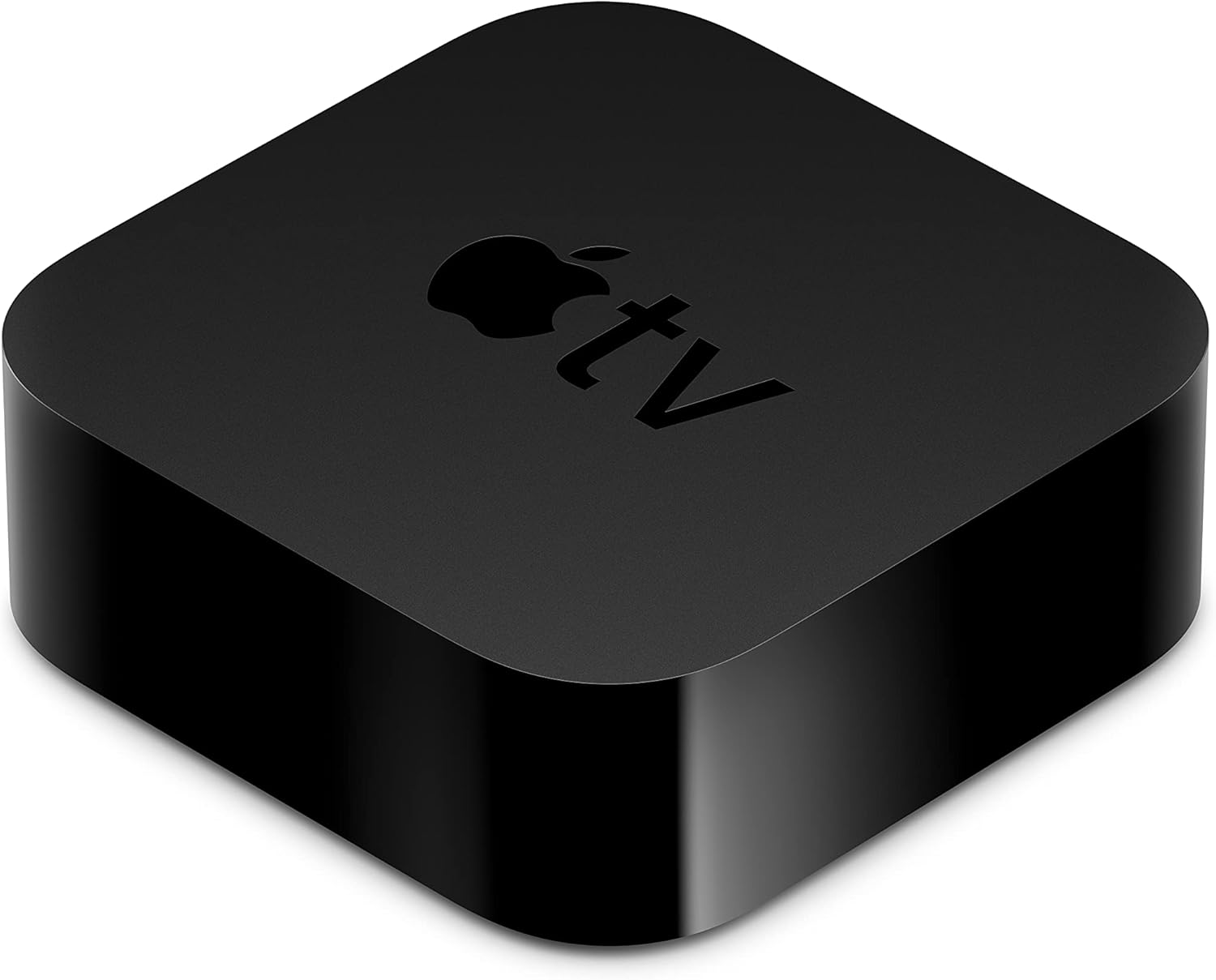
The Apple TV 4K (2nd Generation) device.
O que hai na caixa
Verifica que todos os elementos estean presentes no teu paquete:
- Apple TV 4K (2nd Generation)
- Siri Remote (2nd generation)
- Cable de alimentación
- Cable Lightning a USB
- Documentación
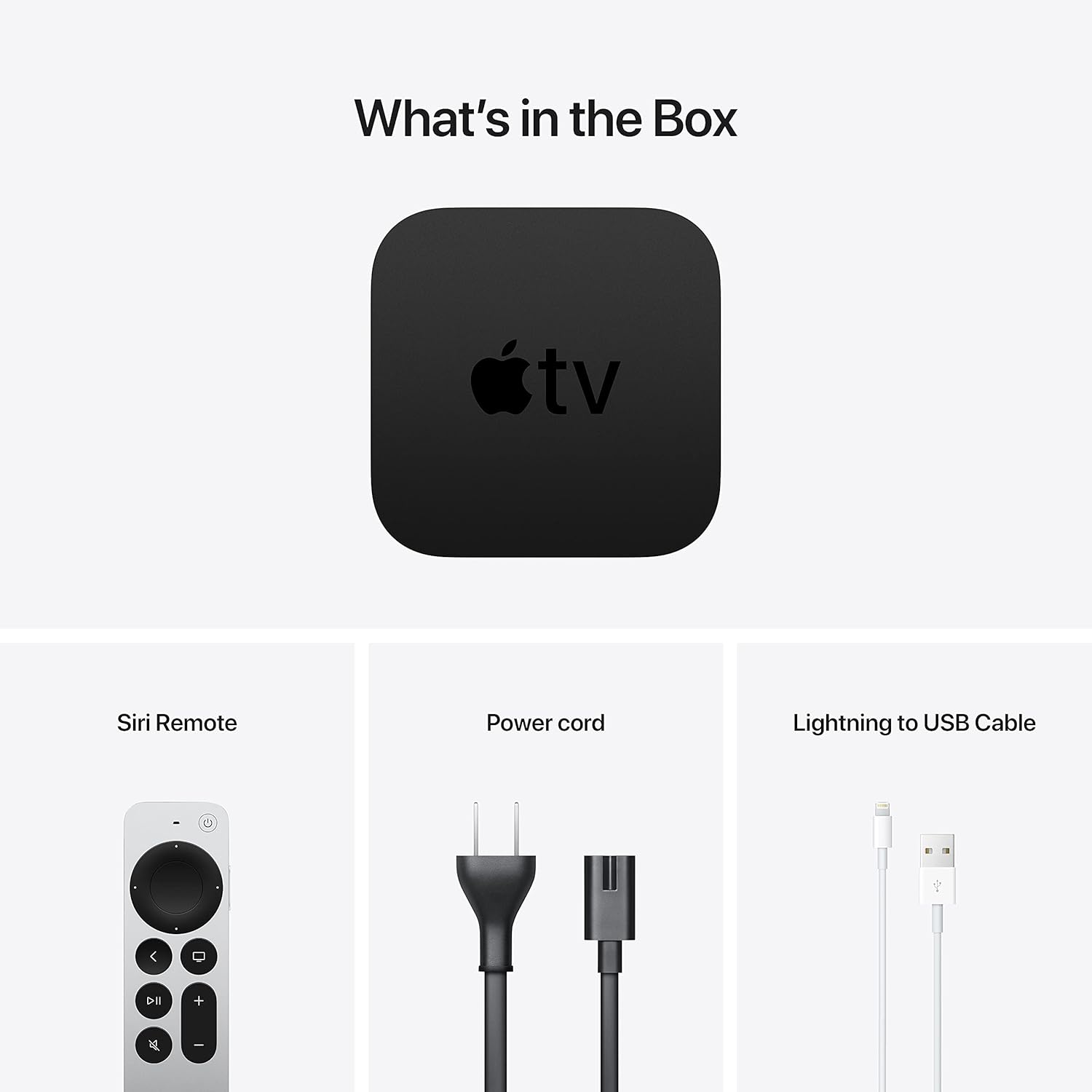
Included components: Apple TV 4K, Siri Remote, power cord, and Lightning to USB cable.
Configuración
1. Connect to Power and TV
Place your Apple TV 4K near your television. Connect one end of an HDMI cable (not included) to the HDMI port on your Apple TV and the other end to an available HDMI input on your television. Then, connect the included power cord to the power port on your Apple TV and plug it into a wall outlet.

Rear ports of the Apple TV 4K: Power, HDMI, and Ethernet.
2. Conéctate á rede
You can connect your Apple TV 4K to the internet via Wi-Fi or Ethernet.
- Wi-Fi: During the initial setup process, you will be prompted to select your Wi-Fi network and enter the password.
- Ethernet: For a wired connection, connect an Ethernet cable (not included) from your router to the Ethernet port on the back of your Apple TV.
3. Configuración inicial
Turn on your TV and select the correct HDMI input. Follow the on-screen instructions to complete the setup. This includes pairing the Siri Remote, connecting to Wi-Fi (if not using Ethernet), signing in with your Apple ID, and enabling desired settings.
Instrucións de funcionamento
Using the Siri Remote

The Siri Remote (2nd generation) for navigation and control.
The Siri Remote features a touch-enabled clickpad for intuitive navigation. You can swipe to move, click to select, and use the outer ring of the clickpad for jogging through content. Other buttons include:
- Botón de encendido: Turns Apple TV and your TV on or off.
- Botón de TV/Centro de control: Press once to go to the Home Screen or switch to the TV app. Press and hold to open Control Center.
- Botón Atrás: Volve á pantalla anterior.
- Botón Reproducir/Pausa: Controla a reprodución multimedia.
- Botóns de volume: Controls the volume of your TV or receiver.
- Botón de silencio: Silencia o audio.
- Botón Siri: Press and hold to activate Siri for voice commands and search.
Navigation and Content Streaming
From the Home Screen, use the clickpad to navigate through apps. Select an app to open it and browse content. The Apple TV 4K supports various streaming services including Apple TV+, Disney+, Amazon Prime Video, HBO Max, and Netflix.
AirPlay
Use AirPlay to wirelessly share photos, videos, presentations, and more from your iPhone, iPad, or Mac directly to your TV through Apple TV 4K. Ensure both devices are on the same Wi-Fi network.
Funcións de audio
The Apple TV 4K supports Dolby Atmos for immersive, room-filling sound. You can also enjoy private listening by connecting up to two sets of AirPods to your Apple TV.
HomeKit Integration
If you have HomeKit-enabled smart home accessories, you can use your Apple TV 4K as a home hub. This allows you to control accessories remotely, automate actions, and get a live view of your HomeKit-enabled cameras.
Mantemento
Limpeza
To clean your Apple TV 4K and Siri Remote, unplug the device from power. Use a soft, lint-free cloth. Avoid using abrasive materials, aerosols, or cleaning sprays directly on the device.
Actualizacións de software
Ensure your Apple TV software (tvOS) is always up to date for the best performance and latest features. Go to Settings > System > Software Updates para comprobar e instalar actualizacións.
Batería do mando a distancia Siri
The Siri Remote has a built-in rechargeable battery. To charge, connect the remote to a USB power adapter or a computer's USB port using the included Lightning to USB cable.
Resolución de problemas
- Sen enerxía: Ensure the power cord is securely connected to both the Apple TV and a working power outlet. Try a different outlet.
- Sen vídeo/audio:
- Verify the HDMI cable is securely connected to both the Apple TV and your TV.
- Asegúrate de que o teu televisor estea configurado na entrada HDMI correcta.
- Comproba a configuración de volume e silencio do teu televisor.
- Restart your Apple TV by going to Configuración > Sistema > Reiniciar.
- Siri Remote Not Responding:
- Charge the remote using the Lightning to USB cable.
- If the remote is charged but still unresponsive, try re-pairing it. Point the remote at the Apple TV and press and hold the Back button and Volume Up button for 5 seconds.
- Problemas de rede:
- Comproba o teu enrutador Wi-Fi e a conexión a internet.
- Ir a Configuración > Rede to verify connection status.
- If using Wi-Fi, try restarting your router. If using Ethernet, ensure the cable is properly connected.
- Problemas da aplicación: If an app is not working correctly, try force-quitting it (double-press the TV button, swipe up on the app) and reopening. If the issue persists, delete and reinstall the app.
Especificacións
| Nome do modelo | Apple TV 4K (2nd Generation) |
| Número de modelo | MXGY2LL/A |
| Almacenamento | 32 GB |
| Procesador | Chip biónico A12 |
| Saída de vídeo | HDMI 2.1 |
| Resolución | 4K High Frame Rate HDR with Dolby Vision |
| Soporte de audio | Dolby Atmos |
| Conectividade | Gigabit Ethernet, 802.11ax Wi-Fi 6 with MIMO, Bluetooth 5.0 |
| Portos | HDMI 2.1, Gigabit Ethernet, IR receiver |
| Dimensións (H x W x D) | 1.4 polgadas (35 mm) x 3.9 polgadas (98 mm) x 3.9 polgadas (98 mm) |
| Peso | 15 onzas (425 g) |
| Batería do mando a distancia Siri | Ión de litio recargable |
Garantía e Soporte
Your Apple TV 4K is covered by Apple's limited warranty. For detailed warranty information, please refer to the documentation included with your product or visit the official Apple support website. For technical assistance, troubleshooting, or service, please visit support.apple.com/apple-tv.


