1. Introdución
Produto rematadoview
The CALEX Smart Aroma Diffuser is a versatile device designed to enhance your home environment. It functions as an aroma diffuser, humidifier, air purifier, and ambient light source. With WiFi connectivity, you can control its features, including fragrance diffusion, humidification, and RGB lighting, directly from the free Calex application on your smartphone. This manual provides comprehensive instructions for safe and effective use of your device.
Características principais:
- Smart App Control (Calex App)
- Conectividade WiFi
- Difusión de aromas
- Humidificación
- Purificación do aire
- Customizable RGB Ambient Lighting (100+ options)
- Programmable Timers and Scenarios
2. Advertencias de seguridade
Please read all safety warnings carefully before using the device.
- Evitar o contacto directo da pel con aceites esenciais sen diluír.
- Keep the device and essential oils out of reach of children and pets.
- Asegúrese de que haxa unha ventilación axeitada na zona onde se emprega o difusor.
- Unplug the device from the power outlet when not in use or during maintenance.
- Do not exceed the maximum water fill line.
- Use only clean tap water or distilled water.
- Do not tilt or move the device when it is operating or contains water.
- Non mergullo o dispositivo en auga nin en ningún outro líquido.
- Non bloquee a saída de néboa.
3. Produto rematadoview
Familiarize yourself with the components of your CALEX Smart Aroma Diffuser.

Imaxe 3.1: Fronte view of the CALEX Smart Aroma Diffuser, showing the wood-grain base, translucent top, and control buttons (ON/OFF, +, -, LIGHT).

Image 3.2: The CALEX Smart Aroma Diffuser in operation, emitting a fine mist, placed on a stack of magazines next to a vase of flowers.
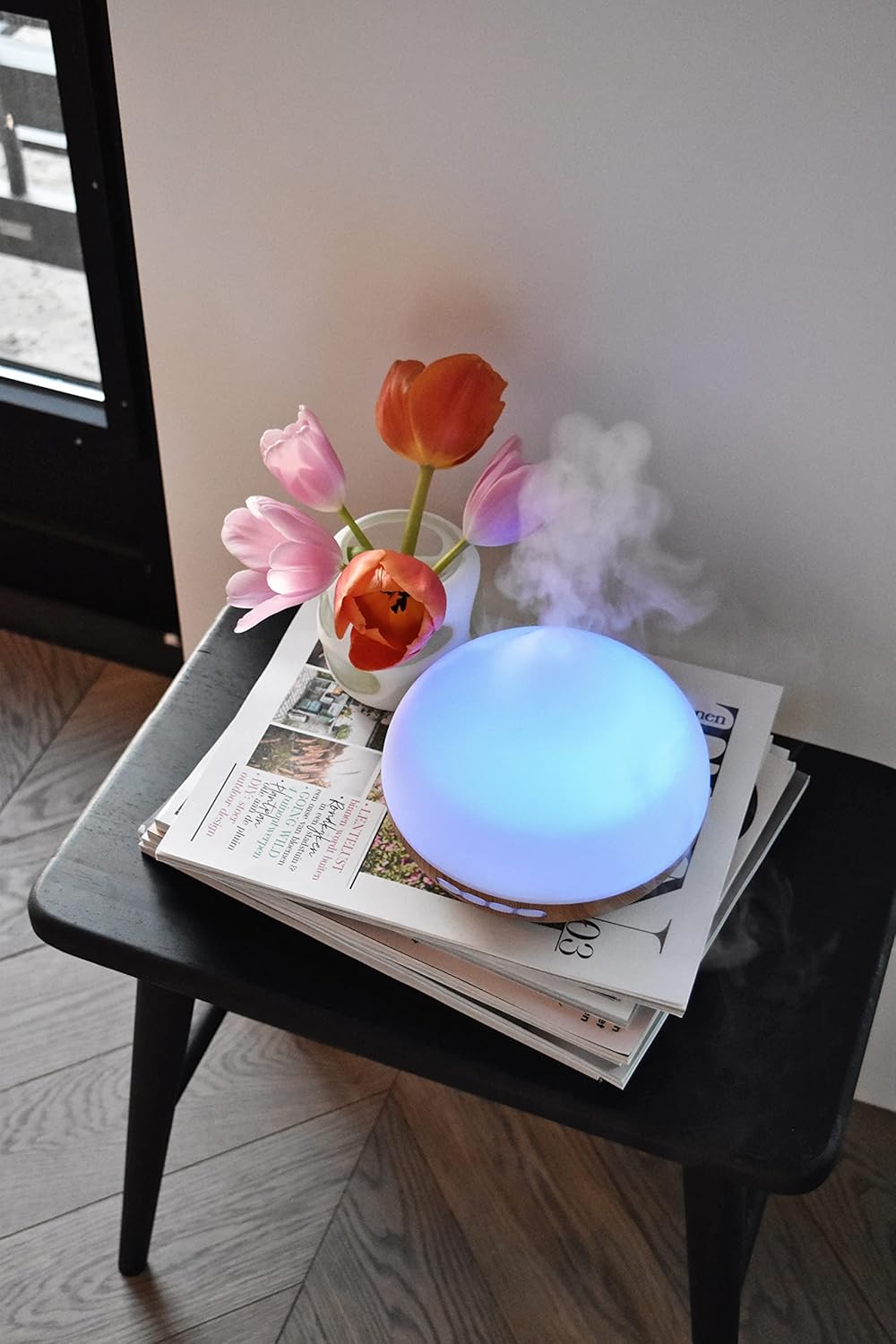
Image 3.3: The CALEX Smart Aroma Diffuser displaying a blue ambient light, placed on a table with flowers and magazines.

Image 3.4: The CALEX Smart Aroma Diffuser displaying a warm yellow ambient light, emitting mist, placed on a table with flowers and magazines.
4. Instrucións de configuración
- Desembalar o difusor: Retire coidadosamente todos os compoñentes da embalaxe.
- Place the Diffuser: Position the diffuser on a flat, stable, and water-resistant surface.
- Conectar enerxía: Plug the power adapter into the diffuser's power input, then plug the adapter into a standard electrical outlet.
- Enche de auga: Remove the top cover. Fill the water tank with clean tap water or distilled water up to the indicated maximum fill line (300 ml capacity). Do not overfill.
- Add Essential Oil (Optional): Add a few drops of your preferred essential oil or fragrance to the water.
- Substituír a tapa: Volva colocar a tapa superior de forma segura no difusor.
- Download Calex App: Download the free Calex app from your smartphone's app store (available for iOS and Android).
- Conectar a WiFi: Follow the in-app instructions to connect your diffuser to your home WiFi network. This typically involves putting the diffuser into pairing mode (refer to app for specific steps) and selecting your WiFi network.
5. Operating the Diffuser
5.1 Funcionamento básico
- Encendido/apagado: Press the "ON/OFF" button on the diffuser or use the Calex app to turn the device on or off.
- Control da néboa: Use the "+" and "-" buttons on the diffuser to adjust the mist intensity (if applicable) or control via the app.
- Control de luz: Press the "LIGHT" button on the diffuser to cycle through light colors or turn the light off. For full RGB control and advanced options, use the Calex app.
5.2 Control intelixente de aplicacións
The Calex app provides extensive control over your smart aroma diffuser:
- Control remoto: Operate the diffuser from anywhere with an internet connection.
- Configuración da néboa: Adjust mist output levels and set continuous or intermittent diffusion modes.
- Iluminación RGB: Choose from over 100 color options, adjust brightness, and select dynamic lighting effects to match your mood or decor.
- Timers and Schedules: Set specific times for the diffuser to turn on/off, change light settings, or adjust mist output. Create personalized scenarios for different routines (e.g., "Wake Up," "Relax," "Sleep").
- Control de voz: Integrate with smart home assistants like Amazon Alexa or Google Assistant for hands-free control (e.g., "Alexa, turn on the diffuser light").

Image 5.1: Screenshot of the Calex app displaying color and brightness controls for the smart diffuser's RGB lighting.

Image 5.2: Screenshot of the Calex app's main screen, showing the "My Home" section where connected smart devices are managed.
6. Mantemento e coidados
Regular cleaning ensures optimal performance and extends the lifespan of your diffuser.
- Mantemento diario:
- Baleirar a auga restante do tanque.
- Limpe o interior do depósito de auga cun pano limpo e suave.
- Refill with fresh water before each use.
- Limpeza semanal:
- Desenchufe o difusor da toma de corrente.
- Remove the top cover and empty the water tank.
- Add a small amount of white vinegar (about 10 ml) to the water tank and let it sit for 10-15 minutes to loosen mineral buildup.
- Gently wipe the inside of the tank and the ultrasonic disc with a soft brush or cotton swab. Avoid scrubbing forcefully.
- Rinse the tank thoroughly with clean water, ensuring no vinegar residue remains.
- Wipe the exterior of the diffuser with a soft, damp pano.
- Deixe que todas as pezas sequen completamente ao aire antes de volvelas montar ou gardalas.
- Almacenamento: If storing the diffuser for an extended period, ensure it is clean and completely dry. Store it in a cool, dry place away from direct sunlight.
7 Solución de problemas
If you encounter issues with your CALEX Smart Aroma Diffuser, refer to the following common problems and solutions:
| Problema | Causa posible | Solución |
|---|---|---|
| Sen néboa ou baixa saída de néboa | Low water level; Water tank dirty; Ultrasonic disc blocked; Diffuser tilted. | Add water to the tank; Clean the water tank and ultrasonic disc; Ensure diffuser is on a flat surface. |
| O dispositivo non se acende | Not plugged in; Power adapter faulty; No power from outlet. | Check power connection; Try a different outlet; Contact support if adapter is faulty. |
| Problemas de conexión da aplicación | Incorrect WiFi password; Diffuser too far from router; Router issues; App not updated. | Verify WiFi password; Move diffuser closer to router; Restart router; Update Calex app. |
| Light not working correctly | App settings; Internal fault. | Check light settings in the Calex app; Restart the diffuser. |
8. Especificacións do produto
| Característica | Especificación |
|---|---|
| Marca | CALEX |
| Número de modelo | 429262 |
| Cor | White/Wood look |
| Dimensións do produto (L x W x H) | 14 x 16.8 x 14 cm |
| Peso do elemento | 305 gramos |
| Capacidade | 300 mililitros |
| Poder | 10 vatios |
| Voltage | 240 voltios |
| Material | Reeds (wood-look base) |
| Función de apagado automático | Si |
| Características especiais | Aroma Diffuser, Humidifier, Timer |
| Área de cobertura | Approximately 10 square meters |
9. Garantía e soporte
For warranty information and customer support, please refer to the documentation included with your purchase or visit the official CALEX websitio. Garda o comprobante de compra para calquera reclamación de garantía.
Recursos en liña:


