Produto rematadoview
The AZDOME PG02S is a 10-inch touch screen rear view mirror dash camera system designed to enhance driving safety and record road events. It features a 2.5K front camera and a 1080P IP68 waterproof rear camera, offering comprehensive coverage and clear video capture. Key functionalities include super night vision, 24-hour parking monitoring, loop recording, and parking assistance.

Image: The AZDOME PG02S mirror dash cam, showing the main unit that attaches to the rearview mirror, the separate rear camera, and the 10-inch display interface with a split view of front and rear camera feeds.
Contido do paquete
Antes da instalación, comproba que todos os compoñentes estean presentes no paquete:
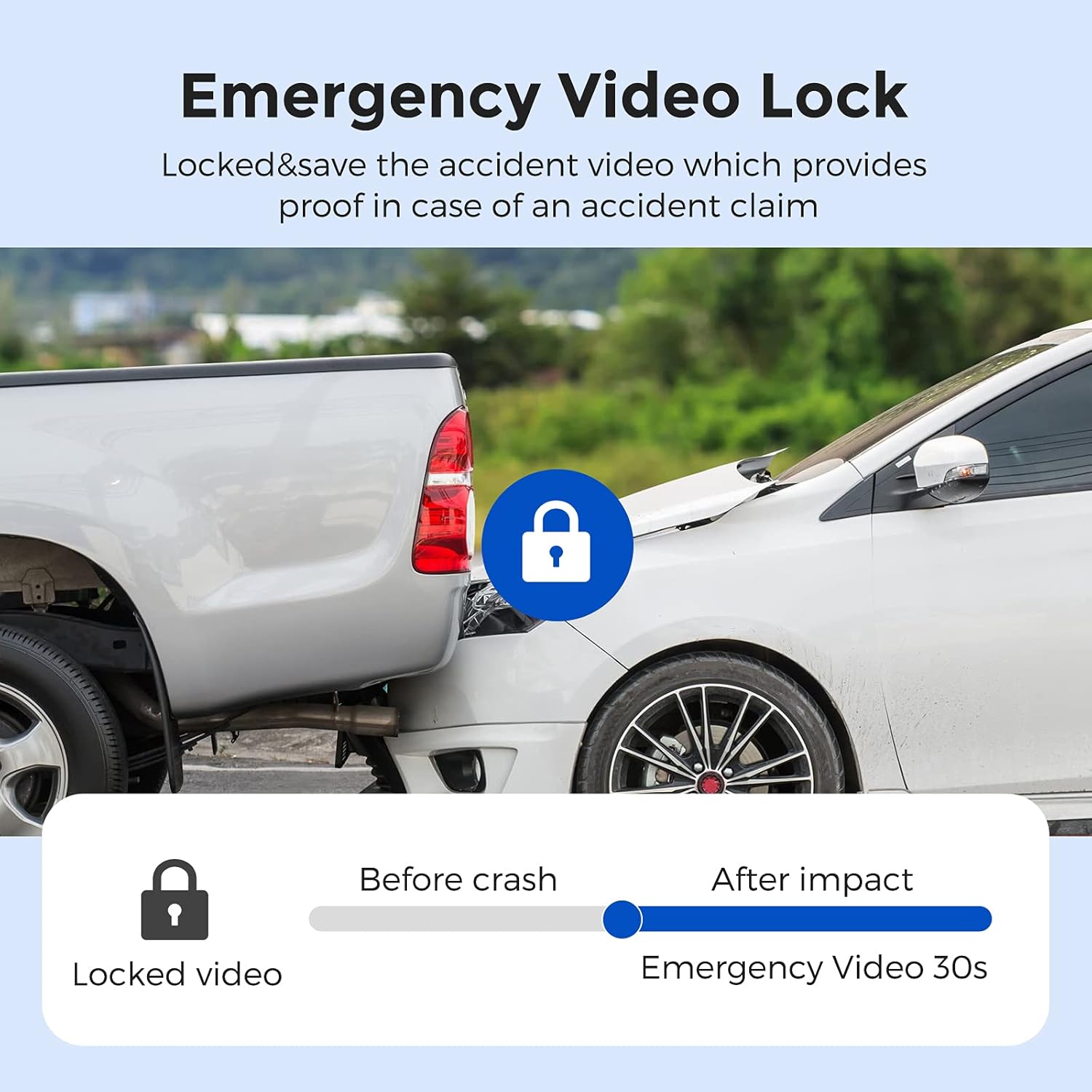
Image: A visual representation of the package contents, including the AZDOME PG02S-R Dash Cam, 1080P Rear Camera (6M cable), USB Car Charger (3.5M cable), Cable Clips, Rubber Fasteners, Wire Trim Tool, User Manual, Anti-glare Screen Film, and Dry Wet Cloth Pack with Cleaning Cloth.
- 1x AZDOME PG02S-R Dash Cam
- 1x 1080P Rear Camera (6M cable)
- 1x USB Car Charger (3.5M cable)
- 5x Clips de cable
- 4x Rubber Fasteners
- 1x Wire Trim Tool
- 1 x Manual de usuario
- 1x Anti-glare Screen Film
- 1x Dry Wet Cloth Pack & Cleaning Cloth
- Memory Card (as per product specifications, though not explicitly shown in the "whats in the box" image, it is listed in the product specifications)
Configuración e instalación
1. Preparing the SD Card
Before first use, it is essential to format your SD card directly within the dash cam. This ensures compatibility and optimal performance. It is recommended to reformat the SD card monthly to maintain recording efficiency.
2. Montaxe da Dash Cam
The AZDOME PG02S mirror dash cam is designed to attach over your existing rearview mirror using the provided rubber fasteners. Ensure the camera is securely mounted and does not obstruct your view.
3. Instalación da cámara traseira
The 1080P IP68 waterproof rear camera can be installed on your vehicle's license plate area. Route the 6-meter cable discreetly to the main dash cam unit. For larger vehicles like RVs or trucks, a 10-meter extension cable (ASIN: B08VWBBJHZ) may be required.
4. Conexión de alimentación
Connect the dash cam to your vehicle's power source using the supplied USB car charger. For 24-hour parking monitoring functionality, a hardwire kit (ASIN: B096M8FPLK) is necessary to provide continuous power when the vehicle is parked.
Instrucións de funcionamento
1. Operación da pantalla táctil
The 10-inch full touch screen allows for intuitive control and navigation of the dash cam's features and settings. Swipe and tap gestures are used to access menus and functions.
2. Control de voz
The dash cam supports smart voice control for hands-free operation. Common commands include "Open Screen" and "Lock The Video".

Image: A woman driving, with speech bubbles illustrating voice commands like "Open Screen" and "Lock The Video" for the dash cam.
3. Gravación de vídeo
The dash cam records video from both the front (2.5K) and rear (1080P) cameras simultaneously. The high-definition display captures road details effectively.
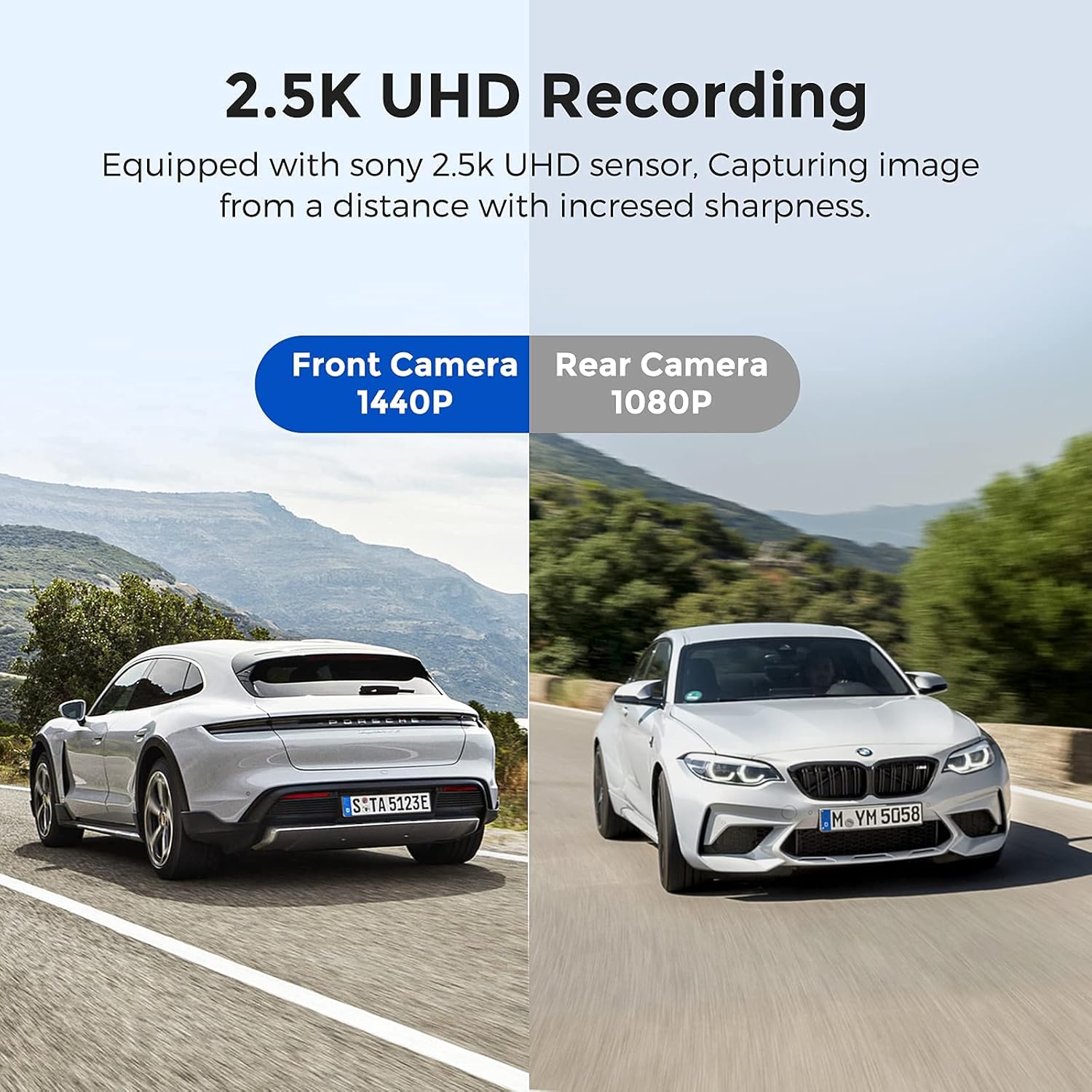
Image: Illustrates the 2.5K UHD recording feature, showing a split view of a front camera recording at 1440P and a rear camera recording at 1080P, emphasizing increased sharpness.
Gravación en bucle
The device supports loop recording, which automatically overwrites the oldest unlocked video files when the memory card is full. This ensures continuous recording without manual intervention.

Image: A graphic depicting the loop recording function, showing older video files being overwritten as new recordings are made, ensuring continuous operation.
Emergency Video Lock (G-Sensor)
In the event of a collision, the built-in G-sensor automatically detects the impact and locks the current video segment, preventing it from being overwritten by loop recording. This provides crucial evidence in case of an accident.
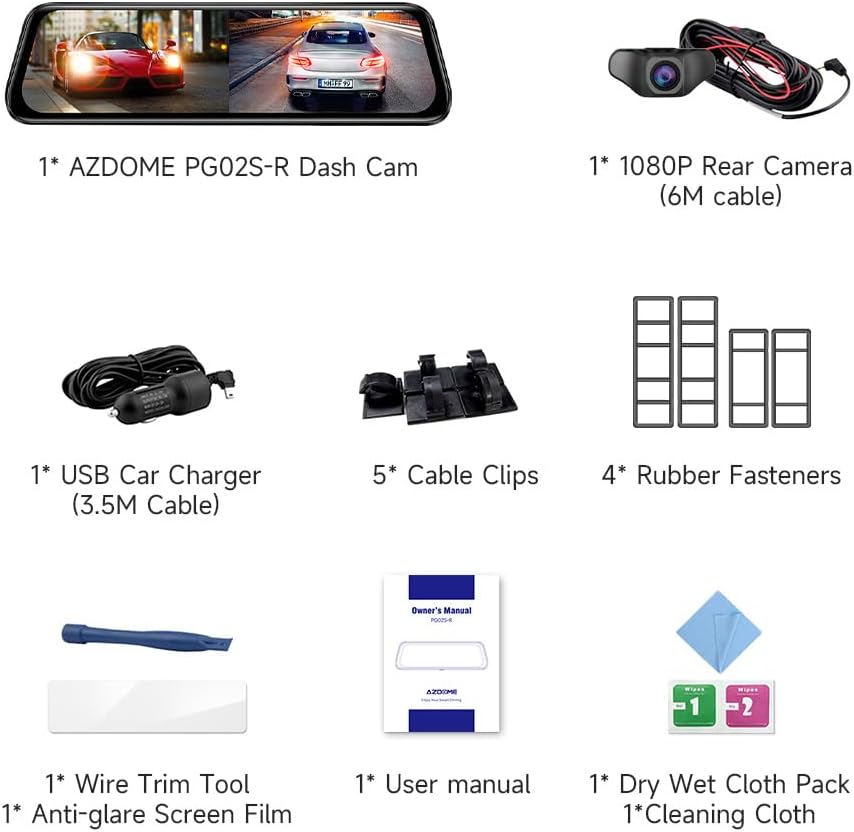
Image: Illustrates the emergency video lock feature, showing a car collision scenario and a padlock icon, indicating that the video footage before and after impact is automatically locked and saved.
4. Modos de visualización
The 10-inch screen can display the front and rear camera images simultaneously in a split-screen view, or you can switch to view either camera individually.

Image: A visual representation of the split-screen recording feature, showing both front and rear camera views displayed simultaneously on the dash cam screen.
Axustable View Ángulo
You can adjust the camera's view angle by pressing up or down on the touch screen to achieve the best perspective during recording.

Image: Demonstrates how to adjust the view angle of the dash cam by pressing up or down on the screen, showing different perspectives of the road.
5. Monitor de aparcamento
The dash cam offers two parking monitoring modes:
- Modo de estacionamento de detección de colisións: Utilizes the G-sensor to detect impacts and automatically record and lock video footage when parked.
- Time-lapse Parking Mode: Records continuously for 24 hours, capturing events at a lower frame rate to save storage space. Requires a hardwire kit for continuous power.

Image: A car parked in a garage with a "24H" clock icon, indicating the 24-hour parking monitoring capability of the dash cam.
6. Parking Assistance Function
When reversing, the rear camera image is displayed in full screen, and parking lines automatically appear to assist with safe parking and maneuvering, helping to avoid obstacles and blind spots.

Image: Shows the reversing aid system with green and yellow parking lines overlaid on the rear camera view, along with examples of blind spots and assisted parking scenarios.
7. Supervisión nocturna
Equipped with Wide Dynamic Range (WDR) technology, the dash cam provides enhanced night vision, clearly capturing road details even in low-light conditions.

Image: A comparison showing how WDR technology improves visibility in varying light conditions, from low light to strong light, enhancing night vision.
8. Funcionalidade do GPS
The dash cam is GPS enabled, allowing for location tracking and recording of driving routes. This data can be reviewed using compatible software.

Image: Illustrates the GPS location feature, showing the dash cam display and a laptop screen with a map and driving data, indicating route tracking capabilities.
Mantemento
1. Xestión da tarxeta SD
To ensure optimal performance and prevent recording issues, it is recommended to reformat the SD card monthly. Use a high-quality, compatible SD card.
2. Limpeza do dispositivo
Use the provided cleaning cloth or a soft, dry cloth to gently wipe the screen and camera lenses. Avoid using abrasive cleaners or solvents that could damage the device.
Resolución de problemas
This section addresses common issues you might encounter with your AZDOME PG02S dash cam.
| Problema | Posible causa/solución |
|---|---|
| A cámara do salpicadero non se acende. |
|
| Paradas de gravación ou footage está corrompido. |
|
| 24-hour parking monitor not working. |
|
| Rear camera image is unclear or not displayed. |
|
| Mirror droops down over time. |
|
Especificacións
| Característica | Detalle |
|---|---|
| Nome do modelo | PG02S |
| Dimensións do produto | 10.31 x 1.61 x 2.99 polgadas |
| Peso do elemento | 2.38 libras |
| Resolución cámara frontal | 2.5K (1440P) |
| Resolución da cámara traseira | 1080p |
| Rear Camera Waterproof Rating | IP68 |
| Tamaño de visualización | 10 polgadas |
| Tipo de visualización | Pantalla táctil |
| Tecnoloxía de conectividade | USB, sen fíos |
| Características especiais | Blind Spot Detection, GPS Enabled, Super Night Vision (WDR), 24H Parking Monitor, Loop Recording, G-Sensor, Parking Assistance, Voice Control |
| Fabricante | AZDOME |
| Data de primeira dispoñibilidade | 27 de maio de 2021 |
Garantía e Soporte
AZDOME provides comprehensive support for the PG02S dash cam:
- Garantía: 12 months warranty from the date of purchase.
- Soporte técnico: 24/7 technical support is available. For any issues or inquiries, please contact AZDOME's service support via email. The R&D team aims to respond within 24 working hours.
- Actualizacións de firmware: AZDOME provides updates for dash cam firmware and camera accessories. Contact support if you require assistance with updates.
- Manual do usuario (PDF): A PDF version of the user manual is available upon request from customer service.
Note: The mirror dash cam is not suitable for convertible cars.


