1. Introdución
Thank you for choosing the REXING PRD615 Smart Home Projector. This device is designed to transform your living space into an immersive entertainment hub, offering high-definition visuals, robust audio, and smart connectivity features. This manual provides essential information for setting up, operating, and maintaining your projector to ensure optimal performance and longevity.

Image: The REXING PRD615 Smart Home Projector, a sleek, rectangular device with a lens on the front and ventilation grilles on the sides.
2. Información de seguridade
- Fonte de alimentación: Use só o adaptador de corrente fornecido. Asegúrese de que o volumetage coincide cos requisitos do proxector.
- Ventilación: Non bloquee as aberturas de ventilación. Asegúrese de que haxa un fluxo de aire axeitado arredor do proxector para evitar o sobrequecemento.
- Exposición ao líquido: Keep the projector away from water or other liquids. Do not operate in damp ambientes.
- Limpeza: Disconnect power before cleaning. Use a soft, dry cloth. Avoid abrasive cleaners.
- Coidado das lentes: Do not touch the projector lens directly. Use a lens cleaning cloth if necessary.
- Seguridade ocular: Non mire directamente á lente do proxector cando estea aceso.amp is on, as the bright light can cause eye strain or damage.
- Desmontaxe: Non intente desmontar nin reparar o proxector vostede mesmo. Encargue calquera mantemento a persoal cualificado.
3. Contido do paquete
Marque a caixa para os seguintes elementos:
- REXING PRD615 Smart Home Projector
- Adaptador de alimentación
- Control remoto
- Manual de usuario
- Cable HDMI (pode variar segundo o paquete)
4. Produto rematadoview e Características
The REXING PRD615 is equipped with advanced features for a superior home entertainment experience:
- Theatre Experience: Projects stunning ultra-bright 750 ANSI DLP HD video (1280x800 resolution) with a throw ratio of 1.2:1, supporting projection sizes from 40 to 150 inches.
- Incredible Audio: Features dual built-in 3W stereo speakers for clear, lag-free audio. Supports external audio via 3.5mm headphone jack or Bluetooth.
- Enfoque automático: Automatically calculates the distance to the projection surface for crystal-clear imaging without manual adjustment.
- Funcionalidade 3D: Supports 3D movies and games for an immersive viewing experience (3D glasses not included).
- Multimedia Connectivity: Access thousands of apps via the Google Play Store (Android TV 9.0). Connect devices via HDMI, USB, SD card, or wirelessly via Wi-Fi and Miracast.

Image: The REXING PRD615 projector displaying its smart interface with icons for Airplay, Miracast, HDMI, App Store, YouTube, Netflix, and other apps, along with various multimedia ports on the rear.
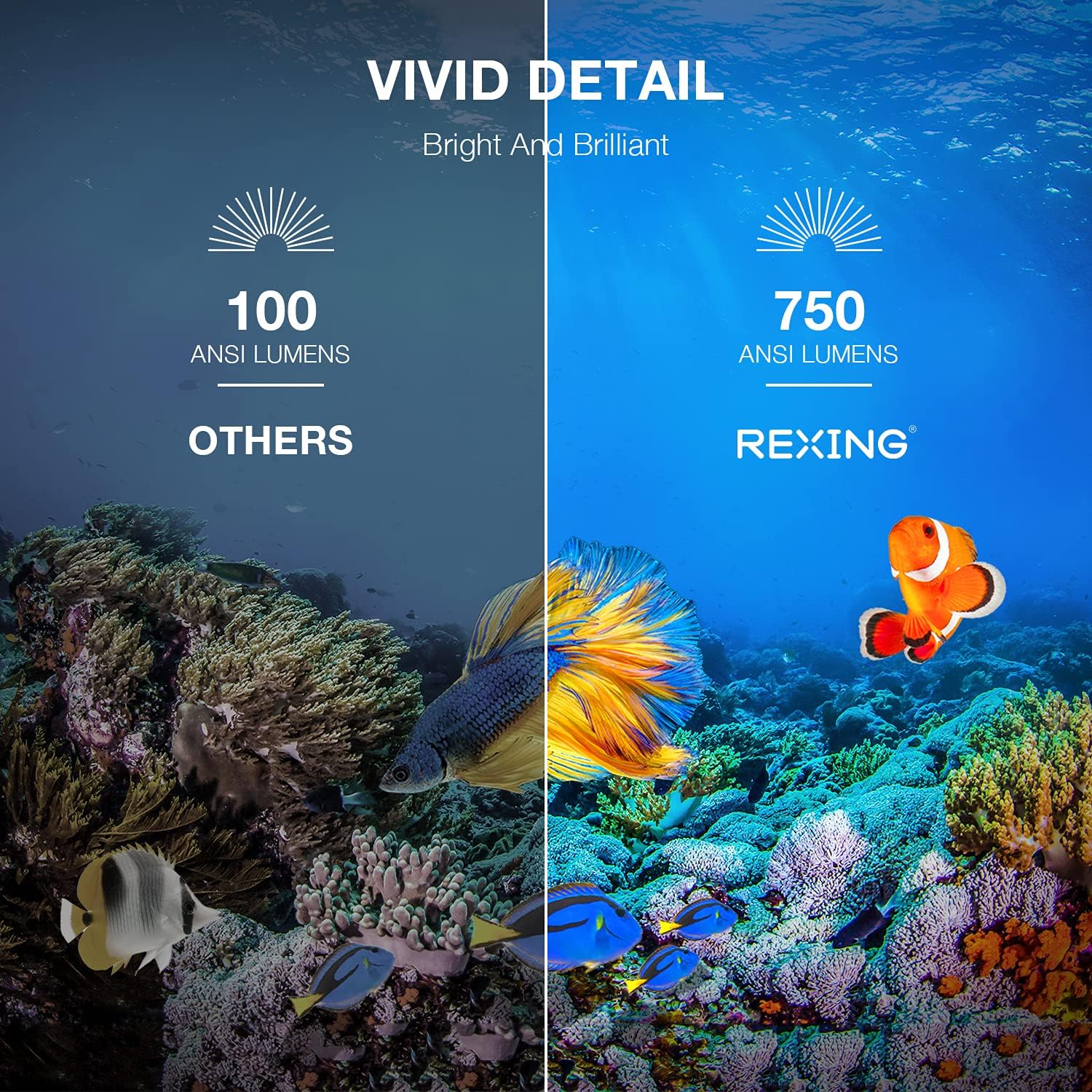
Image: A visual comparison showing the vivid detail of 750 ANSI Lumens (REXING) versus 100 ANSI Lumens (Others) in an underwater scene with colorful fish.

Image: A split screen comparison of a cityscape, demonstrating the clarity of 1080P resolution (REXING) compared to 720P (Other Projectors).
5. Configuración
5.1 Colocación
Coloque o proxector sobre unha superficie estable e plana. Para unha viewing, ensure the projection surface (wall or screen) is clean and smooth. The projector can create an image size from 40 to 150 inches diagonally, depending on the distance from the screen.
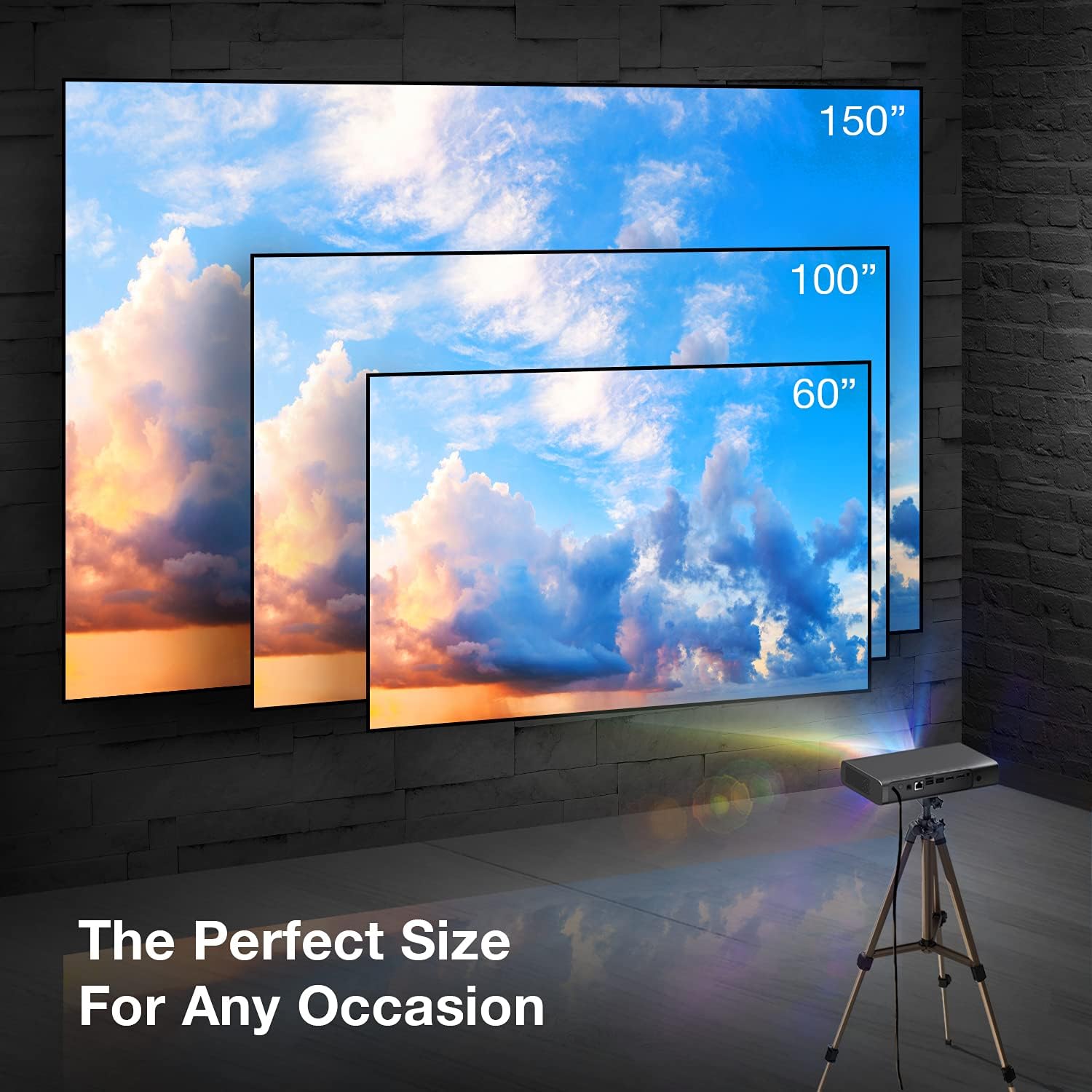
Image: A visual representation showing different projection sizes (60", 100", 150") achievable with the REXING PRD615 projector, illustrating its versatility for various room sizes.
5.2 Conexión de alimentación
- Conecte o adaptador de corrente ao porto DC IN do proxector.
- Enchufe o adaptador de alimentación a unha toma de corrente.
- Preme o botón de acendido do proxector ou do control remoto para acender o dispositivo.
5.3 Initial Configuration (Autofocus & Auto Keystone)
Upon startup, the PRD615 will automatically adjust the focus and keystone correction. This feature ensures a clear, rectangular image even if the projector is not perfectly aligned with the screen.

Imaxe: Unha vista aérea view showing the REXING PRD615 projector on a table, projecting an image onto a wall, with an overlay illustrating the automatic focus and keystone correction capabilities.
5.4 Conexión de rede
To access smart features and online content, connect the projector to your Wi-Fi network:
- Navigate to the 'Settings' menu on the projector's interface.
- Select 'Network' or 'Wi-Fi'.
- Escolle a rede Wi-Fi desexada da lista e introduce o contrasinal se se che solicita.
6. Instrucións de funcionamento
6.1 Conexión de dispositivos externos
- HDMI: Connect Blu-ray players, gaming consoles, laptops, or other HDMI-enabled devices to the HDMI 1 or HDMI 2 ports.
- USB: Insert USB flash drives into the USB 2.0 ports to play media files directamente.
- Bluetooth: Pair Bluetooth speakers or headphones for enhanced audio.
- Tarxeta TF: Insert a TF (microSD) card into the designated slot to access media.
6.2 Using Smart Features (Android TV, Apps, Miracast)
The REXING PRD615 runs on Android TV 9.0, providing access to a wide range of applications:
- App Store/Google Play: Download and install your favorite streaming apps like Netflix, YouTube, Chrome, and more.
- Miracast: Wirelessly mirror content from compatible smartphones, tablets, or computers to the projector screen.
- 3D Playback: For 3D content, ensure your media is in a compatible 3D format and use active shutter 3D glasses (sold separately).

Image: Two individuals playing a racing video game projected onto a large screen by the REXING PRD615, demonstrating the ability to cast content from a phone to the projector.
7. Mantemento
- Limpeza da lente: Use a professional lens cleaning cloth or air blower to gently remove dust. Do not use liquid cleaners directly on the lens.
- Limpeza do Casing: Limpe o exterior do proxector cun pano suave e seco. Para manchas difíciles, un pano lixeiramente secoamp pódese usar un pano, seguido dun pano seco.
- Almacenamento: Cando non o use durante períodos prolongados, garde o proxector nun lugar fresco e seco, protexido do po e das temperaturas extremas.
8 Solución de problemas
| Problema | Causa posible | Solución |
|---|---|---|
| Non se proxecta ningunha imaxe | Power off; input source incorrect; cable loose | Check power connection; select correct input source; ensure cables are securely connected. |
| Imaxe borrosa | Out of focus; projector too close/far | Allow autofocus to adjust; reposition projector within recommended throw distance. |
| Sen son | Volume too low; audio output incorrect; external device muted | Increase projector volume; check audio settings; unmute external device. |
| O control remoto non funciona | Batteries low/dead; obstruction; not pointed at IR receiver | Replace batteries; remove obstructions; point remote directly at the projector's IR receiver. |
| Problemas de conexión wifi | Incorrect password; router too far; network interference | Verify password; move projector closer to router; restart router. |
9. Especificacións
| Característica | Detalle |
|---|---|
| Marca | REXING |
| Modelo | PRD615 |
| Tecnoloxía de visualización | DLP |
| Brillo | 750 lúmenes ANSI |
| Resolución nativa | 1280 x 800 (HD) |
| Resolución máxima da pantalla | 1280 x 800 |
| Tamaño de proxección | 40-150 polgadas |
| Relación de lanzamento | 1.2:1 |
| Tipo de altofalante | Dual 3W Stereo, Built-In |
| Tecnoloxía de conectividade | Bluetooth, USB, HDMI, Wi-Fi |
| Características especiais | Wireless, Portable, Built-In Wi-Fi, Autofocus, Auto Keystone Correction |
| Sistema Operativo | Android TV 9.0 |
| Peso do elemento | 4.8 libras |
| Dimensións do paquete | 11.2 x 8 x 4.6 polgadas |
| Data de primeira dispoñibilidade | 4 de xuño de 2021 |
10. Garantía e soporte
REXING stands behind its products. The PRD615 Smart Home Projector comes with an Garantía de 18 meses from the date of purchase. This warranty covers manufacturing defects and ensures your product functions as intended.
For any questions, technical assistance, or warranty claims, please contact our US-Based Customer Support team. Our dedicated team is ready to assist you.
- Correo electrónico: Consulte a embalaxe do produto ou a ficha oficial de REXING websitio para correo electrónico de contacto.
- Teléfono: Consulte a embalaxe do produto ou a ficha oficial de REXING websitio web para o número de teléfono de atención ao cliente.

Image: A customer support representative with a headset, indicating the availability of US-based customer support for the REXING PRD615 projector.


