1. Introdución
Grazas pola compraasing the Blaupunkt BSR 20 Portable Bluetooth Jobsite Radio. This device is designed to provide robust and reliable audio entertainment in demanding environments. It features FM radio, Bluetooth connectivity, and an AUX-IN port, all housed in a durable, splash-proof casing. Please read this manual thoroughly to ensure proper use and to maximize the lifespan of your product.
2. Instrucións de seguridade
- Fonte de enerxía: Empregue só o adaptador de corrente ou as baterías especificadas. Asegúrese de que o volumetage coincide cos requisitos do dispositivo.
- Auga e humidade: While the device is IPX5 splash-proof, do not immerse it in water or expose it to heavy rain. Keep the battery compartment dry.
- Ventilación: Non bloquees as aberturas de ventilación. Asegúrate de que haxa un fluxo de aire axeitado arredor do dispositivo.
- Calor: Manteña o dispositivo lonxe de fontes de calor como radiadores, rexistros de calor, estufas ou outros aparellos (incluídos amplificadores) que producen calor.
- Limpeza: Desconecte a alimentación antes de limpar. Use un pano suave e seco. Non empregue produtos de limpeza líquidos nin produtos de limpeza en aerosol.
- Servizo: Non intente atender este produto vostede mesmo. Remita todo o servizo a persoal de servizo cualificado.
- Baterías: Dispose of used batteries according to local regulations. Do not expose batteries to excessive heat or fire.
3. Características do produto
- Audio potente: 5W RMS output for clear sound in noisy environments.
- Conectividade sen fíos: Bluetooth 4.2 for streaming music from smartphones and other compatible devices.
- Conectividade por cable: Integrated AUX-IN (3.5mm jack) for connecting MP3 players or other audio sources.
- Radio FM: Digital FM tuner with up to 20 station presets.
- Deseño duradeiro: Shock-resistant, splash-proof, dust-proof, and dirt-resistant (IPX5 rated).
- Portabilidade: Lightweight (2.5 kg) with an integrated foldable carrying handle.
- Controis fáciles de usar: Robust buttons designed for use even with work gloves.
- Opcións de enerxía: Operates via mains power or 6x LR14 (1.5V) C-cell batteries.
4. Configuración
4.1 Alimentación do dispositivo
The Blaupunkt BSR 20 can be powered by either mains electricity or batteries.
Alimentación da rede:
- Localiza o porto de entrada de enerxía do dispositivo.
- Conecte o adaptador de alimentación proporcionado ao dispositivo.
- Conecta o adaptador de corrente a unha toma de corrente axeitada.
Potencia da batería:
For portable use, the radio requires 6x LR14 (1.5V) C-cell batteries (not included).
- Locate the battery compartment on the back or bottom of the radio.
- Abra a tapa do compartimento da batería.
- Insert 6x LR14 (1.5V) C-cell batteries, ensuring correct polarity (+/-).
- Close the battery compartment cover securely to maintain IPX5 rating.
4.2 Encendido inicial
Preme o Poder botón (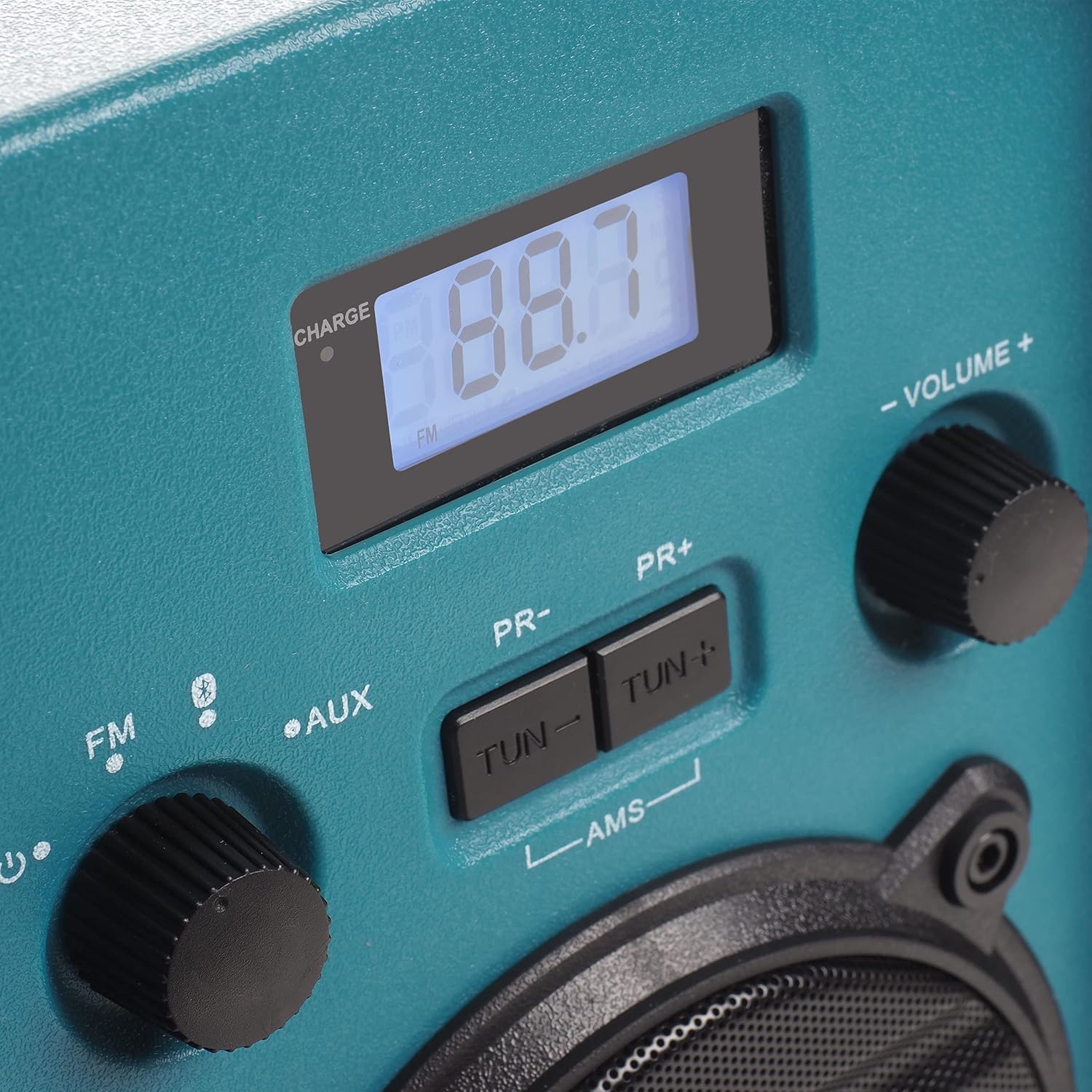 ) to turn on the radio. The display will illuminate.
5. Instrucións de funcionamento
5.1 Selección de modo
Rotate the left knob to select between FM Radio, Bluetooth (), and AUX-IN modes.
5.2 Funcionamento da radio FM
- Seleccione FM mode using the left knob.
- Extend the antenna for optimal reception.
- Usa o TUN- e TUN + botóns para sintonizar manualmente a frecuencia desexada.
- To automatically scan and store stations, press and hold the AMS button. The radio will scan for available FM stations and store them as presets.
- Usa o PR- e PR+ buttons to navigate through stored preset stations.
5.3 Emparejamento Bluetooth
- Seleccione Bluetooth mode using the left knob. The display will show "BT" and flash, indicating it is in pairing mode.
- No teu teléfono intelixente ou noutro dispositivo Bluetooth, activa Bluetooth e busca os dispositivos dispoñibles.
- Select "Blaupunkt BSR 20" from the list of devices.
- Once paired, the display will show a steady "BT" and you can play audio from your connected device.
5.4 Conexión AUX-IN
- Seleccione AUX mode using the left knob.
- Connect one end of a 3.5mm audio cable (not included) to the AUX-IN port on the radio.
- Conecta o outro extremo do cable de audio á toma de auriculares ou á saída de audio do teu dispositivo externo (por exemplo, reprodutor de MP3, teléfono intelixente).
- Reproducir audio desde o dispositivo externo.
5.5 Control de volume
Rotate the right knob labeled VOLUME +/- to adjust the audio output level.
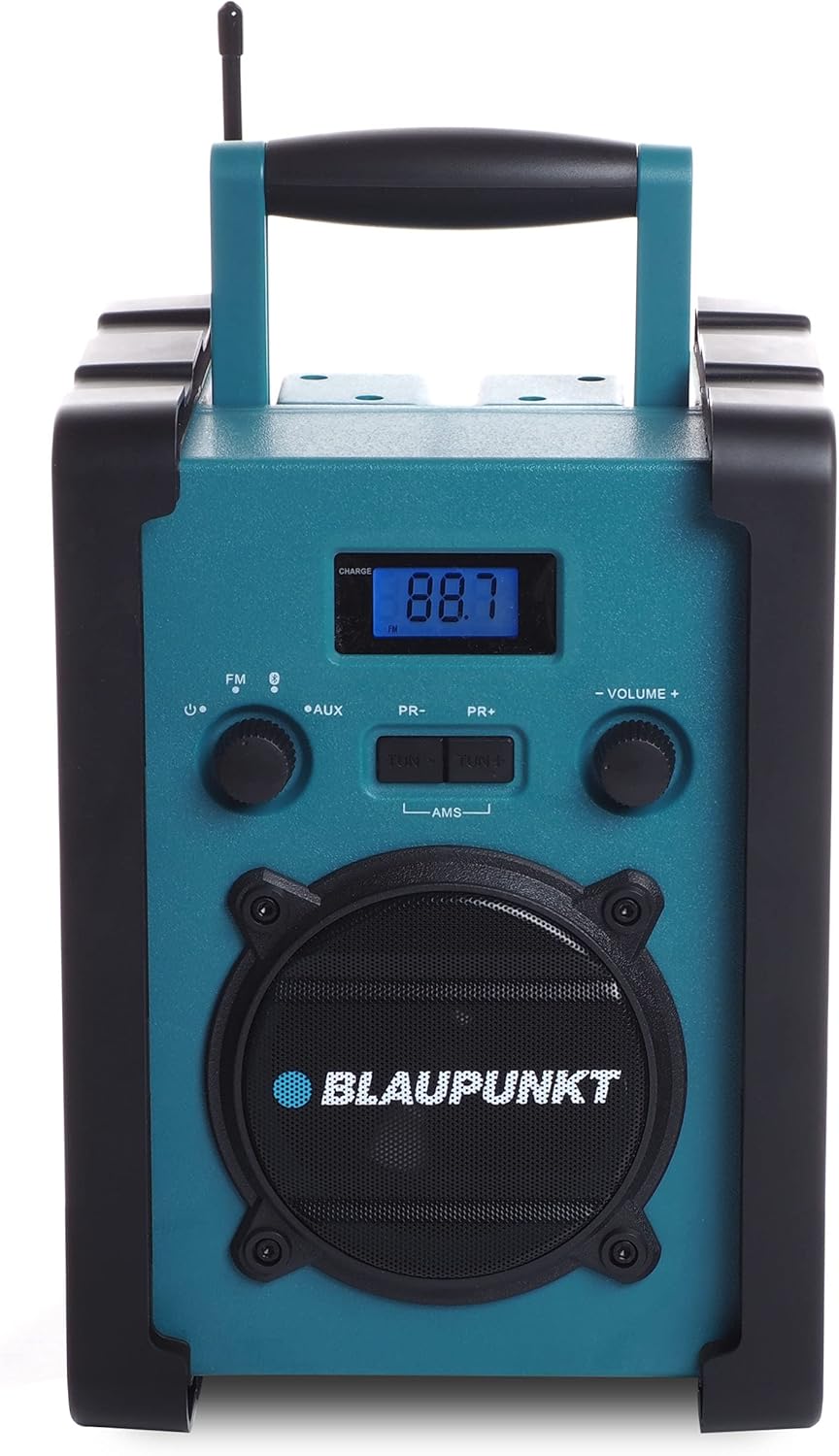
Figura 1: Fronte view of the Blaupunkt BSR 20 jobsite radio, showing the display, controls, and speaker.
Figure 2: Close-up of the control panel, showing the digital display, FM/AUX/Bluetooth selection, tuning buttons, and volume knob.
6. Mantemento
6.1 Limpeza
To clean the radio, ensure it is powered off and disconnected from the mains. Use a soft, slightly damp cloth to wipe down the exterior. Do not use abrasive cleaners, solvents, or strong chemicals, as these may damage the surface.
6.2 Almacenamento
When not in use for extended periods, store the radio in a cool, dry place. If using batteries, remove them to prevent leakage and potential damage to the device.
7 Solución de problemas
| Problema | Causa posible | Solución |
|---|---|---|
| Sen poder | Power adapter not connected; Batteries depleted or incorrectly inserted. | Check power adapter connection; Replace batteries or ensure correct polarity. |
| Sen son | Volume too low; Incorrect mode selected; Device not paired (Bluetooth); AUX cable not connected properly. | Increase volume; Select correct mode (FM, BT, AUX); Re-pair Bluetooth device; Check AUX cable connection. |
| Mala recepción FM | Antena non estendida; Zona de sinal débil. | Fully extend the antenna; Try repositioning the radio. |
| Bluetooth non se conecta | Radio not in pairing mode; Device too far; Bluetooth disabled on external device. | Ensure radio is in Bluetooth pairing mode; Move device closer; Enable Bluetooth on external device. |
8. Especificacións
- Marca: BLAUPUNKT
- Modelo: BSR 20
- Cor: Azul
- Tecnoloxía de conectividade: Bluetooth
- Características especiais: Shock-resistant, Portable, IPX5 Splash-proof
- Dispositivos compatibles: Teléfono intelixente, tableta, reprodutor de MP3
- Dimensións do produto (L x W x H): 19.8 cm x 18.8 cm x 27.4 cm
- Tecnoloxía de afinación: Dixital
- Fonte de enerxía: Mains / Battery powered
- Bandas de radio admitidas: FM
- Tipo de batería: 6x LR14 (1.5V) C-cell batteries (not included)
- Saída RMS: 5W
9. Garantía e soporte
This product is covered by a manufacturer's warranty. Please refer to the warranty card included with your purchase for specific terms and conditions. For technical support, service, or warranty claims, please contact your retailer or the official Blaupunkt customer service. Keep your proof of purchase for warranty validation.