1. Produto rematadoview
The CAMECHO Q3178 is an Android-based single DIN car stereo featuring a 7-inch flip-out touchscreen. It includes GPS navigation, Bluetooth 4.0, WiFi connectivity, Mirror Link functionality, steering wheel control support, USB and AUX inputs, and an FM audio receiver. The system operates on Android 9.1 with 1GB RAM and 16GB internal storage.
Fronte view of the CAMECHO Q3178 Android Single Din Car Stereo with its 7-inch flip-out touchscreen.
2. Contido do paquete
Verify that all items are present in the package before installation.
- 1 x Android Car Stereo (CAMECHO Q3178)
- 1 x Traseiro View Cámara
- 1 x Antena GPS
- 1 x cable de alimentación
- 1 x Horn Wire
- 2 x Disassemble Keys
- 1 x manual de instrucións

Image showing all components included in the CAMECHO Q3178 car stereo package.
3. Configuración e instalación
3.1 Instalación física
The CAMECHO Q3178 is designed for single DIN slots. Ensure your vehicle has a compatible slot. The common size is 186(L)*55(H)*178(D)mm (7.33(L)*2.17(H)*7.01(D)inch).

Diagram illustrating the installation dimensions and various wiring connections for the car stereo.
3.2 Conexións de cableado
Connect the provided cables to the corresponding ports on the car stereo and your vehicle's wiring harness. Refer to the detailed wiring diagram for specific connections.
- Cable de alimentación: Connect to your vehicle's power supply (ACC, B+, GND).
- Horn Wire: Connect to the vehicle's horn system if applicable.
- Antena GPS: Connect the GPS antenna to the dedicated port on the back of the unit and mount it in a location with a clear view do ceo.
- Traseira View Cámara: Connect the camera's video output to the 'CAM IN' port. Connect the camera's power to the reversing light positive and ground. The 'BACK' wire from the stereo should also connect to the reversing light positive to trigger the display.
Video demonstrating the correct wiring for the reversing camera connection, including connecting the camera cable and the BACK line to the car's reversing light circuit.

Detailed diagram showing how to connect the backup camera to the car stereo and the vehicle's reversing lights.
4. Instrucións de funcionamento
4.1 Funcionamento básico
The unit features a 7-inch foldable touchscreen. Power on the device using the PWR button. Navigate through the Android interface by touching and swiping the screen. Adjust volume using the rotary knob or on-screen controls.
Video demonstrating various settings and features of the car stereo's Android interface, including sound settings, factory settings, and GPS detection.
4.2 Navegación GPS
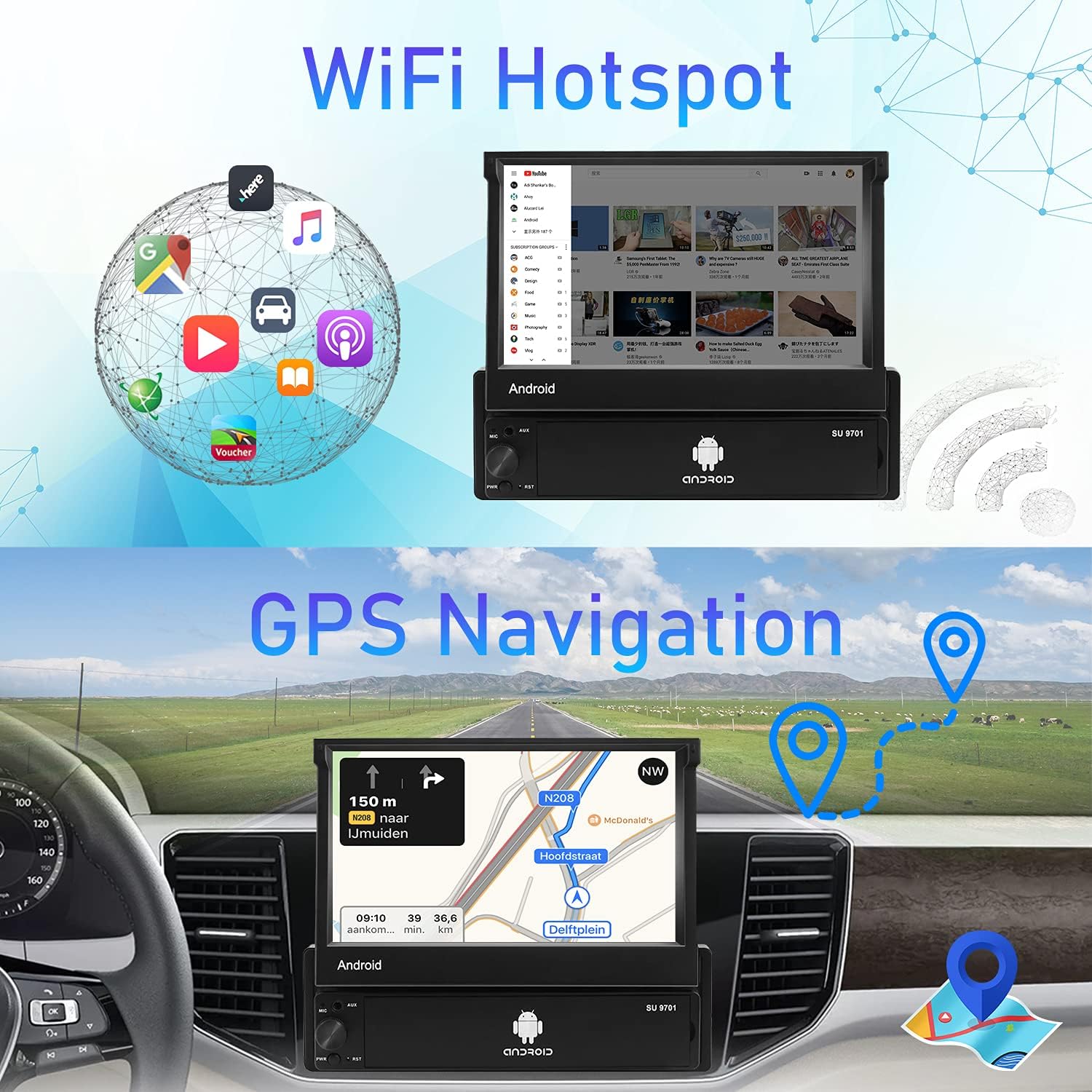
The unit has a built-in GPS module and comes with an external GPS antenna. For offline navigation, download map data using the pre-installed "Here WeGo" application. Ensure the GPS antenna is properly installed for optimal signal reception.

Image showing the GPS navigation interface and the WiFi hotspot functionality on the car stereo.
4.3 Conectividade WiFi
Connect the car stereo to a WiFi hotspot (e.g., from your smartphone) to access online features, download apps from the Play Store, use online maps, and stream online videos. The unit supports 3G internet via a connected hotspot.
4.4 Funcionalidade Bluetooth
Pair your smartphone via Bluetooth 4.0 for hands-free calling and wireless music streaming. Access your phonebook and call history directly from the stereo's screen.
- Emparejamento: Go to Bluetooth settings on the stereo and your phone, search for available devices, and select the car stereo to pair.
- Chamadas mans libres: Fai e recibe chamadas directamente desde o equipo de música.
- Transmisión de audio: Play music from your phone wirelessly through the car speakers.

Screenshot of the car stereo's interface displaying the Bluetooth hands-free calling screen.
4.5 Ligazón de espello
Synchronize your smartphone's display onto the car stereo's 7-inch touchscreen. This feature supports iPhone (iOS 12 and below) and Android (9.0 and below) devices.
- For Android USB Mirror Link: Connect your Android phone via USB cable. Enable USB debugging in your phone's developer options. Open the TimaAvn app on your phone and follow prompts.
- For Android WiFi Mirror Link: Turn on your phone's portable hotspot. Connect the car stereo to this hotspot. Open the TimaAvn app on your phone and follow prompts.
- For iPhone WiFi Mirror Link: Turn on your iPhone's personal hotspot. Connect the car stereo to this hotspot. Slide up on your iPhone to access AirPlay Mirroring.
Video demonstrating the setup process for Android USB Mirror Link, including enabling USB debugging and using the TimaAvn app.
Video demonstrating the setup process for Android WiFi Mirror Link, including connecting to a mobile hotspot and using the TimaAvn app.

Image illustrating the Mirror Link functionality, showing both one-way connection for iPhone and two-way connection for Android.
4.6 FM Stereo Receiver
Tune into FM radio stations with 18-station presets. Scan for stations and save your favorites for quick access.

Screenshot of the car stereo's FM radio interface, showing station frequencies and preset options.
4.7 Control do volante (SWC)
The unit supports original steering wheel key functions. Configure the SWC settings in the system menu to map your steering wheel buttons to stereo functions.

Screenshot of the car stereo's settings menu for configuring steering wheel controls.
4.8 Multimedia System
The stereo includes a built-in preset equalizer for audio customization. It supports USB playback and AUX input for various audio sources. The unit also has the ability to connect an external amplifier and subwoofer (not included).

Screenshot of the car stereo's audio equalizer settings, allowing customization of sound profiles.

Image highlighting the car stereo's multimedia capabilities, including AUX input, USB playback, and subwoofer support.
5. Mantemento
To ensure the longevity and optimal performance of your CAMECHO Q3178 car stereo, follow these maintenance guidelines:
- Limpeza: Use a soft, dry cloth to clean the touchscreen and exterior. Avoid abrasive cleaners or solvents that may damage the surface.
- Actualizacións de software: Periodically check for software updates to ensure the system runs efficiently and has the latest features. Updates can typically be found via the system settings when connected to WiFi.
- Temperatura: Evite expoñer a unidade a temperaturas extremas, tanto frías como quentes, durante períodos prolongados.
- Conexións: Asegúrese de que todas as conexións do cableado estean seguras e libres de corrosión.
6 Solución de problemas
If you encounter issues with your car stereo, refer to the following common troubleshooting steps:
- Sen enerxía: Check all power connections (B+, ACC, GND). Ensure the vehicle's fuse for the stereo is not blown.
- Sen son: Verify speaker connections. Check volume levels and audio output settings. Ensure the mute function is not activated.
- Problemas co sinal GPS: Asegúrese de que a antena GPS estea conectada correctamente e montada nun lugar con claras view of the sky. Try restarting the unit.
- Problemas de conexión Bluetooth: Ensure Bluetooth is enabled on both the stereo and your phone. Delete previous pairings and try re-pairing.
- A ligazón de espello non funciona: Verify USB debugging is enabled for Android or AirPlay is active for iPhone. Ensure the TimaAvn app is installed and running correctly on your phone. Check phone compatibility (iOS 12 and below, Android 9.0 and below).
- Non se mostra a cámara de marcha atrás: Check the 'CAM IN' video connection and the 'BACK' trigger wire connection to the reversing light. Ensure the camera is receiving power.
- Pantalla táctil sen resposta: Try restarting the unit. If the issue persists, a factory reset might be necessary (refer to system settings).
For any complex wiring, operation, or other problems, please contact customer support.
7. Especificacións
| Característica | Especificación |
|---|---|
| Peso do elemento | 3.83 libras |
| Dimensións do produto | 7.32 x 7.01 x 2.17 polgadas |
| Número de modelo do artigo | Q3178 |
| Tamaño de visualización | 7 polgadas |
| Comando de voz | Pantalla táctil |
| Marca | CAMECHO |
| Nome do modelo | 7 Inch Flip Out Touchscreen Android Car Radio |
| Tipo de servizo do vehículo | Coche |
| Característica especial | Pantalla táctil |
| Tecnoloxía de conectividade | Bluetooth |
| Tipo de mapa | En todo o mundo |
| Modo de saída de audio | AUX, Stereo |
| Resolución | 1024 x 600 |
8. Garantía e soporte
For product support, technical assistance, or warranty inquiries, please contact CAMECHO customer support directly.
Correo electrónico: CAMECHOVIP@126.com
Please have your model number (Q3178) and purchase details ready when contacting support.


