1. Iniciación
1.1 Contido do paquete
Comprobe se o paquete contén os seguintes elementos:
- WENKEY E2 Wireless Earbuds (Left and Right)
- Estuche de carga
- Cable de carga USB
- Multiple Sizes of Ear Tips (XS, S, M, L, XL)
- Manual de usuario
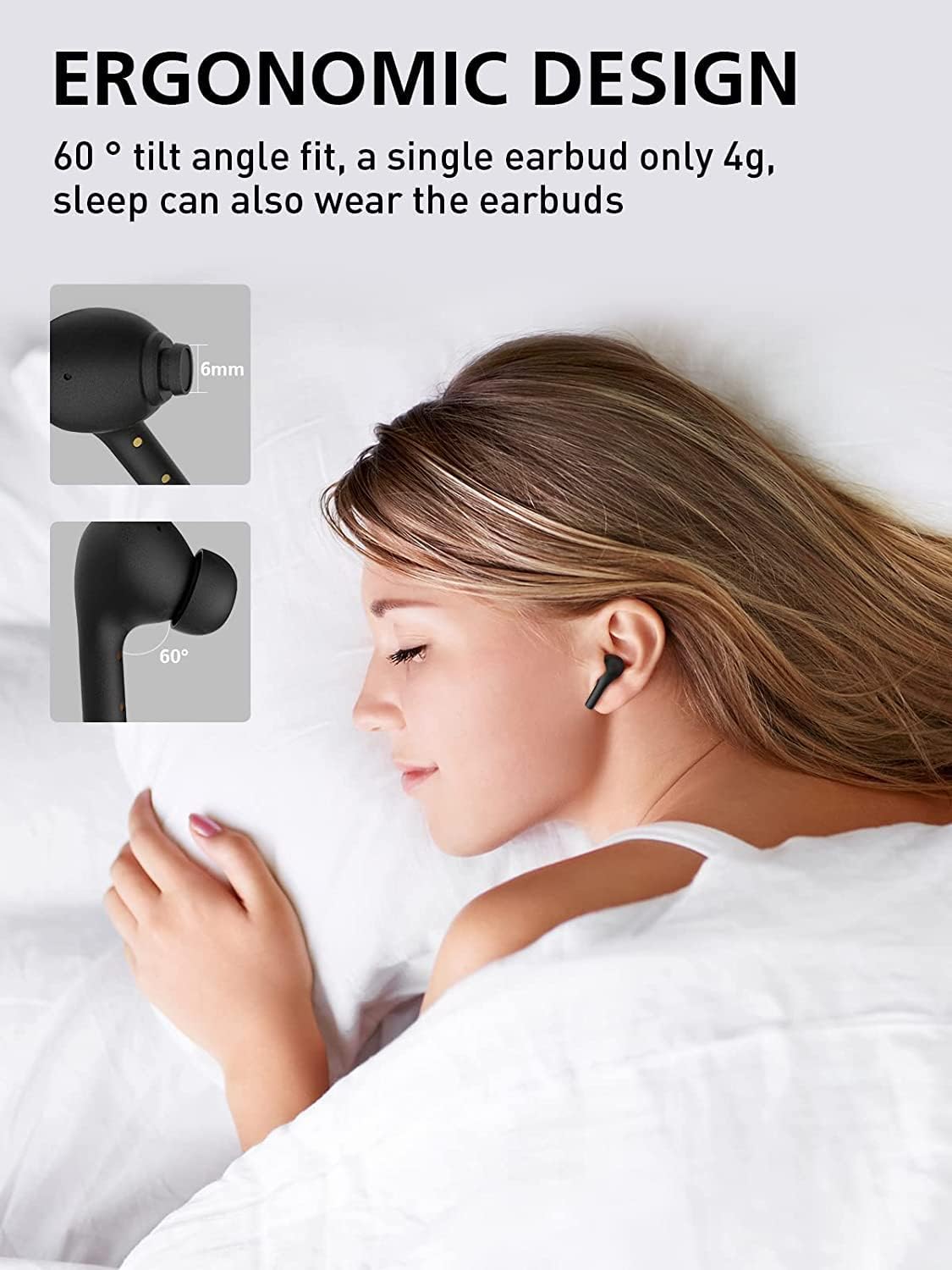
Image: All components included in the WENKEY E2 Earbuds package.
1.2 Carga dos auriculares e da funda
Before first use, fully charge the earbuds and the charging case. The charging case provides up to 5 full charges for the earbuds, extending total listening time to 30 hours.
- Coloca os auriculares no estoxo de carga. Asegúrate de que estean correctamente colocados; as luces indicadoras dos auriculares acenderánse.
- Conecta a caixa de carga a unha fonte de alimentación USB usando o cable USB fornecido.
- The LED indicators on the charging case will show the charging status. Four lights indicate a full charge.

Image: WENKEY E2 Earbuds seated in their charging case, ready for charging.

Image: Visual representation of the charging case's LED indicators and their battery level meanings.
1.3 Emparellamento co teu dispositivo
The earbuds feature one-step pairing for convenience.
- Abre a caixa de carga. Os auriculares acenderanse automaticamente e entrarán no modo de emparellamento.
- No teu dispositivo (teléfono intelixente, tableta, portátil), activa o Bluetooth.
- Busca "WENKEY E2" in the list of available Bluetooth devices and select it to connect.
- Unha vez conectados, escoitarás un ton de confirmación e os auriculares estarán listos para usar.
The advanced Bluetooth 5.1 technology ensures a fast, stable connection with a range of up to 15 meters.
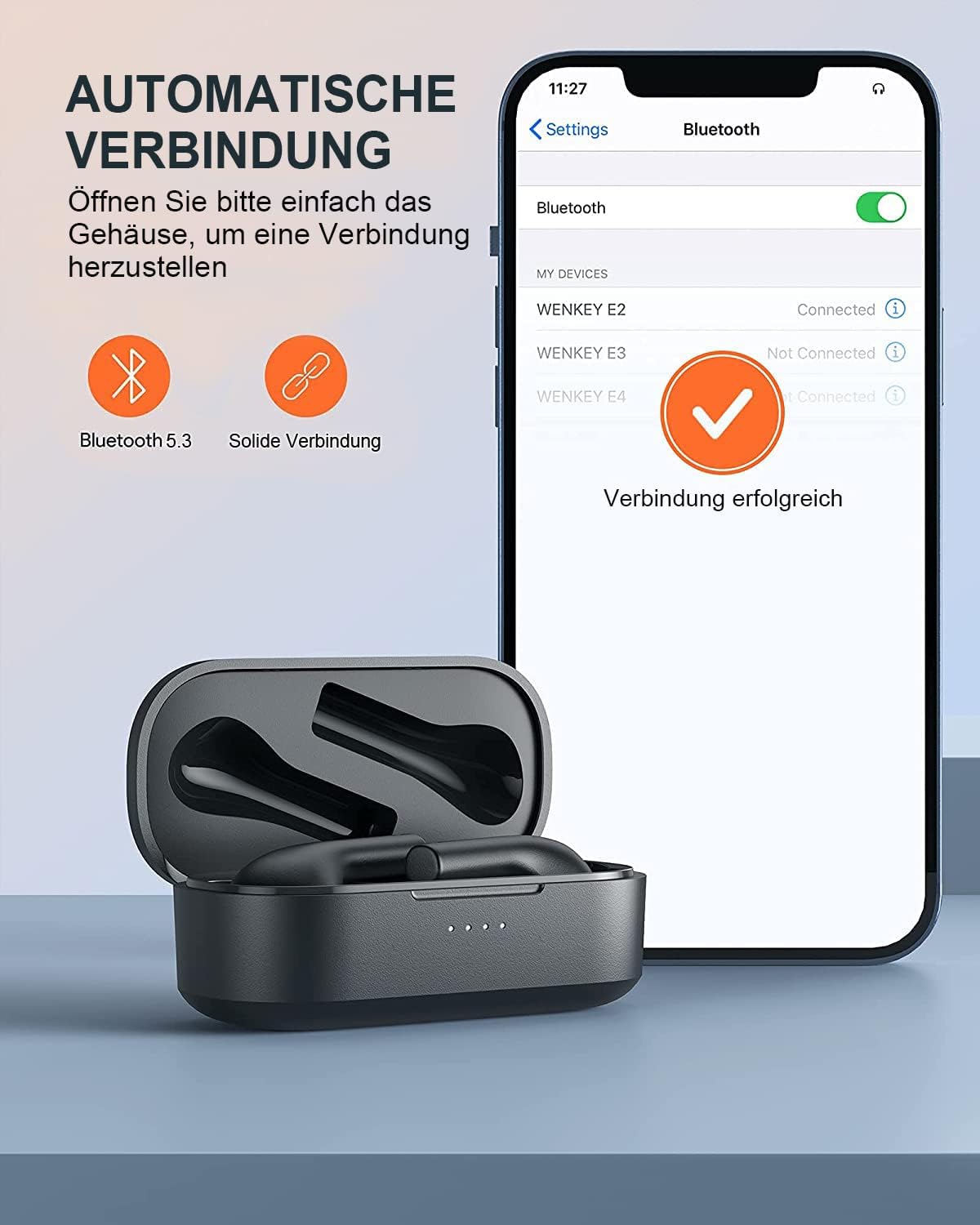
Image: Automatic pairing process shown on a smartphone's Bluetooth settings.
2. Funcionamento dos auriculares
2.1 Uso dos auriculares
The WENKEY E2 earbuds are designed with an ergonomic 60-degree tilt angle for a secure and comfortable fit. Choose the ear tips that best fit your ear canal for optimal sound quality and noise isolation.

Image: Ergonomic design of the earbuds for comfortable and secure wear.

Image: Selection of ear tip sizes for a customized and comfortable fit.
2.2 Controis táctiles
The earbuds feature intuitive touch controls for managing media playback and calls.
| Función | Acción |
|---|---|
| Reproducir/Pausa | Toca dúas veces calquera dos auriculares |
| Próxima pista | Toca e mantén premido o auricular dereito durante 2 segundos |
| Pista anterior | Touch and hold the left earbud for 2 seconds |
| Responder/Finalizar chamada | Toca dúas veces calquera dos auriculares |
| Rexeitar a chamada | Mantén premido calquera dos auriculares durante 2 segundos |
| Asistente de voz | Toca tres veces calquera dos auriculares |

Imaxe: Guía visual das funcións de control táctil dos auriculares.
2.3 Call Functions and Audio Quality
The earbuds feature ENC (Environmental Noise Cancellation) microphones, ensuring clear calls even in noisy environments. Experience Hi-Fi stereo sound with enhanced bass for an immersive audio experience.

Image: Explanation of the noise-canceling microphone technology for clear calls.

Image: Internal structure of the earbud driver, emphasizing high-fidelity audio.
2.4 Uso dun só auricular
Either earbud can be used independently as a mono Bluetooth headset, allowing you to stay aware of your surroundings while enjoying audio or making calls.

Image: Demonstrating the flexibility of using a single earbud.
3. Mantemento
3.1 Limpeza
Para manter un rendemento e unha hixiene óptimos, limpa os auriculares e a caixa de carga con regularidade.
- Usa un pano suave, seco e sen fiapos para limpar os auriculares e a funda de carga.
- Gently remove any earwax or debris from the ear tips and speaker mesh using a small, clean brush or cotton swab.
- Non empregue produtos de limpeza abrasivos, alcol nin disolventes químicos.
3.2 Resistencia á auga (IPX6)
The WENKEY E2 earbuds are IPX6 waterproof, meaning they are resistant to sweat, water splashes, and rain. They are suitable for sports and outdoor activities.
Note: The charging case is not waterproof. Do not expose the charging case to liquids.

Imaxe: Representación visual da resistencia á auga IPX6 dos auriculares.
3.3 Almacenamento
Cando non estean en uso, garde os auriculares no seu estoxo de carga para protexelos e garantir que sigan cargados.
4 Solución de problemas
If you encounter any issues with your WENKEY E2 earbuds, please refer to the following common solutions:
| Problema | Posible Solución |
|---|---|
| Os auriculares non se emparellan/conectan |
|
| Sen son nin baixo volume |
|
| Intermittent connection/sound flickering |
|
| Os auriculares non se cargan |
|
5. Especificacións
| Característica | Detalle |
|---|---|
| Número de modelo | E2 |
| Marca | WENKEY |
| Tecnoloxía de conectividade | Sen fíos (Bluetooth 5.1) |
| Tecnoloxía de comunicación sen fíos | Bluetooth |
| Nivel de resistencia á auga | IPX6 (Sweatproof, Water-resistant) |
| Duración da batería (auriculares) | Ata 5 horas cunha soa carga |
| Tempo de reprodución total coa caixa de carga | Ata 30 horas |
| Características especiais | Fast Charging, ENC Noise Cancellation, Hi-Fi Stereo Sound |
| Cor | Negro |
| Factor de forma | In-Ear |
| Material | Plástico |

Image: Illustration of the extended battery life with the charging case.

Image: Compatibility of WENKEY E2 earbuds with various operating systems.
6. Garantía e soporte
6.1 Información da garantía
Specific warranty details for the WENKEY E2 earbuds are not provided in the product data. Please refer to the warranty card included in your product packaging or contact the retailer/manufacturer directly for warranty terms and conditions.
6.2 Atención ao cliente
For further assistance, technical support, or inquiries, please contact WENKEY customer service. Contact information is typically found on the product packaging, the official WENKEY websitio web ou a través da túa plataforma de compra.
7. Vídeos oficiais de produtos
Non se atoparon vídeos oficiais de produtos do vendedor nos datos proporcionados.


