1. Introdución
This manual provides essential information for the safe and efficient operation of your ACROJOY D501 Native 1080P Mini Projector. Please read it thoroughly before using the product and retain it for future reference.
2. Información de seguridade
- Non mire directamente á lente do proxector cando estea aceso.amp está acendido. A luz intensa pode causar danos nos ollos.
- Asegúrese de que haxa unha ventilación axeitada arredor do proxector. Non bloquee as aberturas de ventilación.
- Manteña o proxector lonxe da auga, da humidade e das temperaturas extremas.
- Empregue só o adaptador de corrente subministrado co proxector.
- Non intente reparar o proxector vostede mesmo. Encargue calquera mantemento a persoal cualificado.
- Manter fóra do alcance dos nenos.
3. Contido do paquete
Verifica que todos os elementos estean presentes no teu paquete:
- 1x ACROJOY D501 Projector
- 1x User Manual/Quick Start/Warranty Information
- 1x Kit de limpeza
- 1 x cable HDMI
- 1x cable de alimentación
- 1x Projector Lens Cover
- 1x 120-inch Projector Screen
- 1 x mando a distancia
4. Produto rematadoview
Familiarize yourself with the main components of your ACROJOY D501 projector.

Figura 4.1: ACROJOY D501 Projector and included 120-inch screen. The image highlights key features such as native 1080p resolution, 5G+2.4G WiFi, 9500 lumens (as indicated in image), and 4K support.

Figura 4.2: Lado view of the projector illustrating its connectivity options, including ports for PS5, Nintendo Switch, TV Stick, Phone/Tablet, USB, Laptop/PC, and Audio output.
5. Configuración
5.1 Colocación do proxector
Position the projector on a stable, flat surface or mount it (ceiling, tripod) according to your preference. Ensure the projector is perpendicular to the projection surface for optimal image quality.
- Distancia de proxección: The optimal projection distance ranges from 4 to 40 feet.
- Tamaño da pantalla: The projector can produce an adjustable display size from 35 inches to 400 inches. A 120-inch screen is included for convenience.

Figura 5.1: The ACROJOY D501 Projector in an outdoor setting, demonstrating its portability and the use of the bundled 120-inch projector screen for an enjoyable viewexperiencia ing.
5.2 Conexión de alimentación
- Conecte o cable de alimentación ao porto de entrada de alimentación do proxector.
- Plug the other end of the power cord into a suitable electrical outlet (120 Volts).
- A luz indicadora de acendido do proxector acenderase.
5.3 Axuste do enfoque e da distorsión trapezoidal
After powering on the projector, adjust the image for clarity and shape:
- Anel de enfoque: Xire o anel de enfoque da lente do proxector ata que a imaxe proxectada sexa nítida e clara.
- Corrección Keystone: Use the keystone correction dial or digital adjustment (if available) to correct trapezoidal distortion, ensuring a rectangular image. The projector supports ±15 degrees keystone correction.
6. Instrucións de funcionamento
6.1 Encendido/apagado
- Encendido: Preme o botón de acendido do proxector ou do control remoto.
- Apagado: Preme de novo o botón de acendido/apagado. Confirma o apagado se se che solicita.
6.2 Selección da fonte de entrada
The projector supports multiple input sources. Use the 'Source' button on the projector or remote to select the desired input:
- HDMI: Connect devices like laptops, TV sticks, gaming consoles (PS5, Xbox) via HDMI cables. The projector has 2 HDMI ports.
- USB: Insira unha unidade USB para reproducir contido multimedia files directamente.
- DE: Conecta dispositivos antigos cun cable AV.
6.3 Conectividade sen fíos (WiFi e Bluetooth)
6.3.1 WiFi Screen Mirroring
The projector features 5G+2.4G dual-band WiFi for fast and stable screen mirroring from your smartphone or tablet.
- Ensure your projector and mobile device are connected to the same WiFi network.
- Select the 'Screen Mirroring' or 'Wireless Display' option on the projector's menu.
- On your iOS device, use 'Screen Mirroring'. On Android, use 'Wireless Projection' or similar.
- Seleccione o proxector da lista de dispositivos dispoñibles.
Nota: Due to copyright restrictions, streaming services like Netflix, Amazon Prime Video, and Hulu cannot be wirelessly mirrored directly from your device. Use an HDMI-connected TV stick or similar device for these services.

Figura 6.1: Demonstrates 5G WiFi screen mirroring for seamless video streaming from iOS, Android, or Windows devices to the projector.
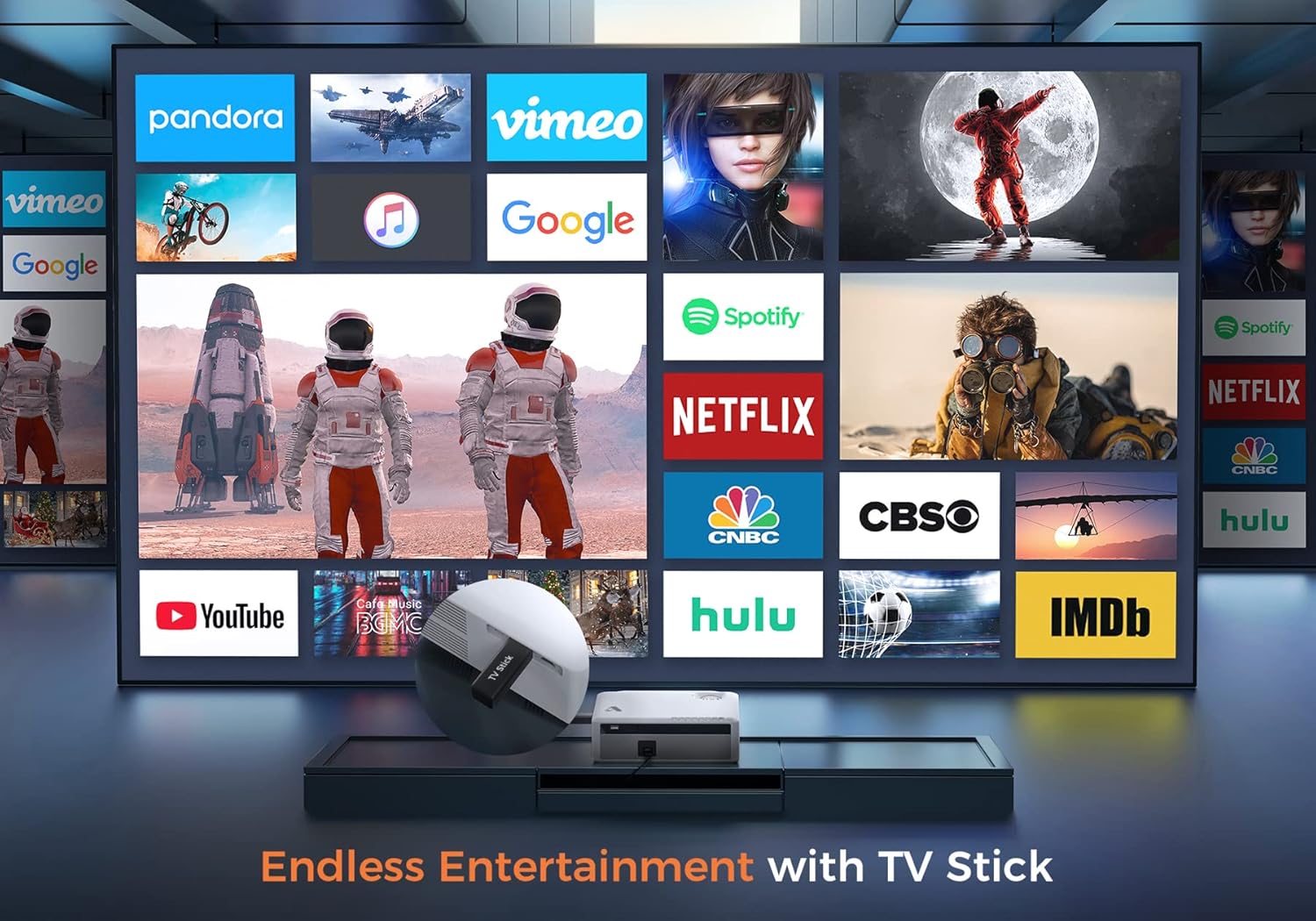
Figura 6.2: Illustrates how to access various entertainment apps like YouTube, Netflix, and Hulu by connecting a TV stick to the projector.
6.3.2 Conexión Bluetooth
Conecta altofalantes ou auriculares Bluetooth externos para mellorar o son.
- Enable Bluetooth on your external audio device and set it to pairing mode.
- On the projector's menu, navigate to 'Bluetooth Settings'.
- Selecciona o teu dispositivo da lista para emparellalo.
The projector also features a built-in Hi-Fi speaker for direct audio output.
6.4 Función de zoom
Adjust the image size without moving the projector using the 50%-100% zoom function, typically found in the projector's display settings menu.
7. Mantemento
- Limpeza de lentes: Use the provided cleaning kit or a soft, lint-free cloth specifically designed for optical lenses. Do not use abrasive cleaners.
- Eliminación de po: Regularly clean the projector's exterior with a soft, dry cloth. Use a small brush or compressed air to gently clear dust from ventilation openings.
- Almacenamento: When not in use, store the projector in a cool, dry place, protected from dust and direct sunlight. Always replace the lens cover.
8 Solución de problemas
- Sen enerxía: Asegúrate de que o cable de alimentación estea conectado correctamente tanto ao proxector como á toma de corrente. Proba cunha toma diferente.
- Sen imaxe: Check the input source selection. Ensure the connected device is powered on and sending a signal. Verify HDMI/USB cable connections.
- Imaxe borrosa: Adjust the focus ring. Ensure the projection distance is within the recommended range.
- A imaxe é trapezoidal: Axuste a corrección trapezoidal.
- Sen audio: Comprobe a configuración de volume tanto no proxector como no dispositivo fonte. Se usa altofalantes externos, asegúrese de que estean conectados ou emparellados correctamente mediante Bluetooth.
- WiFi Mirroring Issues: Ensure both devices are on the same WiFi network. Some copyrighted content cannot be mirrored wirelessly.
9. Especificacións
| Marca | Acrojoy |
| Número de modelo | D501 |
| Resolución nativa | 1920 x 1080 (Full HD) |
| Resolución máxima admitida | 3840 x 2160 (4K) |
| Brillo | 5500 lúmenes |
| Relación de contraste | 12000:1 |
| Tipo de visualización | LCD |
| Conectividade | 5G+2.4G WiFi, Bluetooth 5.1 |
| Portos de entrada | 2x HDMI, 1x USB, AV |
| Portos de saída | Saída de audio de 3.5 mm |
| Tamaño de proxección | 35" - 400" |
| Distancia de proxección | 4 - 40 pés |
| Relación de aspecto | 4:3 / 16:9 |
| Corrección Keystone | ± 15 graos |
| Función de zoom | 50% - 100% |
| Dimensións do produto | 22.86 x 17.75 x 7.62 cm |
| Peso do elemento | 3.19 kg |
| Fonte de enerxía | Eléctrico con cable (120 voltios, 600 vatios) |
10. Garantía e soporte
ACROJOY provides comprehensive support for your projector:
- Garantía: A 3-year warranty covers manufacturing defects and malfunctions.
- Soporte técnico: Hai dispoñible soporte técnico profesional de por vida.
- Contacto: For any questions or assistance, please refer to the contact information provided in your Quick Start Guide or Warranty Information document.


