1. Introdución
Welcome to the instruction manual for your Hyperkin Duke Wired Controller. This officially licensed controller is designed to provide a classic gaming experience with modern compatibility for Xbox Series X|S, Xbox One, and Windows 10 PCs. This special edition features an Xbox 20th Anniversary design.

Imaxe 1.1: Fronte view of the Hyperkin Duke Wired Controller, White 20th Anniversary Edition.
2. Contido do paquete
Asegúrate de que todos os elementos estean presentes no paquete:
- Hyperkin Duke Wired Controller (White)
- Detachable Type-C Braided Cable

Image 2.1: Hyperkin Duke Wired Controller product packaging.
3. Deseño do controlador
Familiarize yourself with the controller's buttons and features:
- Manetas analóxicas esquerda e dereita: Para movementos precisos e control da cámara.
- D-Pad: Entrada direccional.
- Botóns A, B, X, Y: Botóns de acción estándar.
- Gatillo esquerdo e dereito (LT, RT): Pressure-sensitive for nuanced control.
- Parachoques esquerdo e dereito (LB, RB): Mirror the original black and white buttons for expanded functionality.
- Botón Xbox: Features an animated original Xbox startup screen.
- Botón Compartir: For capturing screenshots and video clips (functionality may vary by platform).
- View Botón: Accesses in-game menus or system functions.
- Botón de menú: Accede aos menús de xogos ou aplicacións.
- Conector para auriculares de 3.5 mm: Para conectar auriculares compatibles.

Imaxe 3.1: Fronte view of the controller highlighting the main controls.
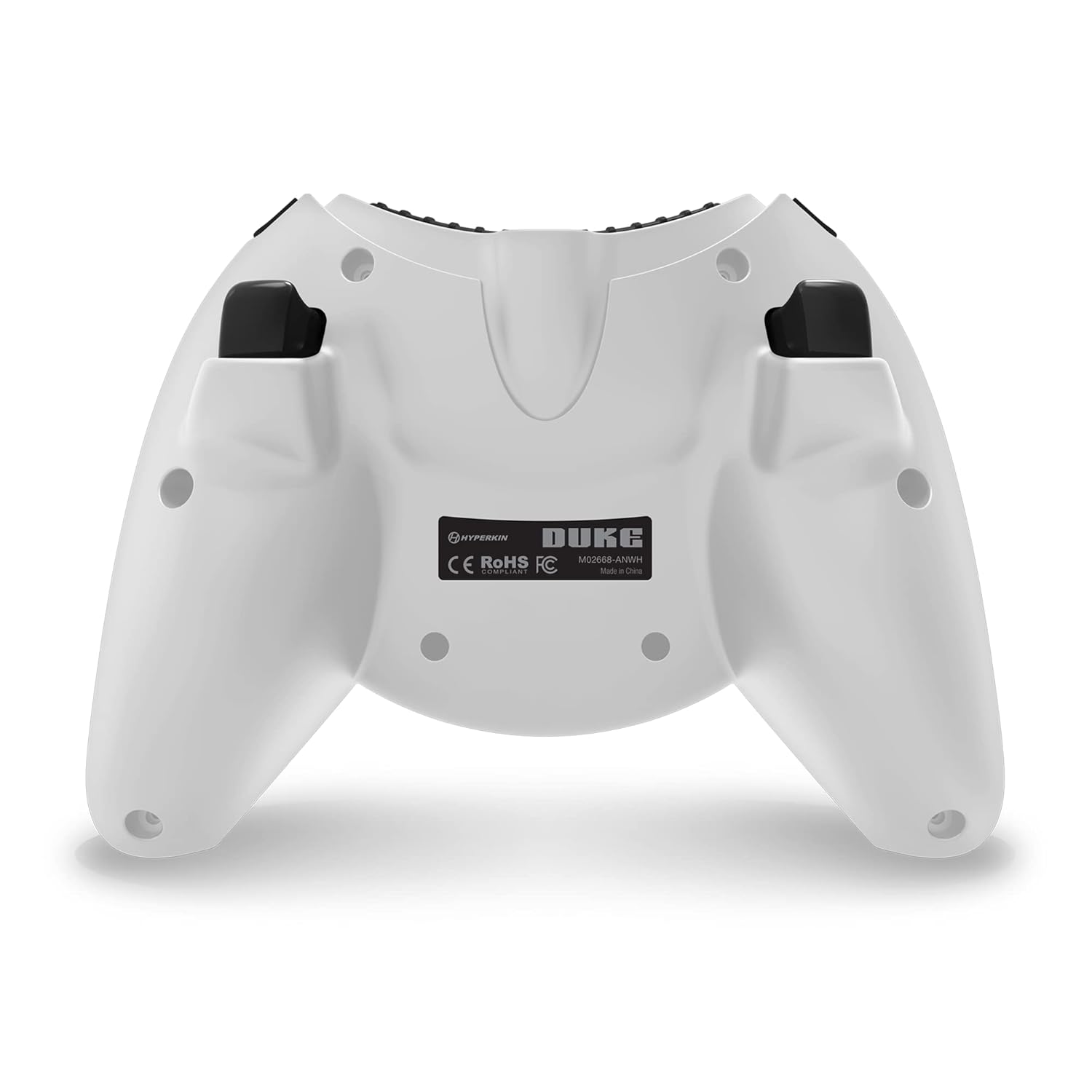
Imaxe 3.2: Costas view do controlador.

Image 3.3: Detail of the Share button and detachable Type-C cable connection.
4. Configuración
The Hyperkin Duke Wired Controller is designed for simple plug-and-play functionality.
- Connect the detachable Type-C braided cable to the port on the top of the controller.
- Plug the USB-A end of the cable into an available USB port on your Xbox Series X|S, Xbox One console, or Windows 10 PC.
- The controller will automatically be detected and configured by your system. The Xbox button will illuminate, and the animated startup screen will play.
Video 4.1: This video demonstrates the animated Xbox button startup sequence on the Hyperkin Duke controller.
5. Instrucións de funcionamento
Once connected, the controller functions similarly to standard Xbox controllers, with additional nostalgic elements.
- Xogos: Use the analog sticks for movement and camera control, the D-pad for directional input, and the A, B, X, Y buttons for in-game actions.
- Precision Triggers: The analog triggers (LT, RT) offer variable input, ideal for racing games or actions requiring precise pressure.
- Bumpers (LB, RB): These buttons provide additional input options, often used for secondary actions or menu navigation.
- Botón Xbox: Press the Xbox button to access the console's guide menu or the PC's Xbox Game Bar. The animated startup screen will play upon connection or when the button is pressed.
- Botón Compartir: Utilize the Share button to quickly capture and share your gameplay moments.
- Uso dos auriculares: Plug any compatible 3.5mm headset into the jack for in-game audio and voice chat.
- Feedback de vibración: The controller provides haptic feedback to enhance immersion during gameplay.
6. Mantemento e coidados
To ensure the longevity and optimal performance of your controller, follow these care guidelines:
- Limpeza: Use a soft, dry cloth to wipe down the controller. Avoid using abrasive cleaners, solvents, or harsh chemicals, as these can damage the surface and internal components.
- Almacenamento: Store the controller in a cool, dry place away from direct sunlight, extreme temperatures, and excessive humidity.
- Coidado do cable: Handle the detachable Type-C cable with care. Avoid sharp bends, kinks, or excessive pulling, which can damage the cable or the connector ports. Always grasp the connector head when plugging or unplugging.
- Evita gotas: Protect the controller from drops or impacts, as these can cause internal damage.
7 Solución de problemas
If you encounter issues with your Hyperkin Duke Wired Controller, refer to the following common solutions:
| Problema | Solución |
|---|---|
| O controlador non responde | Ensure the detachable Type-C cable is securely connected to both the controller and the console/PC. Try a different USB port on your system. Restart your console or PC. |
| Input issues (e.g., stick drift, unresponsive buttons) | For PC, try calibrating the controller through your operating system's game controller settings. Ensure no debris is obstructing buttons or sticks. If the issue persists, contact Hyperkin support. |
| No vibration feedback | Check in-game settings to ensure vibration is enabled. Verify that vibration settings are active in your console or PC's controller settings. |
| Non hai audio dos auriculares | Ensure your 3.5mm headset is fully plugged into the controller's jack. Check your console or PC's audio settings to confirm the headset is selected as the output device. Test the headset with another device if possible. |
Video 7.1: This video demonstrates a potential issue with the left trigger on the controller. If you experience similar issues, refer to the troubleshooting table and contact support.
8. Especificacións
- Número de modelo: M02668-ANWH
- Compatibilidade: Xbox Series X|S, Xbox One, Windows 10 PCs
- Conectividade: Wired (Detachable USB Type-C cable)
- Dimensións: Aproximadamente 6.5 x 5.25 x 3 polgadas (16.5 x 13.3 x 7.6 cm)
- Peso: Aproximadamente 11.99 onzas (340 gramos)
- Características: Precision analog triggers, vibration feedback, 3.5mm headset jack, Share button, animated Xbox button, 20th Anniversary design.
9. Garantía e soporte
For detailed warranty information, product registration, and customer support, please visit the official Hyperkin websitio web ou póñase en contacto co seu departamento de atención ao cliente. Garde o comprobante de compra para reclamacións de garantía.
Hyperkin Official Websitio: www.hyperkin.com


