Introdución
Thank you for choosing the HTC True Wireless Bluetooth Earbuds 2. This manual provides detailed instructions on how to set up, operate, and maintain your earbuds to ensure optimal performance and longevity. Please read this manual carefully before using the product.
O que hai na caixa
- 1x Estuche de carga
- 1 cable USB tipo C
- 1x Guía de inicio rápido
- 2x True Wireless Earbuds (Left and Right)
- 2x pairs of rubber tips (large and small) - Note: A medium pair is likely pre-installed.
Produto rematadoview
Familiarize yourself with the components of your HTC True Wireless Bluetooth Earbuds 2 and their charging case.

Image: The HTC True Wireless Earbuds 2, with one earbud outside the open charging case, showing the charging contacts and indicator light.
The charging case features a USB-C port for charging and an LED indicator to show charging status. Each earbud has touch-sensitive surfaces for control and charging contacts at the bottom.
Configuración
1. Carga dos auriculares e da funda
Antes do primeiro uso, asegúrate de que tanto os auriculares como a caixa de carga estean completamente cargados.
- Place the earbuds into the charging case. Ensure they are correctly seated; the indicator lights on the earbuds should illuminate, indicating charging.
- Connect the USB Type-C cable to the charging port on the case and the other end to a USB power source (e.g., computer, wall adapter).
- The charging case's indicator light will show charging status. A full charge for the case provides up to 3 additional charges for the earbuds, extending total playtime to 32 hours.

Image: The HTC True Wireless Earbuds 2 in their charging case, illustrating the long battery life performance with up to 8 hours listening time per charge and 32 hours total with the 500mAh charging case.
2. Emparejamento cun dispositivo
Os auriculares empregan Bluetooth 5.1 para conexións rápidas e estables.
- Abre a caixa de carga. Os auriculares entrarán automaticamente no modo de emparellamento.
- No teu dispositivo (teléfono intelixente, tableta, portátil), activa o Bluetooth.
- Busca "HTC TWS3" or "HTC True Wireless Earbuds 2" in the list of available Bluetooth devices.
- Selecciona os auriculares para conectar. Unha vez conectados, escoitarás un ton de confirmación.

Image: The HTC True Wireless Earbuds 2 and their charging case positioned near a smartphone, demonstrating the quick and easy pairing process facilitated by the latest Bluetooth 5.1 chipset.
The earbuds can be used individually or together. For optimal stereo sound, use both earbuds. They maintain a stable connection up to 10 meters (32 feet) from your device.
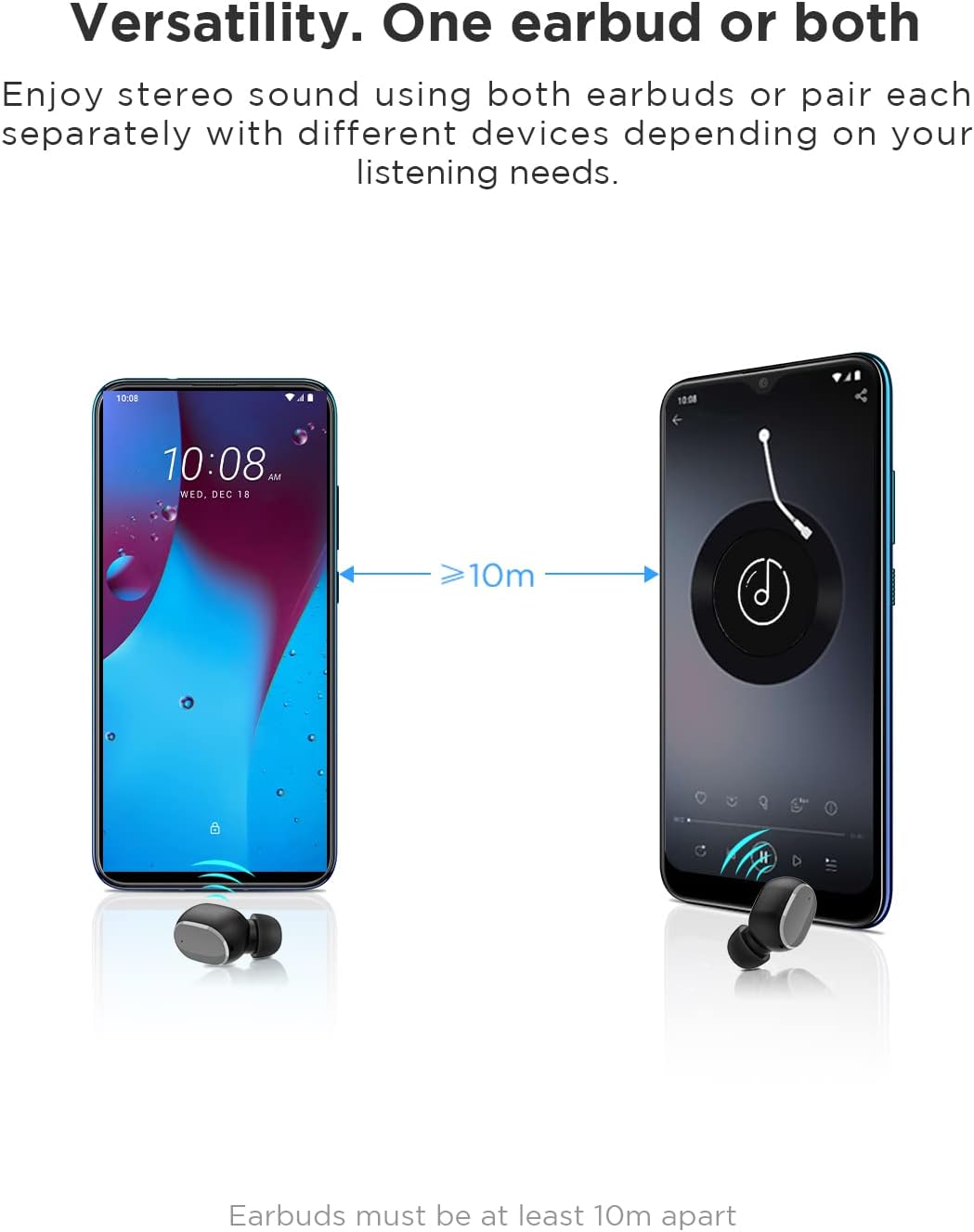
Image: An illustration showing two smartphones and earbuds, emphasizing the versatility of using one or both earbuds and the effective operating range of at least 10 meters.
Instrucións de funcionamento
The HTC True Wireless Bluetooth Earbuds 2 feature intuitive touch controls for various functions.

Image: A detailed diagram illustrating the simple touch controls for the HTC True Wireless Earbuds 2, including commands for play/pause, track navigation, call management, voice assistant, and volume control.
| Acción | Función |
|---|---|
| Toca calquera dos auriculares unha vez | Play / Pause music, Answer / End call |
| Toca o auricular esquerdo dúas veces | Aumentar o volume |
| Toca o auricular dereito dúas veces | Diminuír o volume |
| Toca calquera dos auriculares tres veces | Activa o asistente de voz |
| Manteña premido o auricular esquerdo durante 2 segundos | Reproducir a canción anterior |
| Manteña premido o auricular dereito durante 2 segundos | Toca a seguinte canción |
| Tap and hold either earbud for 2 seconds (during incoming call) | Rexeitar chamada |
| Toca calquera dos auriculares 5 veces | Clear pairing / Restore factory settings |
The earbuds are designed for comfortable, long-term wear, weighing only 4.4g per earbud. They come with three different sizes of ear tips to ensure a secure and comfortable fit.

Image: A person comfortably wearing an HTC earbud, accompanied by illustrations highlighting the ergonomic design, skin-friendly material, and the inclusion of three different earplug sizes for optimal fit and comfort.
Mantemento
Limpeza
Unha limpeza regular axuda a manter a calidade do son e a hixiene.
- Usa un pano suave, seco e sen fiapos para limpar os auriculares e a funda de carga.
- Para o cerumen ou os residuos nas almofadas ou na malla do altofalante, use un cepillo pequeno e suave ou un hisopo de algodón. Non empregue obxectos afiados.
- Evite o uso de produtos de limpeza abrasivos, alcol ou solventes químicos.
Almacenamento
Cando non estean en uso, garde os auriculares no seu estoxo de carga para protexelos e mantelos cargados.
- Gardar nun lugar fresco e seco, lonxe de temperaturas extremas e da luz solar directa.
- Evitar almacenar en ambientes poeirentos ou sucios.
Resistencia á auga (IPX5)
The HTC True Wireless Bluetooth Earbuds 2 are rated IPX5 water-resistant, meaning they can withstand a sustained, low-pressure water jet spray. This makes them suitable for workouts and light rain.
- Non mergulles os auriculares na auga.
- A caixa de carga non é resistente á auga. Manteña seca.
- Asegúrate de que os auriculares estean secos antes de volvelo colocar na caixa de carga para evitar danalos.
Resolución de problemas
Se tes problemas cos teus auriculares, consulta as seguintes solucións habituais:
| Problema | Solución |
|---|---|
| Os auriculares non se sincronizan co dispositivo |
|
| Só un auricular ten son |
|
| Os auriculares non se cargan |
|
| Mala calidade de son ou desconexións |
|
Especificacións
Detailed technical specifications for the HTC True Wireless Bluetooth Earbuds 2.
| Característica | Detalle |
|---|---|
| Nome do modelo | TWS 2 (HTC TWS3) |
| Tecnoloxía de conectividade | Sen fíos (Bluetooth 5.1) |
| Jack para auriculares | USB (para a caixa de carga) |
| Tipo de control | Táctil, control de volume |
| Nivel de resistencia á auga | IPX5 (auriculares) |
| Formato de micrófono | Built-In, Stereo |
| Tempo de reprodución (auriculares) | Ata 8 horas (unha soa carga) |
| Tempo de conversa (auriculares) | Ata 6 horas (unha soa carga) |
| Tempo de reprodución total coa caixa de carga | Ata 32 horas |
| Capacidade da batería do estuche de carga | 500 mAh |
| Peso dos auriculares (individuais) | 4.4 g |
| Distancia máxima de operación | 32 pés (aprox. 10 metros) |
| Dispositivos compatibles | Android, Laptops, iPhone |
| Material | Plástico |
| Dimensións do produto | 4.34 x 4.34 x 3.45 cm; 160 g (overall package) |
Información de seguridade
Please observe the following safety guidelines for safe and effective use:
- Non desmonte, repare nin modifique o produto. Isto podería provocar incendios, descargas eléctricas ou danos completos no produto.
- Manteña o produto lonxe de temperaturas extremas, luz solar directa e alta humidade.
- Evite deixar caer ou someter o produto a fortes impactos.
- Non empregues os auriculares a volumes excesivamente altos durante períodos prolongados, xa que isto pode causar danos auditivos.
- Manter fóra do alcance dos nenos e animais.
- Desfágase do produto e das súas baterías de forma responsable segundo a normativa local.
Atención ao cliente
For further assistance or inquiries, please contact HTC customer support through their official channels. Refer to the product packaging or the official HTC websitio para información de contacto.
Note: Specific warranty details are not provided in this manual. Please refer to your purchase documentation or the manufacturer's websitio de información de garantía.


